Table of Contents
This guide provides a practical overview of invite to download website x5 start 15, website creation tool for $ with clear explanations and useful details. It focuses on the information users are most likely to need.

How Invite to Download Website X5 Start 15, Website Creation Tool for $ Works
WebSite X5 Start 15 has a friendly interface, supports users step by step to create websites without knowledge of web programming. This website creation tool has more than 50 templates, supports creating up to 25 different websites, easy to drag and drop text, images, video, audio, animations to help users create a website with only few simple operations.
Sign up for a free license of the WebSite X5 Start tool 15
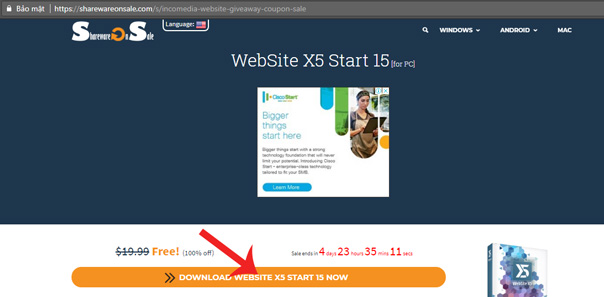
Step 1: Visit the link below and click DOWNLOAD WEBITE X5 START 15 NOW.
- Free WebSite X5 Start 15
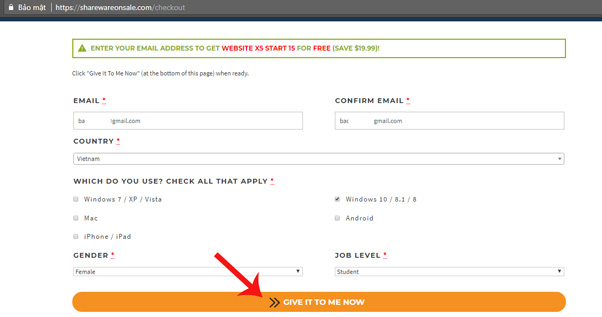
Step 2: Fill in the information and click the text GIVE IT TO ME.
Step 3: The installation file will be downloaded automatically.
Step 4: Visit the link below to create an account on WebSite X5 Start 15 -> click confirm I am not a robot -> click Register (skip this step if you already have an account).
- Https://helpcenter. websitex5. com/en/signup

Step 5: Access the mailbox you registered in step 4 to open the account activation email.
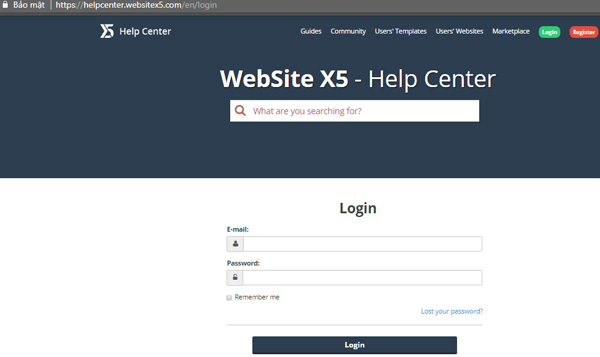
Step 6: Visit the link below and sign in with the newly registered WebSite X5 Start account to receive the free software license.
- Https://helpcenter. websitex5. com/en/login
Step 7: Install the app and activate the free license of WebSite X5 Start 15.
Note:
The copyright registration period of the X5 Start 15 Website ends on April 23, 2018 .
- Download ScanTransfer, a $ 20 smartphone and PC copy application, free
- Offering free license for HD video Converter Factory Pro, video conversion software costs USD 49.95
- 60 best Free Commons music download sites
- The free code is exclusively for IFLIX account
FAQ
What is the main benefit of invite to download website x5 start 15, website creation tool for $?
The main benefit is a clearer understanding of the topic and a practical way to apply the information covered in this guide.
What should I check before using invite to download website x5 start 15, website creation tool for $?
Confirm compatibility, review the required settings, protect important data, and use the latest supported version whenever possible.
What should I do if the result is different?
Repeat the steps carefully, verify permissions and version differences, and consult the product's official support documentation for changes not shown in the article.
Related Articles
 15 Tools to Help Build a Website for Beginners (No Code Required)9 minutes read
 4 Tools to Help Build a Website for Beginners: Best Options Compared9 minutes read
 How to Use Weebly to Create a Website on Your Phone - Completely Free10 minutes read
 Icon Creation Software: The Best Free Icon Creation Tools13 minutes read
 Top Most Effective and Easy-to-Use AI Tools for Creating Websites9 minutes read
 TOP best AI tools for website design9 minutes read
Reader Comments 0
Sign in with email or Google to join the discussion.