Table of Contents
A past Grab Rewards promotion offered eligible users three months of Game Pass, but its redemption deadline has passed. Do not expect the old reward to appear now. Use the steps below only when a current offer is visible in your own Grab or partner app and its terms identify Microsoft or Xbox as the redemption destination.
Game Pass plans, trial periods, eligible regions, account rules, and conversion prices can change. Before redeeming any code, read the live offer terms and compare the current plans on the official Xbox Game Pass page.
Check a partner rewards app for a current offer
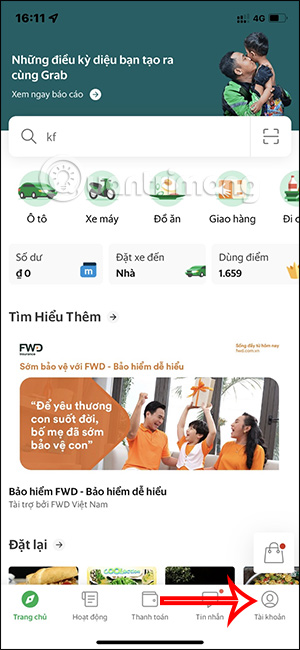
1. Open the rewards section
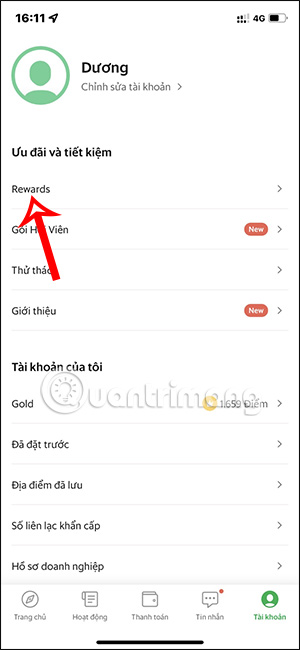
In the Grab interface used by the expired campaign, users opened Account and then Rewards. A current app version may organize loyalty benefits differently.
2. Filter the available rewards
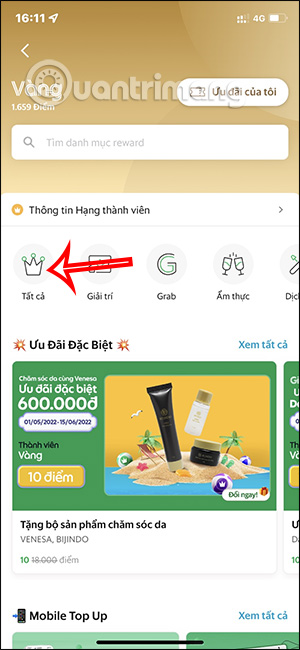
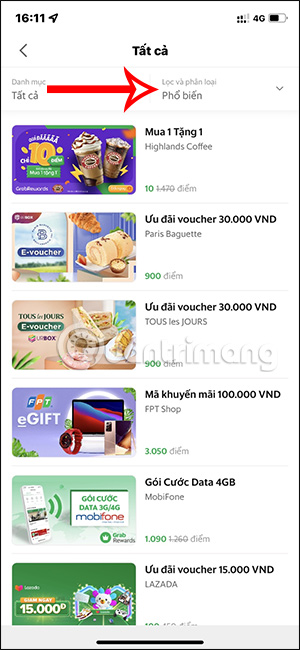
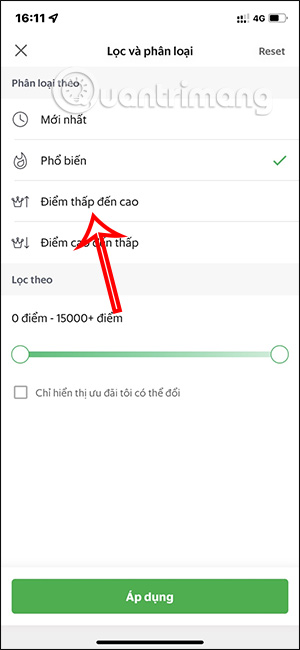
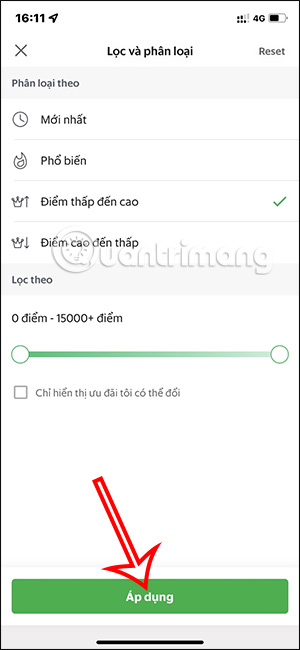
The historical walkthrough selected All, opened the filter controls, and sorted rewards from low to high points. Sorting can help locate an offer, but it does not make an account eligible.
3. Read the offer before spending points
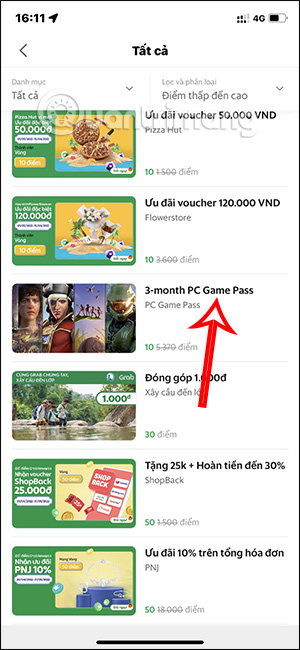
If a Game Pass reward appears, open it and check:
- the Game Pass plan and trial length;
- new-customer or existing-customer eligibility;
- supported account country and redemption region;
- the reward-point cost;
- the claim and code-expiration dates;
- whether a payment method and recurring billing are required; and
- what the subscription will cost after the promotional period.
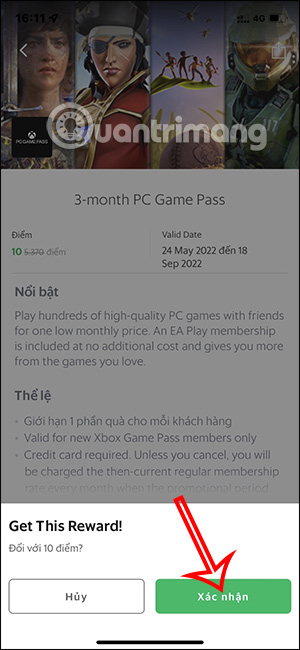
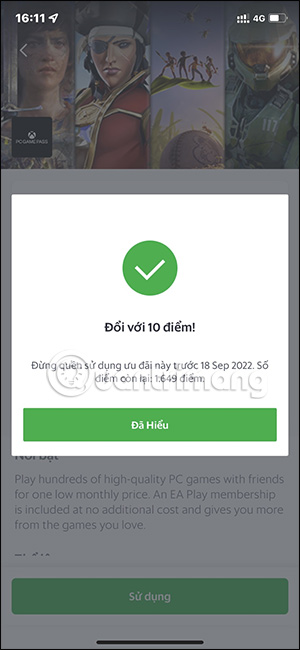
The screenshots show the old three-month campaign and its expired deadline. They are an example of where eligibility and point information appeared, not proof of a current offer.
4. Claim and protect the code
Confirm the point redemption only if the current terms fit your account. After claiming, copy the code privately and record its expiration date.
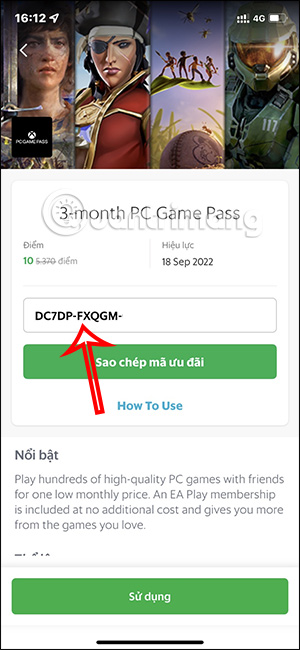
Do not post the code in a screenshot or send it to someone claiming they must “activate” it for you. A prepaid code can usually be redeemed once, and anyone who obtains it may be able to use it first.
Redeem the code through Microsoft
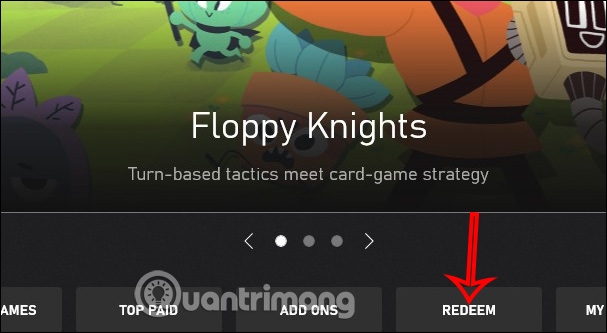
5. Use the official redemption flow
Microsoft supports code redemption on the web, Windows, mobile devices, and Xbox consoles. Follow its current Xbox code-redemption instructions. Confirm that you are signed in to the Microsoft account that should own the subscription.
6. Enter the code and review the confirmation
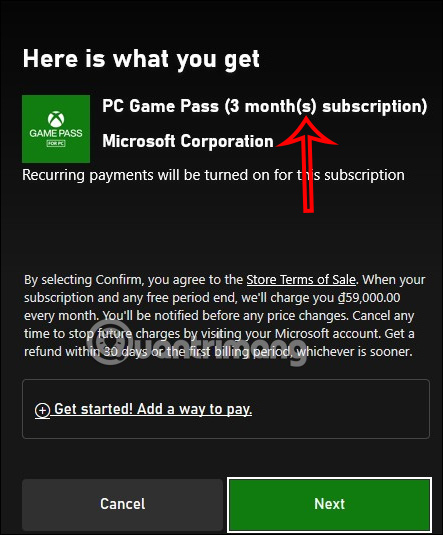
Enter the code on the official Microsoft or Xbox redemption page and select Next. Before confirming, verify the product name, duration, account, and region shown.
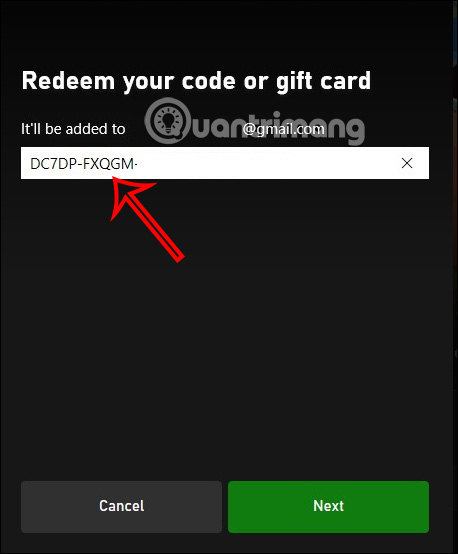
The redemption screen may request a payment method if the offer starts a subscription with recurring billing. Read the renewal date and post-offer price before continuing. If those terms are not acceptable, do not activate the trial.
After activation
- Open your Microsoft account’s Services & subscriptions page and confirm the plan and next billing date.
- Save the redemption confirmation and partner reward record until the subscription appears correctly.
- If you do not want renewal, change recurring-billing settings through the Microsoft account—not through a third-party link.
- Do not create a new region or falsify account details to force a code to work; region mismatch can prevent redemption.
- If the code fails, use Microsoft’s official digital-code support and provide the purchase or reward proof without publishing the code.
Avoid fake “free Game Pass” offers
Leave any page that asks you to install an unknown program, complete endless surveys, disable browser protection, share a verification code, or pay an activation fee to a personal account. A legitimate partner offer should state its sponsor, eligibility, dates, redemption destination, and subscription terms before you spend points or enter payment details.
Related Articles
 How to Use Xbox Game Pass for Free: Step-by-Step Guide6 minutes read
 Battlefield 1 and Battlefield 4 Are Available for Free to Download4 minutes read
 What Is Xbox Game Pass?4 minutes read
 What Is Xbox Game Pass? Features, Uses, and Key Details5 minutes read
 Microsoft Will Add a cloud-based Xbox Game Pass Option4 minutes read
 6 Reasons Why Users Stick with Xbox Game Pass8 minutes read
Reader Comments 0
Sign in with email or Google to join the discussion.