Table of Contents
AI can generate a first draft of a website, but choosing a tool based only on that demo is risky. The more important questions are what happens after launch: Can you edit every element, export or migrate the site, connect your existing systems, meet accessibility requirements, measure real user behavior, and control recurring costs?
The tools below solve different jobs. A prompt-to-site builder is useful for launching a small business site, while a wireframing tool, behavior analytics platform, or landing-page optimizer may be the better addition to an established website.
Quick comparison of AI website tools
| Job | Tools to evaluate | Best fit | Main limitation to check |
|---|---|---|---|
| Generate and host a complete site | Wix, Hostinger, Durable, Dorik | Small business sites, portfolios, simple stores | Export, plan limits, apps, and platform lock-in |
| Build with WordPress | 10Web | Teams that want an AI-assisted WordPress workflow | Plugin compatibility, hosting terms, and generated-code quality |
| Design a polished marketing site | Framer | Design-led landing pages and CMS sites | Complex application logic and migration requirements |
| Create sitemaps and prototypes | Relume, Uizard | Planning information architecture and testing ideas | These are not substitutes for production development |
| Create a lightweight visual page | Canva Websites | Campaign pages and simple presentations on the web | Advanced CMS, SEO, and application requirements |
| Optimize landing-page variants | Unbounce Smart Traffic | Paid campaigns with multiple landing-page variants | Needs meaningful traffic and a valid conversion goal |
| Understand visitor behavior | Hotjar, Maze | Heatmaps, replays, surveys, or prototype research | Consent, privacy, sampling, and interpretation |
| Improve content workflow | Surfer, Alli AI | SEO teams that need briefs or controlled page updates | Recommendations still require editorial review |
| Assist an online store | Shopify Magic and Sidekick | Merchants already operating on Shopify | Product facts, policies, and generated claims must be checked |
AI builders for a new website
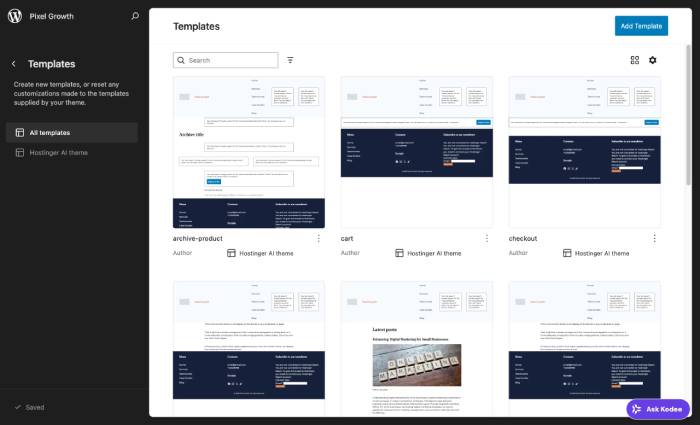
Wix can generate an editable site from a conversation and combines the builder with hosting and business features. It is a practical starting point when you want one vendor for pages, forms, bookings, or a small store. Confirm which features are included in the selected plan and whether you can migrate the content you care about.
Hostinger Website Builder also turns a description into a site that can be refined with a visual editor. Its official product pages describe responsive layouts and e-commerce options. It suits a straightforward hosted site, but test the mobile editor, checkout requirements, and integration list before committing.
10Web focuses on WordPress and WooCommerce. It offers AI generation, an Elementor-based editor, and an AI assistant for changes. Choose it when the WordPress ecosystem matters, then verify theme and plugin compatibility, backups, staging, performance, and what remains portable if you change hosts.
Durable and Dorik are additional prompt-first builders worth testing for a simple brochure site. Their plan details and export options can change, so compare them with a real five-page prototype rather than relying on a generated home page.
Tools for design, sitemaps, and prototypes
Framer generates editable layouts and combines a visual canvas with CMS, hosting, SEO settings, and publishing. It is well suited to visually refined marketing sites. Before selecting it, recreate a representative CMS page, form, redirect, analytics setup, and responsive breakpoint from your intended site.
Relume is primarily a planning aid: it can generate a sitemap, wireframes, and a style guide for a marketing website. That makes it useful before development, especially when a team needs to agree on page hierarchy and reusable sections. The output still needs content strategy, accessibility review, responsive design, and implementation.
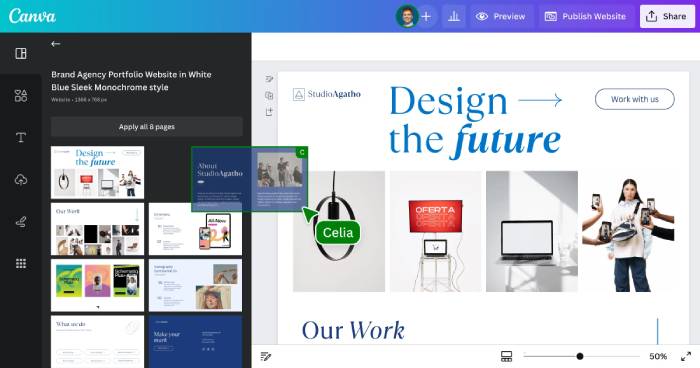
Uizard helps turn prompts or sketches into interface concepts. Use it to explore flows and obtain feedback, not as evidence that a production application is complete. Canva Websites is convenient when an existing Canva design workflow and a lightweight web page matter more than a sophisticated CMS.
Tools for improving an existing website
Do not rebuild a site merely because an AI builder can produce a more fashionable layout. Start by identifying a measurable problem.
- Hotjar provides heatmaps, session replays, surveys, and feedback. These tools can reveal where visitors hesitate or abandon a task, but they do not explain intent by themselves. Configure consent and suppression of sensitive fields before recording sessions.
- Maze is useful for prototype and usability research. Define the task, recruit representative participants, and separate observed behavior from AI-generated summaries.
- Unbounce Smart Traffic routes visitors among published landing-page variants. It is designed for campaign pages, not general site maintenance. Keep the offer and conversion event consistent enough to make the results interpretable.
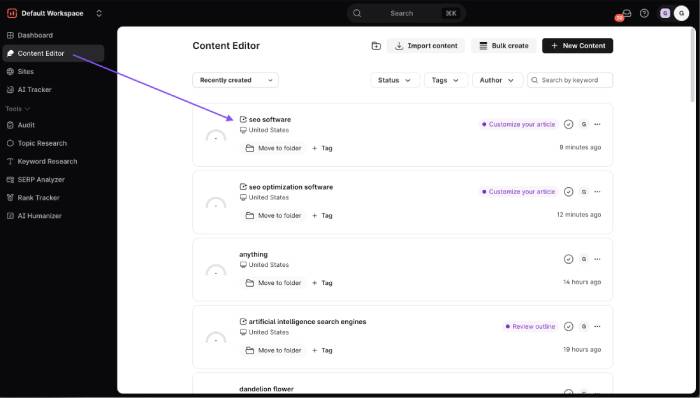
- Surfer and Alli AI can support content briefs or SEO changes. Treat their scores and suggestions as inputs, not ranking guarantees. Check search intent, factual accuracy, internal linking, and page experience manually.
AI tools for content-heavy and SaaS sites
A SaaS or documentation site needs more than attractive pages. Look for structured CMS fields, reusable components, search, versioning, redirects, localization, author permissions, and a review workflow. Framer can cover many marketing-site needs; Relume can help plan the information architecture; and SEO tools can help identify gaps. None replaces product expertise or editorial ownership.
Test the workflow with a real content type such as a feature page, comparison page, release note, or help article. Make sure authors can update it without breaking layout, and verify that titles, descriptions, canonical URLs, structured data, and internal links remain under your control.
AI for e-commerce websites
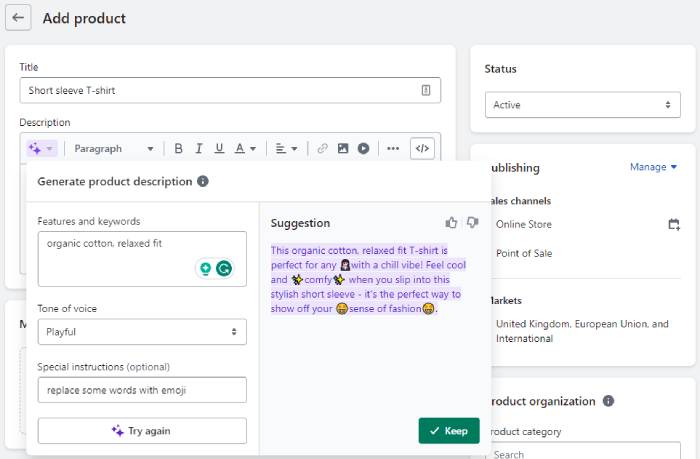
Shopify Magic can draft product descriptions from product details and a selected tone, while Sidekick assists with tasks inside Shopify. These are logical choices for an existing Shopify merchant. Hostinger and 10Web also advertise AI-assisted store creation, but the underlying commerce platform should drive the decision.
Generated copy must not invent materials, dimensions, compatibility, safety information, warranties, availability, or shipping terms. Review tax settings, payment providers, inventory rules, return policies, accessibility, and product schema independently of the AI-generated design.
How to choose an AI website tool
- Define the job. Decide whether you need a hosted site, WordPress site, prototype, landing page, store, or optimization layer.
- Build a representative trial. Include navigation, a form, a CMS collection, analytics, a legal page, and one difficult mobile layout.
- Check ownership and portability. Ask what can be exported, which data has an API, and what happens after cancellation.
- Audit accessibility. Test keyboard navigation, focus order, form labels, contrast, zoom, and screen-reader output. AI generation is not an accessibility certification.
- Verify performance and SEO. Measure real pages, inspect rendered HTML, and confirm control over metadata, redirects, canonical tags, sitemaps, and structured data.
- Review privacy and security. Understand how prompts, visitor data, recordings, forms, and generated assets are stored and processed.
- Calculate the total cost. Include hosting, domains, commerce fees, collaborators, add-ons, bandwidth, localization, and migration—not just the introductory price.
- Plan maintenance. Assign owners for content, updates, backups, analytics, broken links, and conversions after launch.
There is no single “best” AI website design tool. The strongest choice is the one that fits the website's operating model and survives a real trial of editing, publishing, measuring, and maintaining the site—not merely the tool that produces the most impressive first screenshot.
Related Articles
 6 Leading Website Design Companies in Vietnam9 minutes read
 Top Most Effective and Easy-to-Use AI Tools for Creating Websites9 minutes read
 Top 7 UX Design Tools, Leading UI: UI Tools8 minutes read
 Invite to Download Website X5 Start 15, Website Creation Tool for $4 minutes read
 Top 6 Websites to Create the Best Free Posters 20196 minutes read
 Top 11 Leading UX and UI Design Tools: Complete Overview11 minutes read
Reader Comments 0
Sign in with email or Google to join the discussion.