Table of Contents
When you no longer need to use ChatGPT Plus, you should cancel your subscription to avoid losing money. Below are instructions for canceling ChatGPT Plus.
ChatGPT Plus brings users many new features, improving the user experience when using ChatGPT. To use ChatGPT Plus, you will need to pay 200 USD. And when you no longer need to use ChatGPT Plus, you should cancel the subscription to avoid losing money. Below are instructions for canceling ChatGPT Plus.
How to cancel ChatGPT Plus on computer
Step 1:
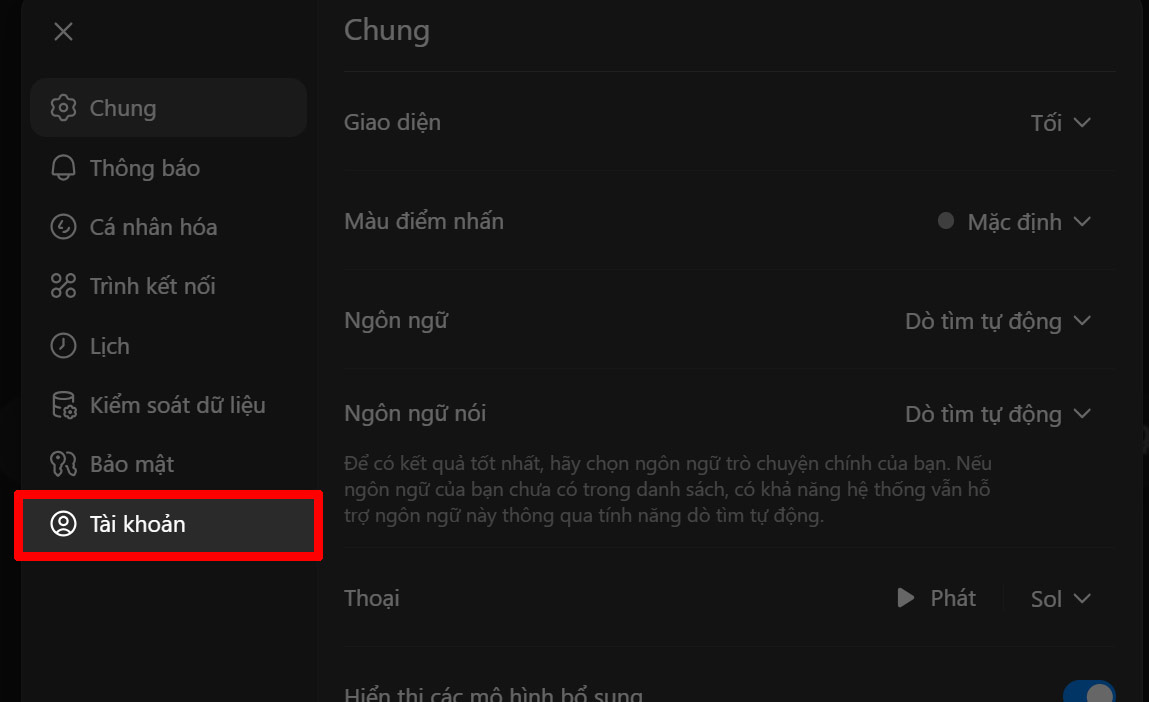
You access ChatGPT personal account and Click on Settings . Then we continue to select Account To adjust.
Step 2:
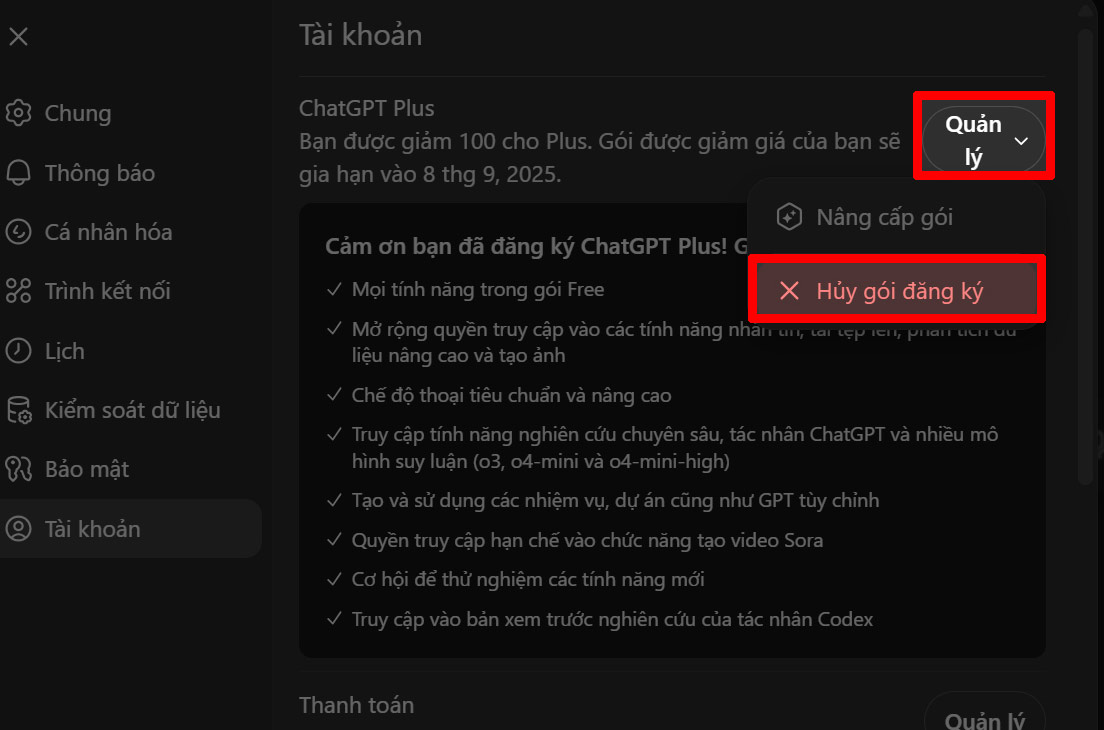
Look to the side, click on Manage in the ChatGPT Plus package And then Click Cancel subscription package .
Instructions to cancel ChatGPT Plus on phone
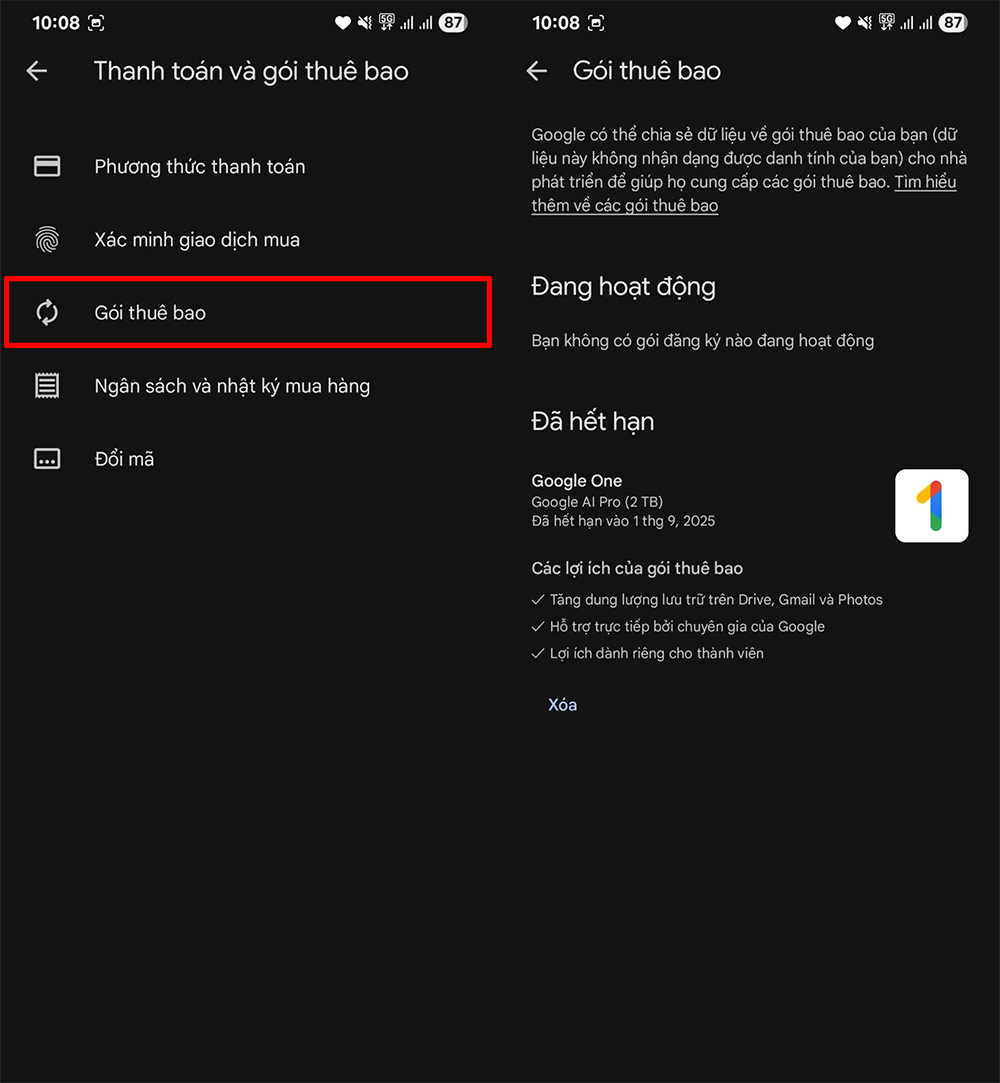
You open CH Play or Appstore and then proceed to cancel the subscription package you have made. Click on Subscription Package to see all the packages that the user has registered for, including the ChatGPT Plus package, then proceed to cancel the subscription as usual.
Cancellations will take effect after your next billing date, so you can continue to use the services until then. To avoid being charged for the next period, make sure to cancel your subscription at least 24 hours before your renewal date.
Registration fees are non-refundable once paid.
FAQ
How do you cancel ChatGPT plus to avoid losing money?
In practical terms, when you no longer need to use ChatGPT Plus, you should cancel your subscription to avoid losing money. Below are instructions for canceling ChatGPT Plus.
What should you check before getting started?
Review the requirements, compatible device or software version, and any warnings described in the guide before making changes.
What should you do if the steps do not work?
Repeat the steps in order, confirm that your app or system is up to date, and review the troubleshooting details provided above.
Related Articles
 Instructions to Cancel Automatic ZaloPay Payment to Avoid Losing Money3 minutes read
 3 Things to Keep in Mind Before Giving up ChatGPT6 minutes read
 Why Do Many People Stop Using ChatGPT Permanently?9 minutes read
 The 'Cancel ChatGPT' Movement Erupted over Military Cooperation: What's Happening4 minutes read
 Lend Money but Are Afraid of Being. Sunt, Tell Your Debtor These4 minutes read
 How to Convert ChatGPT-5 to ChatGPT-4o3 minutes read
Reader Comments 0
Sign in with email or Google to join the discussion.