Table of Contents
WhatsApp is widely used, but constantly reading and replying to dozens of messages every day can sometimes be time-consuming. With its integration with Gemini, the WhatsApp experience becomes significantly smarter and more convenient.
Instead of manually typing each reply, you can ask Gemini to read out new messages, compose appropriate responses, or even make calls directly on WhatsApp using voice commands. This feature is especially useful when you're busy working, traveling, or need to handle multiple conversations at once. In this article, let's explore how to connect WhatsApp with Gemini.
sending WhatsApp messages on Gemini
You should sync your contacts with your Google account. In the Gemini app, tap your profile picture. Then tap Settings, tap Contact information for people on your device, and turn this setting on.
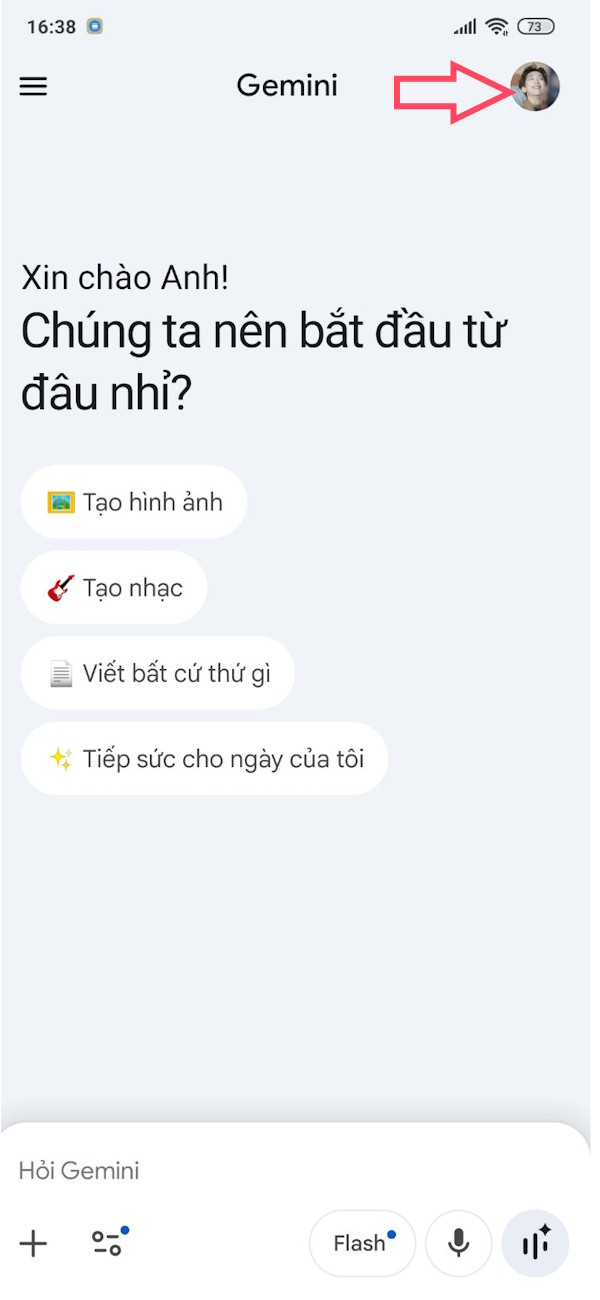
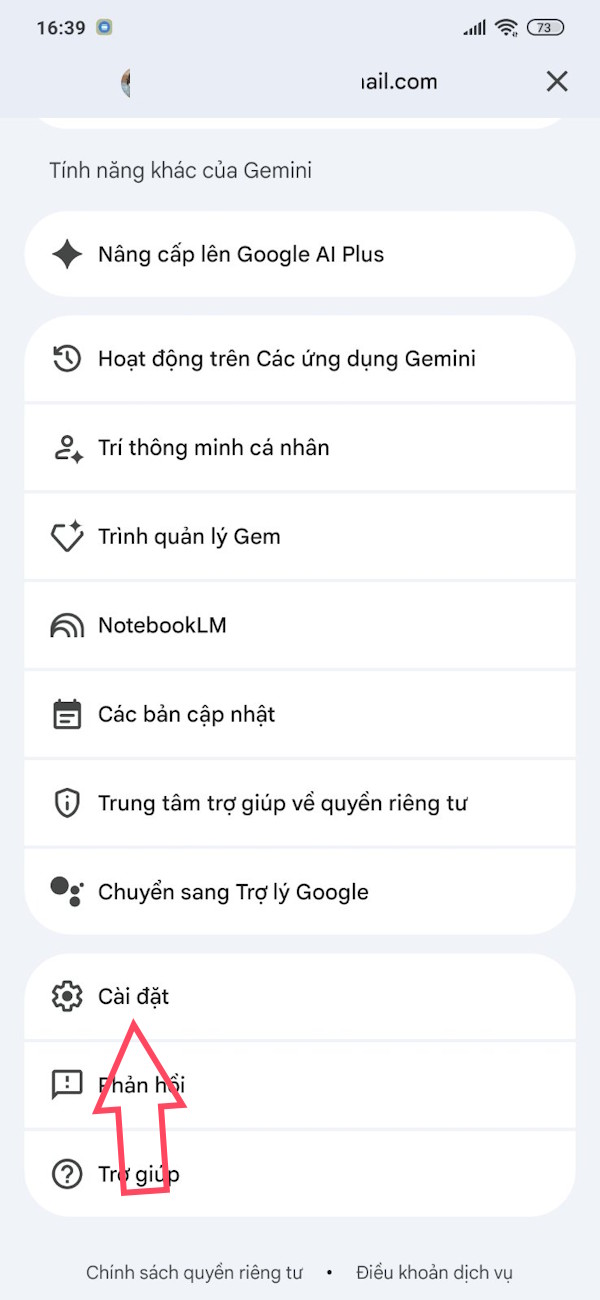
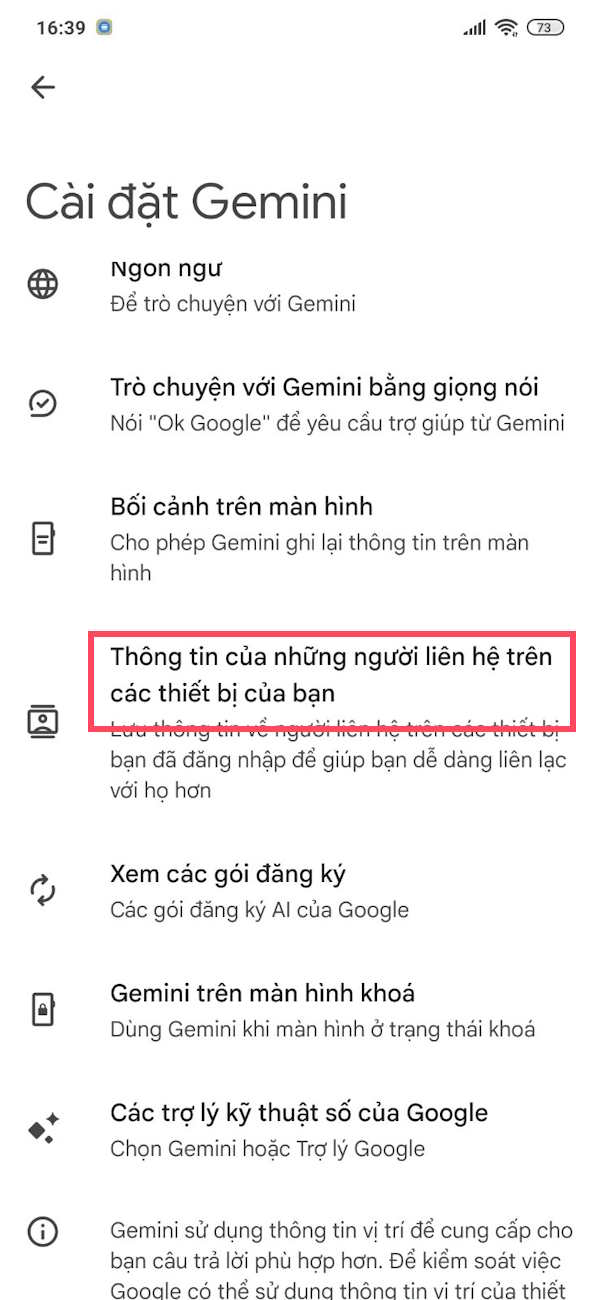
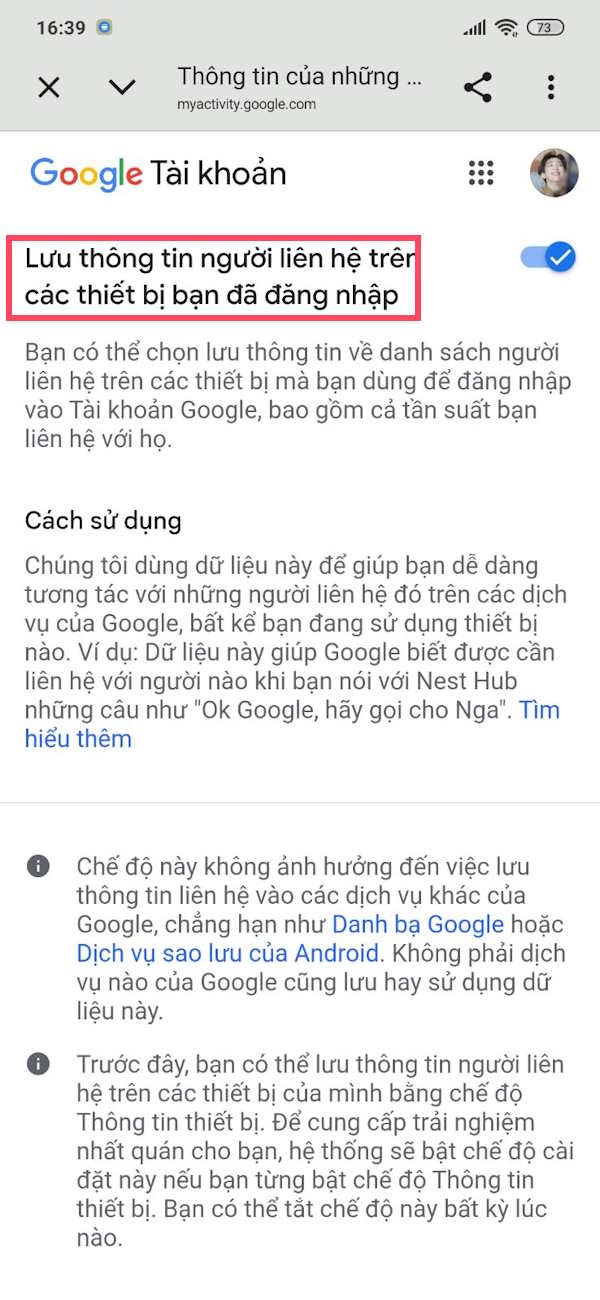
Step 1:
You tap on your profile picture, then tap on Personal Intelligence. On the new screen, tap on Connected Apps.
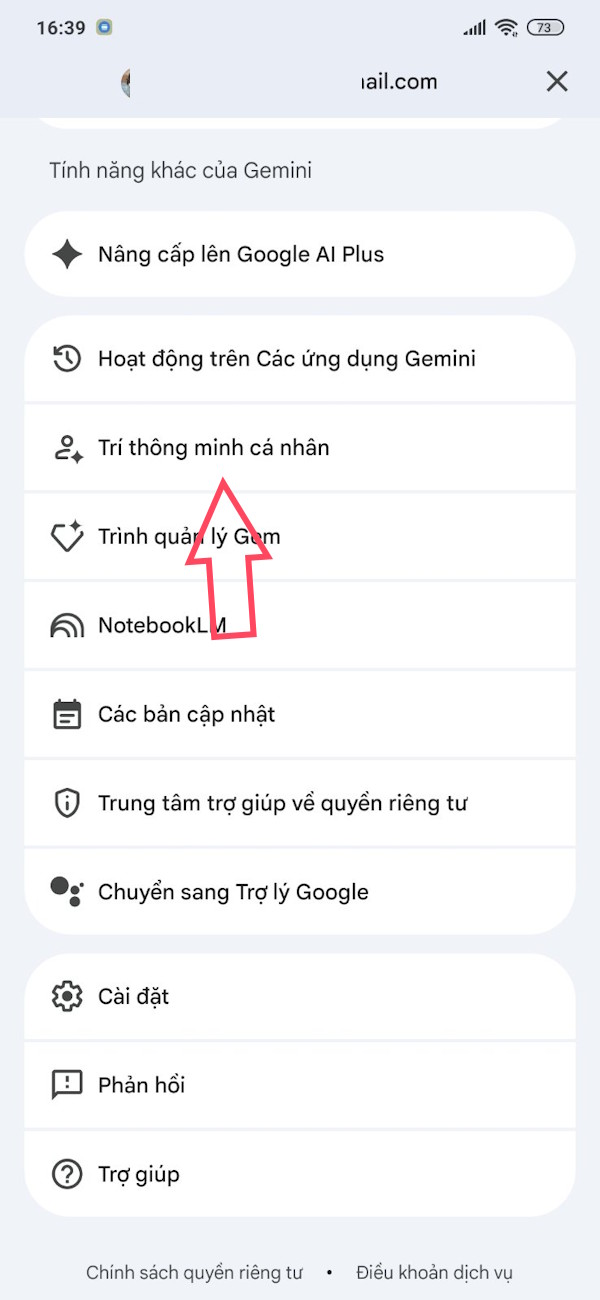
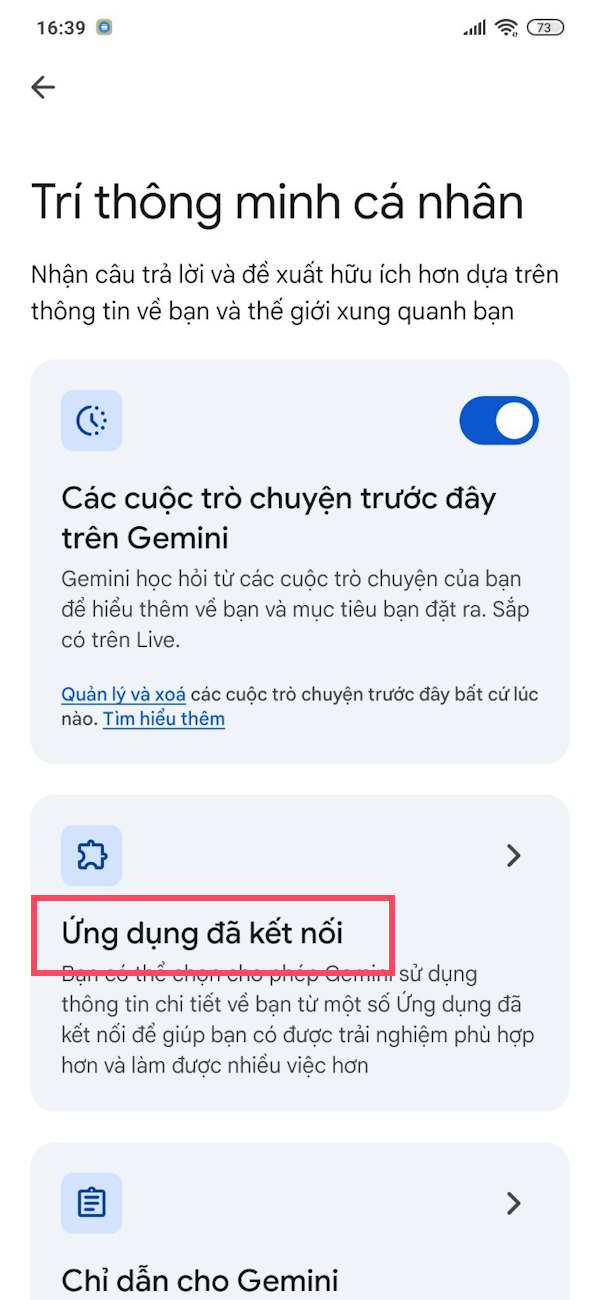
Step 2:
Now, activate the WhatsApp application to use WhatsApp on Gemini.
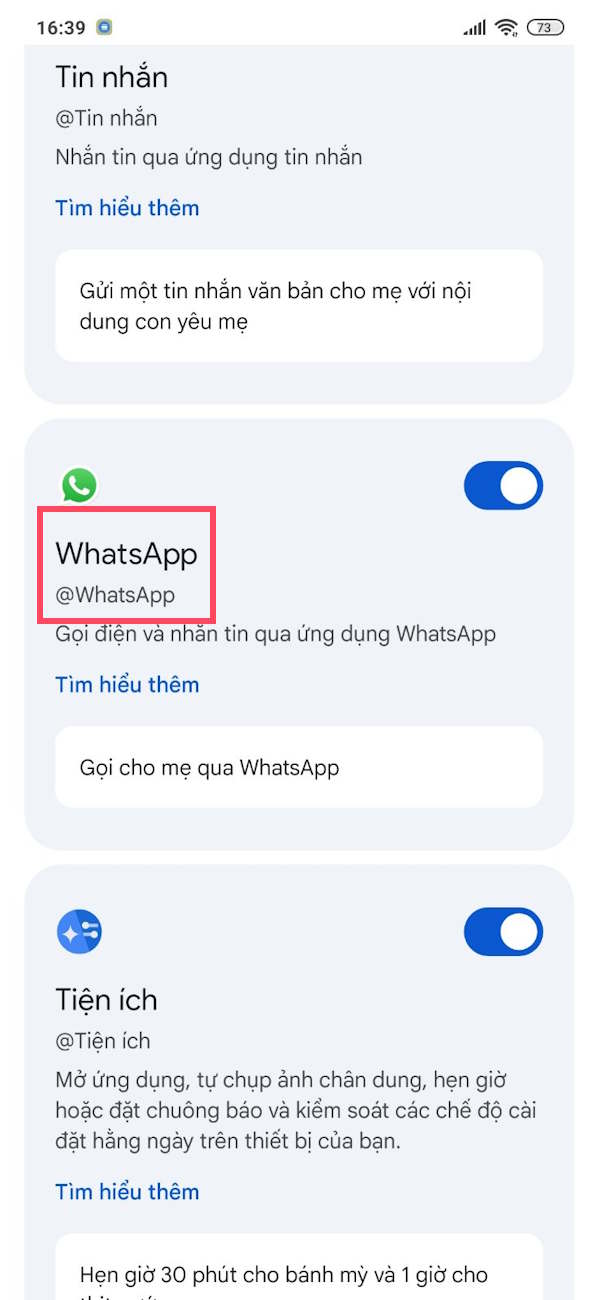
Step 3:
Return to the Gemini interface, type "Send message @", and then select the WhatsApp application from the displayed menu. You will then be asked who you want to send the Gemini message to. Enter the name of the person you want to send the message to on WhatsApp and the message content as shown in the image.
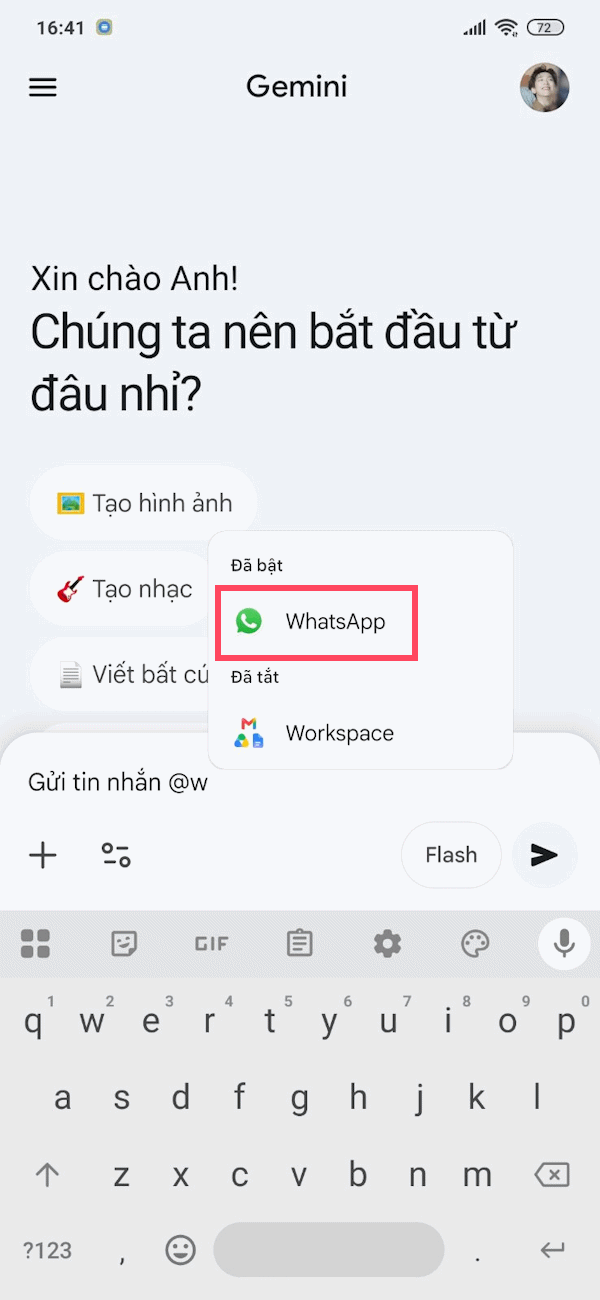
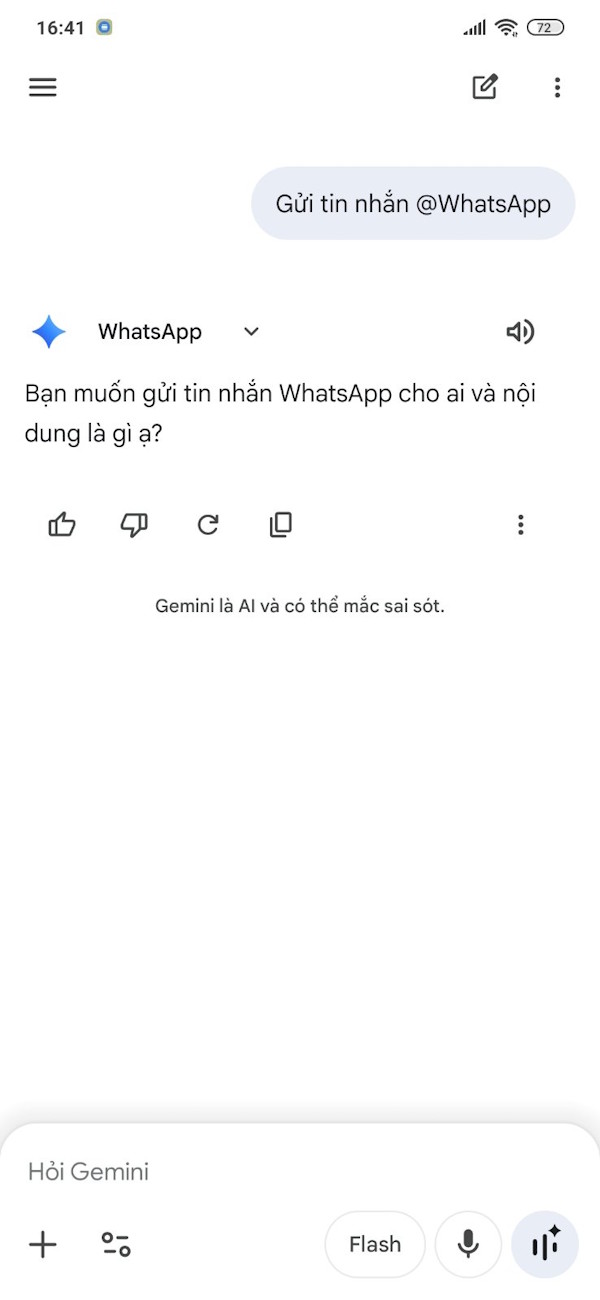
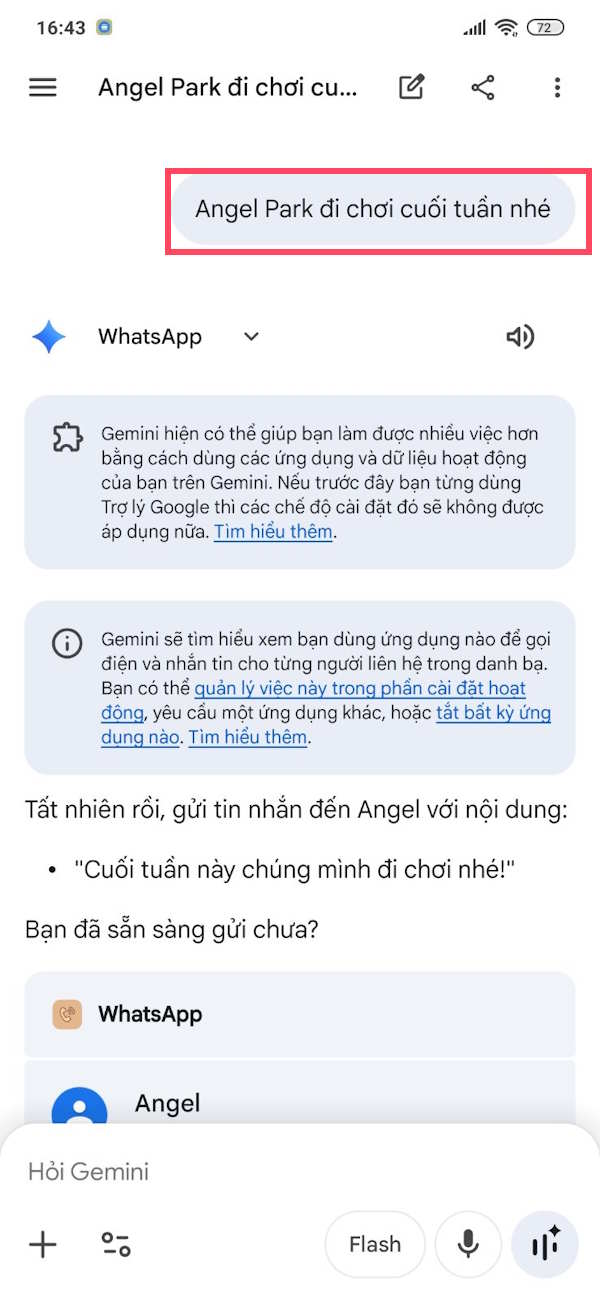
Step 4:
Gemini will then search for the recipient in your contacts by name, and then edit the message content. If you're satisfied, press Send, or press Edit to open the WhatsApp interface.
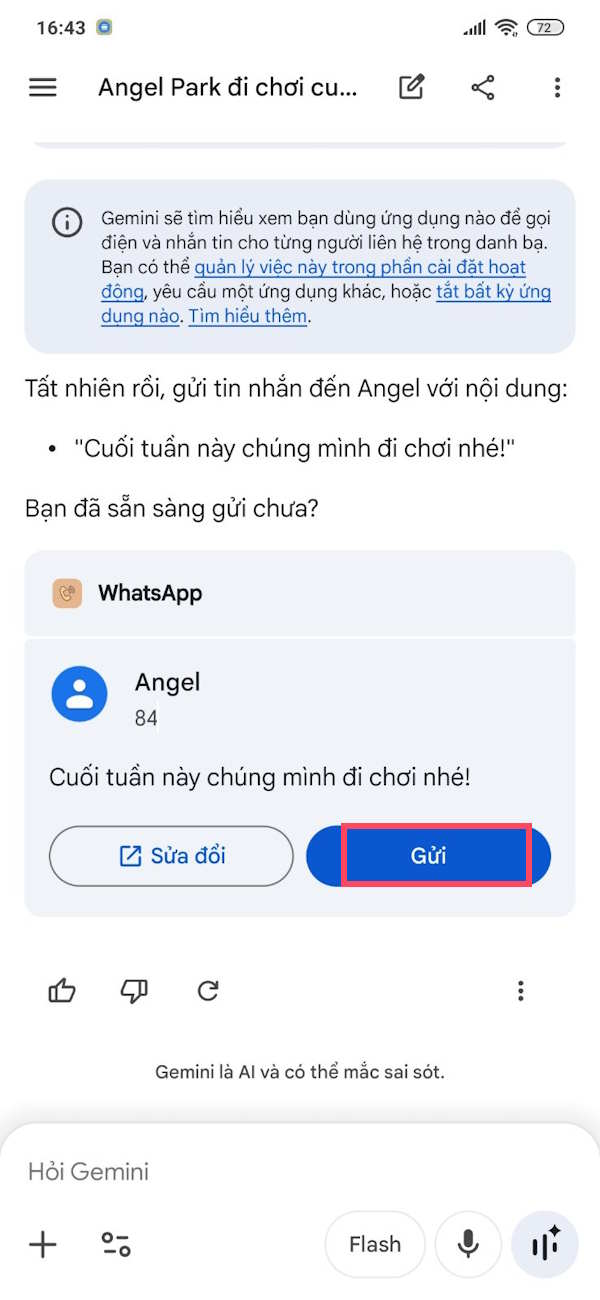
Shortly after, the WhatsApp message was sent on Gemini.
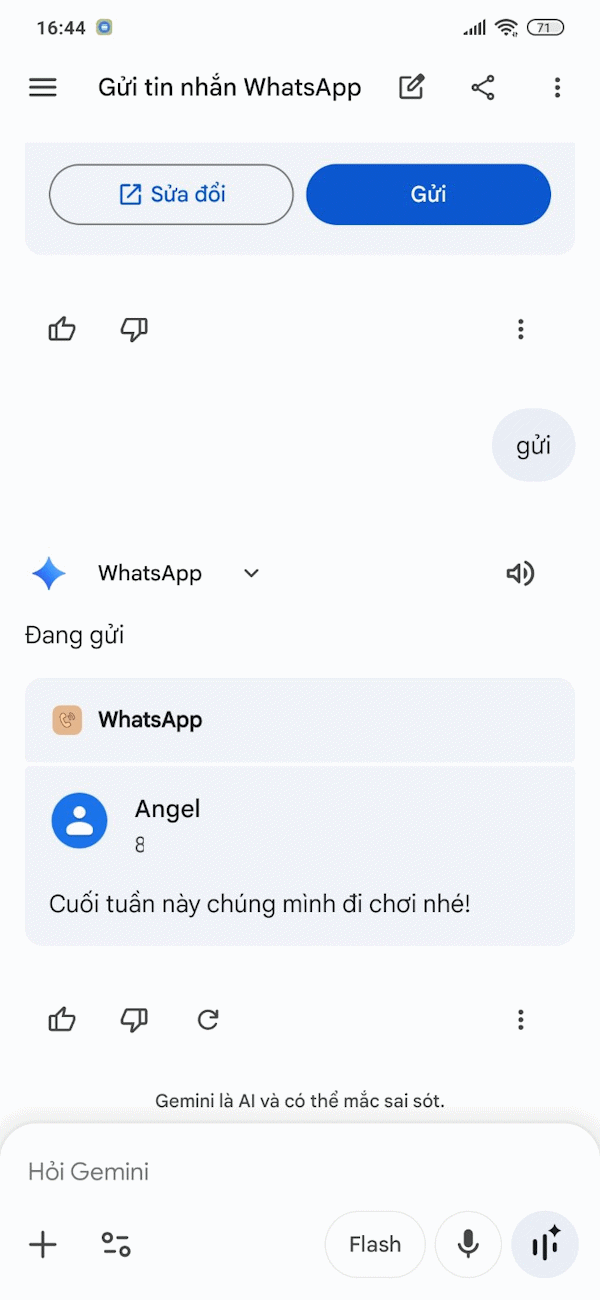
You cannot send images, GIFs, emojis, audio recordings, or video messages via Gemini. We can only make calls, compose messages, or handle voice message composition.
Related Articles
 How to Send Whatsapp Messages to Yourself3 minutes read
 How to Send Voice Messages in Whatsapp on Iphone3 minutes read
 Instructions for Pinning Messages in WhatsApp: Complete Overview4 minutes read
 How to Record Live Video Sent on Whatsapp3 minutes read
 Things to Keep in Mind When Using Whatsapp on the Web4 minutes read
 How to Only Allow Admin to Send Messages in Whatsapp Group Chat on3 minutes read
Reader Comments 0
Sign in with email or Google to join the discussion.