Table of Contents
The Reminders app lets several people work from the same list, which is useful for groceries, household tasks, event planning, or a shared trip checklist. Invitees can view the list after accepting the invitation, and their changes are synchronized for the other participants.
Before starting, make sure Reminders is enabled in iCloud and that the list is stored in iCloud rather than under a third-party account that does not support Apple's collaboration features.
Share a Reminders list
Step 1: Open Reminders. Select an existing list or create a new one.
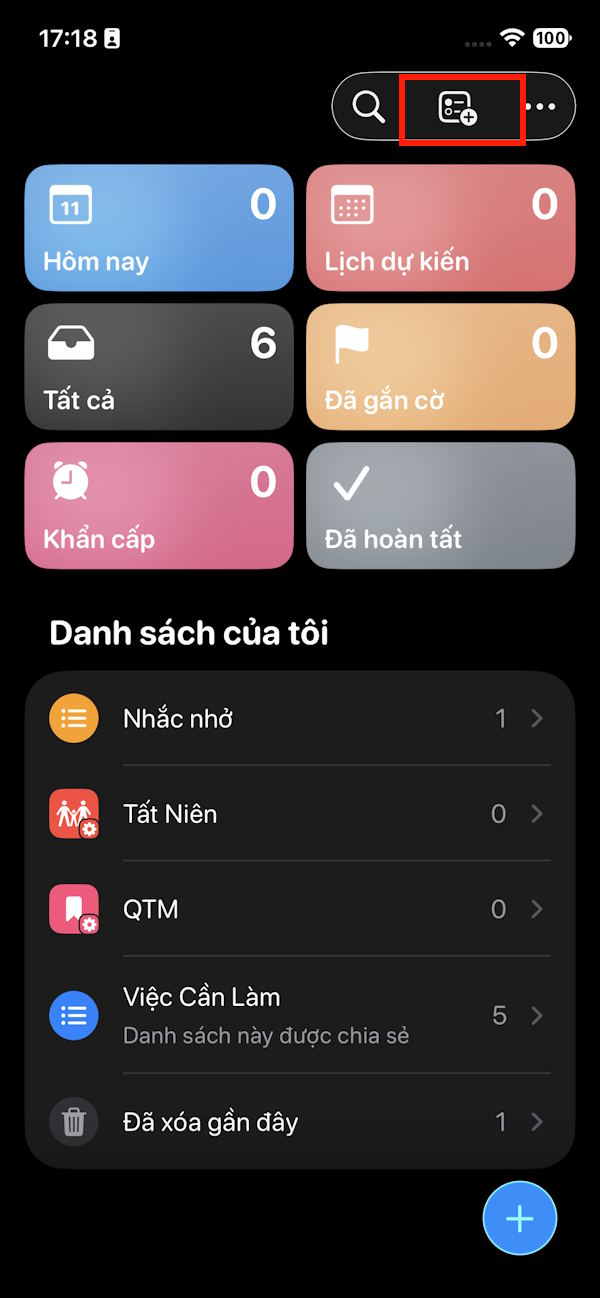
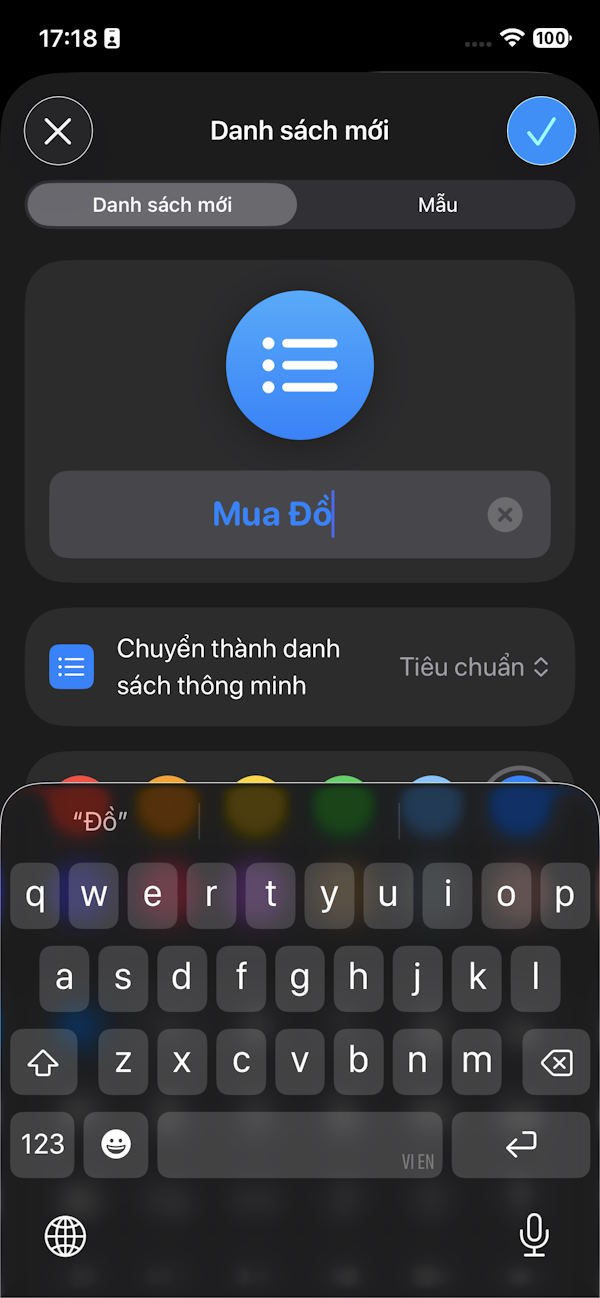
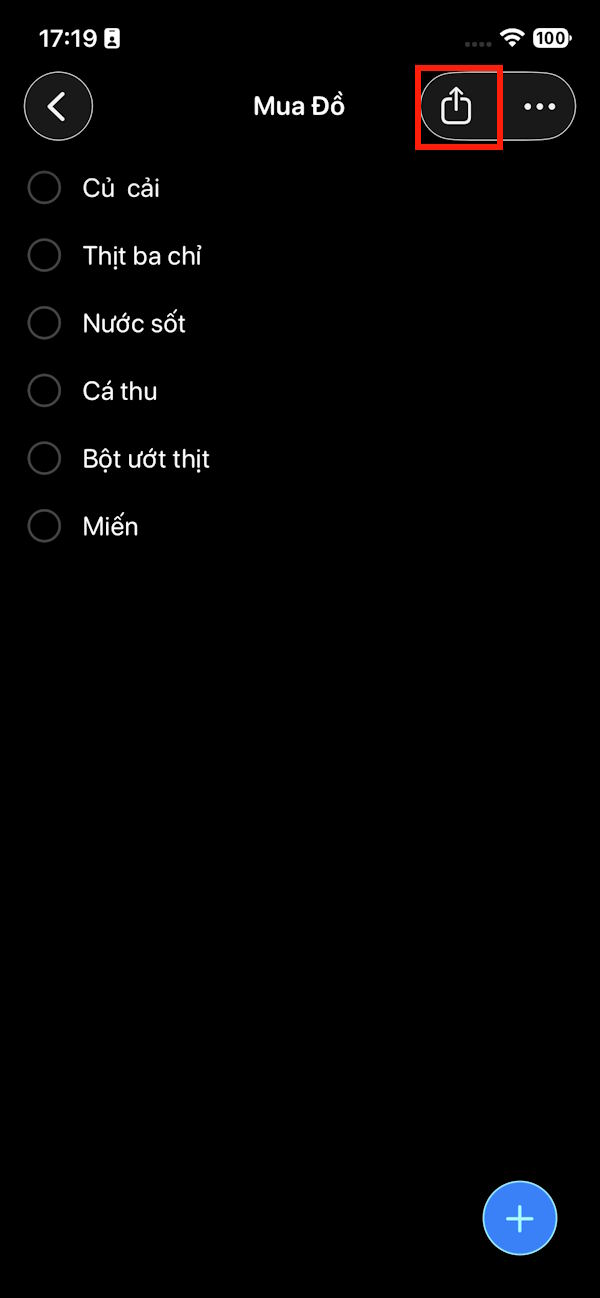
Step 2: Open the list and tap the Share button in the upper-right corner. Choose a sharing method, such as Messages or Mail, and select the people you want to invite.
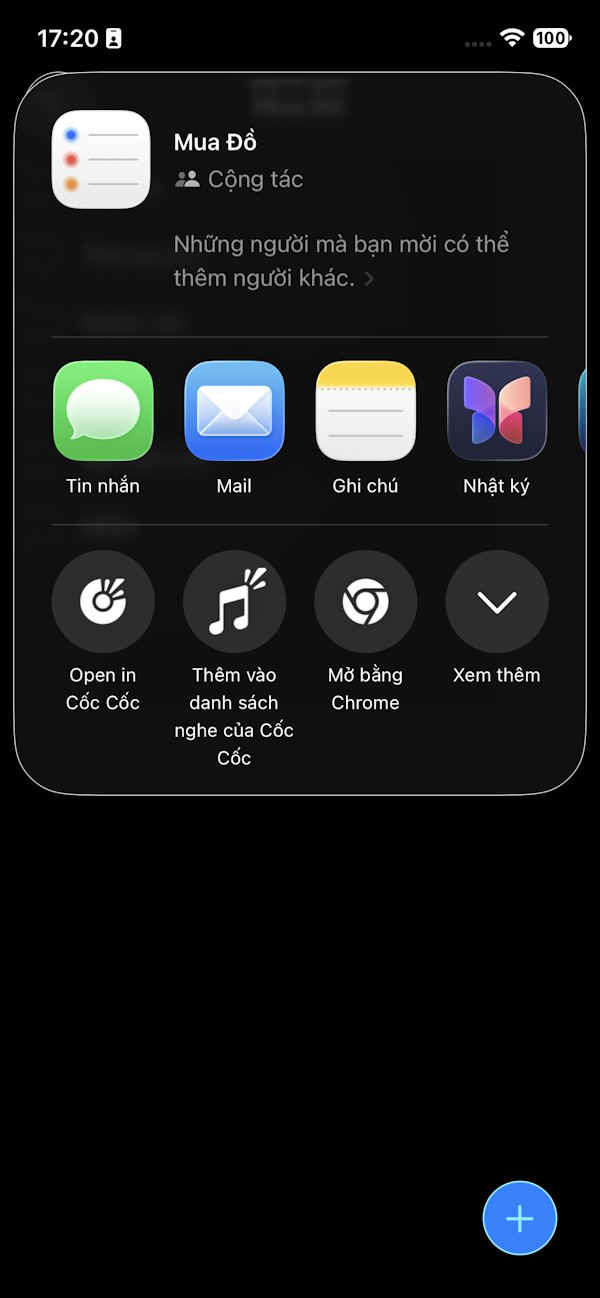
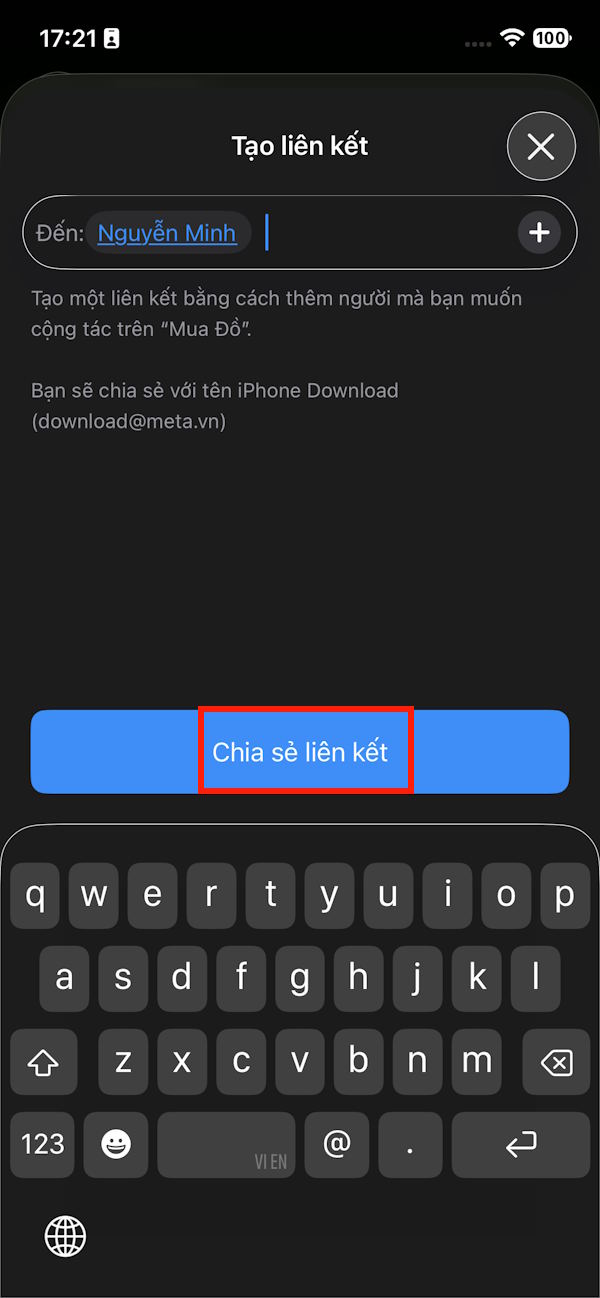
Step 3: Send the invitation. Each recipient must accept it before the shared list appears in their Reminders app.
If a person does not receive the invitation, confirm that you used the address or phone number connected to their Apple Account. You can also return to the sharing controls and send the invitation again.
Manage people and sharing options
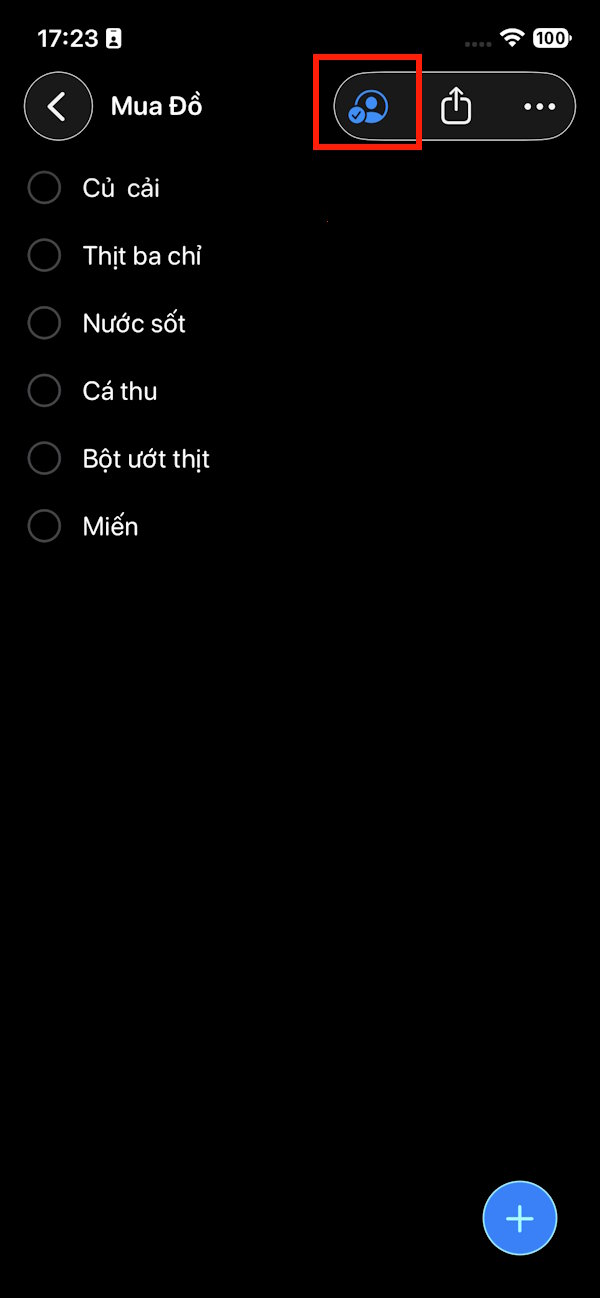
Step 4: Open the shared list and tap the People icon. Select the option for managing the shared list.
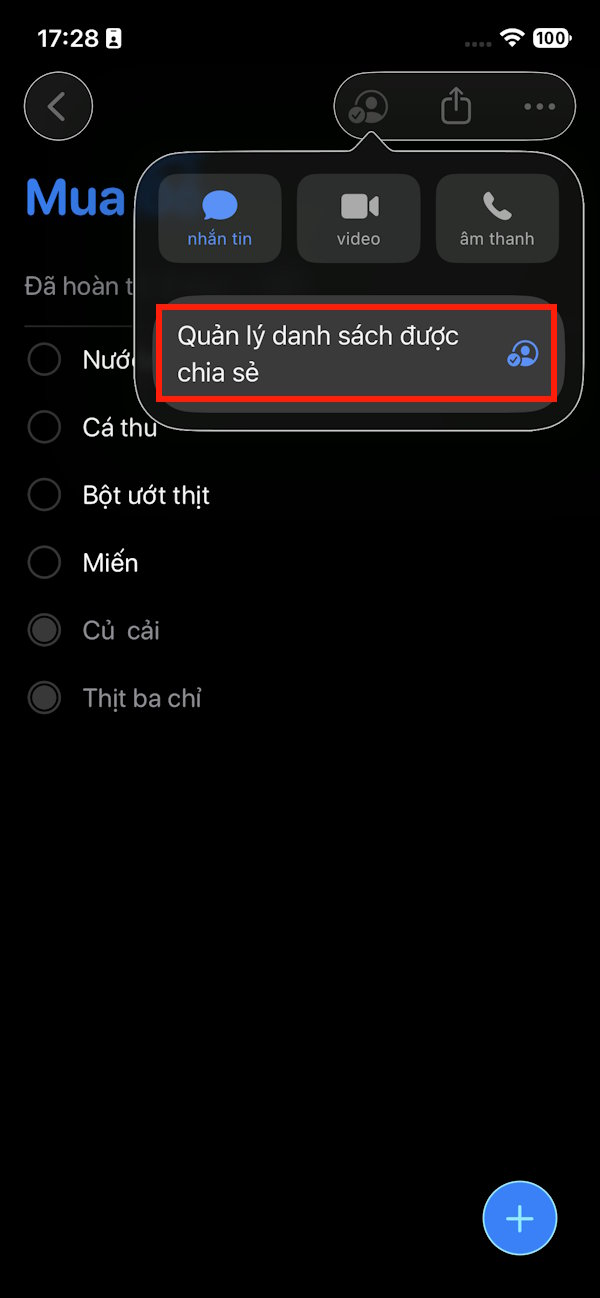
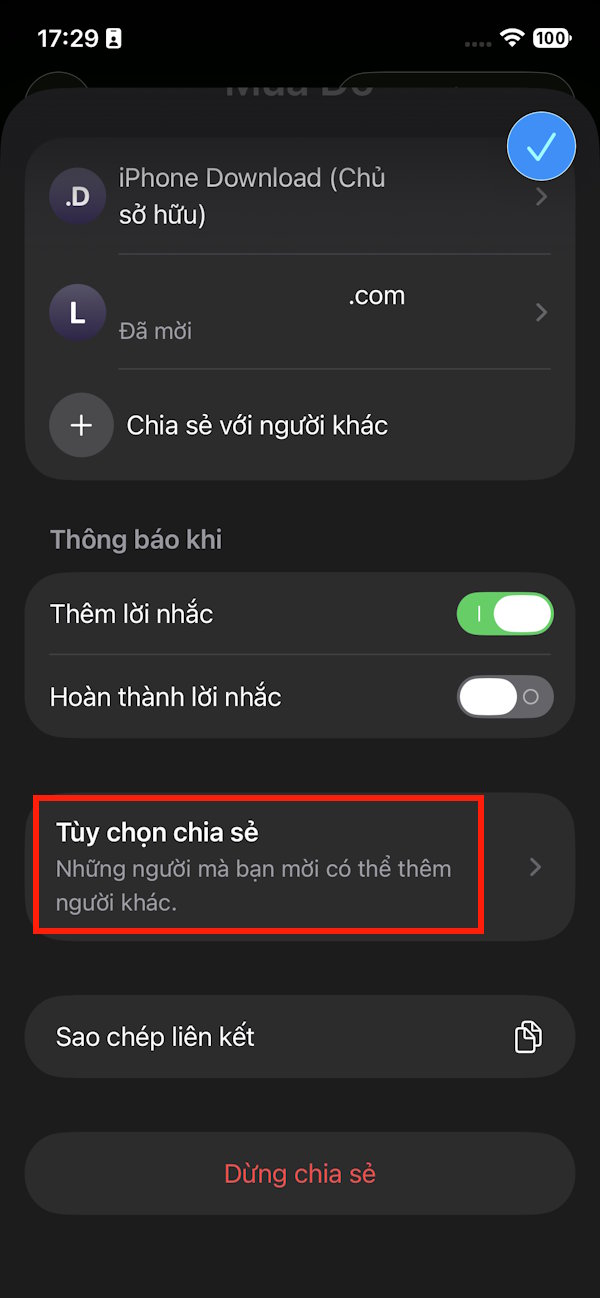
Step 5: Review the people who have joined and adjust the available sharing options. Depending on the current iOS version, you may be able to add people, resend an invitation, change whether participants can invite others, or remove an individual.
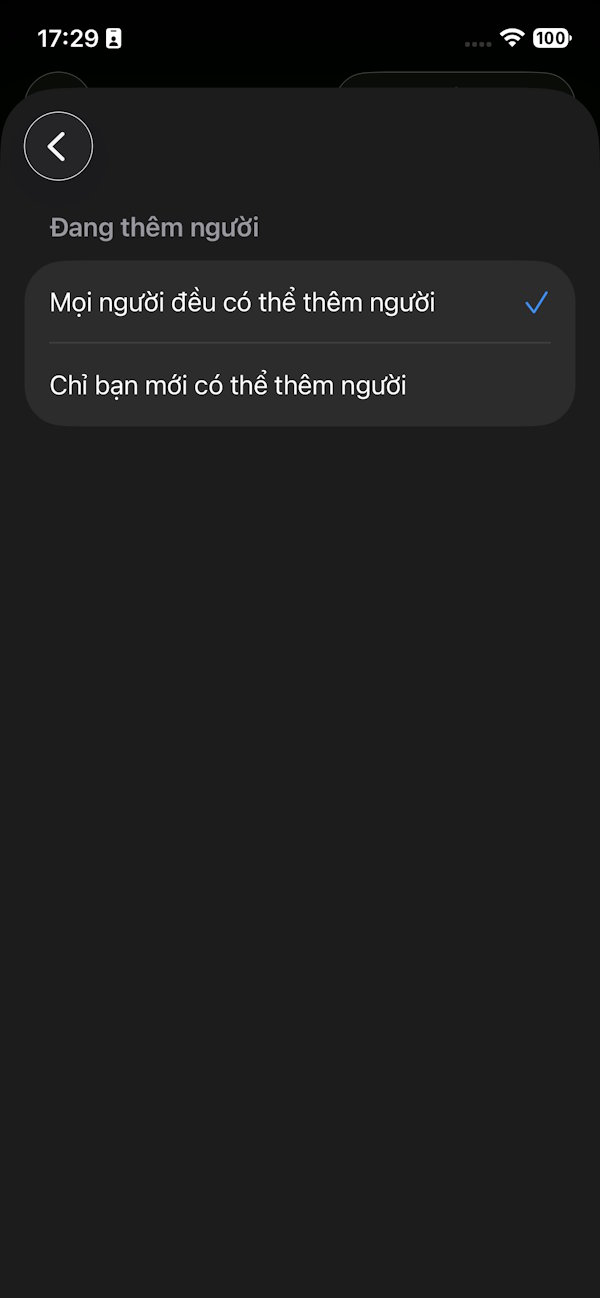
Stop sharing the list
When collaboration is no longer needed, return to the people or sharing menu and tap Stop Sharing. This removes access for all other participants; it is different from removing only one person.
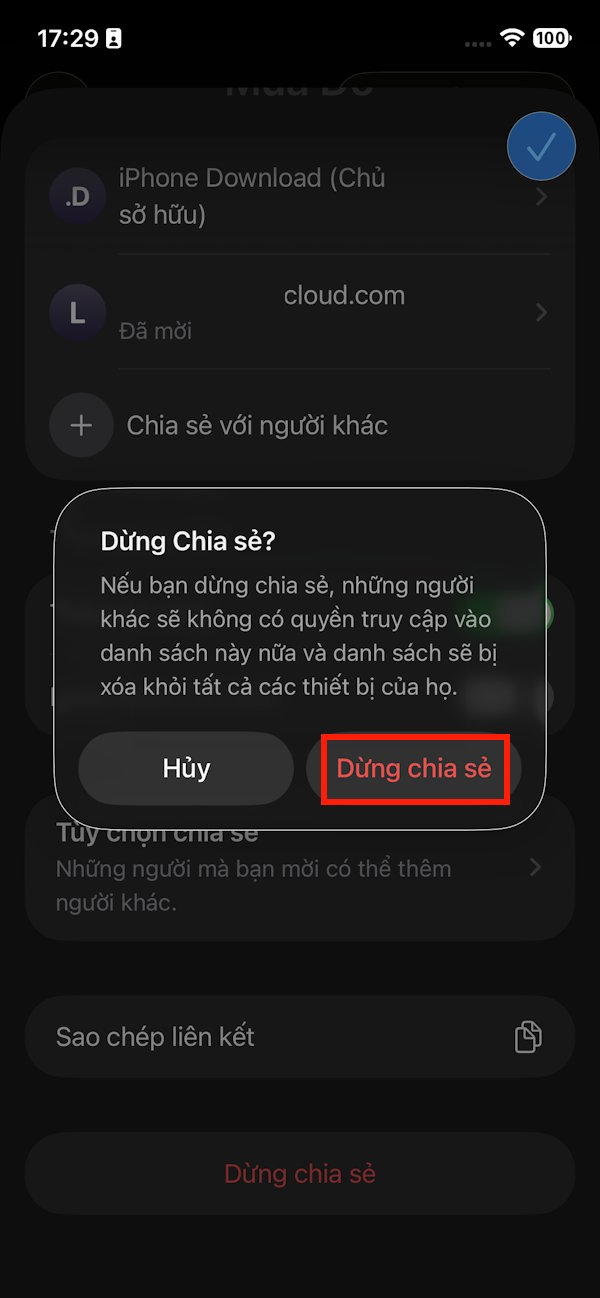
If you want to preserve the current tasks for someone else, ask them to copy the information before you stop sharing.
Related Articles
 Never Forget Missed Calls on iPhone with This Feature3 minutes read
 Top 5 Essential Reminder Apps on Android5 minutes read
 How to Set Alarm Style for Reminders on iPhone: Step-by-Step Guide3 minutes read
 10 Reminder Apps for Mac That Outperform Apple Reminder10 minutes read
 How to Organize the List in the Reminders App on Iphone and Ipad3 minutes read
 How to Create a Birthday Notification on iPhone5 minutes read
Reader Comments 0
Sign in with email or Google to join the discussion.