Table of Contents
This updated guide explains how to cross out cells in Google sheets with clear steps, practical tips, and useful context. Crossing cells in Excel is quite simple, but with Google Sheets you do not have the option to cross cells and will need another application to support. There are several ways for us to cross cells in Google Sheets and these methods are relatively simple and easy to do.
How to Cross Out Cells in Google Sheets
Step 1:
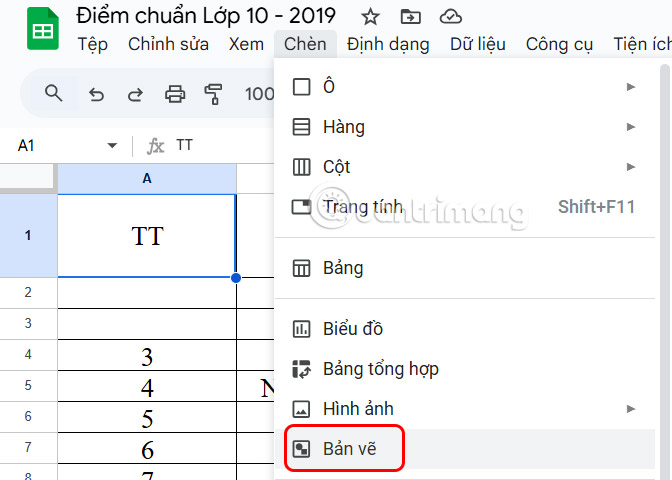
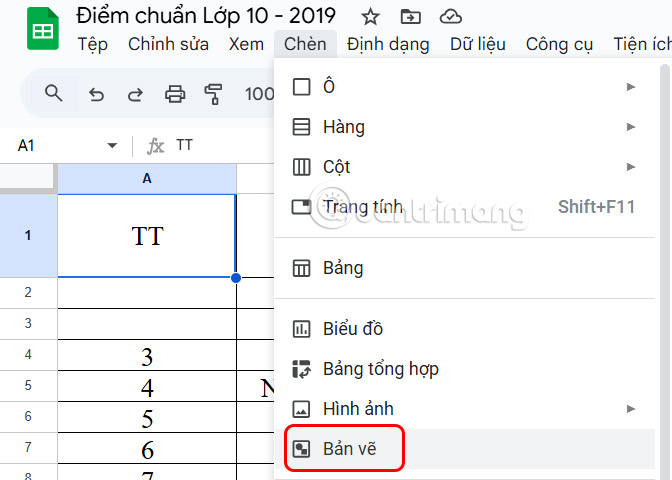
First, you enter the content into the Sheets cell , adjust the text to be opposite each other, use the line break shortcut in Google Sheets to enter the text. You select the cell where you want to create a cross, then choose Insert and then choose Drawing in the displayed list.
Step 2:
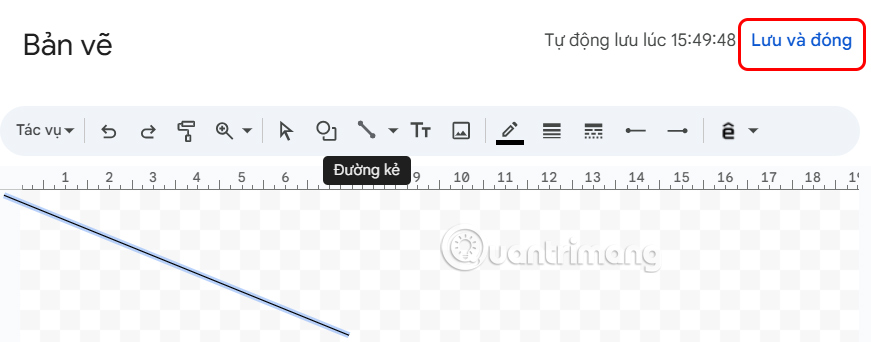
Display the drawing interface, select the Line icon as shown below.
Now you need to draw a line and then choose Save and Close .
Step 3:
Now, the user will see the line displayed in the cell and you need to adjust it to create a diagonal line in the Google Sheets cell . If you are not satisfied, choose to edit it again.
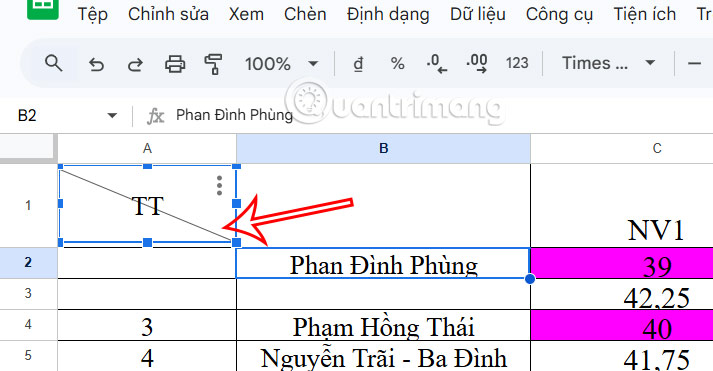
As a result, we get a crossed-out cell in Google Sheets as shown.
How to Create Fake Diagonal Lines in Google Sheets
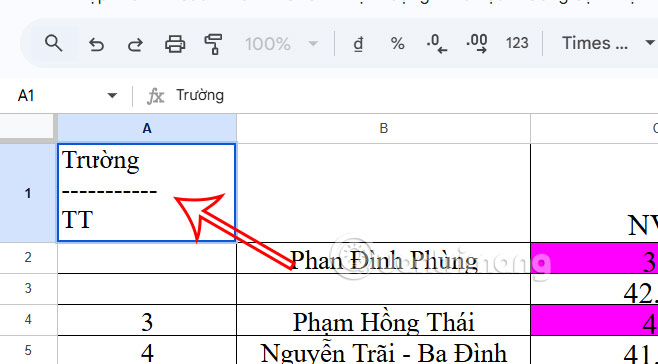
We will use the text rotation function to create a fake diagonal line in a Google Sheets cell.
Step 1:
Type the first text in the cell and press ALT+Enter to create a new line. And type dashes to create a diagonal effect.
Step 2:
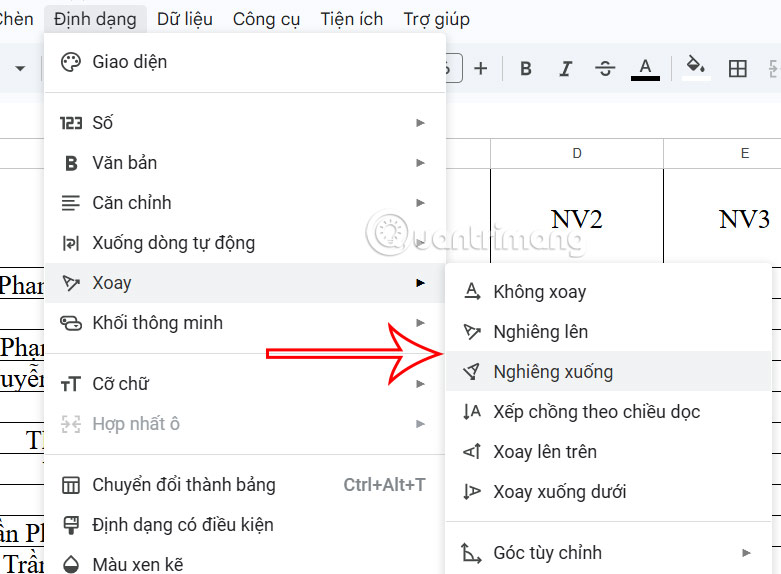
Click Format , then choose Rotate and select the desired tilt angle .
FAQ
What should I prepare before I cross out cells in google sheets?
Review the requirements and options in the guide first. Having the correct device, app version, account access, or materials ready helps prevent avoidable errors.
How long does it take to cross out cells in google sheets?
The time depends on the task and your setup. Most basic steps can be completed quickly, while downloads, updates, scans, or troubleshooting may take longer.
What should I do if the steps do not work?
Repeat the instructions in order, confirm that your software or device is supported, and check permissions, connectivity, and available updates before trying again.
Related Articles
 Instructions for Coloring Cells and Text in Google Sheets4 minutes read
 Merge Google Sheets: How to Merge Cells in Google Sheets4 minutes read
 Familiarize Yourself with Spreadsheets, Rows, Columns, and Cells11 minutes read
 How to Count Checkboxes in Google Sheets5 minutes read
 How to Resize Cells in Google Sheets4 minutes read
 How to Format Conditional Cells in Google Sheets5 minutes read
Reader Comments 0
Sign in with email or Google to join the discussion.