Table of Contents
NordVPN is a paid VPN service with apps for Windows, macOS, Android, and iPhone/iPad. Install the official app, sign in to a subscribed Nord Account, and use Quick Connect or Secure my connection to select a suitable server automatically. It is not a permanently free VPN, and it does not increase your internet plan's bandwidth.
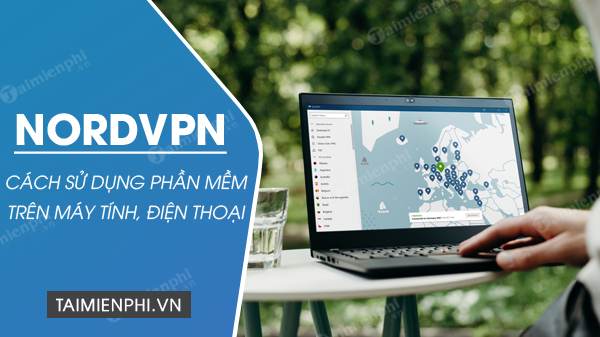
Before downloading NordVPN
- Check the current plan price, renewal price, refund terms, and supported operating systems.
- NordVPN says website purchases do not include a free trial; eligible Android users may receive an app-store trial, and initial purchases may qualify for a 30-day money-back guarantee under its terms.
- Use only NordVPN's website, Google Play, or Apple's App Store. Avoid modified installers and shared accounts.
Read NordVPN's current trial and refund explanation before paying. To compare services first, see TipsMake's guide to VPN software for computers and its list of free VPN alternatives.
Install and use NordVPN on Windows
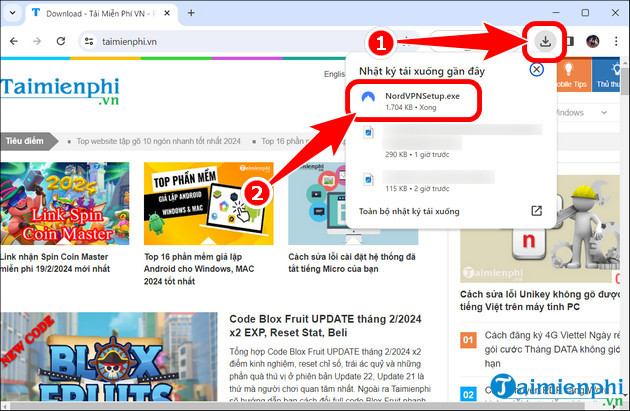
- Go to NordVPN's official download page and choose the Windows app.
- Open the downloaded installer. Verify that the file came from NordVPN and approve the Windows prompt.
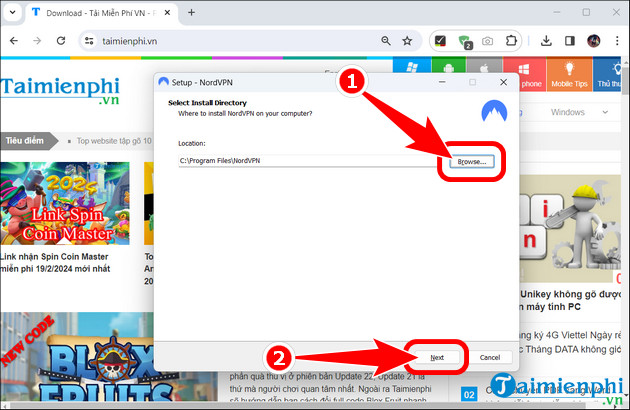
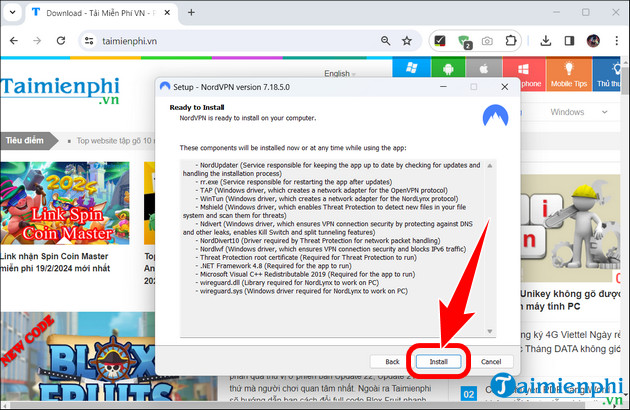
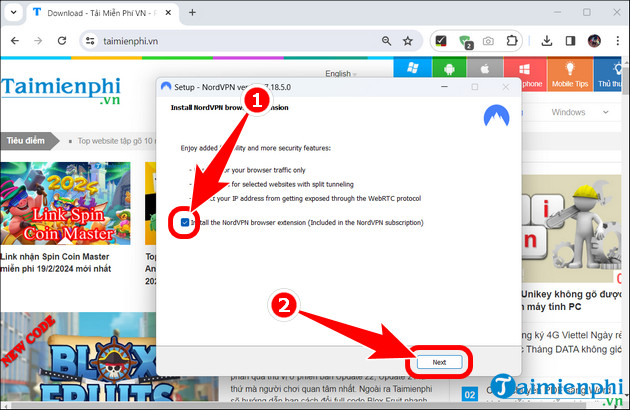
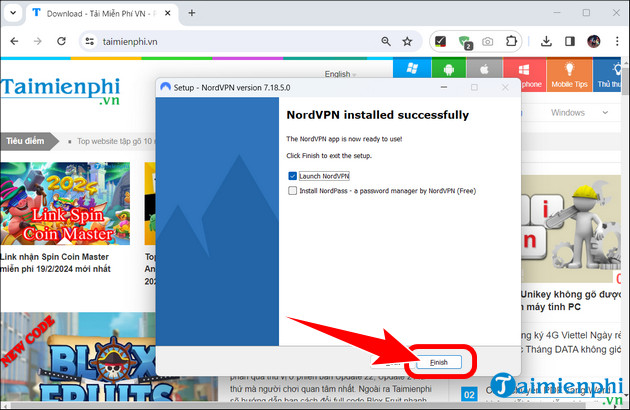
- Follow the setup wizard. The default install folder is appropriate for most users; browser extensions are optional and protect only their browser traffic.
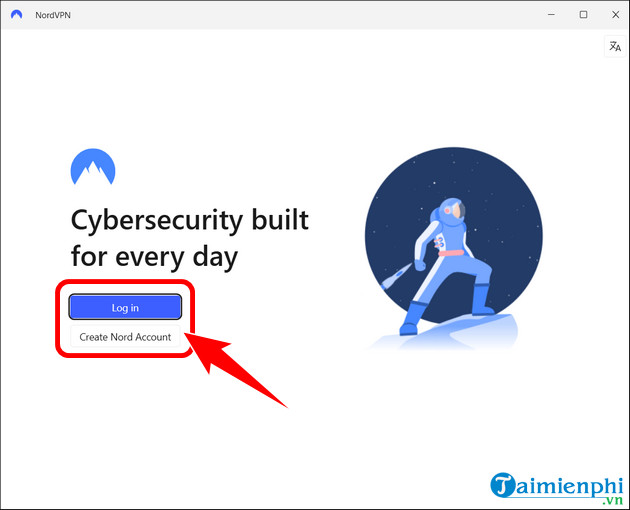
- Open NordVPN and select Log in. Authentication may continue in the default browser before returning to the app.
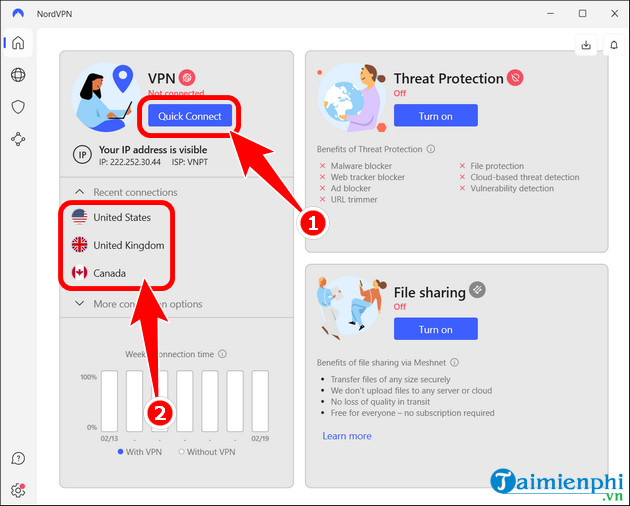
- Select Quick Connect to use a recommended server, or choose an available country or specialty server required for a specific task.
- Wait for the app to show that the connection is protected. Disconnect from the same app when finished.
The screenshots below show an older Windows setup and interface. Button names and optional components may differ in the current release.
Install and use NordVPN on Android
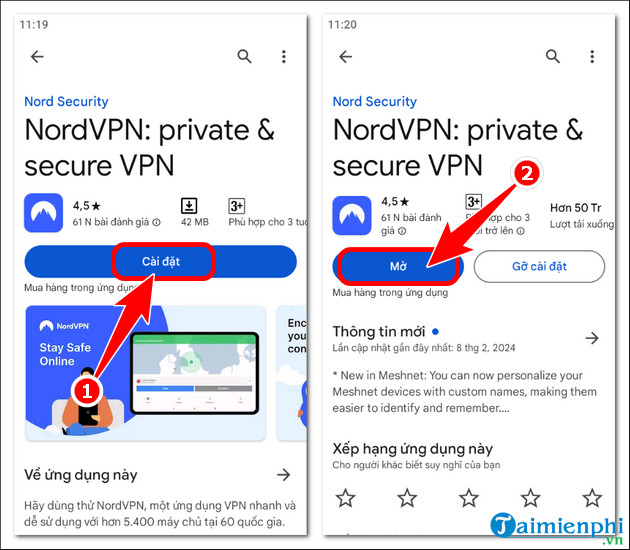
- Open Google Play, search for NordVPN, check the developer, and tap Install.
- Open the app and sign in to the Nord Account. Subscribe only after reviewing billing and renewal terms.
- Tap Secure my connection for an automatic choice, or select a country from the app.
- Approve Android's VPN connection request the first time.
- Use Pause or Disconnect when the tunnel is no longer needed.
NordVPN's Android setup guide provides the current interface and options.
Install and use NordVPN on iPhone or iPad
- Find the official NordVPN app in the App Store and tap the download button.
- Open it, choose privacy and notification preferences, then log in or create an account.
- Tap Secure my connection or choose a permitted location.
- Allow the app to add a VPN configuration and authenticate with the device passcode, Face ID, or Touch ID.
- Confirm the status is protected before using the connection.
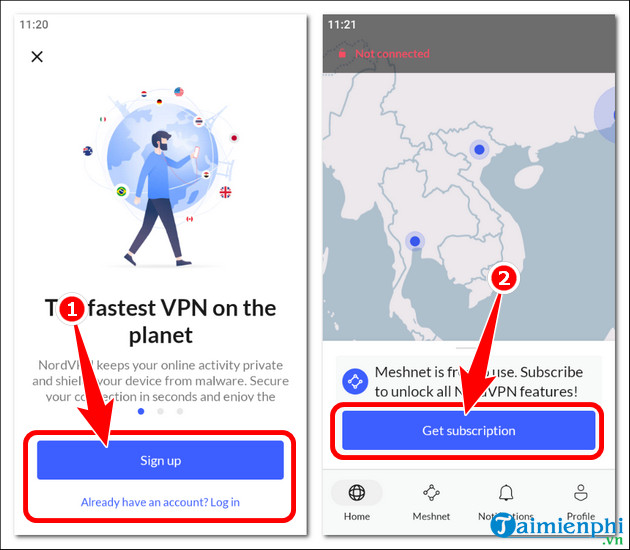
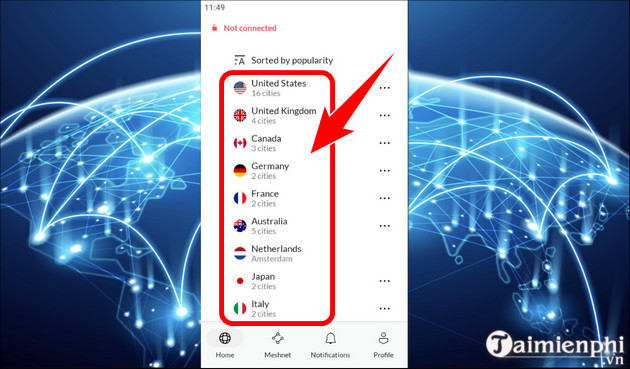
See NordVPN's current iPhone and iPad instructions if the app no longer matches these legacy screenshots. Android users can also compare other options in TipsMake's VPN app list for Android.
Settings worth reviewing
- Kill switch: limits traffic if the VPN disconnects unexpectedly. Behavior differs by platform, so read the setting before enabling it.
- Auto-connect: can start protection automatically on selected networks.
- Threat Protection: availability and capabilities depend on the app and plan. It is not a replacement for operating-system updates or careful browsing.
- Protocol: leave the recommended or automatic choice unless troubleshooting requires a change.
What to expect from a VPN
NordVPN encrypts traffic between the device and its VPN server and changes the public IP address seen by websites. It cannot prevent every data leak, make a phishing page safe, remove malware, or guarantee anonymity. It may bypass some network or regional restrictions, but access depends on local rules and the destination service. Because VPN routing adds distance and encryption, speed can improve in unusual routing or throttling cases but commonly stays similar or decreases.
If NordVPN will not connect
Confirm normal internet access, update the app, try Quick Connect or another permitted server, and restart the device. Disable another VPN before testing NordVPN. If a firewall or security tool blocks it, use a temporary diagnostic change only long enough to identify the conflict, then restore protection and configure a specific exception. On work or school devices, contact the administrator.
Related Articles
 What Is NordVPN Threat Protection and Why Should You Use It?7 minutes read
 How to Install NordVPN on Raspberry Pi4 minutes read
 What Is Meshnet? How Does It Work?7 minutes read
 6 Differences Between Nothing Phone 1 and Nothing Phone 27 minutes read
 7 Ways to Improve the Security of Your Home Computer9 minutes read
 Is It Illegal to Stream Netflix with a VPN6 minutes read
Reader Comments 0
Sign in with email or Google to join the discussion.