Table of Contents
Oppo phones with Android 16 installed upgraded to ColorOS 16 version can turn off notifications when recording screen and taking screenshots.
When you record a screen video, the notification will still appear on the screen, accidentally revealing your private information and affecting the video recording process. If you use an Oppo phone with Android 16 installed and have upgraded to ColorOS 16, you can turn off notifications when recording the screen and taking screenshots. Below are instructions for turning off screen recording notifications on Oppo.
Instructions to turn off screen recording notification on Oppo
Step 1:
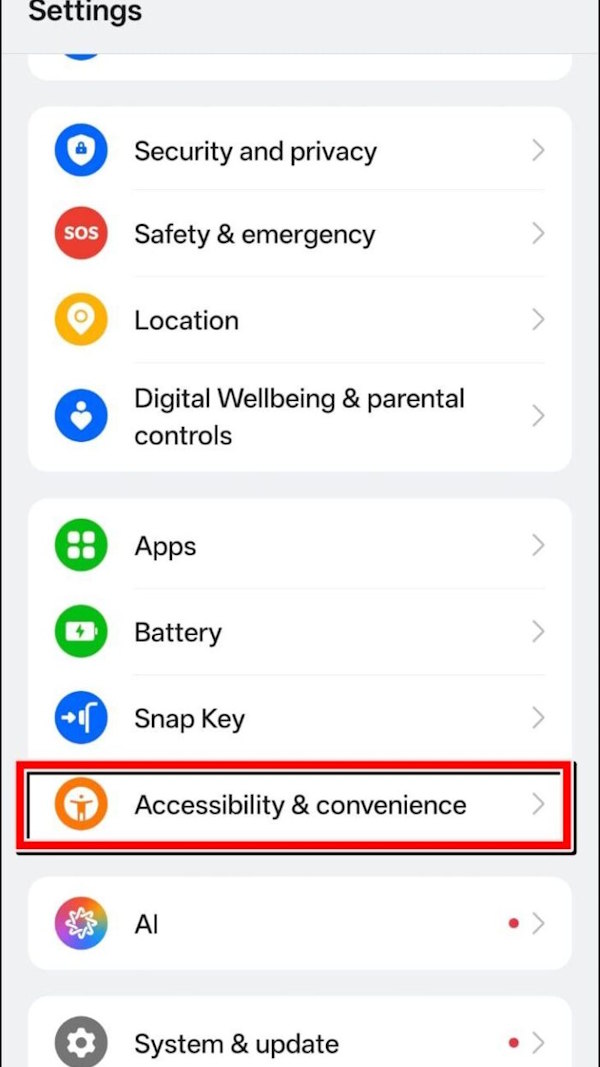
You access Settings On your Oppo phone and then tap on Accessibility & convenience .
Step 2:
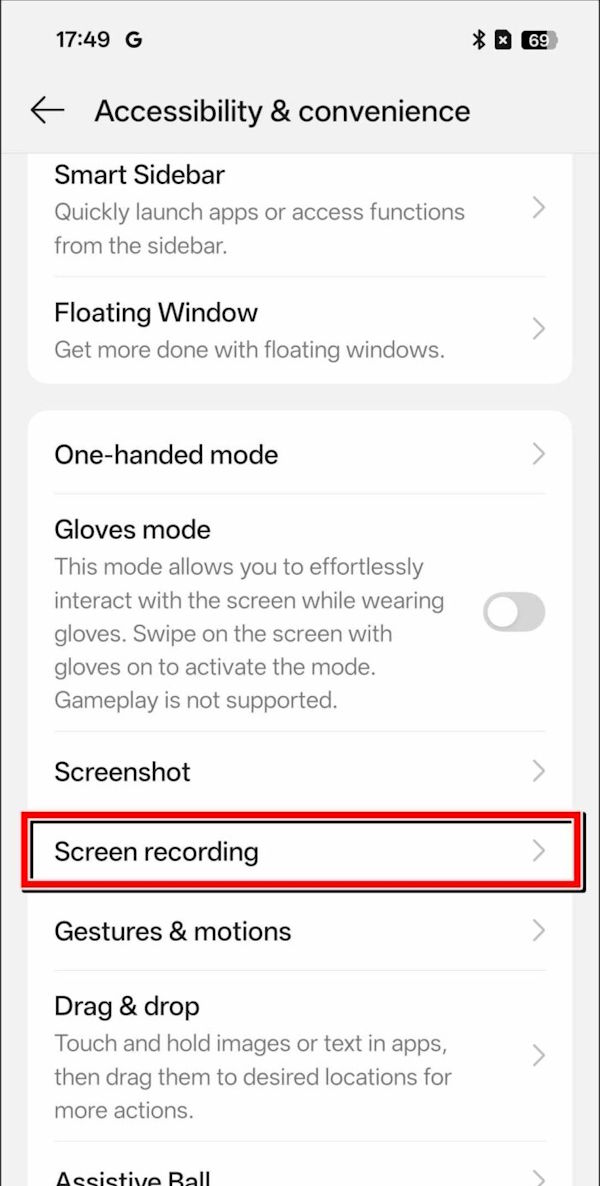
Switch to the new setup interface on the phone, we click on Screen Recording To readjust the screen video recording mode on the phone.
Step 3:
Now you will Activate Privacy protection mode To enable security when recording screen video on Oppo phone.
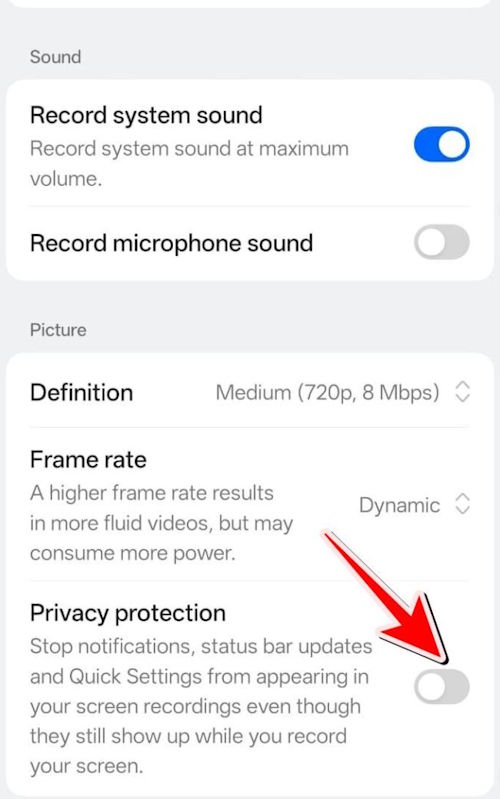
After you enable it, the status bar and notifications on your phone will not work while you are recording screen video or taking screenshots on your phone.
Hopefully in the future other device lines will also implement this security feature.
FAQ
How do you turn off notifications when recording oppo screen: step-by-step guide?
In practical terms, oppo phones with Android 16 installed upgraded to ColorOS 16 version can turn off notifications when recording screen and taking screenshots.
What should you check before getting started?
Review the requirements, compatible device or software version, and any warnings described in the guide before making changes.
What should you do if the steps do not work?
Repeat the steps in order, confirm that your app or system is up to date, and review the troubleshooting details provided above.
Related Articles
 How to Record Screen on OPPO Phone3 minutes read
 How to Turn Off Instagram Notifications on iPhone5 minutes read
 How to Turn Off App Notifications from iPhone Lock Screen3 minutes read
 How to Prevent Notifications from Making iPhone Screen Light4 minutes read
 3 Ways to Turn Off Instagram Notifications to Avoid Being Disturbed: Top Picks6 minutes read
 How to Turn Off Focus Assist Notifications on Windows 103 minutes read
Reader Comments 0
Sign in with email or Google to join the discussion.