Table of Contents
This practical guide explains how to reset Windows security settings on Windows. Follow the steps in order, review the requirements first, and use the troubleshooting notes when a setting or option does not work as expected.
Reset Windows Security in the application
Step 1:
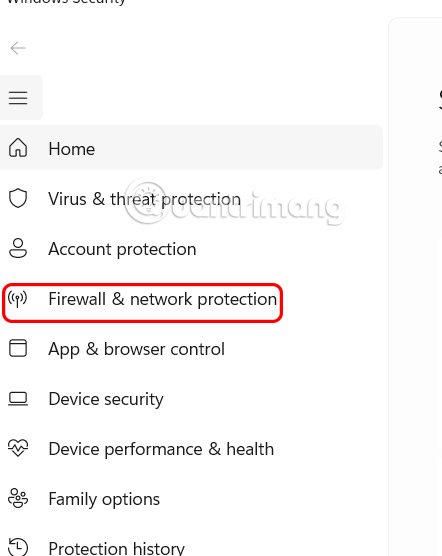
You open the Windows Security application on your computer, then click Firewall & network protection .
Step 2:
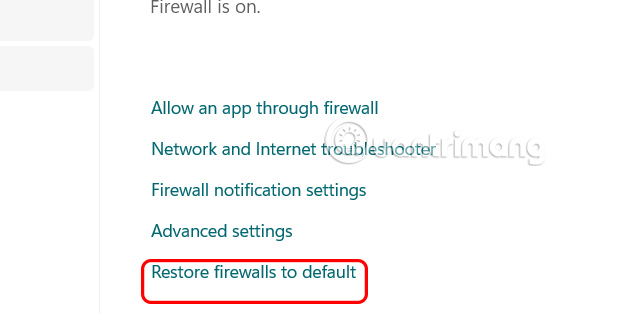
Next, look to the side, the user clicks Restore firewall to default to perform.
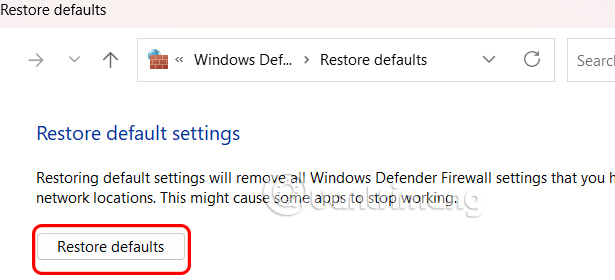
Switch to the new interface, we click Restore default to reset Reset Windows Security in the application.
How to reset Windows Security in Advanced Security
Step 1:
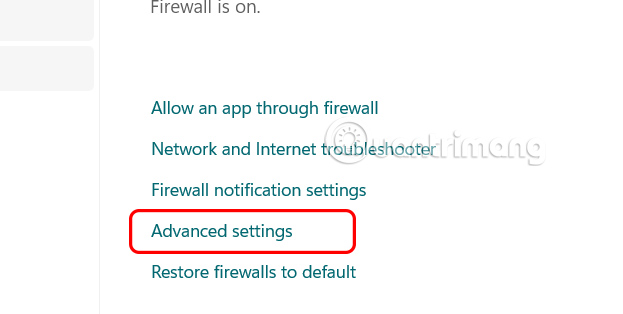
You also open the Windows Security application on your computer and select Firewall & network protection. Continue to select Advanced settings .
Step 2:
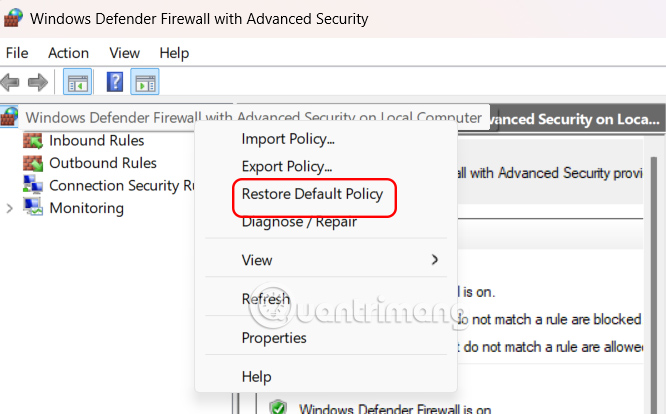
Users right-select Windows Defender Firewall with Advanced Security on Local Computer and select Restore Default Policy.
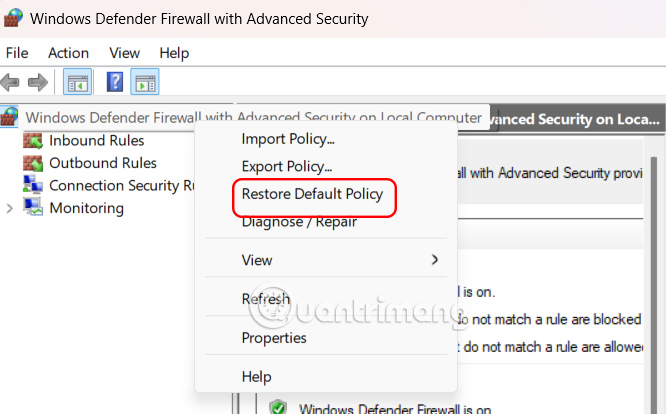
Then click Yes to proceed with reinstalling Windows Security.
Reinstall Windows Security using PowerShell
Step 1:
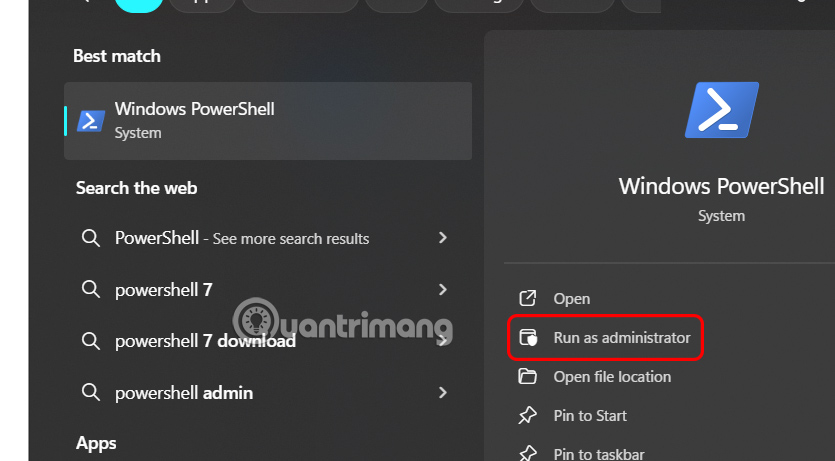
Type PowerShell in the search bar and click Run as administrator to open PowerShell with Admin rights.
Step 2:
Display new interface, user enter command below to execute.
(New-Object -ComObject HNetCfg.FwPolicy2).RestoreLocalFirewallDefaults()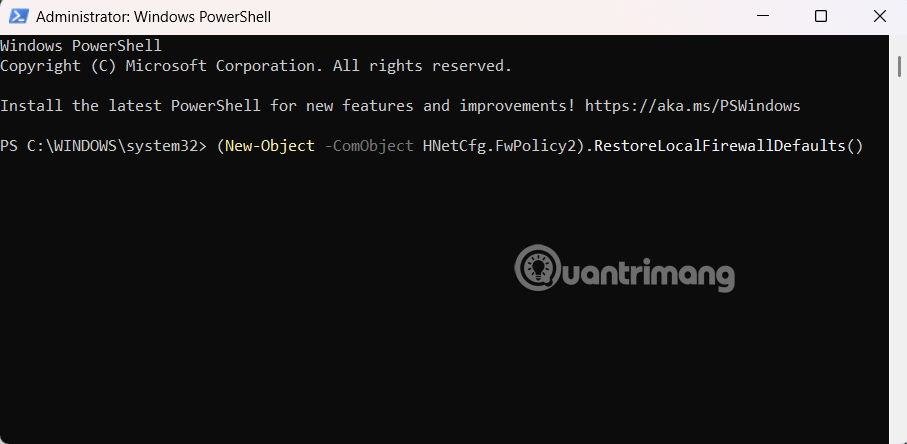
After completing the steps, the PowerShell command will remove any changes you made to Windows Security.
How to reset Windows Security using Command Prompt
Step 1:
Type Command Prompt in the search bar and select Run as administrator to open it.
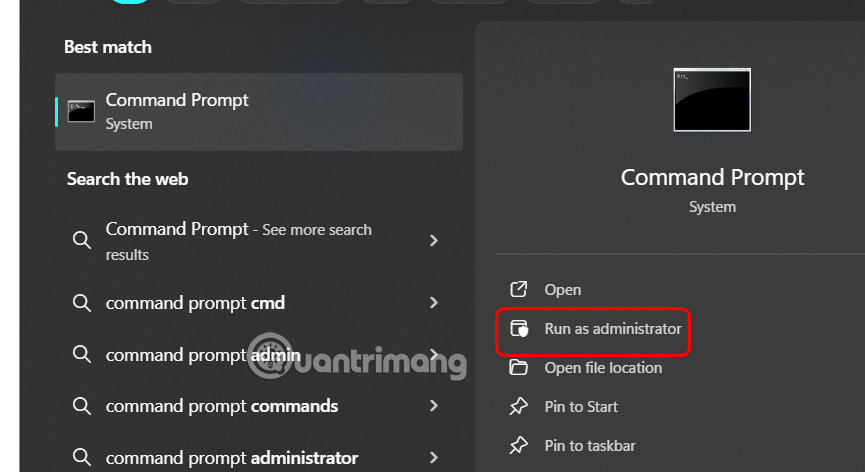
Step 2:
You enter the command below into the interface then press Enter to execute the command.
netsh advfirewall reset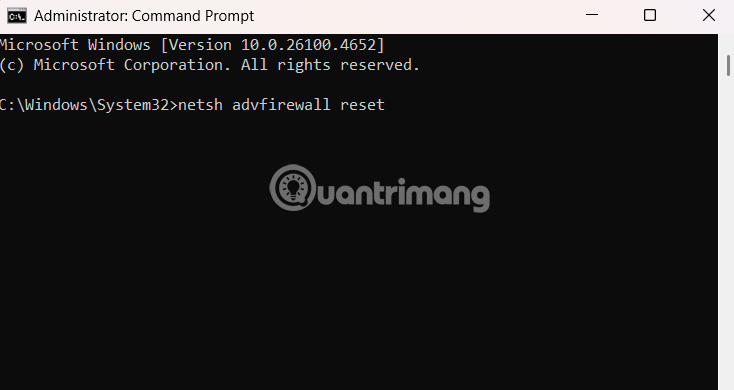
FAQ
What should you know about reset Windows Security in the application?
You open the Windows Security application on your computer, then click Firewall & network protection.
How to reset Windows Security in Advanced Security?
You also open the Windows Security application on your computer and select Firewall & network protection. Continue to select Advanced settings.
What should you know about reinstall Windows Security using PowerShell?
Type PowerShell in the search bar and click Run as administrator to open PowerShell with Admin rights.
How to reset Windows Security using Command Prompt?
Type Command Prompt in the search bar and select Run as administrator to open it.
Related Articles
 Instructions 2 Simple Ways Reset Windows 10 (the Last Part)9 minutes read
 How to Reset Windows 11 Sound Settings4 minutes read
 How to Use the Reset Feature on Windows 104 minutes read
 3 How to Reset Win 7, Factory Reset Windows 78 minutes read
 Summary of Some Simple Ways to Reset Windows 1013 minutes read
 Fix Windows Settings Reset to Default on Reboot9 minutes read
Reader Comments 0
Sign in with email or Google to join the discussion.