Table of Contents
Siri AI requires an Apple Intelligence-compatible device and the appropriate version 27 software. Installing the latest operating system alone does not make an older iPhone, iPad, or Intel Mac eligible. Hardware support also does not guarantee availability in every language or region.
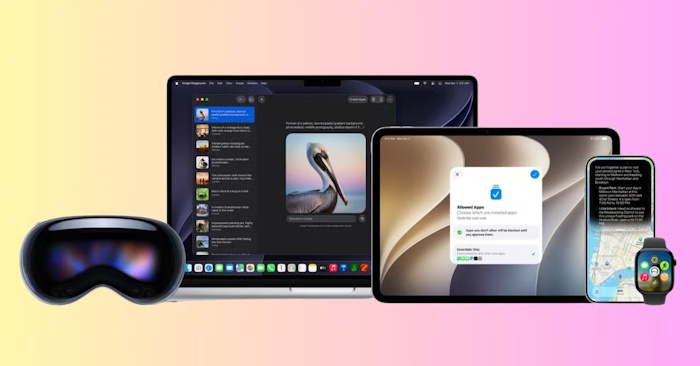
Compatible devices
| Device | Supported hardware | Required software |
|---|---|---|
| iPhone | iPhone 15 Pro and 15 Pro Max; iPhone 16 models and later; iPhone Air | iOS 27 |
| iPad | iPad mini with A17 Pro; iPad models with M1 or later | iPadOS 27 |
| Mac | Mac models with M1 or later; MacBook Neo with A18 Pro | macOS 27 Golden Gate |
| Apple Watch | Series 9 or later, Ultra 2 or later, or SE 3, paired with an eligible iPhone that has Siri AI enabled | watchOS 27 |
| Apple Vision Pro | Any Apple Vision Pro | visionOS 27 |
The standard iPhone 15 and iPhone 15 Plus are excluded; the “Pro” distinction matters for that generation. Intel Macs are also excluded. Use Apple's Siri AI requirements for the latest eligibility changes.
Which iPad generations qualify?
Check the chip rather than relying on the screen size or the word “Pro.” The earliest qualifying models include:
- 11-inch iPad Pro: 3rd generation, with M1.
- 12.9-inch iPad Pro: 5th generation, with M1.
- iPad Air: 5th generation, the 10.9-inch M1 model.
- 13-inch iPad Air: the first M2 model and later models with qualifying chips.
- iPad mini: the A17 Pro model.
Earlier iPad Pro and Air models with A-series chips do not qualify simply because they can run a recent iPadOS release. To identify your device, check Settings > General > About and compare its model with the iPad model list or Apple's specifications. On a Mac, open Apple menu > About This Mac and look for the chip.
Language and region restrictions
Siri AI is currently an English-language beta. The device language and Siri language must both be set to English. The broader language support for Apple Intelligence does not mean every one of its features, including Siri AI, supports those same languages.
Apple currently excludes Siri AI on iPhone, iPad, and Apple Watch in the European Union. Eligible Mac and Vision Pro users in the EU can use it in English. Siri AI also does not currently work with an Apple Account region set to mainland China.
How to check availability on your device
- Confirm your exact model and update to the required software.
- Check that the device and Siri languages match a supported language and that your account region is eligible.
- Open Settings > Siri and look for Try Siri AI (Beta). Enable Siri first if necessary.
- Follow the setup instructions. Apple may place eligible users on a waitlist before the required download starts.
If the option is missing, check the hardware, software, language, and region requirements before assuming the device is faulty. Some individual features have additional hardware requirements; consult Apple's Apple Intelligence availability guide before buying a device for a particular feature.
Related Articles
 How to Enable Siri: Complete Guide6 minutes read
 What's New in Siri on iOS 158 minutes read
 How to Turn Off Siri on iPhone, iPad, Mac, and Apple Watch5 minutes read
 Everything Apple users need to know about Siri AI on iPhone11 minutes read
 Do You Know Why the Virtual Assistant on the iPhone Is Called Siri?3 minutes read
 Apple Siri Needs Google to Survive7 minutes read
Reader Comments 0
Sign in with email or Google to join the discussion.