Table of Contents
Playing multiple Roblox accounts on PC or phone is an effective method for those who don't have much time to level up their characters. If you want to play two or more Roblox accounts simultaneously to support each other in overcoming difficulties and defeating bosses easily, you'll need the help of special tools that tipsmake shares below.
Tips for playing multiple Roblox accounts on your phone, PC, and laptop
How to play multiple Roblox accounts on your phone
1. How to play two Roblox accounts simultaneously on Android
Currently, gamers can only play 2 Roblox accounts on Android phones; it's not possible to play more due to device limitations and insufficient hardware power. If you want to play multiple Roblox accounts simultaneously, you can use BlueStacks on your computer (instructions below).
Step 1: Access the Clone App download link for Android here.
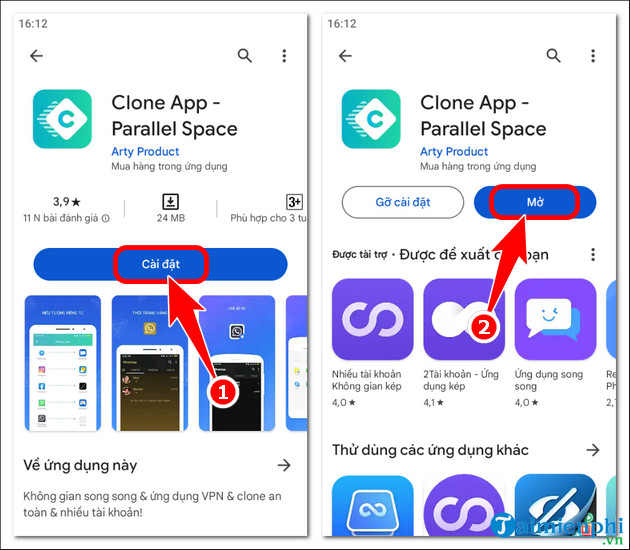
- Click Install => press Open .
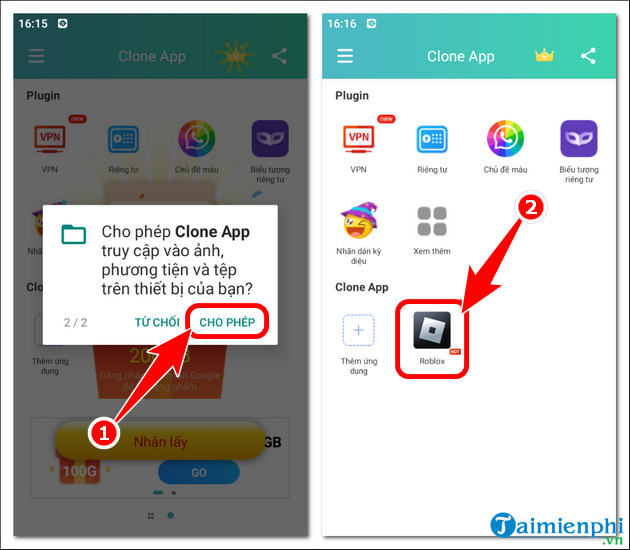
Step 2: Allow the app to access the file => press Roblox .
Step 3: The system will automatically open a copy of Roblox immediately. Simply log in with your secondary account and select a game . Then, return to the original Roblox account and log in with your main account.
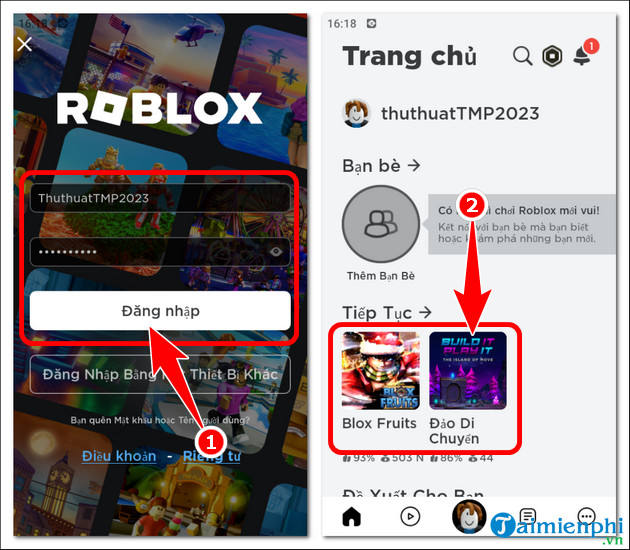
Step 4: The results of playing multiple Roblox accounts on Android will be displayed as shown below.
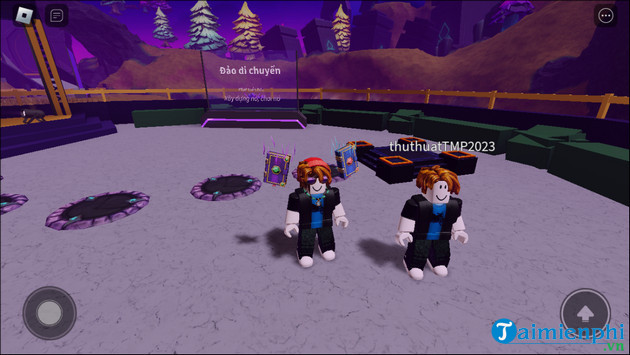
2. How to play multiple Roblox accounts on iOS, iPhone, iPad
Currently, gamers cannot play multiple Roblox accounts on iOS devices. A method will be available in the future, and tipsmake will update this article with the information so readers can experience it.
How to play multiple Roblox accounts simultaneously on a PC or laptop.
1. Guide to playing multiple Roblox accounts on Bluestacks
With the BlueStacks emulator, you can play 2 Roblox accounts on your computer, or even more Roblox accounts, but your computer needs to be powerful, meaning a high-end configuration, to ensure a smooth gaming experience without interruptions, stuttering, or lag.
Step 1: Access the download link for the latest version of BlueStacks here.
Step 2: Open BlueStacks , press Ctrl+Shift+8 => Version .
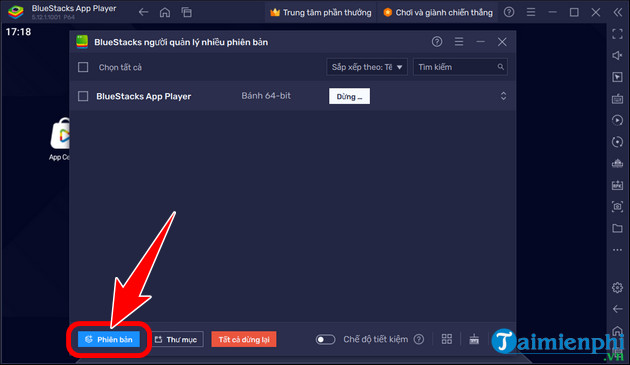
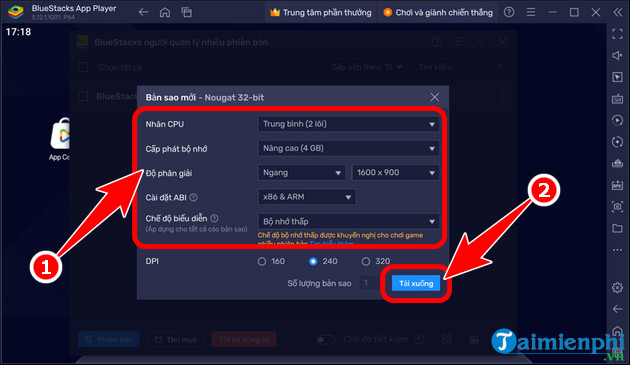
- Click on New Copy .
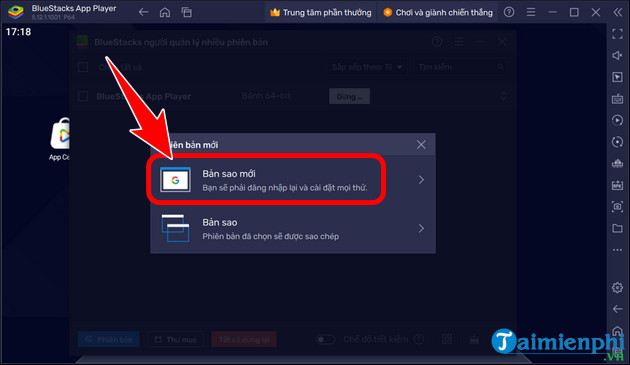
- Select the Android version => Next .
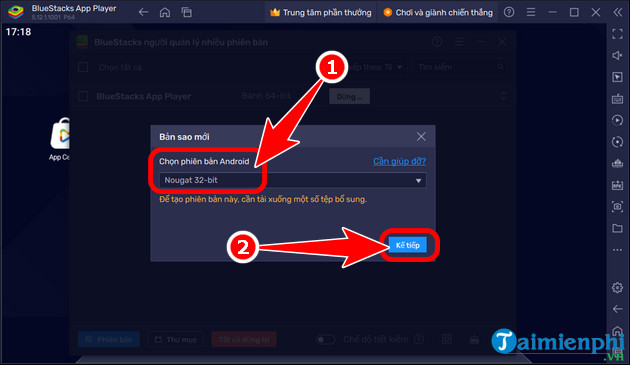
- Customize the new copy => Download .
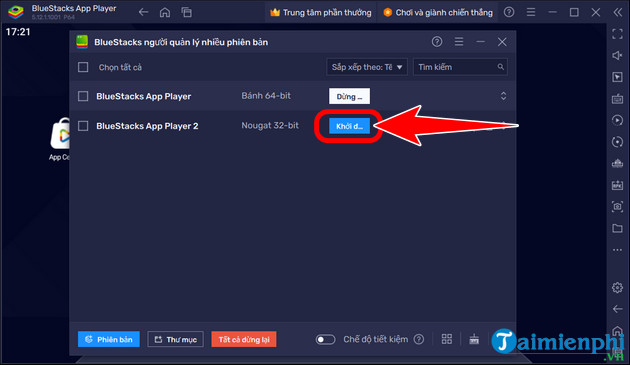
Step 3: After completion, click Launch => proceed to download Roblox from the Google Play store and log in to your account for both BlueStacks versions.
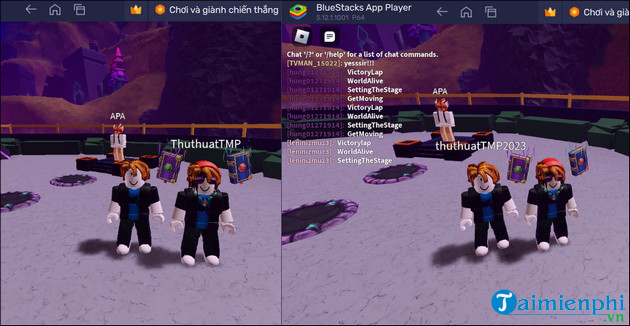
Step 4: After completion, the results of playing multiple Roblox accounts on your PC will be displayed as shown below.
2. How to play multiple Roblox accounts using Multiple Roblox
Besides the BlueStacks emulator, readers can also use Multiple Roblox to play multiple Roblox accounts on a PC or laptop. Multiple Roblox is a software used by many sandbox enthusiasts not only because of its simple interface but also because it has many other special features that support playing multiple games.
Related Articles
 Use Multiple Dropbox Accounts on the Same Computer8 minutes read
 How to Log in to Multiple WhatsApp Accounts: Complete Guide4 minutes read
 How to Login Multiple Facebook Accounts Simultaneously4 minutes read
 Best Roblox Music Ids That Should Be Featured on Radio12 minutes read
 How to Install Roblox4 minutes read
 How to Access Two or More Emails Simultaneously on a Computer3 minutes read
Reader Comments 0
Sign in with email or Google to join the discussion.