Table of Contents
If you're looking for an auto-clicker app , Automatic Tap is the perfect choice. With no root required, a timer, and a user-friendly interface, Automatic Tap is very easy to use.
Instructions for using the Automatic Tap auto-clicker on Android.
I. Download and install Automatic Tap/Auto Click on Android
- Download link for the Android version: Automatic Tap for Android
II. Instructions for using Automatic Tap and Auto Click on Android
Step 1: Open the Automatic Tap app on your Android phone, press OK => select Downloaded Services on the next screen.
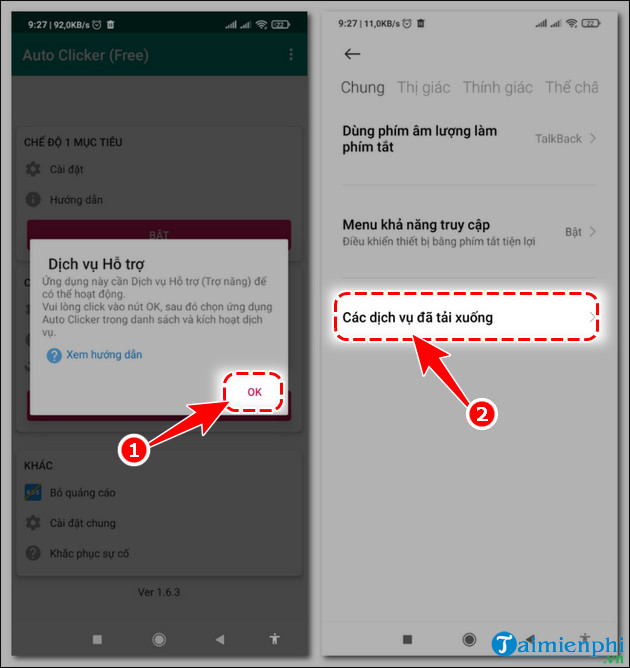
Step 2
Next, select Auto Clicker => enable Accessibility (toggle the round button to the right), press Yes or Agree if prompted.
- This grants permission for the Automatic Tap auto-clicker to run on Android.
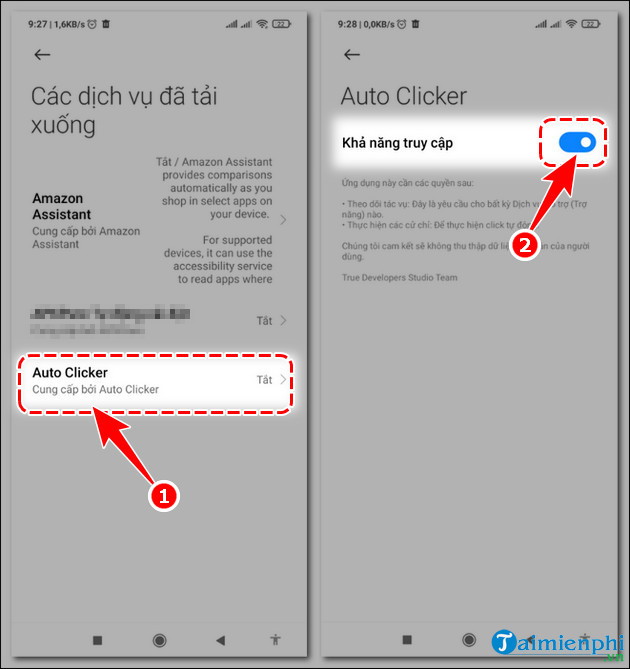
Step 3
Return to the Automatic Tap auto-click interface . Here you can select:
- Single Target Mode: Auto-click at one location/point
- Multiple Target Mode: Auto-click at multiple locations/points (2 or more)
- For example, if tipsmake wants to auto-click at one location:
+ Press Enable in Single Target Mode .
+ Click the gear icon in the settings section.
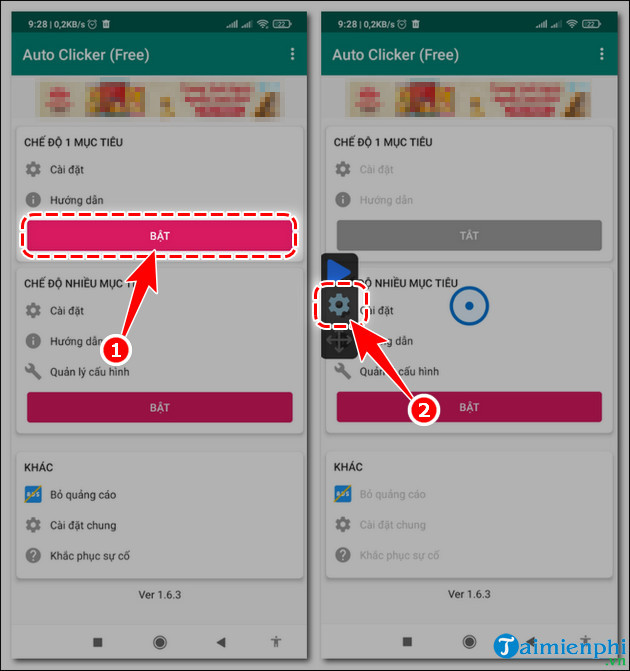
Step 4
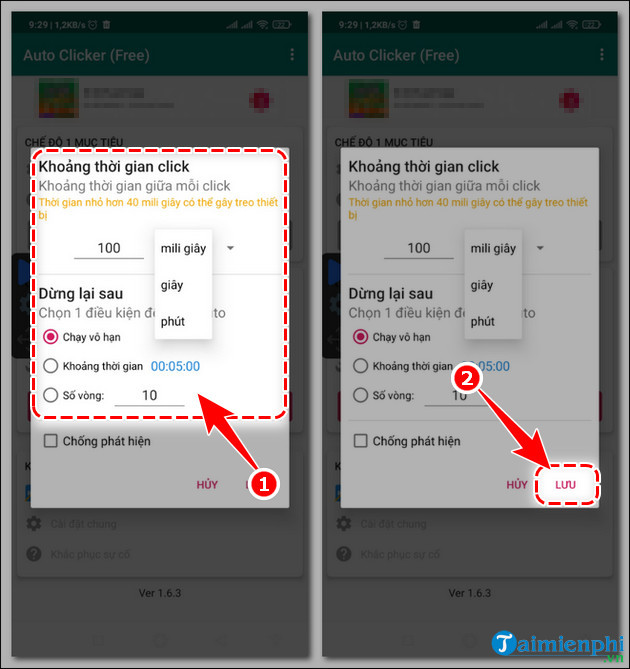
Set up the Automatic Tap auto-click settings on Android and press Save .
- Click interval : Set the time between each click.
- Stop after:
+ Run indefinitely: Runs continuously until you stop.
+ Interval: Set the duration for the auto-click to run.
+ Number of cycles: Set the number of clicks on the screen.
Step 5
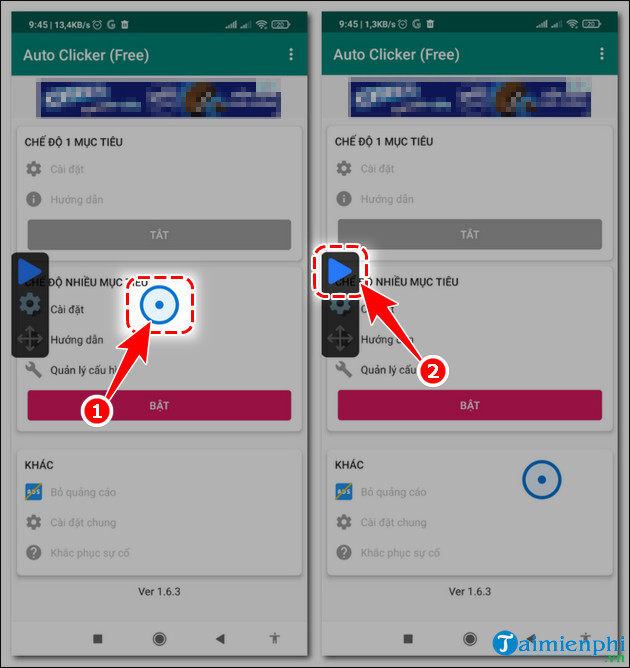
Move the circular click icon to the desired auto-click location, then press the Play button .
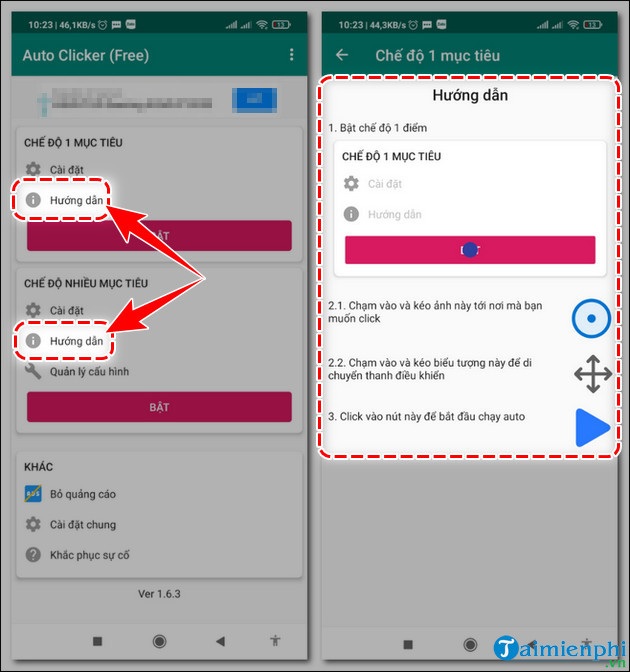
- Alternatively, you can click on Instructions to learn how to use the Automatic Tap auto-clicker on Android.
In addition, there are many other Auto Click applications for Android that don't require root access , but basically, tipsmake finds that Automatic Tap on Android works well, has an intuitive interface, and is very easy to use.
Related Articles
 How to Use Auto Click, Automatic Mouse Click Effectively6 minutes read
 Auto Game Applications: Top Auto Game Application on the Phone7 minutes read
 Top 4 Auto Click Apps for Android Do Not Need Root9 minutes read
 How to Install AA Browser on Android Auto: Step-by-Step Guide6 minutes read
 Auto Click and How to Automatically Click When Playing Games7 minutes read
 New Features of Android Auto5 minutes read
Reader Comments 0
Sign in with email or Google to join the discussion.