Table of Contents
This updated guide explains how to double tap to turn off Android phone screen with clear steps, practical tips, and useful context. Want to lock your phone quickly without touching the power button? The Android double tap to turn off screen gesture is a small but extremely handy feature that lets you turn off the screen with just a few taps.
Enable Double Tap to Turn Off Android Screen in Settings
Depending on the phone model, the activation method may be different, you can follow to do the same.
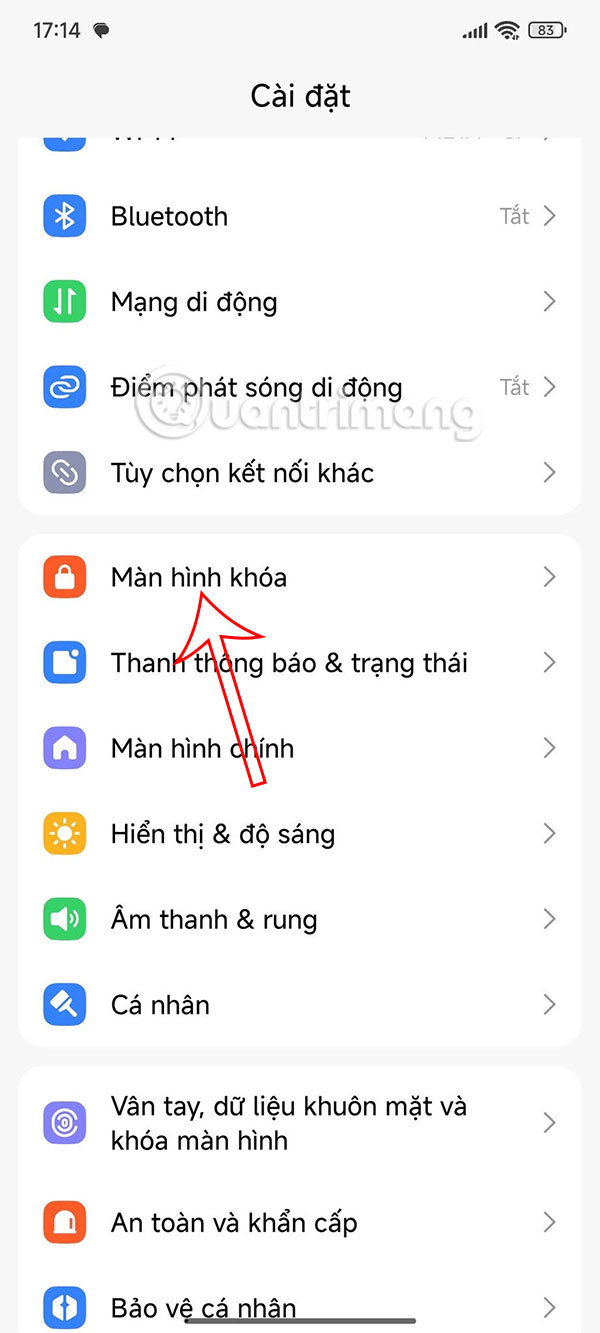
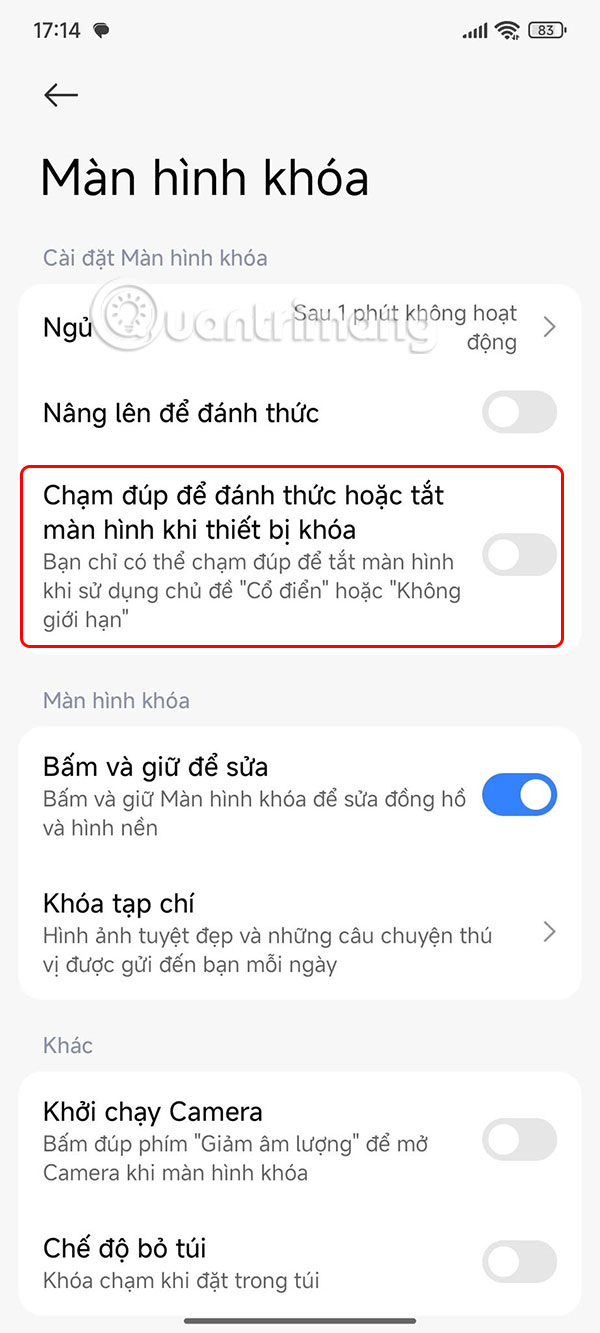
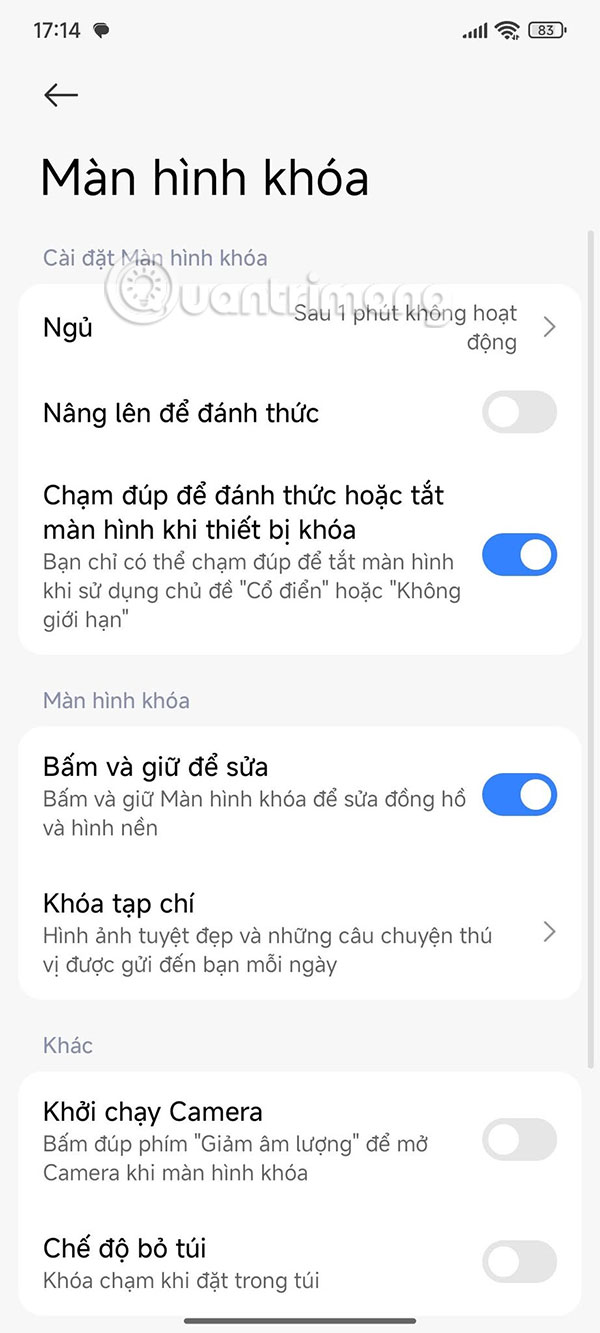
You tap Lock screen , then enable Double tap to wake or turn off the screen when the device is locked for use.
Set Up Double Tap to Turn Off Android Screen via App
Nova Launcher
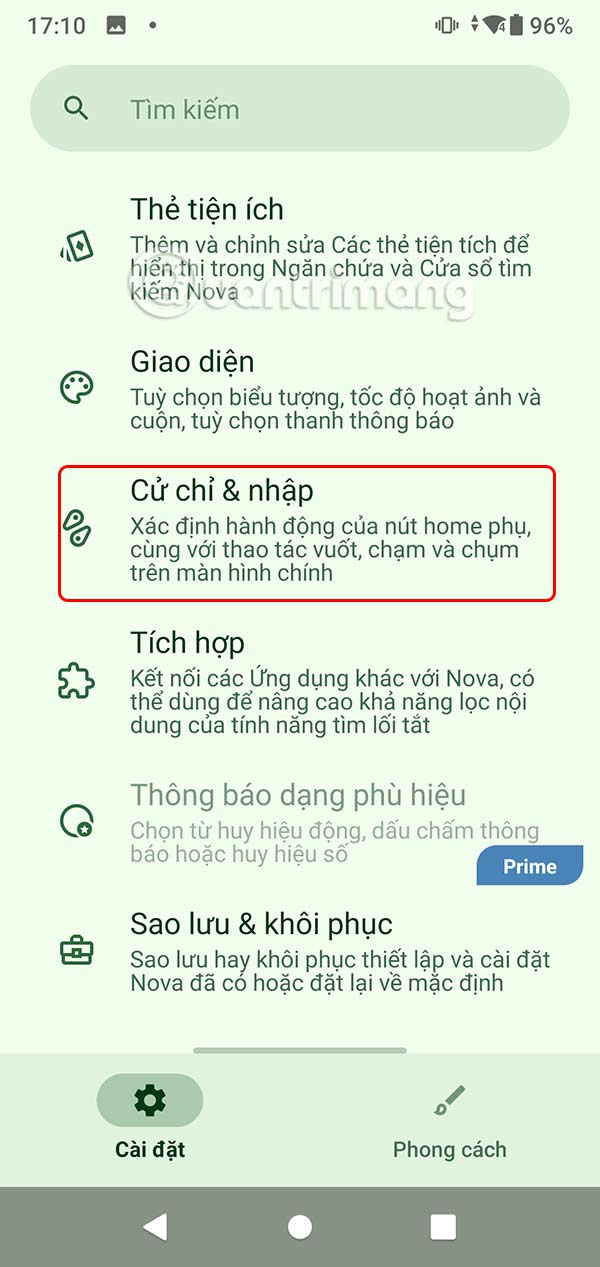
If your phone does not have a built-in option for double-tap to sleep, you can install a third-party launcher that supports gestures. Nova Launcher has an option to enable this feature, but you'll need a Nova Prime subscription.
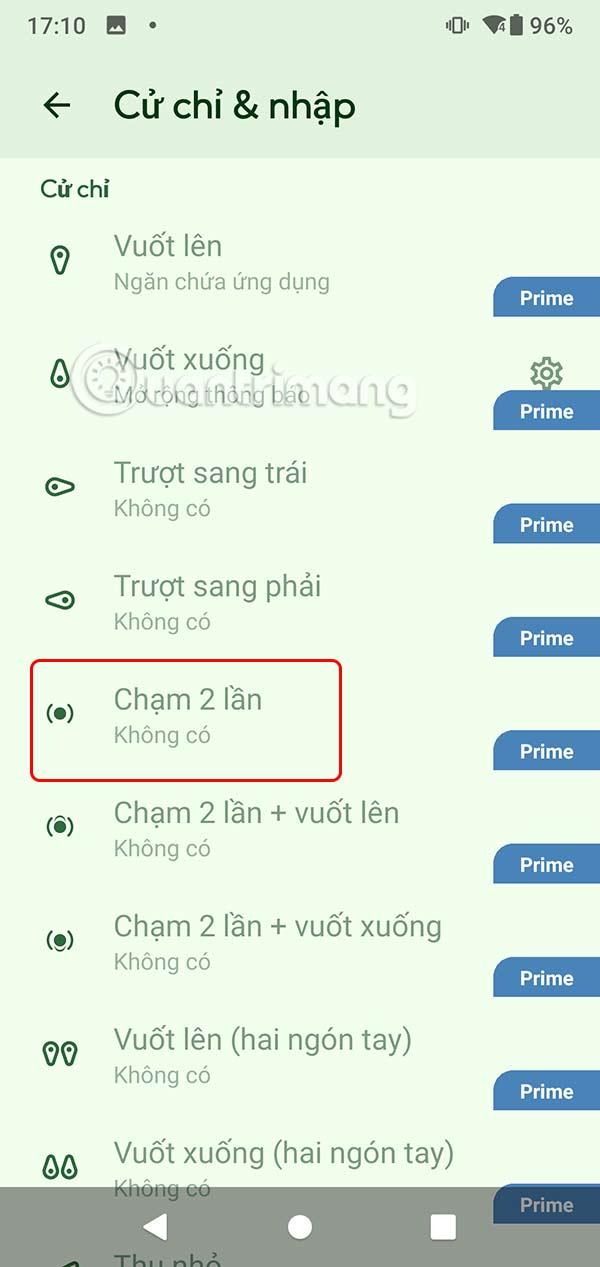
Double Tap Screen On/Off
Step 1:
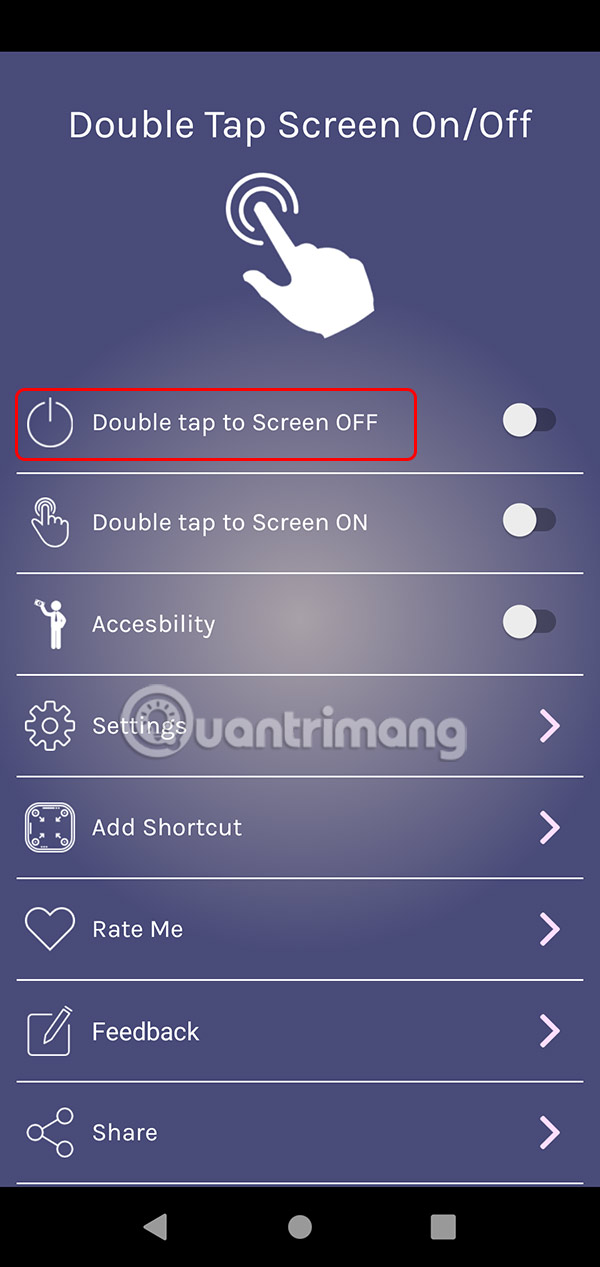
You install the Double Tap Screen On/Off application for Android from the link below.
- Download Double Tap Screen On/Off Android
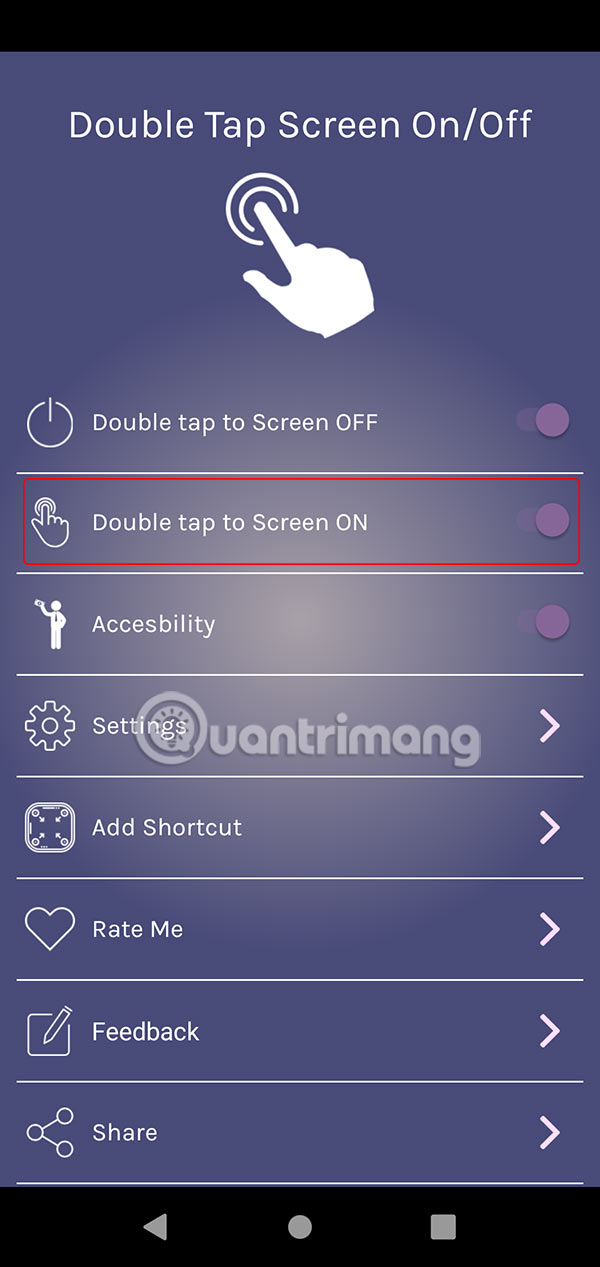
Next you need to enable Double tap to Screen OFF .
Step 2:
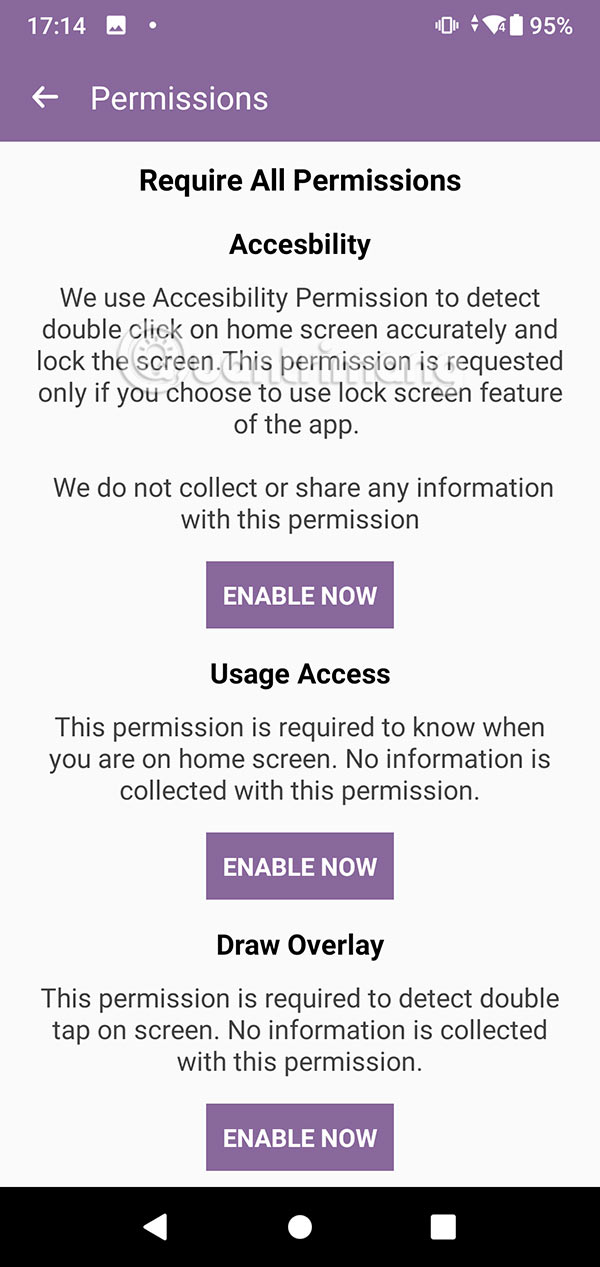
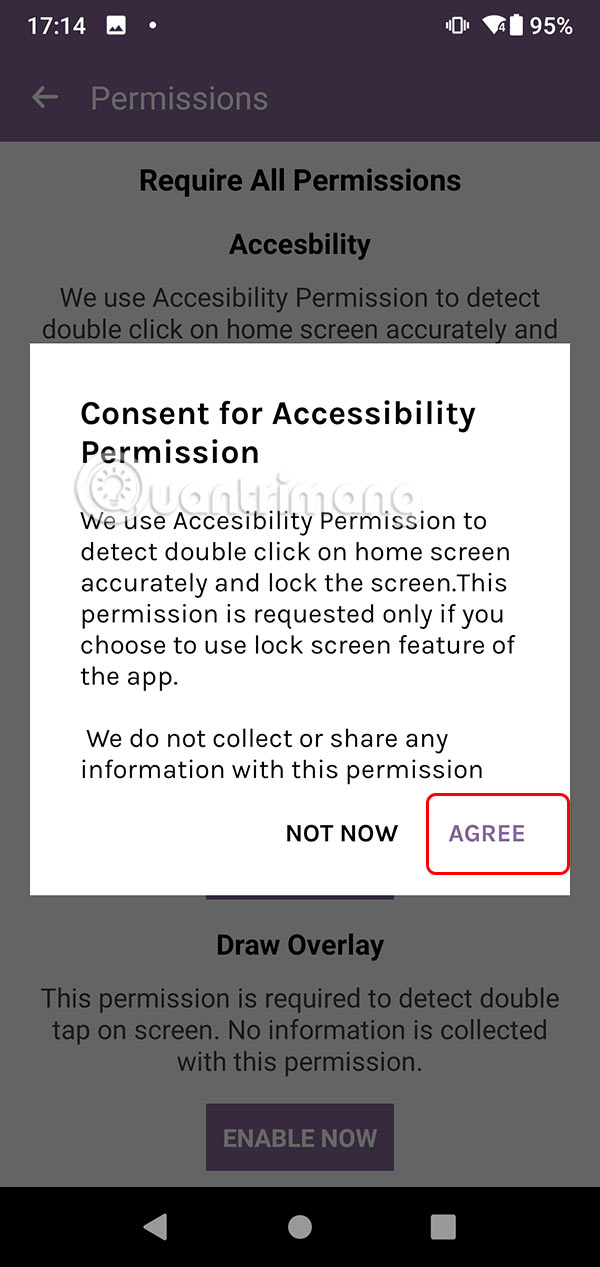
Now, the user needs to accept and activate the required permissions as shown below. You activate according to the instructions displayed on the screen.
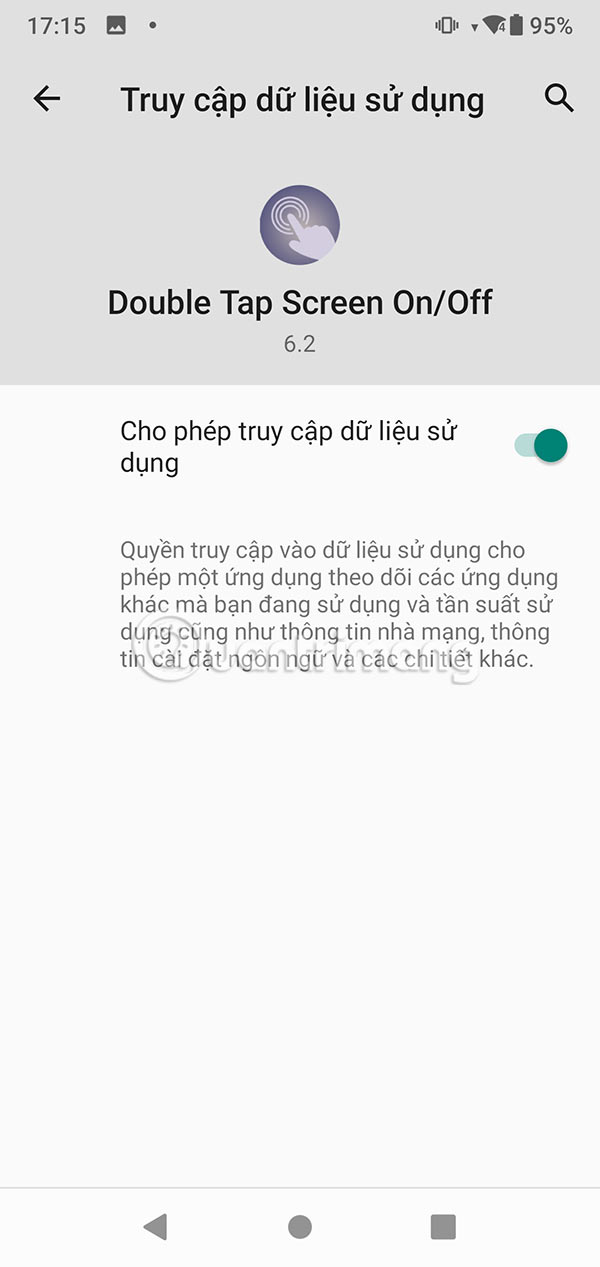
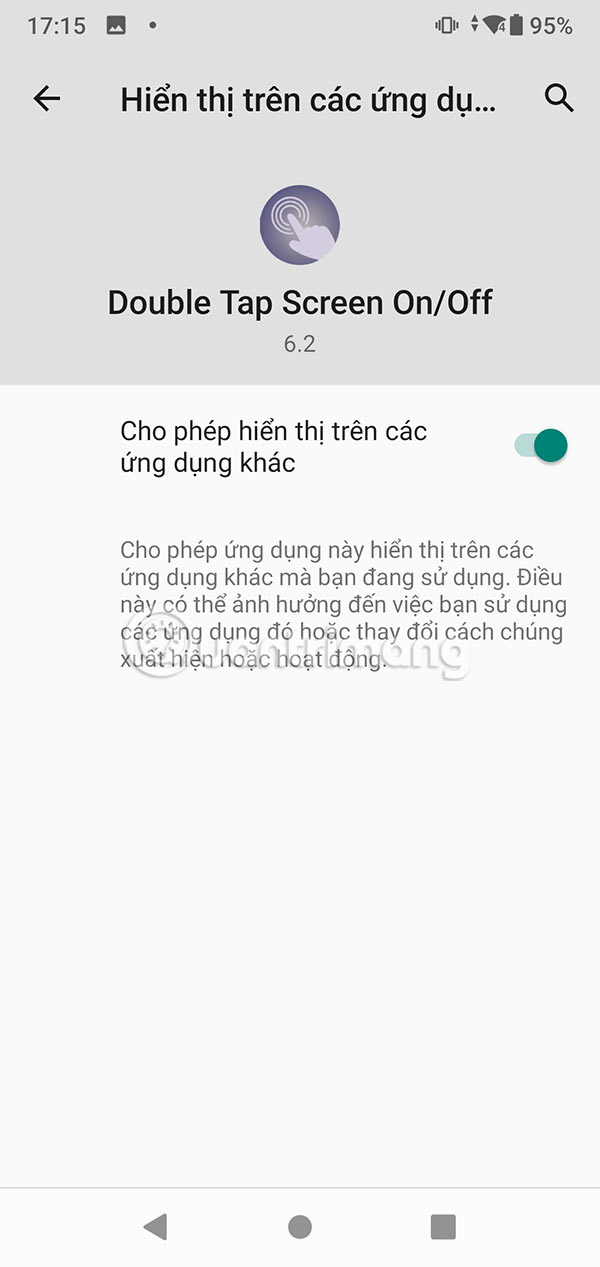
Step 3:
Once you have accepted all the conditions, the application will allow you to enable the double tap to turn off Android screen mode .
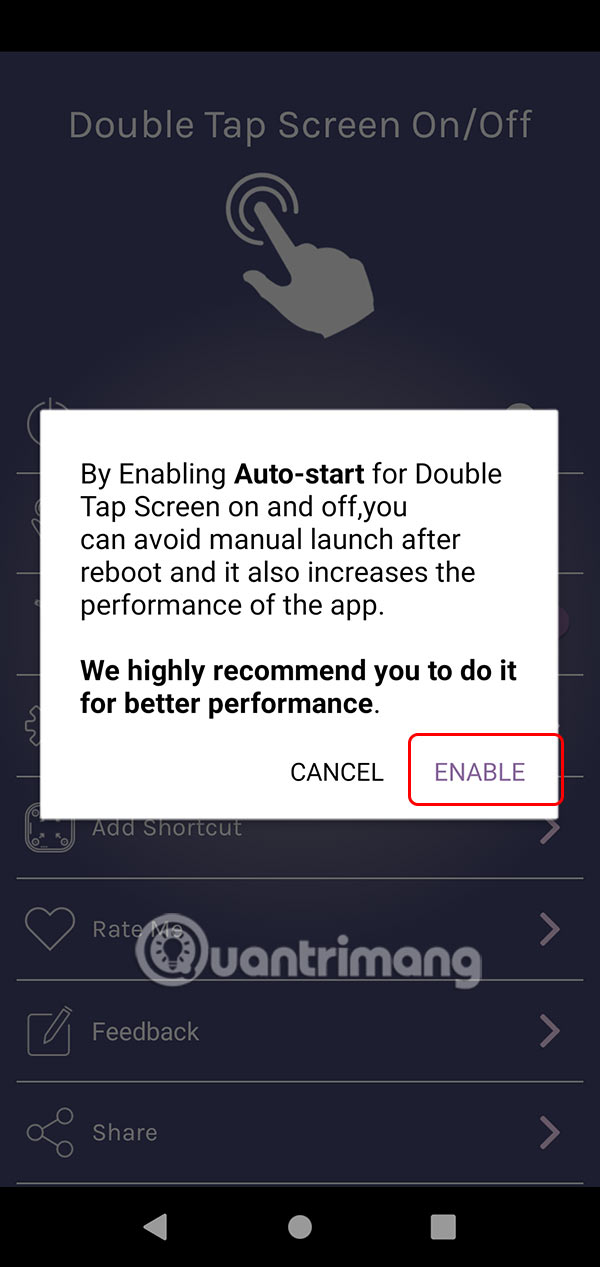
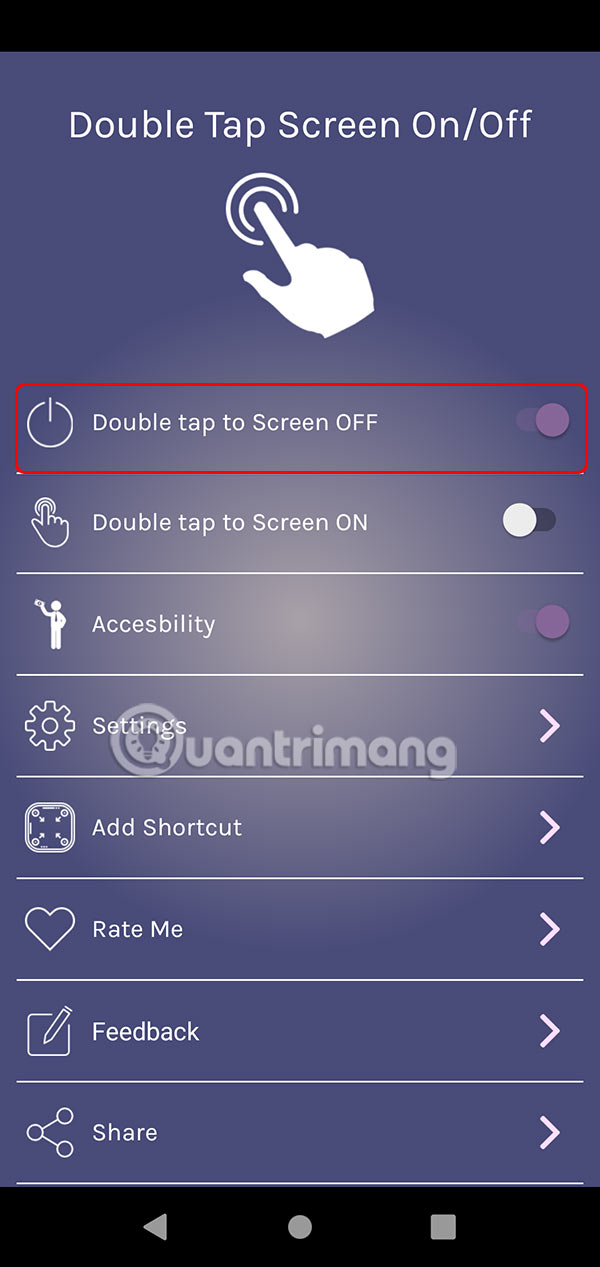
Step 4:
Also, the application also supports double tap mode to open the locked screen . You turn on Double tap to Screen On .
FAQ
What should I prepare before I double tap to turn off android phone screen?
Review the requirements and options in the guide first. Having the correct device, app version, account access, or materials ready helps prevent avoidable errors.
How long does it take to double tap to turn off android phone screen?
The time depends on the task and your setup. Most basic steps can be completed quickly, while downloads, updates, scans, or troubleshooting may take longer.
What should I do if the steps do not work?
Repeat the instructions in order, confirm that your software or device is supported, and check permissions, connectivity, and available updates before trying again.
Related Articles
 How to Turn Off Your Android Phone Screen Using the Smart Screen on6 minutes read
 How to Double-Tap to Unlock Your Android Phone Screen4 minutes read
 How to Turn Off the Touch Screen on Android Phones for Children7 minutes read
 Automatically Turn on // Off the Phone Screen Without Power Button7 minutes read
 How to Fix Black Screen on Android Phone5 minutes read
 Fixed an Error When the Android Screen Is Always on During Charging4 minutes read
Reader Comments 0
Sign in with email or Google to join the discussion.