Table of Contents
This updated guide answers the question 'Is Someone Monitoring Your Keyboard Presses' with clear explanations and practical context. Keylogger malware does not harm your system. Instead, it hides, collects information, and tracks your activities. Keyloggers can steal account names, passwords, and banking information without ever alerting you—which is why It is best to regularly check your computer for this.
5. Find Strange Software Installed on the Device
If you suspect a keylogger is installed on your computer, It is best to first check the Windows Task Manager or macOS Activity Monitor and look for any strange programs running in the background.
If you see an unfamiliar app, search for it on Google to see what kind of app it is. Some of the most common keyloggers include Spyera, HoverWatch, TiSPY, iKeyMonitor, and XNSPY. You're unlikely to see the name "Spyera" or "XNSPY" in Task Manager or Activity Monitor. These apps often hide behind generic or fake system process names to avoid detection. But if you see any process that looks strange, especially one that is using many memory or CPU, It is best to investigate.
If you see any of these applications running on your PC, it means that a keylogger is installed on it and is tracking your every keystroke. You can disable it by right-clicking on the offending application and selecting End task .
4. Delete Apps You Do Not Install on Your PC
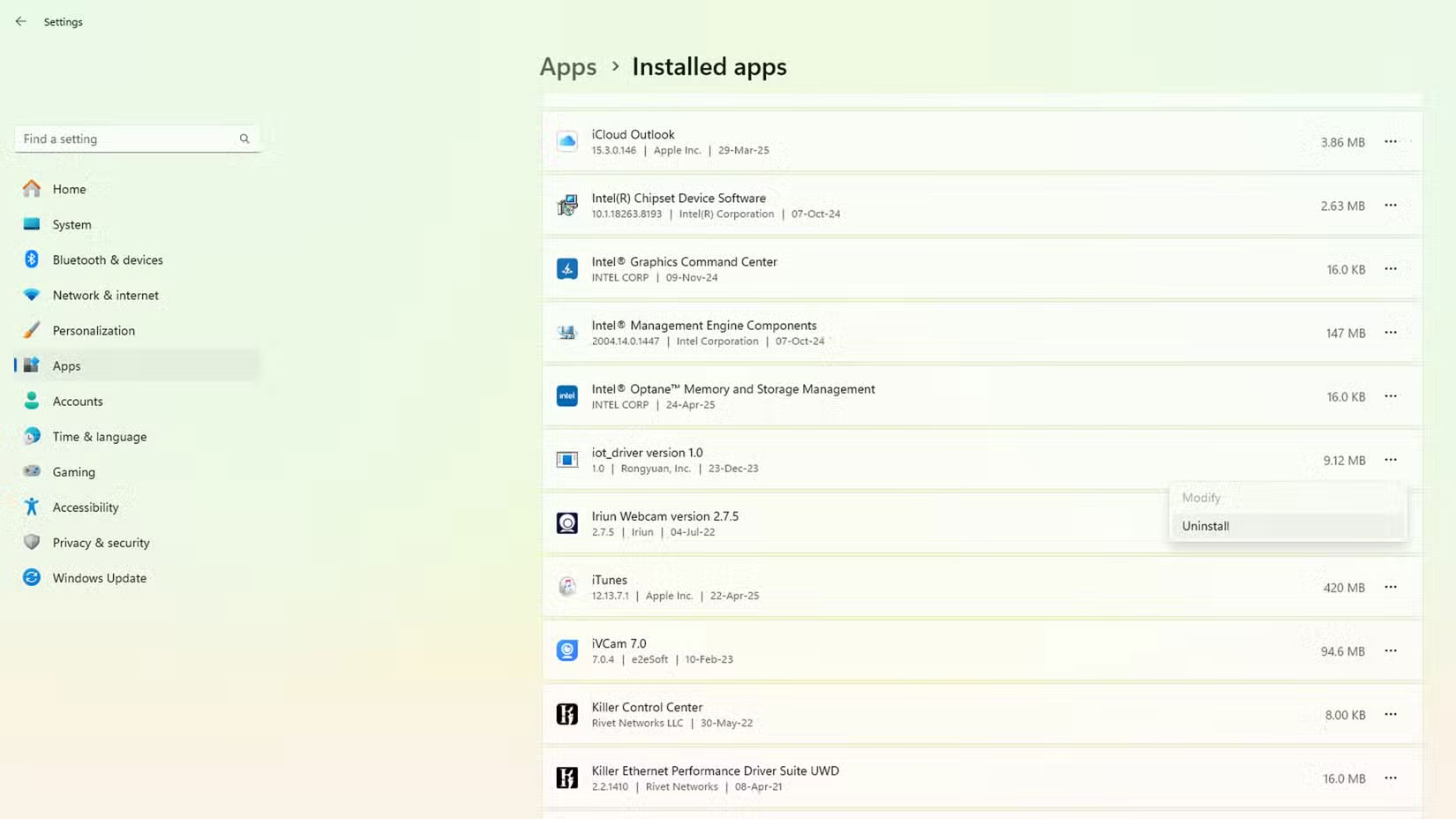
The above steps will only stop the keylogger from running, but it will still be installed on your system. So to completely remove the keylogger, on Windows, open Settings > Apps > Installed apps and search for the program you just disabled. Once you find it, choose the three-dot icon next to the app and select Uninstall .
It is best to also do the same if you're using macOS - there are multiple ways to uninstall apps on macOS. By following one of these steps, you can remove any keyloggers you suspect are installed on your computer.
3. Use Antivirus Software to Scan for Malware
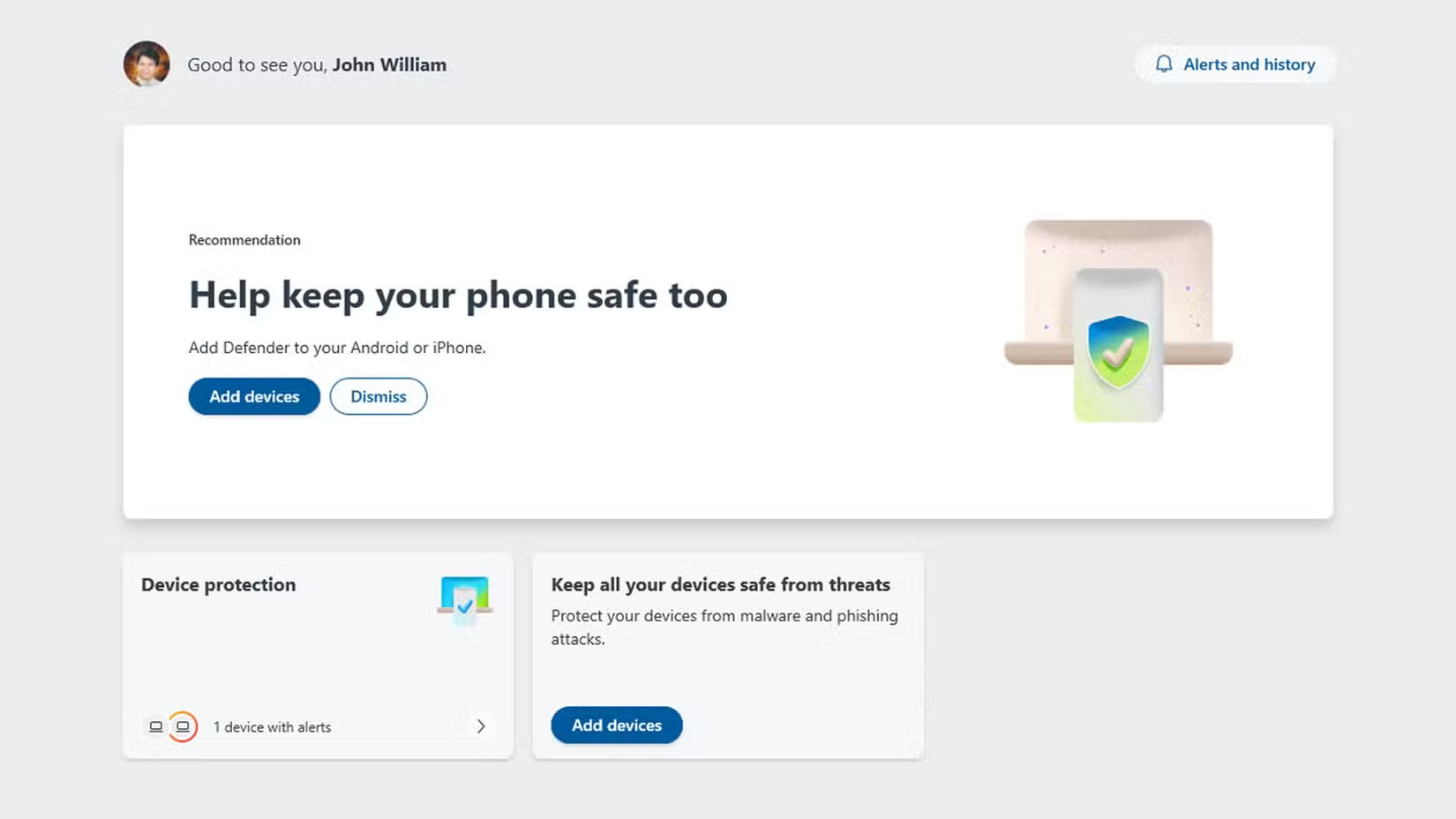
Unfortunately, uninstalling the suspicious program does not mean that your computer will not be reinfected or even that you have completely removed the keylogger malware. That is why It is best to install an antivirus or security suite to protect your PC from them, including keyloggers.
Microsoft Defender is fine for most people, but to double-check Defender and find another option, there are free online virus scanning and removal sites that are worth using. You might also consider downloading and installing Malwarebytes, another handy and powerful malware scanner.
2. Look for Strange Hardware
Although most people think of malware as software installed on a computer, some keylogger software intercepts the signal between your keyboard and your PC. This can be through an adapter that sits between the keyboard and the CPU, or it can be through a fake USB cable.
So to protect yourself, It is best to periodically check your computer ports to see if any strange adapters are plugged in. It is best to also be wary of counterfeit cables, as some USB cables may contain malicious hardware.
1. Reset PC
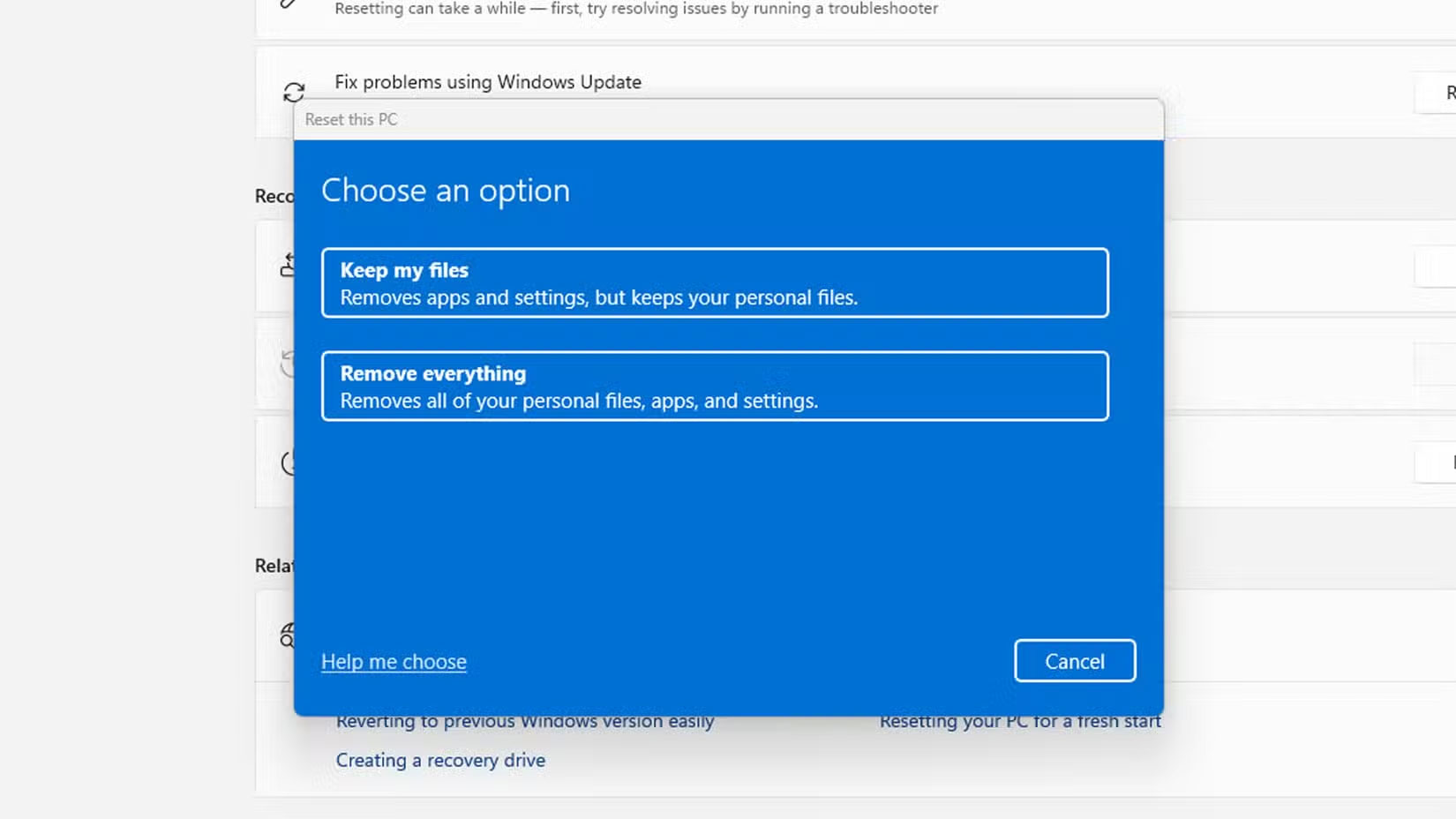
If after all these steps you still feel like your computer is being targeted, your last resort option is to reset your PC. If you do this, select the Remove everything option to ensure nothing is left behind. This can be inconvenient, as everything is deleted from your computer, but at least you're guaranteed to have a clean computer. If you use the cloud or external storage, It is best to also check your saved files to ensure there's no malware lurking in your archives. You can consider a clean install of Windows, in which you wipe your drive and start over.
FAQ
What is the main takeaway about Is Someone Monitoring Your Keyboard Presses?
The key is to understand the core idea, compare the available options, and apply the practical guidance that matches your situation.
What should beginners know about Is Someone Monitoring Your Keyboard Presses?
Start with the essential steps and terminology. Avoid changing advanced settings until you understand how they affect performance, privacy, cost, or compatibility.
How can I use this information in practice?
Follow the relevant section in order, test one change at a time, and confirm the result before moving to the next step or recommendation.
Related Articles
 What Should I Consider When Choosing to Buy Slow Presses5 minutes read
 What Kind of Durable and Cheap Fruit and Vegetable Presses?5 minutes read
 Is the Hurom Review Machine Slow Down Good? How Much?8 minutes read
 What Kind of Fruit Juicer Should You Buy Most Today?13 minutes read
 3 Easy Ways to Lock Your Acer Laptop Keyboard at Home9 minutes read
 Consultation on Selecting Industrial Juicer for Restaurants and7 minutes read
Reader Comments 0
Sign in with email or Google to join the discussion.