Table of Contents
This updated guide explains how to create a riot games account with clear steps, practical tips, and useful context. Riot Games is preparing to take over League of Legends from Garena. That means players will also need to transfer their League of Legends accounts from Garena to Riot. The transfer process requires you to have an account on the Riot Games system.
How to Create a Riot Games Account
Quick Guide:
Access the Riot account registration link > choose CREATE ACCOUNT > Fill in the registration email, date of birth, account name and password to quickly complete the registration.
Detailed Instructions
Step 1:
Visit the Riot Games homepage.
Step 2:
Click SIGN IN in the top right corner of the screen.

Step 3:
select CREATE ACCOUNT at the bottom of the interface.
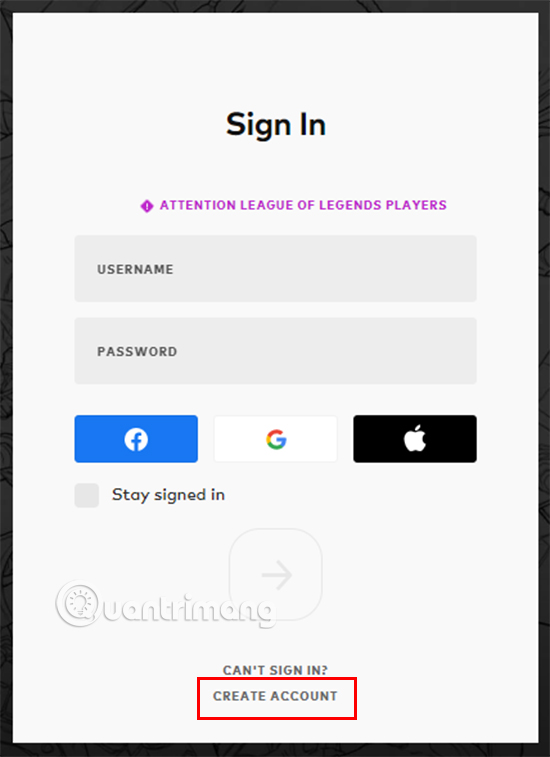
Step 4:
You will be taken to the next interface, here You need to fill in the email you want to use to register your account and select the red arrow button.
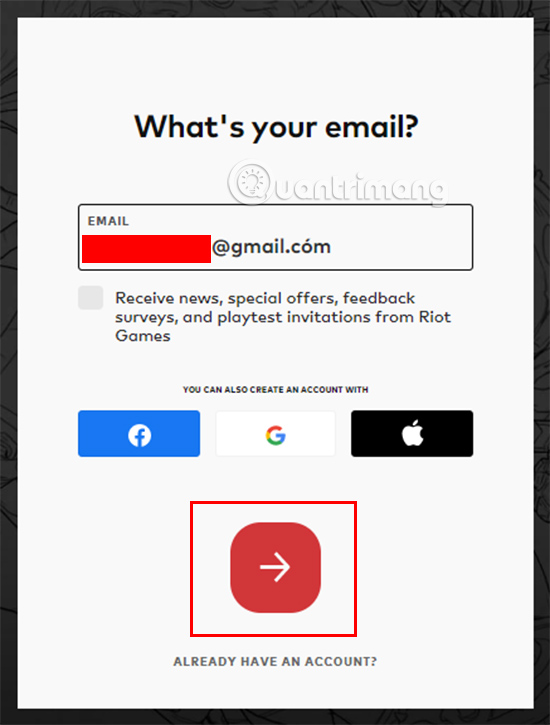
You can create a Riot Games account through your Facebook, Google and Apple accounts. The way to create an account with these accounts is similar to using email. Therefore, TipsMake.com will guide you in the direction of using email.
Step 5:
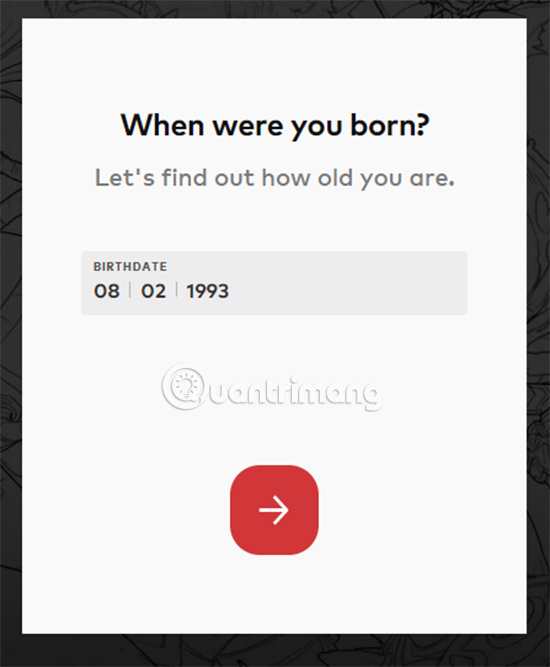
Next, you need to fill in your date, month and year of birth in the corresponding blank boxes and then choose the red arrow to open the next step.
Step 6:
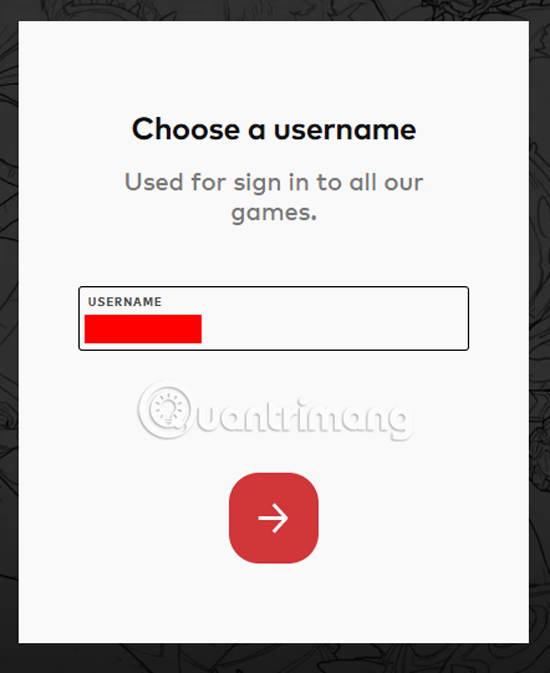
Now it is time to name your account. Note that you can only use letters and numbers, special characters are not allowed.
Step 7:
After the account name is the password, the password you set must meet these conditions:
- Password must be longer than 8 characters
- Password must contain at least 1 letter or 1 number.
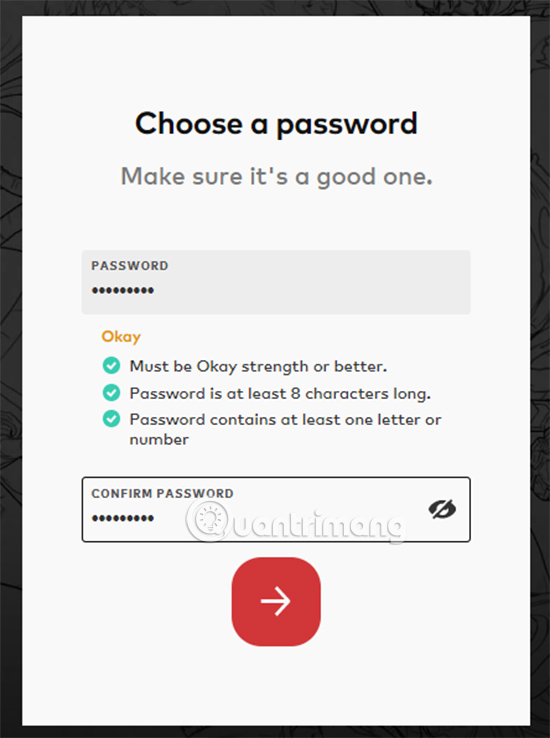
After completing the above steps, you will be redirected to the Riot Games homepage while logged in to the newly created account. At the same time, you will also receive a confirmation email from Riot. Please verify your account via email to complete the account creation process.

Hopefully through this guide, readers can easily create their own Riot Games account and experience the company's attractive games.
FAQ
What should I prepare before I create a riot games account?
Review the requirements and options in the guide first. Having the correct device, app version, account access, or materials ready helps prevent avoidable errors.
How long does it take to create a riot games account?
The time depends on the task and your setup. Most basic steps can be completed quickly, while downloads, updates, scans, or troubleshooting may take longer.
What should I do if the steps do not work?
Repeat the instructions in order, confirm that your software or device is supported, and check permissions, connectivity, and available updates before trying again.
Related Articles
 Learn About Riot ID, How to Change Riot ID4 minutes read
 Riot Games, the Author of the League of Legends, Was Formally8 minutes read
 How to Create a Dtcl Mobile Account3 minutes read
 How to Create a Roblox Account3 minutes read
 How to Create a Weibo Account with a Vietnamese Phone Number6 minutes read
 How Is Riot Fighting Flooding of Valorant Gamers?9 minutes read
Reader Comments 0
Sign in with email or Google to join the discussion.