Table of Contents
Learning how to block random app installations on iPhone doesn't have to be complicated. This updated guide presents a clear workflow, practical checks, and troubleshooting advice you can use while completing the process.
Key Takeaways
- Follow the steps to block random app installation on iPhone.
- Follow the recommended steps in order to avoid common mistakes with block random app installations on iPhone.
- Review compatibility, settings, or requirements before making changes.
How to Block Random App Installation on iPhone
Step 1:
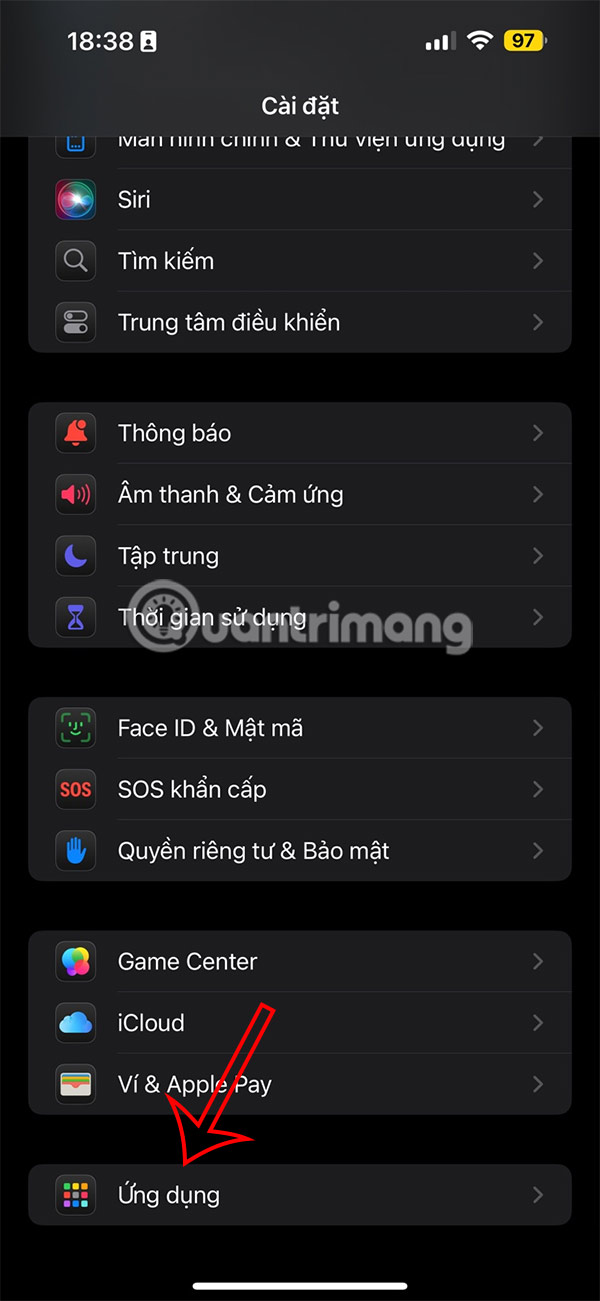
Users access Settings on iPhone, then select Applications at the bottom of the screen interface.
Step 2:
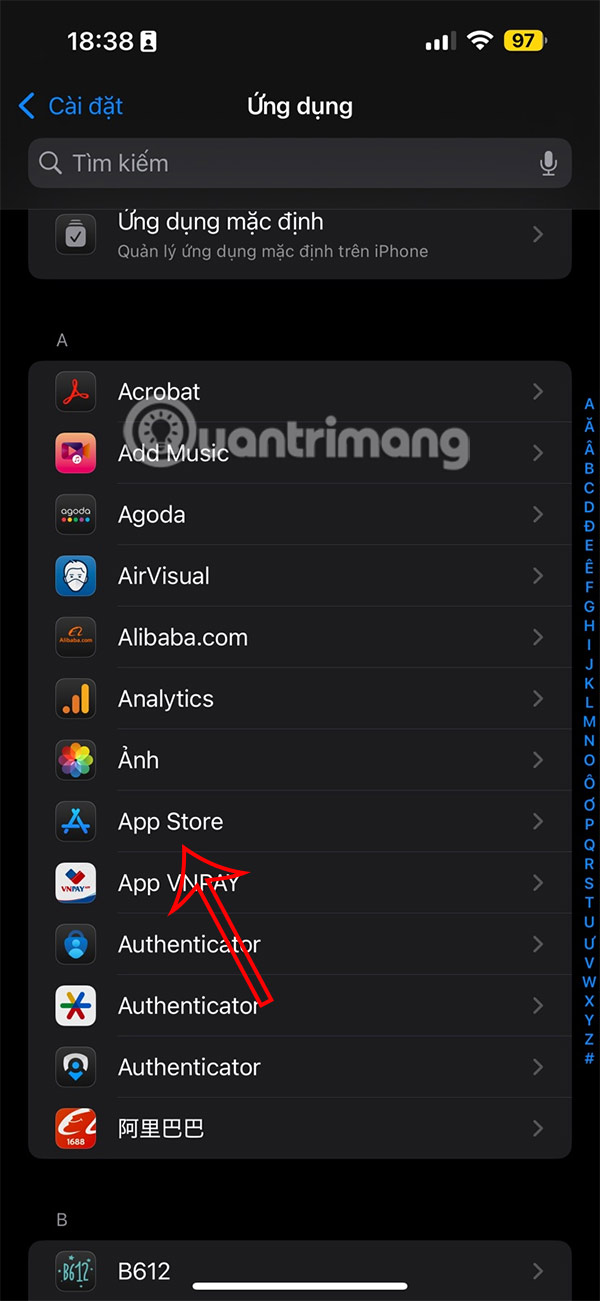
Switching to the new interface, users open the App Store application to adjust the application download settings on the App Store.
Step 3:
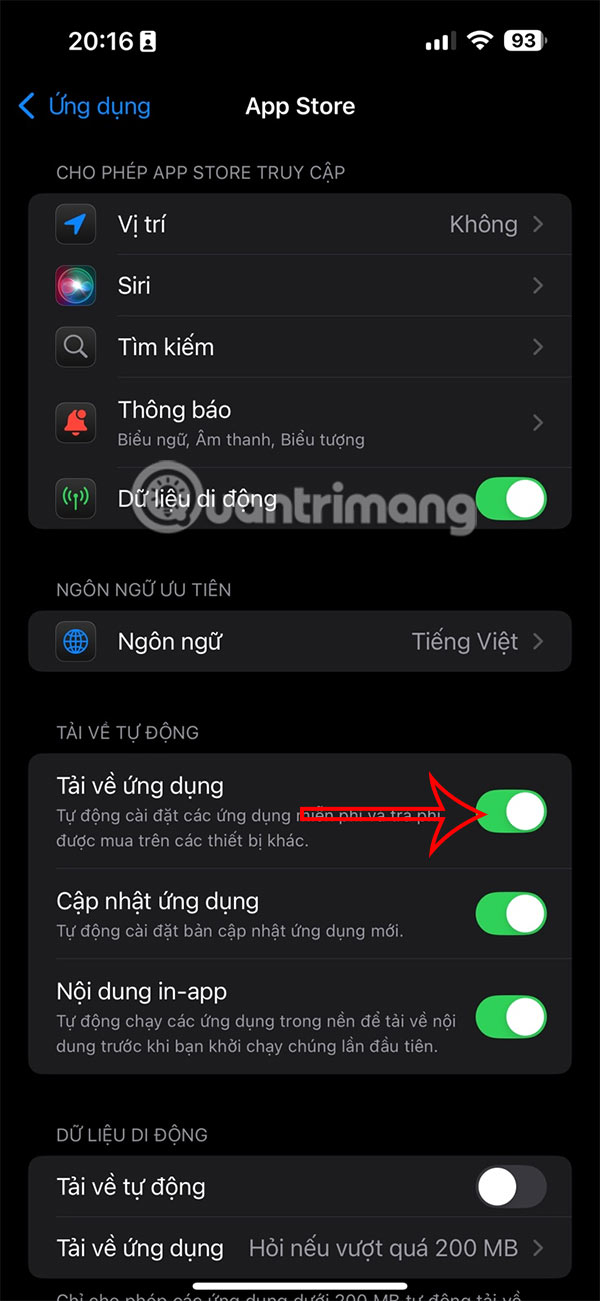
In this settings interface, you will see the Automatic Downloads option to adjust. Turn off the App Downloads setting to turn off random app downloads on iPhone.
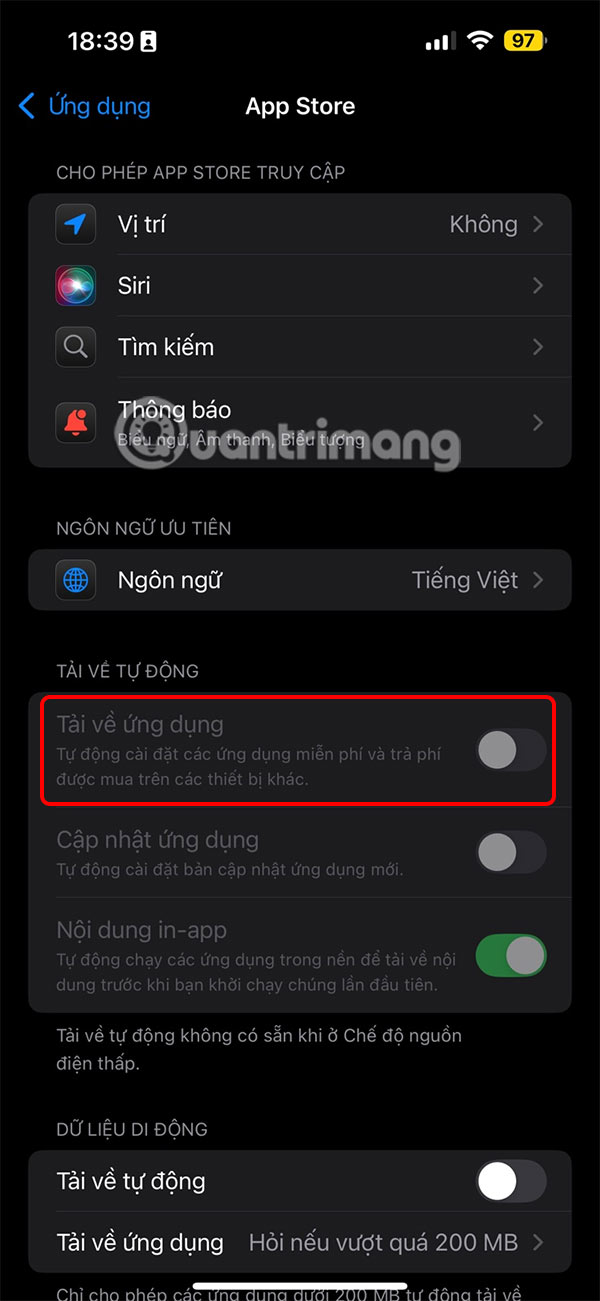
Once you turn this setting off, apps will no longer be randomly downloaded to your phone.
Final Thoughts
The most reliable way to handle block random app installations on iPhone is to follow the process in order, verify each important setting, and test the result before moving on. Use the guidance above as a practical reference, then adjust the details for your device, software version, or specific goal.
FAQ
What should I check before I block random app installations on iPhone?
Use the latest available software, confirm that your device meets the requirements, and make sure you have the necessary permissions, account access, or backup before changing anything.
Why might I be unable to block random app installations on iPhone?
Common causes include outdated software, missing permissions, incompatible settings, incomplete setup steps, or a temporary network problem. Recheck the process from the beginning and restart the app or device if needed.
Is it safe to block random app installations on iPhone?
It is generally safe when you use official tools, review every permission, and back up important data before making system-level or account-level changes.
Related Articles
 How to Block Spam Phone Numbers on iPhone5 minutes read
 How to Block Ads on iPhone, iPad6 minutes read
 What Is Random Data: What Is the Random Data Method?5 minutes read
 Block Iphone Ads: Block Ads on Iphone with Adguard3 minutes read
 How to Block In-app Purchases on iPhone3 minutes read
 How to Block Email Addresses on iPhone: Practical Guide9 minutes read
Reader Comments 0
Sign in with email or Google to join the discussion.