Table of Contents
Learn how to add, remove, and switch Google accounts on Android with clear steps, practical tips, and troubleshooting guidance for a reliable result.
Add a Google account to Android from Settings
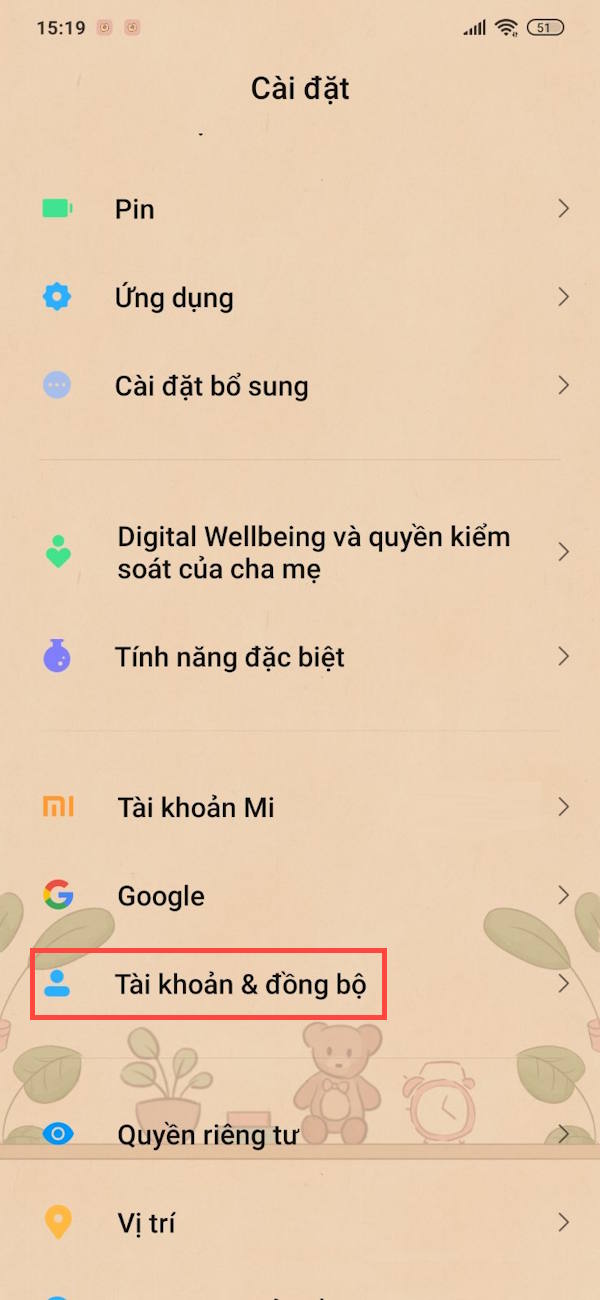
Step 1
Open Settings on your phone, then tap on Accounts & Sync , or set up Password, passcode & account depending on your phone. On the new screen, tap Add account to proceed.

Step 2
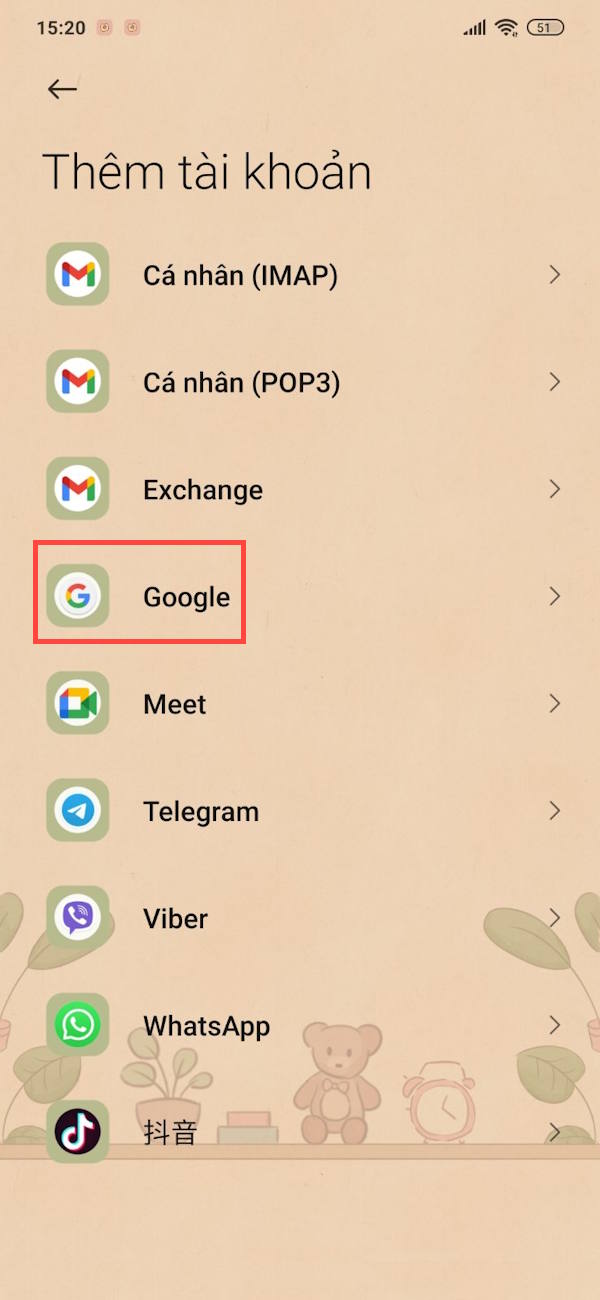
Select Google from the list of accounts you want to add. Then enter your Google address to access it. Or you can create a new Google account if needed.
You have now successfully added a new Google account on Android.

Add a Google account to Android via the app
You can add a secondary email address directly from Gmail, Google, Chrome, or the Play Store app on your phone.
Step 1
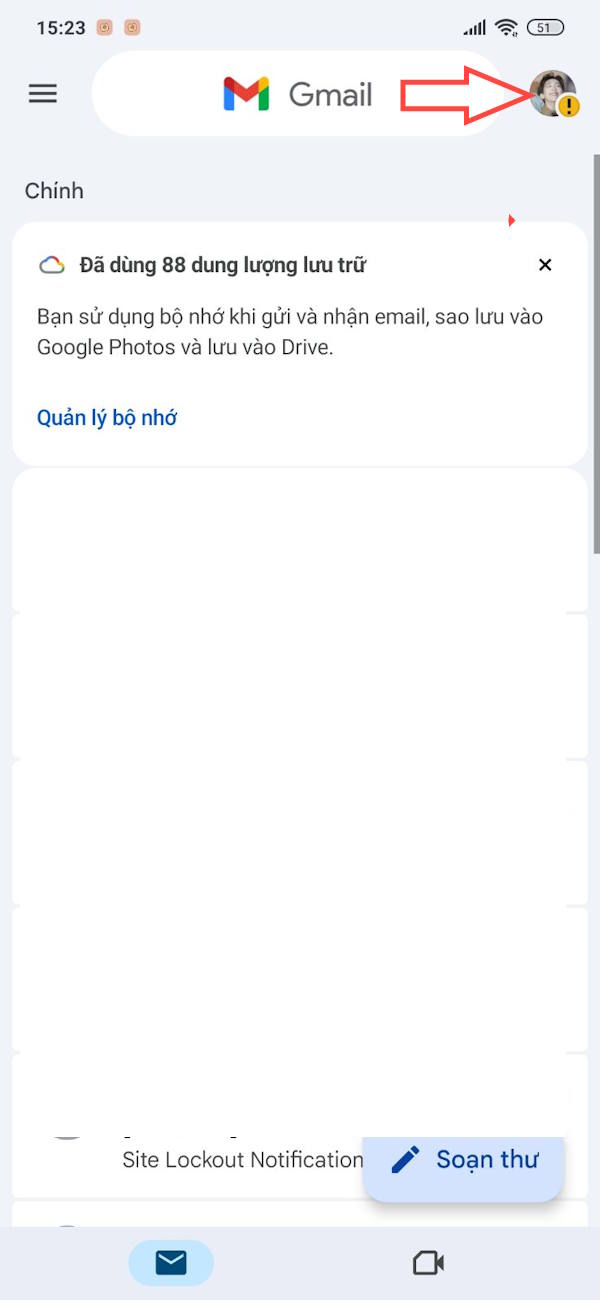
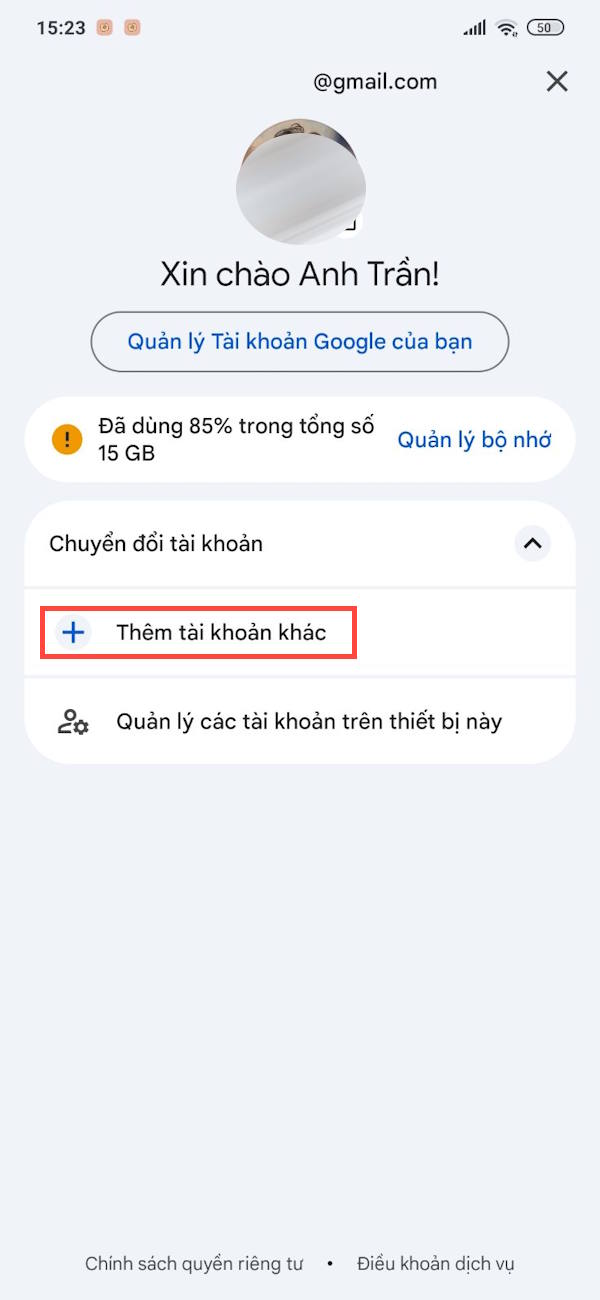
Open a Google app like Gmail , then tap your profile picture , and select "Add another account" to proceed.
Step 2
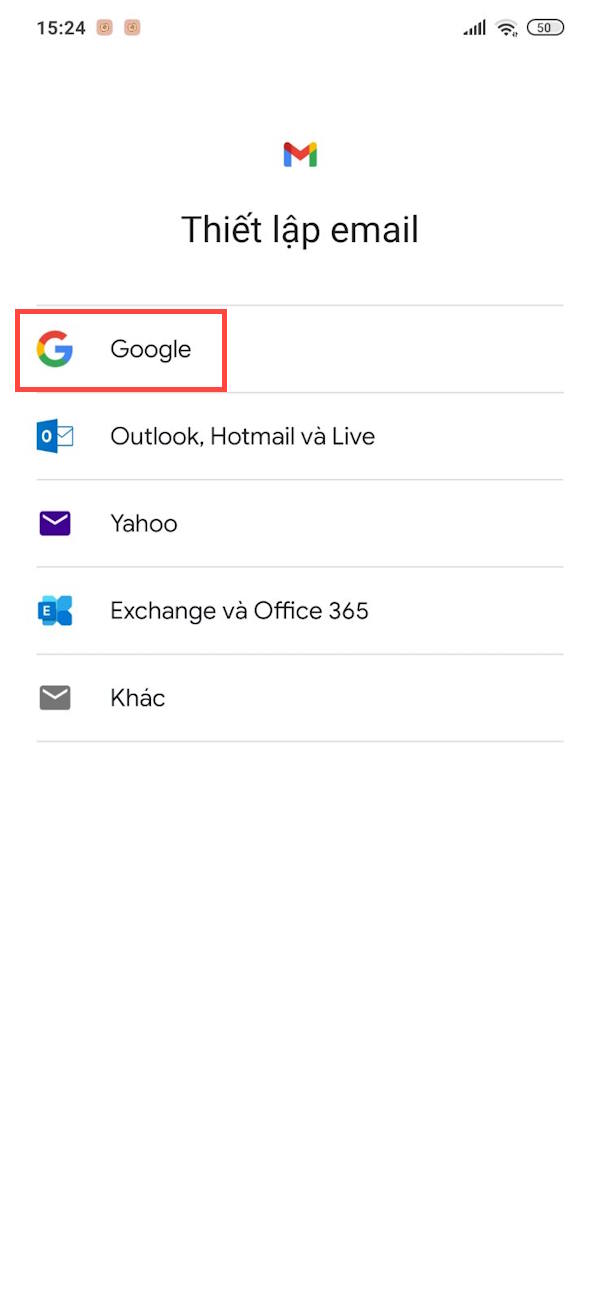
Now, type "Google" to add another Google account to your Android phone.
Next, you'll also need to enter another Google address to add it to your phone.

Instructions for switching Google accounts
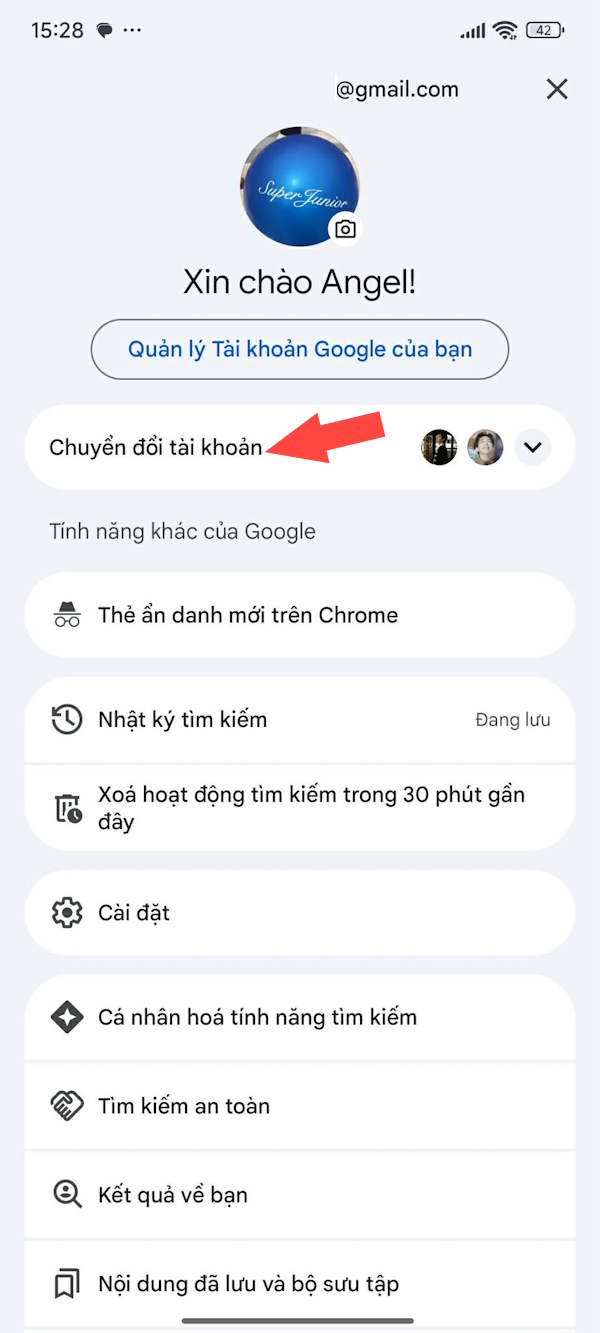
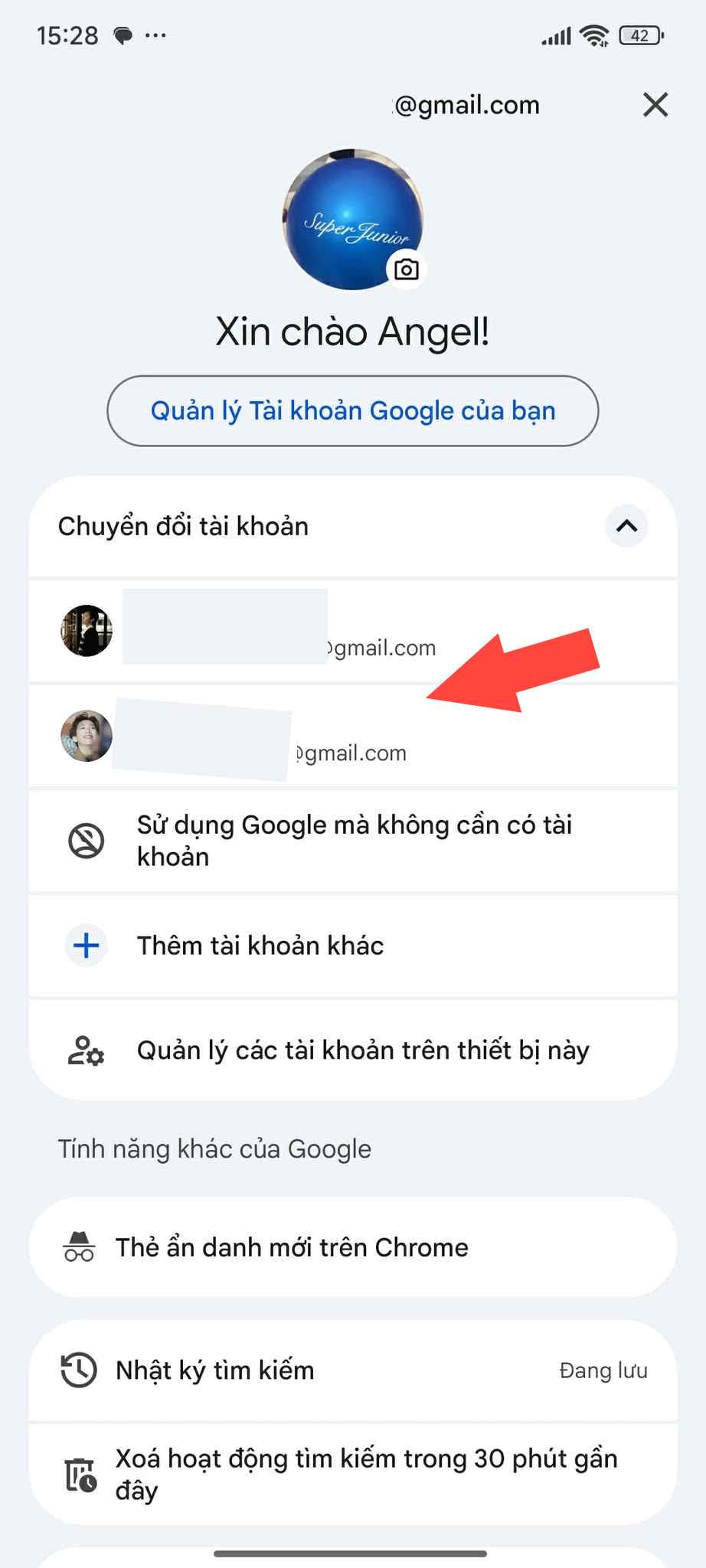
Open any Google app on your phone, then tap your profile picture . Tap Switch Accounts , and you'll see all your added Google accounts.
To switch to a specific Google account , simply select it.

Remove your Google account from your Android phone
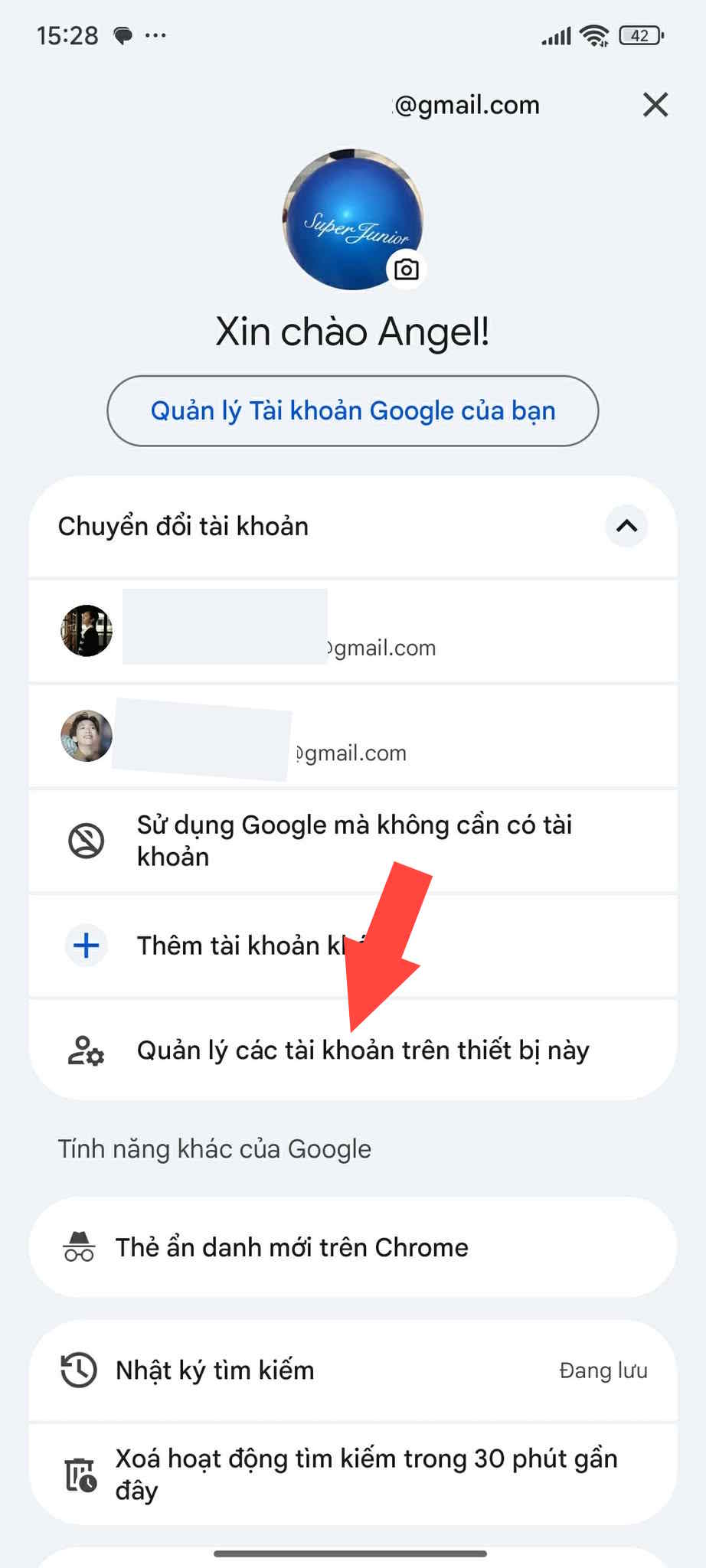
Open the Google app on your phone, then tap your profile picture and select Switch Accounts to expand the list, then select Manage accounts on this device.
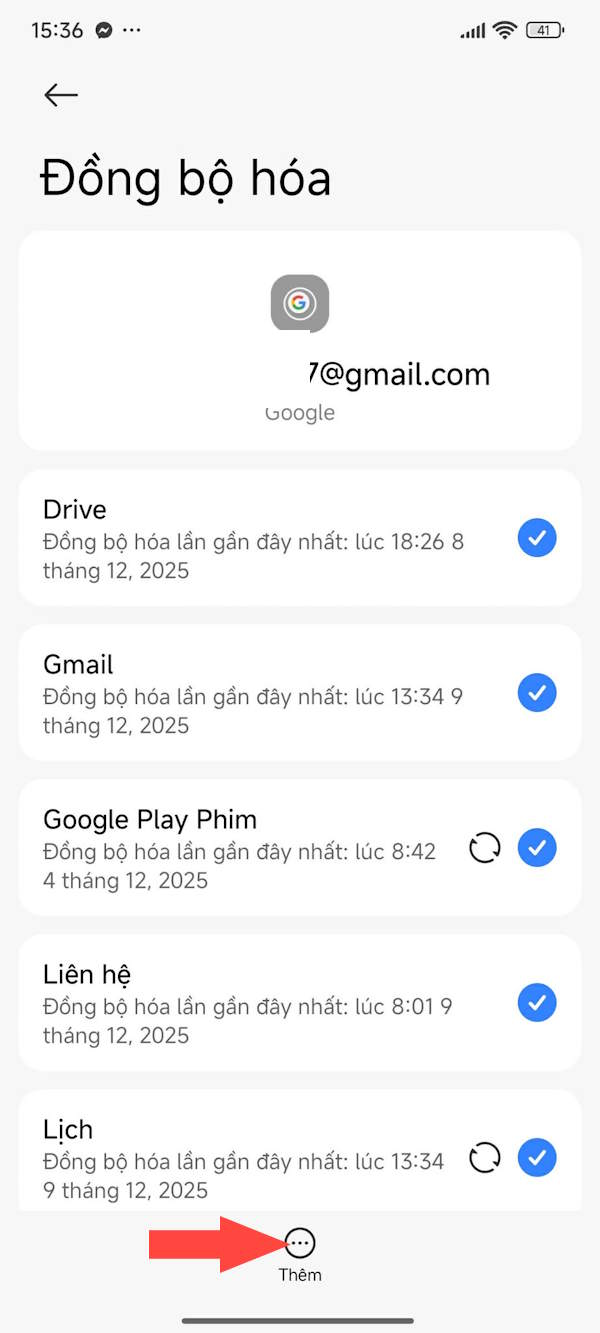
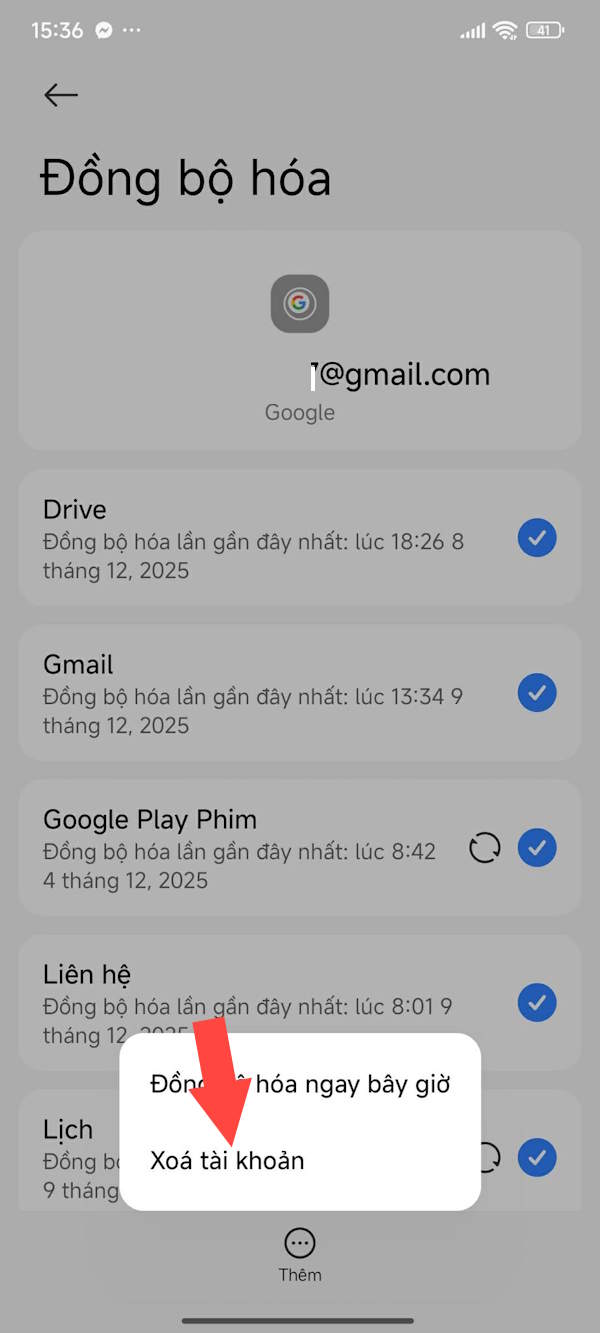
Tap the Google app , then tap the Google account you want to remove from your Android phone.
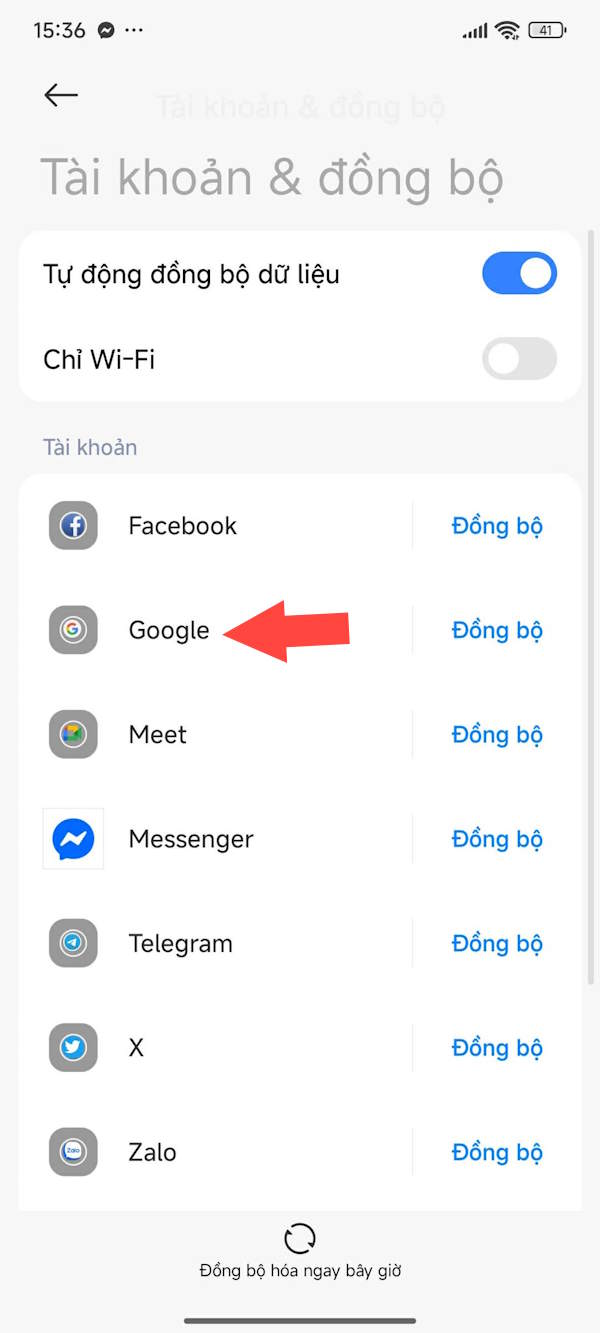
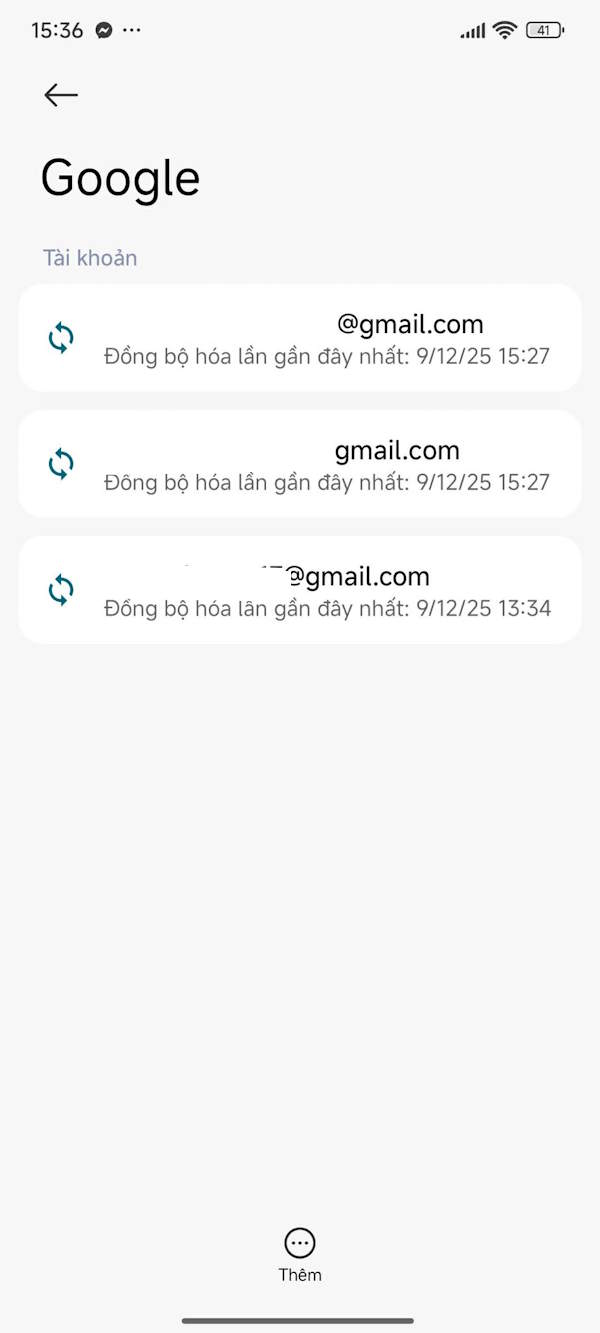
Now, click on the "Add" option below and then select "Delete account" to proceed.
Final Thoughts
Use this guide as a practical checklist for how to add, remove, and switch google accounts on android. Work through the steps in order, verify each result, and adjust the options to match your needs.
FAQ
What do you need before following this How to Add, Remove, and Switch Google Accounts on Android guide?
Review the required tools, accounts, settings, or materials mentioned in the article. Learn how to add, remove, and switch Google accounts on Android with clear steps, practical tips, and troubleshooting guidance for a reliable result.
What are the main steps for how to add, remove, and switch google accounts on android?
Follow the sections in order, especially Add a Google account to Android from Settings, Step 1, Step 2. Complete each step before continuing and verify the result as you go.
What should you do if the process does not work as expected?
Recheck the prerequisites, update the relevant app or service, review the settings, and repeat the step that caused the issue. Use any troubleshooting notes included in the guide.
Related Articles
 Google Instructs iOS Users to Switch to Android 5.03 minutes read
 Google: Complete Guide: The Switch to Android App Now Supports iPhone4 minutes read
 How to Add and Removing Google Accounts on Android6 minutes read
 Instructions for Logging into Multiple Accounts on Google Chrome4 minutes read
 4 Ways to Switch User Accounts on Windows 114 minutes read
 Official: Nintendo Switch Can Run Android3 minutes read
Reader Comments 0
Sign in with email or Google to join the discussion.