Table of Contents
AutoExam.ai can draft an exam from written requirements or uploaded teaching material, then let you review the assessment matrix, edit individual questions, export a document, or publish an online test. The generated draft still needs a teacher's subject-matter, curriculum, accessibility, and scoring review before students see it.
Before you generate the exam
Prepare the source material and decide the assessment design first. At minimum, specify:
- subject, grade or course, and curriculum or standard;
- chapters, learning objectives, and any content that must be excluded;
- number and type of questions;
- difficulty or cognitive-level distribution;
- exam duration and total marks;
- whether an answer key, explanations, or rubric is required;
- language, notation, accessibility, and formatting requirements.
Whenever possible, provide the approved textbook excerpt, lesson notes, or source document. A topic name alone gives the generator less grounding and makes factual or curriculum drift harder to detect.
1. Open the AI exam generator
Go to AutoExam.ai, sign in or create an account, and select the option to create an exam with AI.
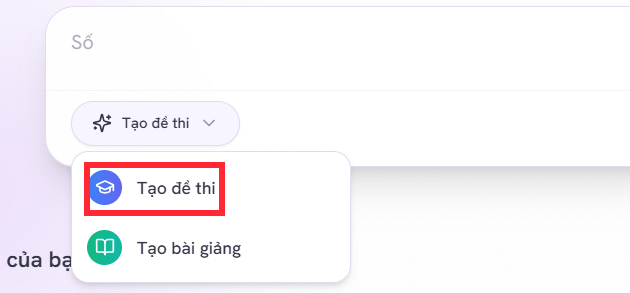
The current service also supports generating questions from uploaded Word, PDF, image, or pasted-text material. Use only content you are authorized to upload, and follow your school or organization's privacy rules.
2. Describe the exam precisely
Enter a prompt that gives the generator measurable requirements. For example:
Create a Grade 7 history test covering Units 1, 2, and 3 of the supplied course material.

Requirements:
- 30 questions: 25 multiple choice and 5 short-answer
- Cognitive levels: 40% recall, 40% understanding, 20% application
- Cover the three units proportionally without repeating the same fact
- Use clear, age-appropriate English
- Total score: 10 points
- Include an answer key, explanations for multiple-choice answers,
  and a point-based rubric for every short-answer question
- Do not introduce facts that are absent from the supplied material
- Flag any requirement that the source does not support
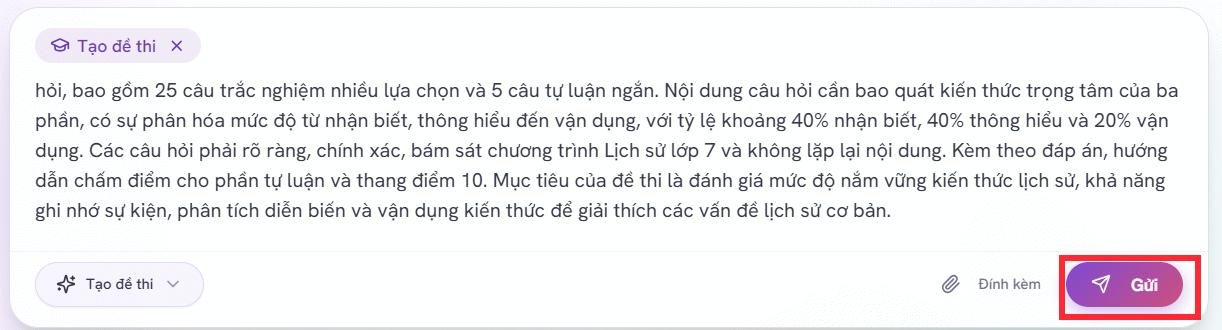
Replace the example with your actual curriculum and objectives. A requested percentage may not divide evenly into the chosen question count, so state whether rounding is allowed.
3. Answer the clarification questions
AutoExam.ai may ask follow-up questions about subject coverage, question types, scoring, or difficulty. Read each option rather than choosing the first available answer.
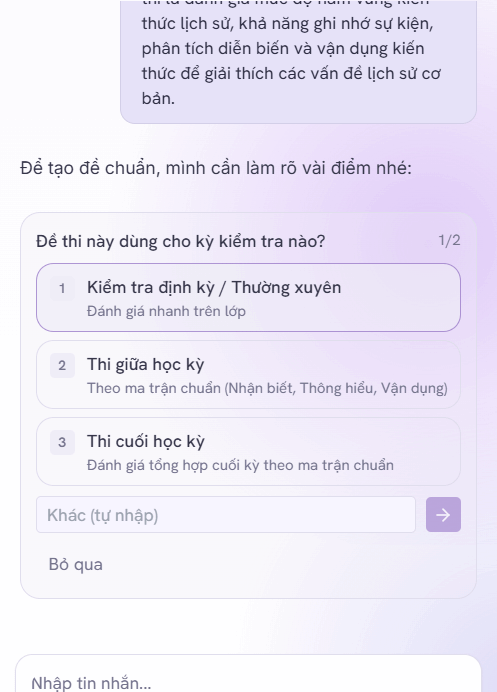
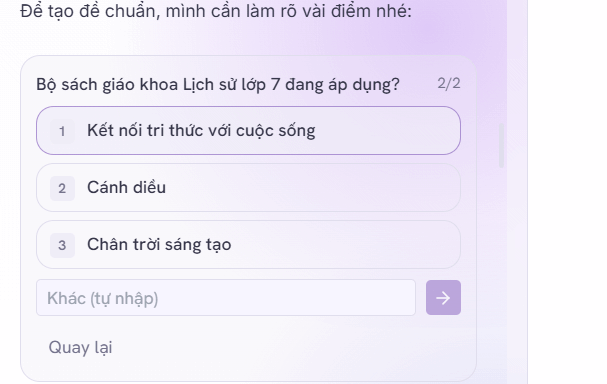
If the tool interprets a requirement incorrectly, correct it here. Confirm the language, curriculum scope, total points, and whether the exam is intended for practice, formative assessment, or a graded test.
4. Review the assessment matrix
The matrix should show how questions are distributed across content areas, formats, and difficulty or Bloom levels. Compare it with the intended learning objectives before selecting Confirm & Generate Exam.
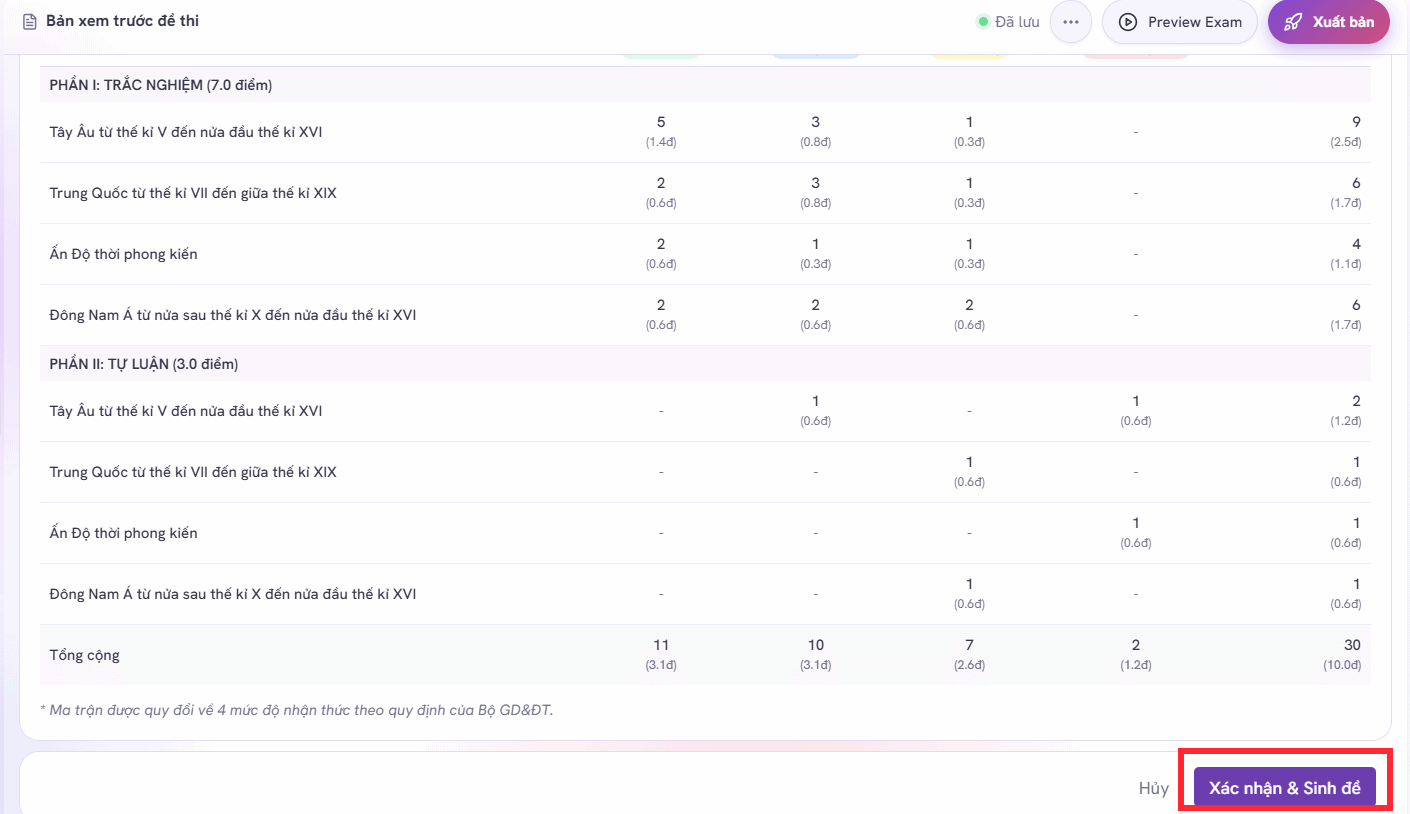
Check that:
- every required objective is represented;
- minor topics do not dominate the test;
- the point allocation matches the intended emphasis;
- the cognitive-level labels agree with what each question actually asks;
- the estimated workload fits the time available.
A question labeled “application” may still test only recall, so do not accept the label without reading the item.
5. Inspect every generated question
After generation, review the full exam and select Edit for any item that needs correction.
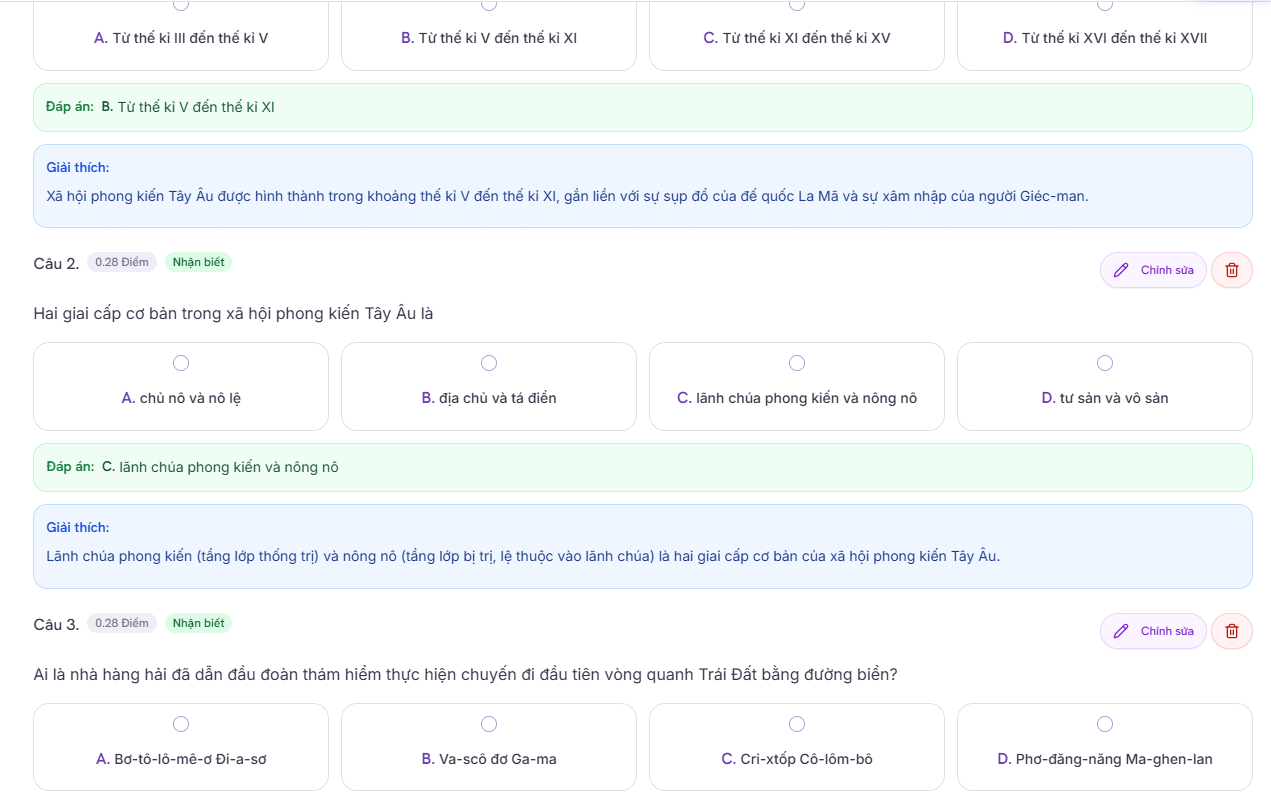
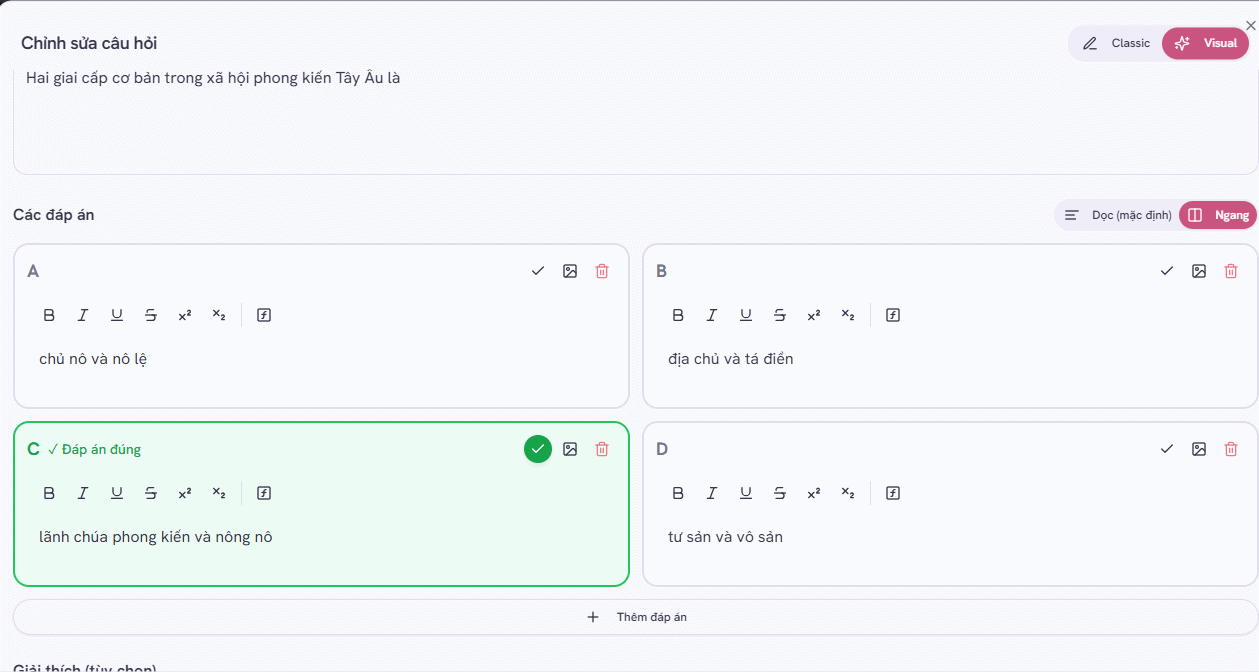
Checklist for multiple-choice questions
- There is one clearly best answer.
- The answer key matches the stem and source material.
- Distractors are plausible but unambiguously wrong.
- Options use parallel grammar and do not reveal the answer by length or wording.
- The item avoids “all of the above” and trick wording unless there is a clear instructional reason.
- No two questions disclose each other's answers.
Checklist for short-answer and essay questions
- The expected scope and response length are clear.
- The rubric awards points for observable evidence, not vague quality.
- Alternative correct reasoning can receive credit.
- The marks are proportional to the work required.
- The prompt does not depend on knowledge outside the stated course material.
Check fairness and accessibility
Remove unnecessary cultural assumptions, idioms, and complex sentence structures that are unrelated to the learning objective. Provide accessible descriptions for essential images and verify mathematical notation, names, dates, citations, and translations. Do not upload student names, disability information, grades, or other personal data merely to generate questions.
6. Validate the answer key and score
Solve a representative sample independently, then verify every key and rubric against the approved source. Add all points to confirm the stated total, and estimate how long a prepared student needs.
For a high-stakes exam, use a second qualified reviewer. AI can produce a polished but incorrect item, an answer that depends on an unstated assumption, or two defensible options.
7. Save and export the exam
Open the three-dot menu at the upper right and choose Save exam. Select Export file to prepare a Word or PDF version.
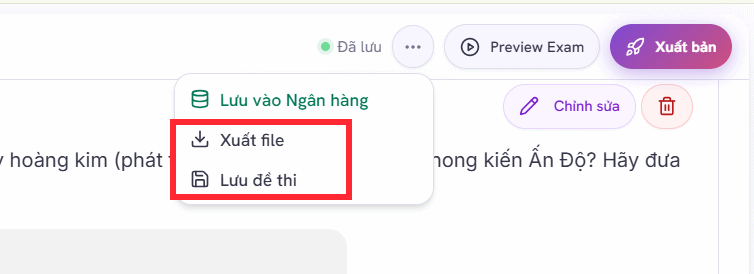
Choose the required format and available layout settings, then select Export File.
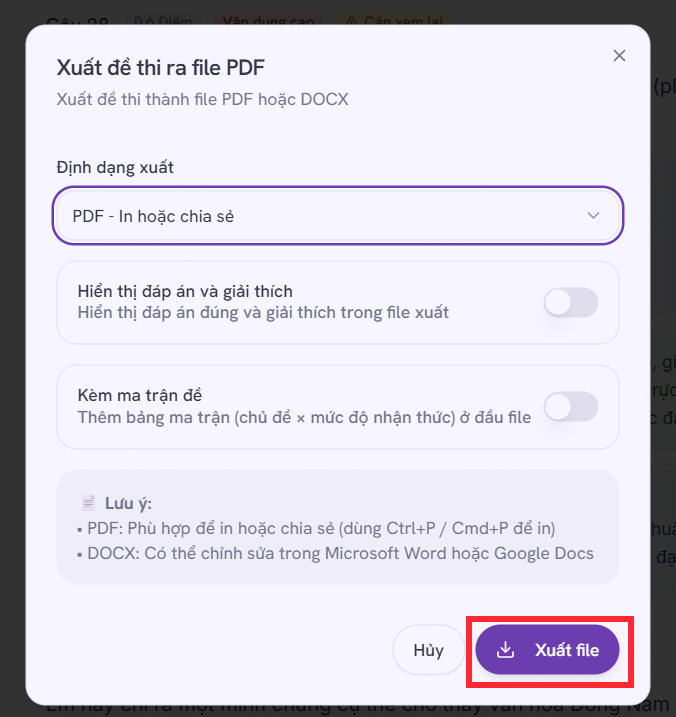
Open the exported file before distribution. Check page breaks, question numbering, fonts, diagrams, answer-choice alignment, headers, and whether the answer key is separated from the student copy. Keep an editable master and label the approved version.
8. Publish an online exam
Select Publish when you want to deliver the test online.
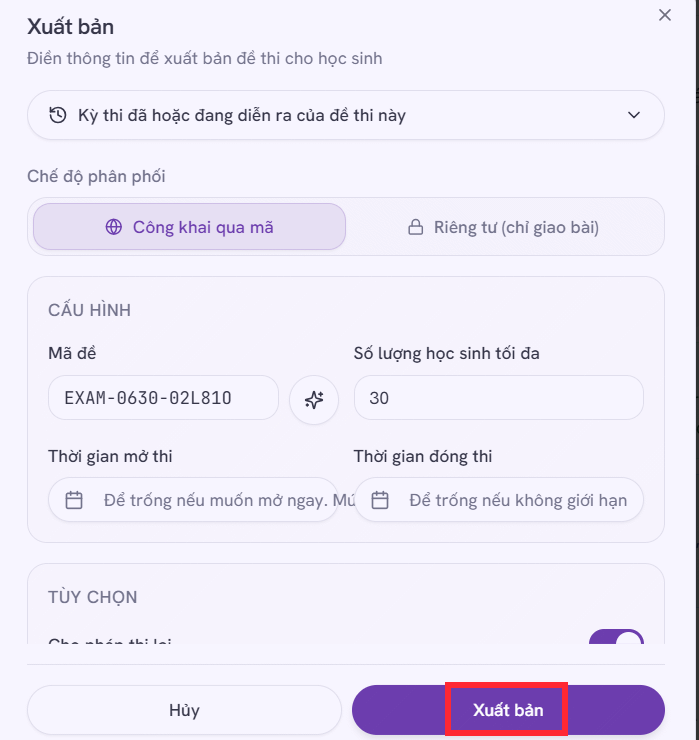
Before sharing the link, use a test student account or preview to confirm:
- opening and closing times and the time zone;
- time limit, attempt count, and navigation settings;
- question and answer shuffling;
- what students see after submission;
- automatic-scoring behavior for each question type;
- accommodations and a fallback plan for connection failures.
Do not assume an automatically scored response is correct for every spelling, unit, equivalent expression, or valid short answer. Review borderline and open-ended responses manually.
A practical approval workflow
- Generate a draft from approved objectives and source material.
- Check the assessment matrix.
- Edit and verify every question, key, explanation, and rubric.
- Run an independent content and fairness review.
- Preview the exported or online student experience.
- Approve and lock the final version before distribution.
The value of AutoExam.ai is in accelerating the first draft and administration steps. Responsibility for accuracy, curriculum alignment, fairness, privacy, and the final grading decision remains with the educator or institution.
Related Articles
 Guide to Creating Exam Matrices Using Gemini and ChatGPT4 minutes read
 How to Become a Proctor: Step-by-Step Guide5 minutes read
 Instructions on Creating Automated Exam Scoring Sheets Using Gemini1 minutes read
 How to Create Quizzes on ChatGPT5 minutes read
 How to Create Mind Maps Using AI4 minutes read
 Foods That Are Harmful to the Brain, the Sons Should Stay Away4 minutes read
Reader Comments 0
Sign in with email or Google to join the discussion.