Table of Contents
This article explores download the compression and decompression tool powerarchiver 2018 with straightforward explanations and useful context. It also highlights common questions and important details to consider.
PowerArchiver 2018 is a professional file management, file compression and decompression software. It not only supports popular file formats like RAR, ZIP, LHA, ARJ, ARC, ACE, ZOO, GZ and BZIP2 but also provides users with hundreds of other interesting features such as viewing unnecessary image files. must extract.
How Download the Compression and Decompression Tool Powerarchiver 2018 Works
Normally, PowerArchiver 2018 is priced at US $ 22.95 but is currently free until 15h on June 25, 2018. If you need to use it, please quickly register to own the free software for useful software within 1 year without spending any money.
Instructions for registering a free copy of PowerArchiver 2018
Step 1: Visit the link below and click DOWNLOAD POWERARCHIVER 2018 NOW.
- Https://sharewareonsale. com/s/conexware-powerarchiver-giveaway-coupon-sale
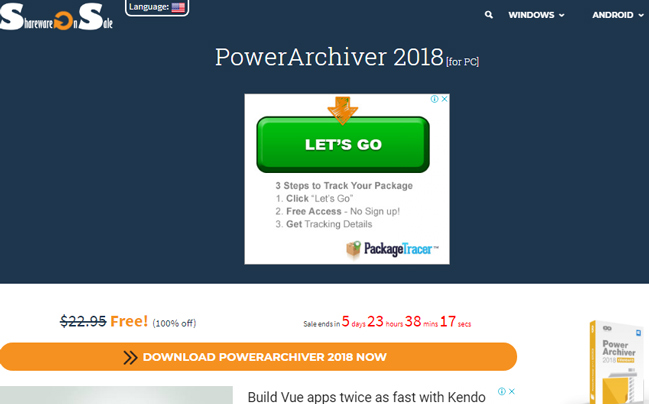
Step 2: Fill in the information and click GIVE IT ME NOW.
Step 3: The installation file will be downloaded automatically. In addition, there is a Giveaway Code on the download page, please remember to save.

Step 4: Go to the link below, enter your personal information and enter the Giveaway Code (step 3) -> click Send Giveaway Request! To register for free PowerArchiver 2018.
- Https://www. powerarchiver. com/fr/powerarchiver-2018-giveaway-only-for-sharewareonsale-com-users/

Step 5: Open account confirmation email.
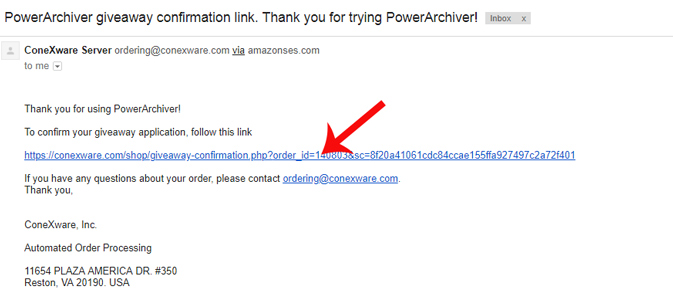
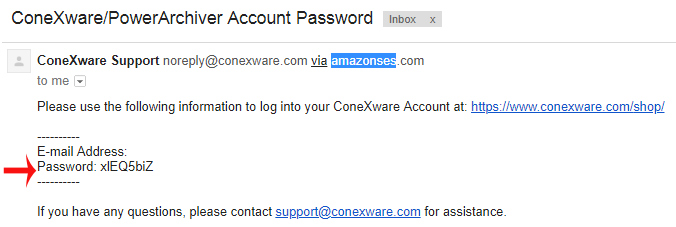
The provider will also send you an email containing the password of the account used to sign in.
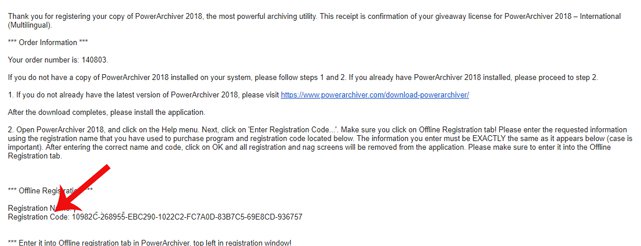
Step 6: After clicking the account confirmation, you will then receive an email containing Registation Code Used to activate PowerArchiver license 2018.
Step 7: Run the downloaded installation file in step 3 to install PowerArchive as normal software.
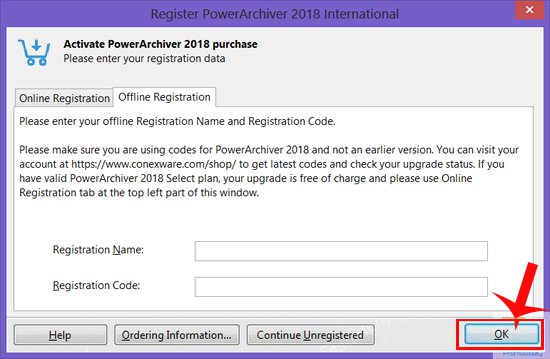
Step 8: Start the program, when the request to activate the app appears, click Enter Registation Code.
Step 9: In the Offline Registation section, enter the Registration Name (according to the information in step 5) and the Registration Code (received in step 7) -> click OK To register the PowerArchiver license 2018.
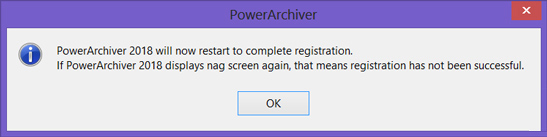
Step 5: The dialog box informs you that you have successfully enabled PowerArchiver 2018 license.
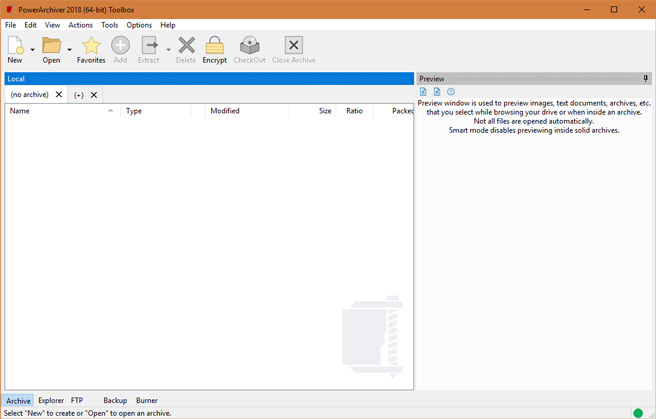
The main interface of PowerArchiver program 2018.
Note:
- The registration period for a free PowerArchiver tool year of 2018 will end at 15:00 on June 25, 2018.
- Download the MacX video Converter Pro video conversion software for $ 59.95, which is free
- Download for $ 59.99 On1 Effects 2018 photo editing software, free for life
- Download SafeDNS Agent for Safe Browsing software for $ 9.95, free of charge
FAQ
What is the main benefit of download the compression and decompression tool powerarchiver 2018?
The main benefit is a clearer understanding of the topic and a practical way to apply the information covered in this guide.
What should I check before using download the compression and decompression tool powerarchiver 2018?
Confirm compatibility, review the required settings, protect important data, and use the latest supported version whenever possible.
What should I do if the result is different?
Repeat the steps carefully, verify permissions and version differences, and consult the product's official support documentation for changes not shown in the article.
Related Articles
 Archive Extractor - Free Online Decompression Tool with over 702 minutes read
 3 Best Best File Compression and Decompression Software 20205 minutes read
 Download Macx DVD Ripper Pro, the DVD Compression Software for Mac4 minutes read
 Top File Compression and Decompression Software 2023 on PC7 minutes read
 Reduce Image Size, How to Compress Images Online for Free8 minutes read
 Top 10 Best File Compression and Decompression Software18 minutes read
Reader Comments 0
Sign in with email or Google to join the discussion.