Table of Contents
Cursor and GitHub Copilot now cover much more than inline completion: both can inspect a repository, edit multiple files, run commands, and delegate work to cloud agents. The practical difference is the working environment. Cursor is an AI-first editor and agent platform, while Copilot brings AI into several existing IDEs and the GitHub pull-request workflow.
Cursor vs. GitHub Copilot at a glance
| Decision | GitHub Copilot | Cursor |
|---|---|---|
| Editor choice | Works across supported editors such as VS Code, Visual Studio, JetBrains IDEs, Xcode, and Neovim | Primarily a separate, VS Code-based desktop editor, plus CLI and cloud-agent surfaces |
| Local agent | Agent mode edits files and proposes terminal commands in the IDE | Agent searches, edits, runs commands, and can make broad repository changes inside Cursor |
| Cloud work | Cloud agent works in a GitHub Actions-powered environment and can open a pull request | Cloud Agents run in isolated VMs and can work across supported source-control providers |
| GitHub workflow | Native issue assignment, pull requests, code review, and GitHub policy controls | GitHub integration is supported, alongside GitLab, Bitbucket, Azure DevOps, Slack, Linear, and APIs |
| Best fit | Teams already standardized on GitHub or developers who want to keep their IDE | Developers who want an agent-first editor and centralized local/cloud workflow |
Editor and migration
Copilot is the easier trial if you do not want to change editors. Install the supported integration, sign in, and keep your current shortcuts and project setup. Feature parity varies by IDE, so confirm that agent mode, model selection, and other tools you need are available in your editor.
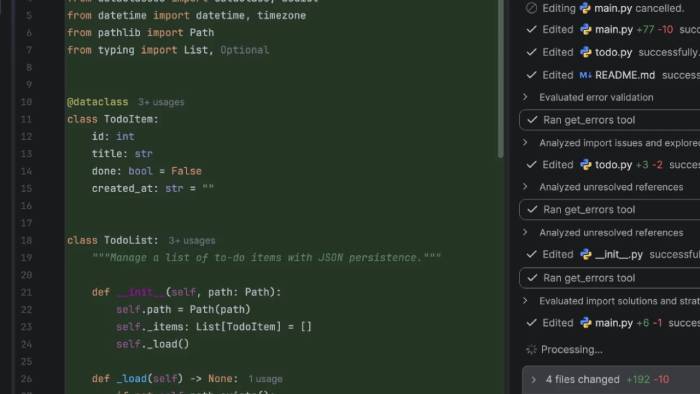
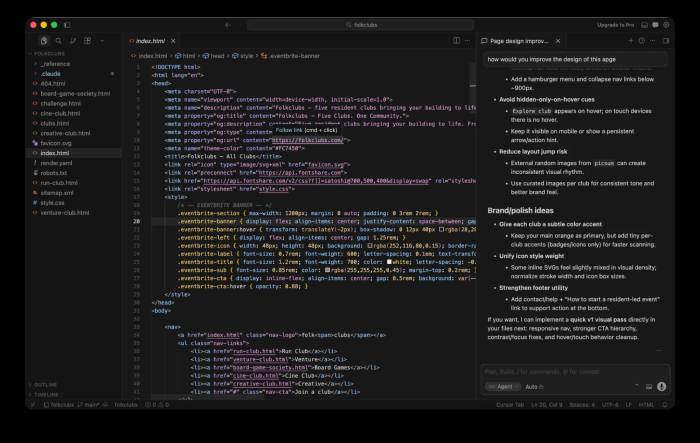
Cursor is based on VS Code and can import many settings, extensions, themes, and keybindings. It is still a separate application. Test critical extensions, remote-development features, accessibility tools, and corporate policies before moving a team.
Inline completion and codebase context
Both products use open files, workspace information, and retrieved repository context to improve suggestions. Cursor’s Tab feature is closely integrated with its editor and can suggest next edits across nearby code. Copilot provides inline completions and next-edit suggestions across a broader set of supported editors.
No completion system understands an entire codebase perfectly. Generated code may reference the wrong API, ignore a hidden invariant, or copy an outdated local pattern. Keep changes small enough to review and run the project’s formatter, type checker, tests, and security checks.
Local agents
Cursor Agent can search and read files, edit code, run terminal commands, use web search, and call configured tools. Plan Mode lets it research a task and produce a reviewable implementation plan before editing.
Copilot agent mode performs a similar local loop in supported IDEs: it selects files, proposes edits and commands, observes results, and iterates. Copilot also supports custom agents, skills, and MCP integrations for reusable team instructions and tools.
Cloud agents and pull requests
GitHub’s cloud agent is designed around GitHub repositories. Assign it an issue or start a task, and it can work in an isolated GitHub Actions environment, commit to a branch, and open a pull request. This makes it convenient for teams whose review, permissions, and automation already live in GitHub.
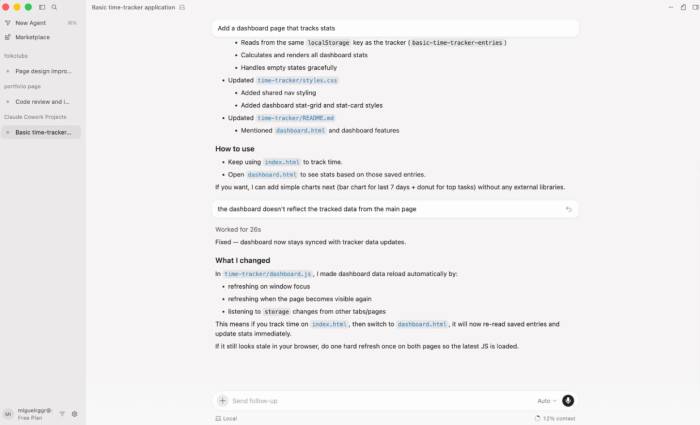
Cursor Cloud Agents also run in isolated virtual machines, can install dependencies, test changes, and open pull requests. They can be started from Cursor, the web, mobile, Slack, source-control comments, Linear, or an API. Cursor also documents multi-repository environments for tasks that span services.
In either product, a generated pull request is a proposal—not an approval. Protect branches, require tests and human review, limit secrets and network access, and inspect dependency or workflow-file changes carefully.
Models, limits, and pricing
Both services offer model choice, but included usage and per-model cost can be more important than the subscription price. Premium models and long agent runs consume allowances faster. Do not compare plans only by a nominal number of requests.
| Service | Entry plan | Paid individual starting point | Usage note |
|---|---|---|---|
| GitHub Copilot | Free: currently 2,000 completions per month and limited agent/chat use | Pro: currently US$10 per user/month | Higher individual tiers add more credits and premium-model access; extra usage may be billed if enabled |
| Cursor | Hobby: limited Agent requests and Composer access | Pro: currently US$20/month | Plans include separate usage pools; third-party models may be charged at API rates beyond the included amount |
Prices and allowances change, and taxes or regional billing may differ. Check the current GitHub Copilot plans and Cursor pricing pages before purchasing.
Privacy, security, and team controls
Before indexing a private repository or starting a cloud agent, review data retention, model-training controls, regional processing, audit logs, IP terms, and organization policies. Business and enterprise plans may provide controls that are not present on individual accounts.
For high-risk repositories, begin with read-only explanation or a small test task. Exclude secrets and generated directories, require approval for commands, and inspect every diff. Neither product replaces code review, threat modeling, or production access controls.
Which should you choose?
- Choose GitHub Copilot if you want to keep your current supported IDE, your team lives in GitHub issues and pull requests, or centralized GitHub policy management is important.
- Choose Cursor if you are comfortable adopting a dedicated editor and want local Agent, Plan Mode, Tab, and cloud-agent workflows designed as one product.
- Run a trial if the choice is not obvious. Give both tools the same representative bug fix, refactor, and test-writing task, then compare correctness, review time, usage consumed, and how often a human had to redirect the agent.
The best tool is the one that reduces total engineering effort without weakening review. Measure merged, tested work—not the volume of generated code.
Related Articles
 GitHub Copilot - Your AI Programming Tool6 minutes read
 GitHub Launches 'Copilot', an AI That Can Code with You3 minutes read
 Is GitHub Copilot or ChatGPT Better for Programming: Complete Overview8 minutes read
 3 GitHub Copilot Alternatives Worth Trying9 minutes read
 How to Add a GitHub MCP Server to Cursor9 minutes read
 Replit vs. Cursor: Which AI Coding Tool Is Better?12 minutes read
Reader Comments 0
Sign in with email or Google to join the discussion.