Table of Contents
Replit and Cursor both use AI to build software, but they start from different assumptions. Replit combines a cloud workspace, agent, database options, collaboration and publishing. Cursor is a code-focused desktop environment with local editing plus AI agents, including cloud agents for delegated work.
Choose Replit when the shortest path from an idea to a hosted prototype matters most. Choose Cursor when you already work in repositories and want tighter control over code, tests, branches and deployment infrastructure.
Replit vs Cursor at a glance
| Criteria | Cursor | Replit |
|---|---|---|
| Primary workflow | AI-assisted development in a code editor, with local and cloud agent options | Prompt-to-app development in a hosted workspace |
| Best for | Developers and teams with an existing repository and engineering workflow | Rapid prototypes, internal tools, learning and small apps that benefit from integrated hosting |
| Setup | Install the editor, open or clone a repository, and configure the development environment | Open a browser workspace; runtime, database and publishing tools are available in the platform |
| Deployment | Bring your own hosting and release process | Integrated publishing with several deployment and access options |
| Collaboration | Git branches, pull requests, shared repositories and cloud-agent handoffs | Live workspace collaboration plus Git-backed version control and Agent checkpoints |
| Cost model | Subscription tiers and usage limits; infrastructure is billed elsewhere | Subscription credits plus usage-based Agent and deployment costs |
Pricing, model access and limits change frequently. Compare the live Cursor pricing page and Replit pricing page using your expected Agent usage and hosting load.
Replit: an integrated app-building platform
Replit Agent can plan and create an application inside a hosted project, connect platform services and prepare the result for publishing. You can still inspect and edit the generated files; the advantage is that infrastructure decisions are available in the same workspace.
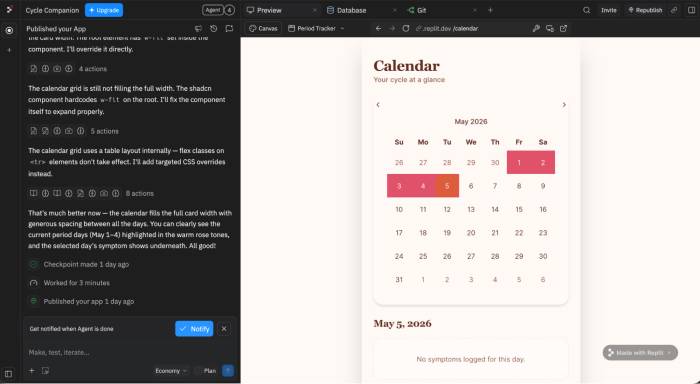
This is valuable when a product owner, student or small team needs a working prototype without first assembling an editor, runtime, database and hosting account. It does not remove the need to review the code. Authentication, authorization, input validation, data handling, dependency risk and failure recovery still require testing.
Replit strengths
- Fast path from a prompt to a running, shareable application
- Hosted development environment accessible from a browser
- Built-in database and publishing options for common app patterns
- Real-time collaboration and invite controls
- Agent checkpoints backed by Git, with rollback support
Replit trade-offs
- Agent work and deployments use credits or usage-based billing, so a subscription price is not the full project cost.
- The platform chooses much of the runtime and deployment experience; specialized infrastructure may require more manual work or migration.
- A generated prototype may function without meeting production requirements for security, accessibility, observability or maintainability.
- Moving later can require careful export of source code, data, secrets and deployment configuration.
Cursor: an AI-first development environment
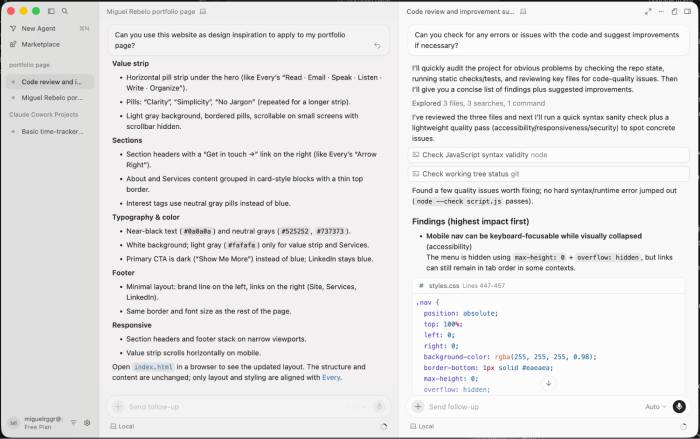
Cursor is built around an editor familiar to VS Code users. It can index a codebase for context, provide Tab completions, answer questions, edit multiple files and run agentic tasks while the developer reviews diffs and test output.
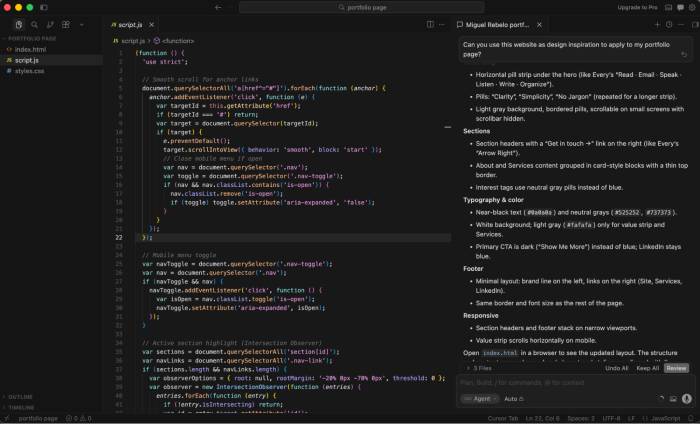
This fits existing repositories because the team keeps its Git history, project tooling and deployment architecture. Cursor helps implement changes; it does not require that production run on a Cursor hosting platform.
Cursor strengths
- Strong fit for established repositories and developer tooling
- Fine-grained review of files, diffs, terminal commands and tests
- Extensions and workflows familiar to VS Code users
- Local editing plus cloud agents for delegated or parallel tasks
- Freedom to choose hosting, database, CI/CD and observability services
Cursor trade-offs
- Users need enough engineering knowledge to evaluate generated code and resolve environment problems.
- Deployment, database operations, secrets and monitoring remain separate responsibilities.
- Agent usage limits and higher-capacity plans can affect cost.
- Repository indexing and cloud-agent use require a deliberate data and access policy for private code.
Deployment and production readiness
Replit can publish from the same workspace and supports different deployment and access choices, including restricted deployments on eligible plans.
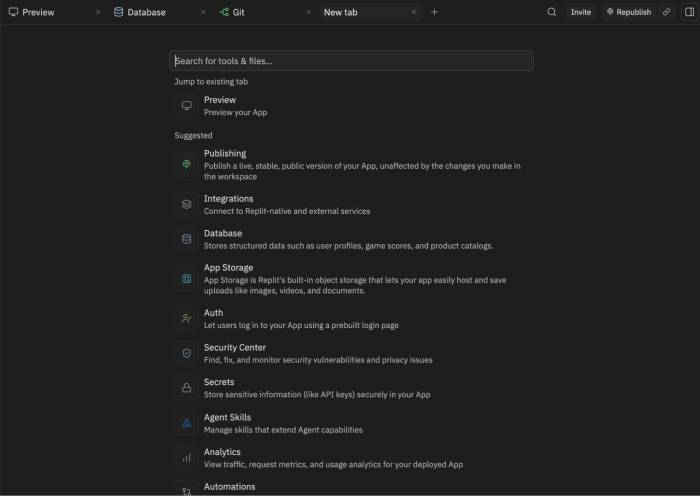
Integrated publishing is convenient, but convenience is not evidence that an app is production-ready. Before exposing real user data, check:
- authentication and role-based authorization
- secret storage and rotation
- database backups and recovery testing
- logging, error tracking and alerting
- resource limits and predictable monthly cost
- custom-domain, privacy and compliance requirements
- a rollback procedure for code and data changes
Cursor leaves these choices to the project. That is more work, but it suits teams that already use a cloud provider, managed platform or internal release process.
Collaboration and version control
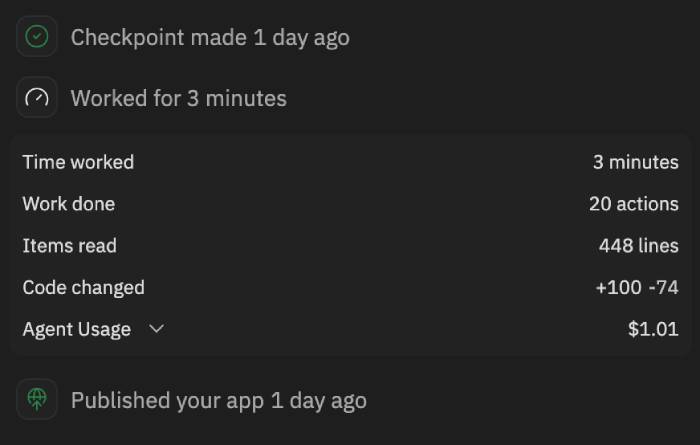
Replit supports live collaboration and automatically creates Agent checkpoints at important milestones. Its Git pane exposes repository history, branches and commits; critical projects can also connect to GitHub for an additional recovery path.
Cursor collaboration is typically repository-centered: contributors work on branches, agents prepare changes, and reviewers inspect pull requests. Cloud agents can continue tasks remotely and return changes for review. This is less immediate than co-editing a browser workspace but maps cleanly to common software-team controls.
Which should you choose?
- Choose Replit for a fast proof of concept, a classroom project, a lightweight internal tool or a hosted demo where integrated publishing saves setup time.
- Choose Cursor for an existing codebase, a team using pull requests and CI, or a product whose infrastructure and release process must stay under engineering control.
- Use either cautiously for regulated, security-sensitive or high-traffic systems until the generated architecture and operating model have been independently reviewed.
Can you use both?
Yes, but plan the handoff. A team can validate an interface in Replit, then export the repository and continue in Cursor. Before switching, remove platform-specific secrets, document the database schema, capture environment variables, run the tests outside Replit and decide where the app will be hosted. Keeping the repository connected to Git from the start makes the transition easier.
Related Articles
 Is Cursor Worth It? AI Coding Editor Review for 202614 minutes read
 Which AI Programming Tool Is Right for You: Claude Code or Cursor?10 minutes read
 How to Create an Interactive Game Website on Replit3 minutes read
 Cursor vs GitHub Copilot: Which AI Coding Tool Wins?14 minutes read
 Tips for Effectively Importing Context into Cursor7 minutes read
 How to Add a GitHub MCP Server to Cursor9 minutes read
Reader Comments 0
Sign in with email or Google to join the discussion.