Table of Contents
GitHub Copilot combines inline completions, chat, agentic coding, and GitHub workflow integration. An alternative is worth considering only when it fits your editor, model policy, deployment needs, budget, or preferred way of reviewing AI-generated changes better.
This comparison covers seven different options. Cursor and Claude Code are strong general-purpose coding agents; Cline and Continue emphasize model flexibility; Amazon Q Developer and Gemini Code Assist align with particular cloud ecosystems; Builder.io is a more specialized choice for collaborative design-to-code work.

Quick comparison
| Tool | Best fit | Main interface | Model approach |
|---|---|---|---|
| Cursor | Developers wanting an AI-first editor with local and cloud agents | Cursor editor and CLI | Cursor models and supported frontier models |
| Claude Code | Terminal-oriented, multi-file engineering work | Terminal, IDE, desktop, and web | Anthropic Claude models |
| Cline | Users wanting explicit approvals and provider choice | VS Code, JetBrains, CLI, and related surfaces | Managed access, bring-your-own-key, or local runtimes |
| Continue | Teams building customizable, open-source IDE agents | VS Code, JetBrains, and CLI | Multiple cloud providers or local models |
| Amazon Q Developer | AWS-heavy development and modernization | Supported IDEs and AWS tools | AWS-managed |
| Gemini Code Assist | Google Cloud teams and supported enterprise IDE workflows | VS Code, JetBrains, Android Studio, and CLI features | Google-managed Gemini models |
| Builder.io | Teams whose bottleneck is visual design-to-code collaboration | Builder visual workspace and integrations | Builder-managed workflow |
1. Cursor: an AI-first code editor
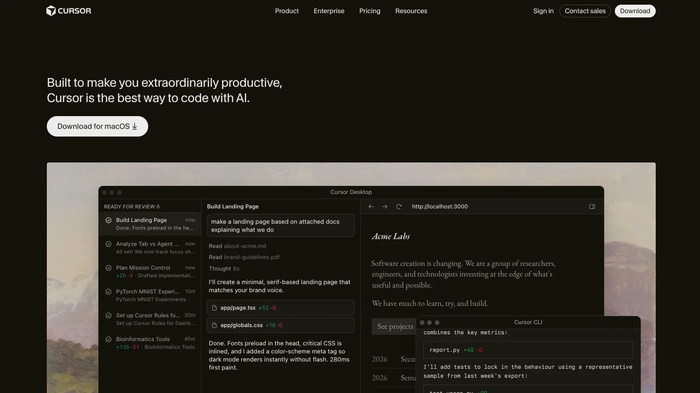
Cursor is an editor built around AI-assisted development. It provides inline suggestions, codebase-aware chat, agent workflows, project rules, MCP integrations, and cloud agents. It is a natural option for developers comfortable with a VS Code-style environment who want the agent to be central to editing.
Choose Cursor when: you want a cohesive editor rather than an extension added to an existing setup, and you expect to use multi-file or background agent workflows regularly.
Check first: extension compatibility, remote-development needs, data controls, usage-based costs, and whether the team is willing to standardize on a different editor. Cursor's current plans and limits are documented on its pricing page.
2. Claude Code: terminal-first agentic development
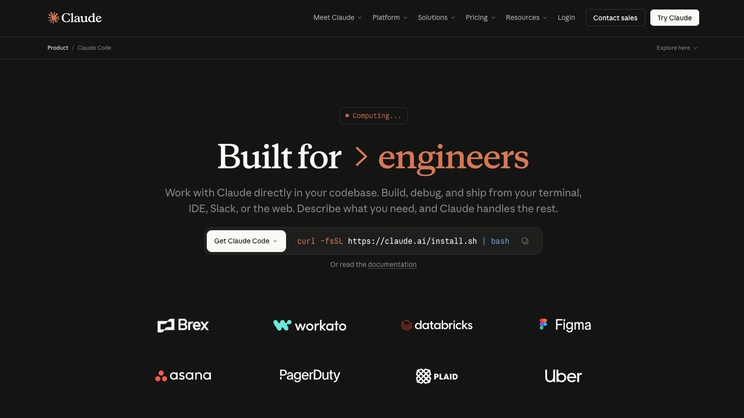
Claude Code reads a codebase, edits files, runs commands, and integrates with development tools. It is available in a terminal, IDE, desktop app, and browser. The terminal heritage makes it a good fit for engineers who want the agent to use tests, version control, build tools, and project commands as part of one task.
Choose Claude Code when: the work involves debugging, refactoring, or feature implementation across several files and you prefer reviewing a plan and diffs over receiving continuous inline completion.
Check first: Anthropic account or API costs, repository trust, command permissions, hooks, and which files the agent may access. Start with version control and a clean working tree. See the official Claude Code overview.
3. Cline: flexible providers with visible approvals
Cline is an AI coding agent for editors and terminals. It can read and write files, run commands, use a browser, and connect to MCP tools. Users can choose managed access, supply a provider key, or connect a compatible local runtime.
Choose Cline when: you want to select the model provider and inspect or approve actions before they run. This is useful for experimenting across models without changing the entire editor.
Check first: provider pricing, model tool-use quality, prompt and code retention policies, and auto-approval settings. Cline's documentation warns that broad auto-approval can permit destructive file, terminal, browser, and MCP actions. The safer default is read access with consequential actions approved individually. See the Cline overview.
4. Continue: customizable open-source agents
Continue provides open-source extensions for VS Code and JetBrains plus a CLI. Its modes cover chat, edits, autocomplete, and agentic work. Configuration can define models, rules, context, prompts, documentation, and MCP servers.
Choose Continue when: a team wants to assemble its own coding assistant from approved cloud or local models and share configuration across projects.
Check first: who will maintain the configuration, which models support each role, local hardware capacity, and the security of external tools. “Open source extension” does not mean all selected models or services run locally. Continue's official documentation explains its current modes and integrations.
5. Amazon Q Developer: a strong fit for AWS work
Amazon Q Developer supports inline suggestions, code chat, multi-file agentic changes, security scanning, and software upgrades in supported IDEs. Its value is clearest when development already depends heavily on AWS services and teams want assistance grounded in that ecosystem.
Choose Amazon Q Developer when: you build, troubleshoot, optimize, or modernize applications on AWS and want those workflows close to the IDE.
Check first: supported IDE versions, account and administrator requirements, quotas, regional availability, and whether non-AWS work receives enough benefit. The Amazon Q IDE guide lists current capabilities.
6. Gemini Code Assist: Google Cloud and enterprise IDE integration
Gemini Code Assist offers code generation, chat, and agent capabilities in supported development environments. It is especially relevant to organizations using Google Cloud or Android tooling.
Choose Gemini Code Assist when: the team wants a Google-managed coding assistant aligned with its cloud environment and enterprise administration.
Check first: the exact edition. Google ended IDE extension and Gemini CLI service for the Individuals, Google AI Pro, and Google AI Ultra tiers in June 2026; current Standard and Enterprise access follows different plan and quota rules. Do not rely on an older article promising a free individual tier. Review the official code features overview and current plan documentation.
7. Builder.io: a specialized design-to-code alternative
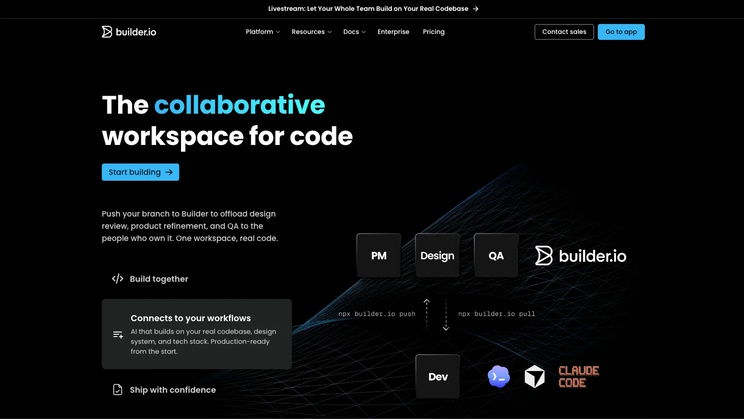
Builder.io is not a direct replacement for every Copilot feature. Its stronger use case is collaborative visual development: moving approved designs toward production components while designers, product managers, and engineers work within a shared workflow.
Choose Builder.io when: the main delay is between design, product review, and implementation rather than writing code inside one developer's editor.
Check first: supported frameworks, design-system mapping, generated-code ownership, review and merge controls, and how well output matches the existing architecture. Treat generated UI code as a draft that must pass accessibility, responsive-layout, performance, and repository tests.
How to choose without relying on benchmark marketing
Published benchmark scores are difficult to compare when tools use different models, prompts, scaffolding, repositories, or levels of human intervention. Run a short internal evaluation instead.
- Select five to ten representative tasks: completion, bug fix, test creation, refactor, unfamiliar-code explanation, and a multi-file feature.
- Use the same repositories, requirements, and acceptance tests.
- Record the exact tool version, model, mode, and permissions.
- Measure test pass rate, security defects, review time, latency, and total cost.
- Include a task the assistant should refuse or ask about, such as modifying protected infrastructure.
- Inspect data handling, retention, administrator controls, and model-provider terms separately from output quality.
Practical recommendations
- Closest all-in-one editor alternative: Cursor.
- Best terminal-centered workflow: Claude Code.
- Best for bring-your-own-model experimentation: Cline or Continue.
- Best for AWS-centered teams: Amazon Q Developer.
- Best for eligible Google Cloud organizations: Gemini Code Assist.
- Best when design handoff is the real bottleneck: Builder.io.
No coding assistant removes the need for tests, code review, secret protection, dependency checks, and careful permissions. The best alternative is the one that improves verified delivery in your actual repositories—not the one with the longest feature list.
Related Articles
 GitHub Copilot - Your AI Programming Tool6 minutes read
 Is GitHub Copilot or ChatGPT Better for Programming: Complete Overview8 minutes read
 Cursor vs GitHub Copilot: Which AI Coding Tool Wins?14 minutes read
 Should We Combine Claude Code and GitHub Copilot?8 minutes read
 GitHub Launches 'Copilot', an AI That Can Code with You3 minutes read
 7 Reasons Copilot Is Worth Using7 minutes read
Reader Comments 0
Sign in with email or Google to join the discussion.