Table of Contents
An AI assistant can help debug an API integration when you provide a reproducible request, the observed response, and the expected behavior. The most useful prompt separates evidence from assumptions and asks for a diagnosis that you can verify. Never paste API keys, access tokens, session cookies, personal data, or production secrets into a prompt.
Copy-and-fill API debugging prompt
I need help debugging an API integration.

Environment:
- Language/runtime: [for example, Node.js 22]
- HTTP client/library and version: [name and version]
- Environment: [local, staging, or production]
- API and endpoint: [method and redacted URL]

Expected behavior:
[What should happen? Include the expected status and response shape if known.]

Observed behavior:
[Exact status code, error message, timeout, or incorrect data.]

Minimal request:
[Paste the smallest reproducible request. Replace credentials and personal data with REDACTED.]

Response:
- Status:
- Relevant response headers:
- Response body:
- Timing or retry information:

Documentation or schema:
[Paste the relevant excerpt or a link.]

Please:
1. Separate confirmed evidence from possible causes.
2. Check the URL, method, parameters, headers, authentication scheme, content type, and body schema.
3. Identify the most likely cause and explain why.
4. Provide the smallest corrected request.
5. Suggest safe logging and error handling for timeout, network, 4xx, 5xx, and invalid-response cases.
6. List the tests I should run to verify the fix.
7. Do not invent undocumented fields or credentials.
Collect evidence before using the prompt
A status code by itself is rarely enough. Capture the exact request method and URL, non-secret headers, query parameters, serialized body, response status, response body, and elapsed time. Also note whether the failure happens locally, in staging, or only in production.
- Redact secrets: Remove authorization headers, cookies, API keys, signed URLs, and sensitive payload fields.
- Reduce the example: Reproduce the problem with the smallest request and the fewest dependencies.
- Preserve exact errors: Copy the complete message and stack trace, but review both for secrets first.
- Record expectations: State what documentation or known working behavior led you to expect a different result.
If a command-line request succeeds while application code fails, compare the fully serialized requests. Differences in headers, encoding, proxies, DNS, TLS settings, redirects, and timeouts often explain the mismatch.
How to interpret common failure categories
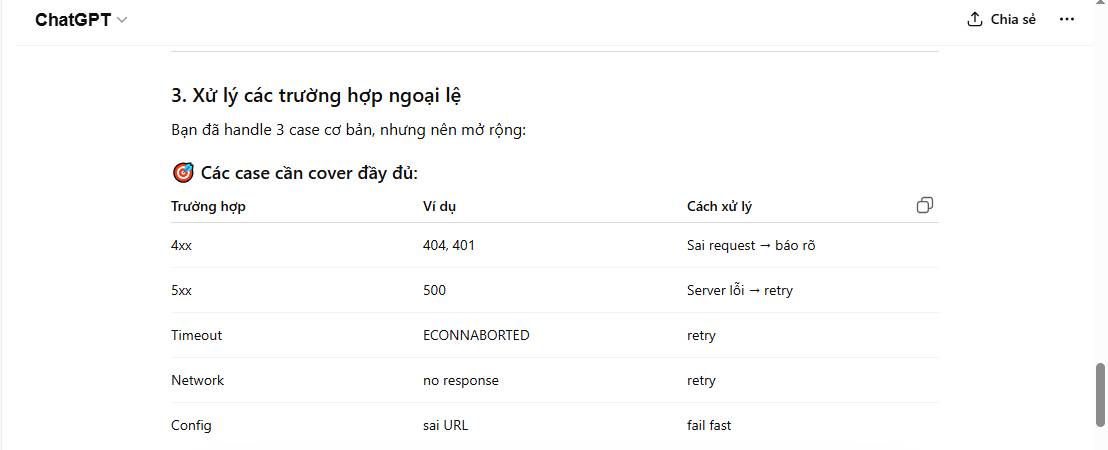
No HTTP response
A timeout or network error means the client did not receive a usable HTTP response. Check DNS resolution, connectivity, proxy settings, TLS certificate errors, connection and read timeouts, and whether the request was cancelled. Do not treat every no-response case as a server error.
4xx response
A 4xx status usually means the server rejected some aspect of the request. Inspect the response body and documentation before changing code. Check credentials and permissions for 401 or 403 responses, resource identifiers for 404, request rate for 429, and validation details for other client errors.
5xx response
A 5xx response indicates that the server or an upstream service could not complete the request. Confirm that the request is valid, retain the provider's request or correlation ID, and check the service status or logs. Retry only operations that are safe to repeat, using a delay and a clear limit.
Successful status with unexpected data
Validate the response before using it. Confirm the content type, schema, optional fields, pagination, date formats, number formats, and whether the API returned an error object inside a successful HTTP envelope.
Example: add useful Axios diagnostics
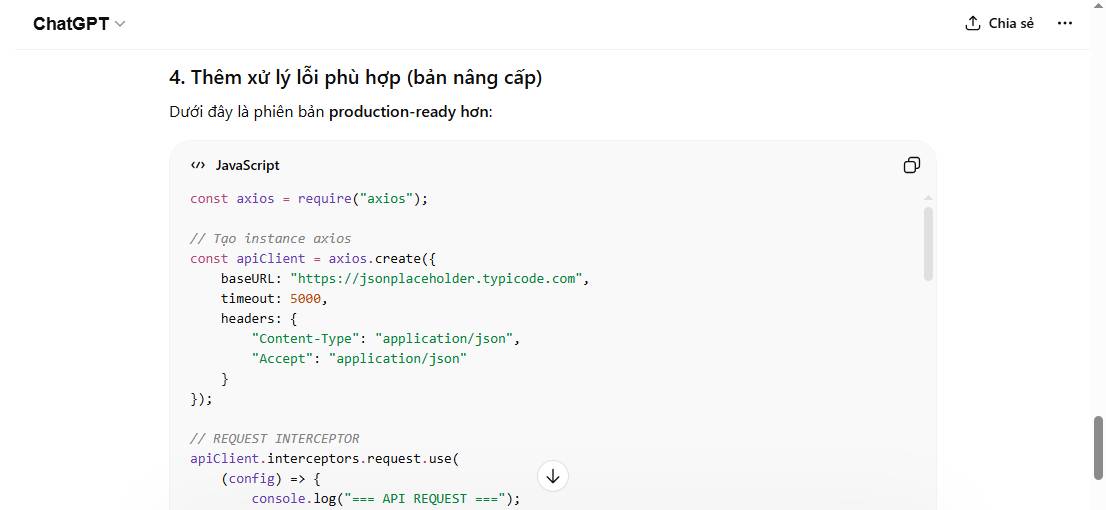
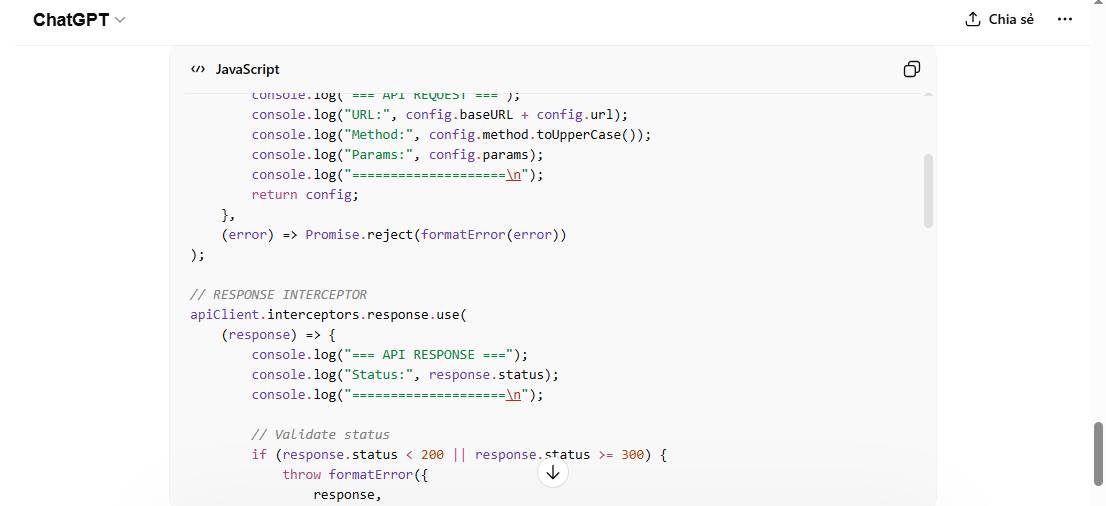
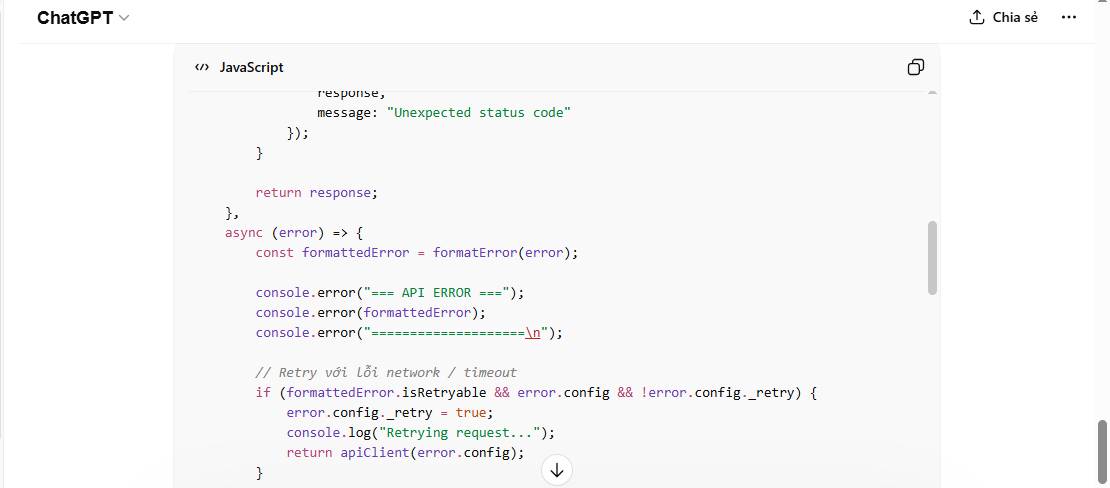
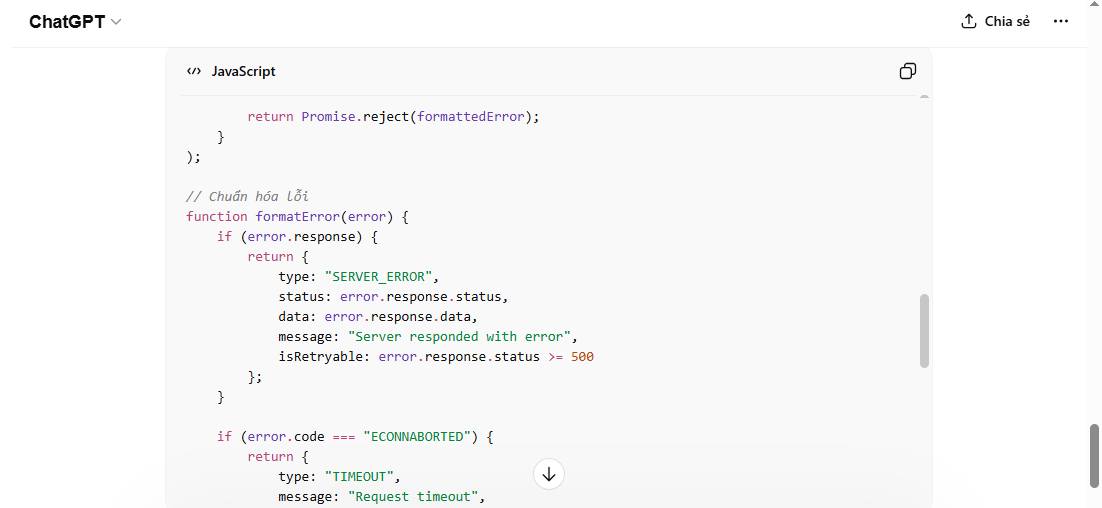
The following example logs enough information to distinguish an HTTP error from a request with no response. It deliberately does not print authorization headers or cookies.
const axios = require("axios");

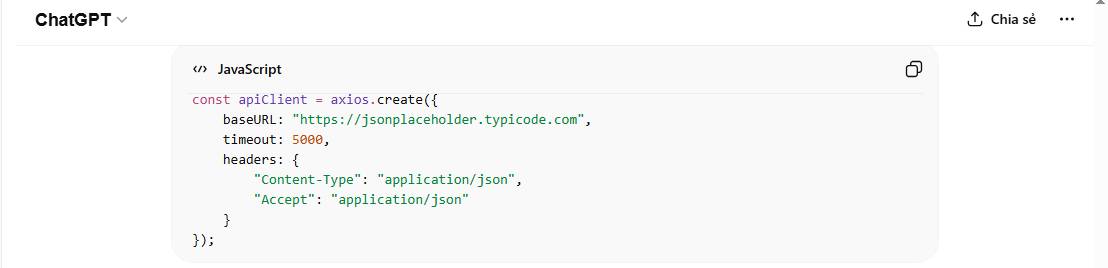
const apiClient = axios.create({
  baseURL: "https://jsonplaceholder.typicode.com",
  timeout: 5000
});

apiClient.interceptors.request.use((config) => {
  console.log("API request", {
    method: config.method?.toUpperCase(),
    url: String(config.baseURL || "") + String(config.url || ""),
    params: config.params,
    contentType: config.headers?.["Content-Type"]
  });
  return config;
});

apiClient.interceptors.response.use(
  (response) => {
    console.log("API response", {
      status: response.status,
      contentType: response.headers["content-type"]
    });
    return response;
  },
  (error) => {
    if (error.response) {
      console.error("HTTP error", {
        status: error.response.status,
        data: error.response.data,
        requestId: error.response.headers?.["x-request-id"]
      });
    } else if (error.request) {
      console.error("No response", {
        code: error.code,
        message: error.message
      });
    } else {
      console.error("Request setup failed", {
        message: error.message
      });
    }
    return Promise.reject(error);
  }
);

async function fetchPosts() {
  const response = await apiClient.get("/posts", {
    params: { userId: 1 }
  });
  return response.data;
}

fetchPosts()
  .then((posts) => console.log("Post count:", posts.length))
  .catch(() => {
    process.exitCode = 1;
  });
This example rethrows the interceptor error so the caller can decide how to handle failure. Swallowing an error in a reusable function can make later code behave as if an empty or undefined result were successful.
Ask for a test plan, not just a code change
A plausible-looking patch is not proof that the integration works. Ask the assistant to propose tests for the observed failure and nearby edge cases. Depending on the endpoint, useful checks can include:
- a valid request and a deliberately invalid payload;
- missing, expired, and insufficient credentials;
- a connection timeout and a slow response;
- an unexpected content type or malformed response body;
- pagination boundaries and empty result sets;
- safe behavior when a retry repeats the operation.
Run the tests in an approved development or staging environment. Compare the corrected request with the API documentation and confirm server-side logs when you control the service.
Follow-up prompts for a stronger diagnosis
Compare this working cURL request with the failing application request. Produce a field-by-field table of differences. Ignore header order and redact any credentials in your answer.Design a minimal automated test that reproduces this failure without calling production. State which parts should be mocked and which assertions prove the fix.Review this retry logic for duplicate-write risk, retry limits, delay strategy, and treatment of 429 and 5xx responses. Do not assume the endpoint is idempotent.Example prompt output
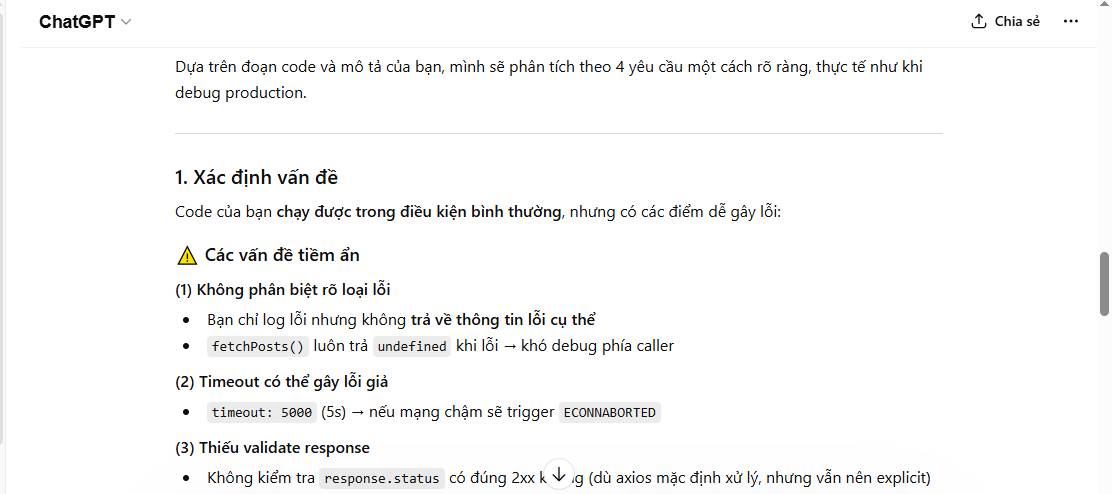
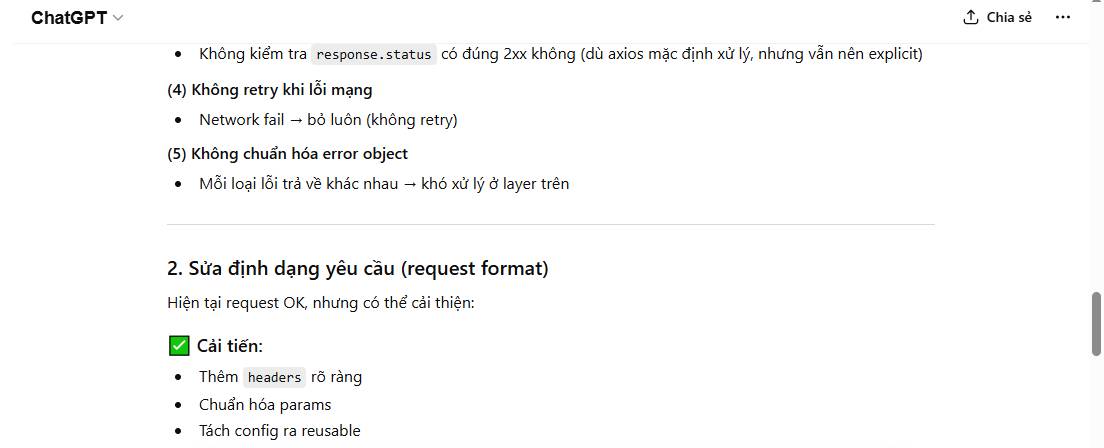
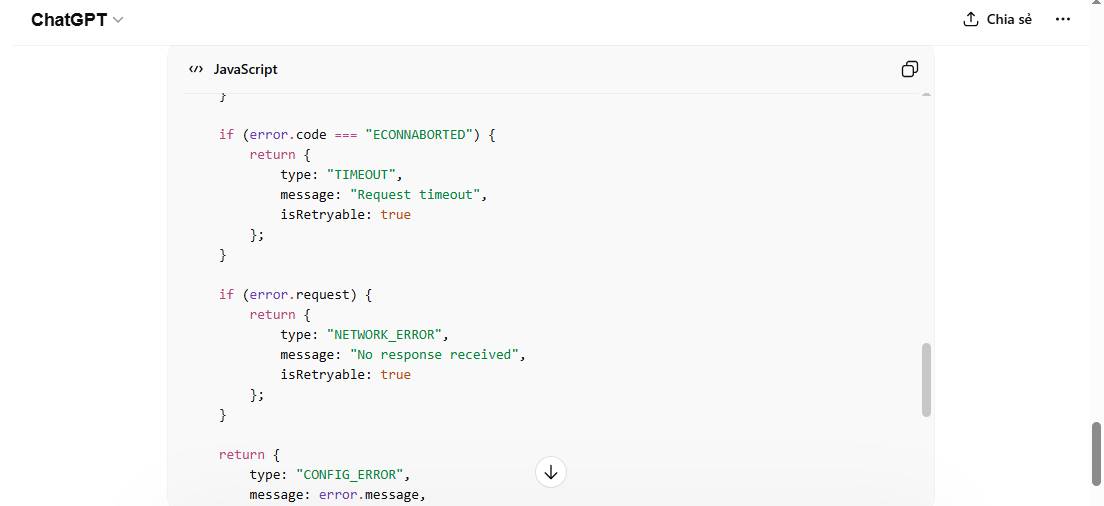
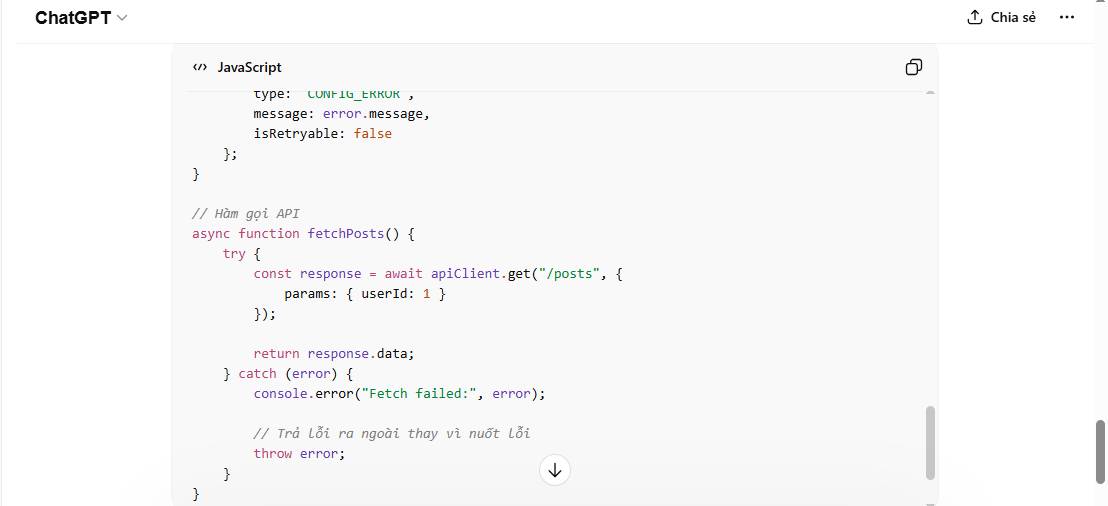
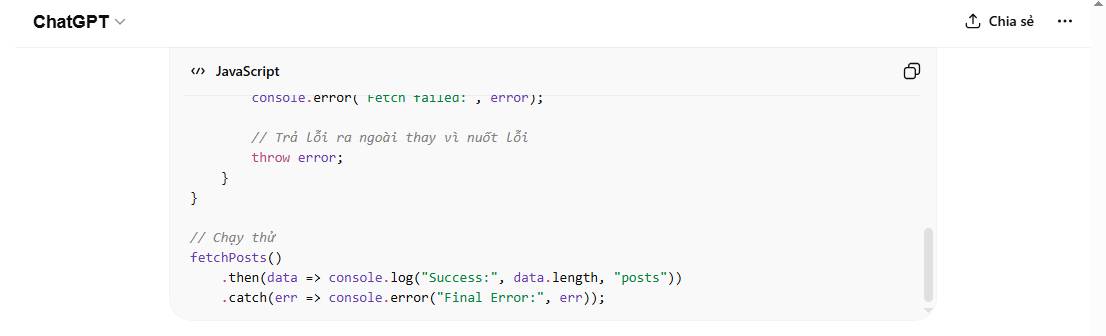
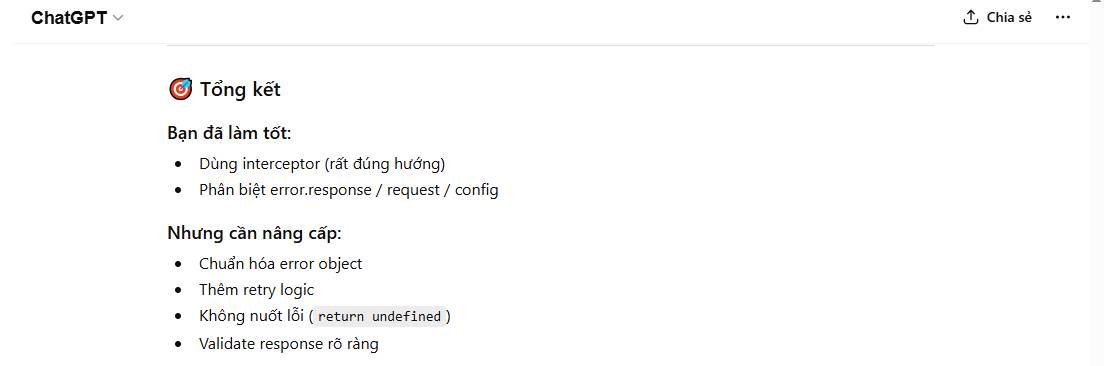
The screenshots below show an example debugging conversation. Treat any generated diagnosis as a hypothesis until it is confirmed against the actual request, documentation, and runtime logs.
Related Articles
 Debugging Prompt: Explained11 minutes read
 Prompt Templates: Explained8 minutes read
 Choose the Right Output Format for an AI Prompt6 minutes read
 Useful ChatGPT Prompt Templates for Professionals7 minutes read
 Google Chrome and Edge Encountered Strange Errors, Automatically Generated3 minutes read
 Top 5 Sites to Download Free OneNote Templates6 minutes read
Reader Comments 0
Sign in with email or Google to join the discussion.