Table of Contents
Amazon Music Prime includes music streaming with an eligible Prime membership. Much of the catalog plays in shuffle mode, while All-Access Playlists let you choose tracks and listen offline. If you want to pick any available song or stream eligible tracks in lossless quality, compare Prime with Amazon Music Unlimited.
When you can play songs in order or skip freely
Open Amazon Music and look for a playlist marked All-Access. These playlists support on-demand playback, unlimited skips, and offline listening where available. A regular playlist you made can still have skip limits, even though you chose every track on it. Purchased music has separate playback rules.
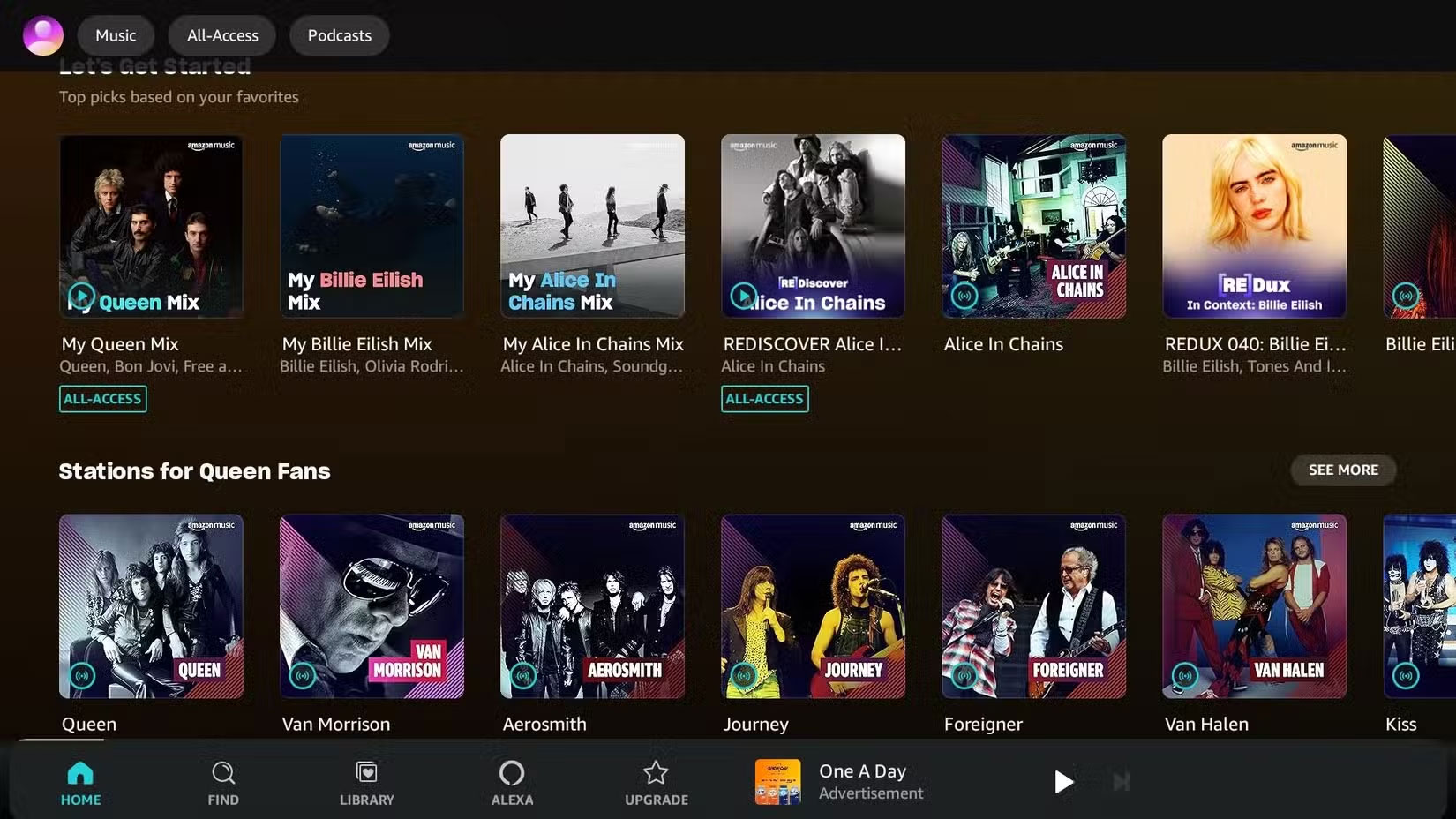
Amazon’s All-Access Playlist help says eligible listeners can designate a personal playlist containing 15 to 50 songs. Check for that option in your app. Use it for a playlist where track choice or playback order matters most.
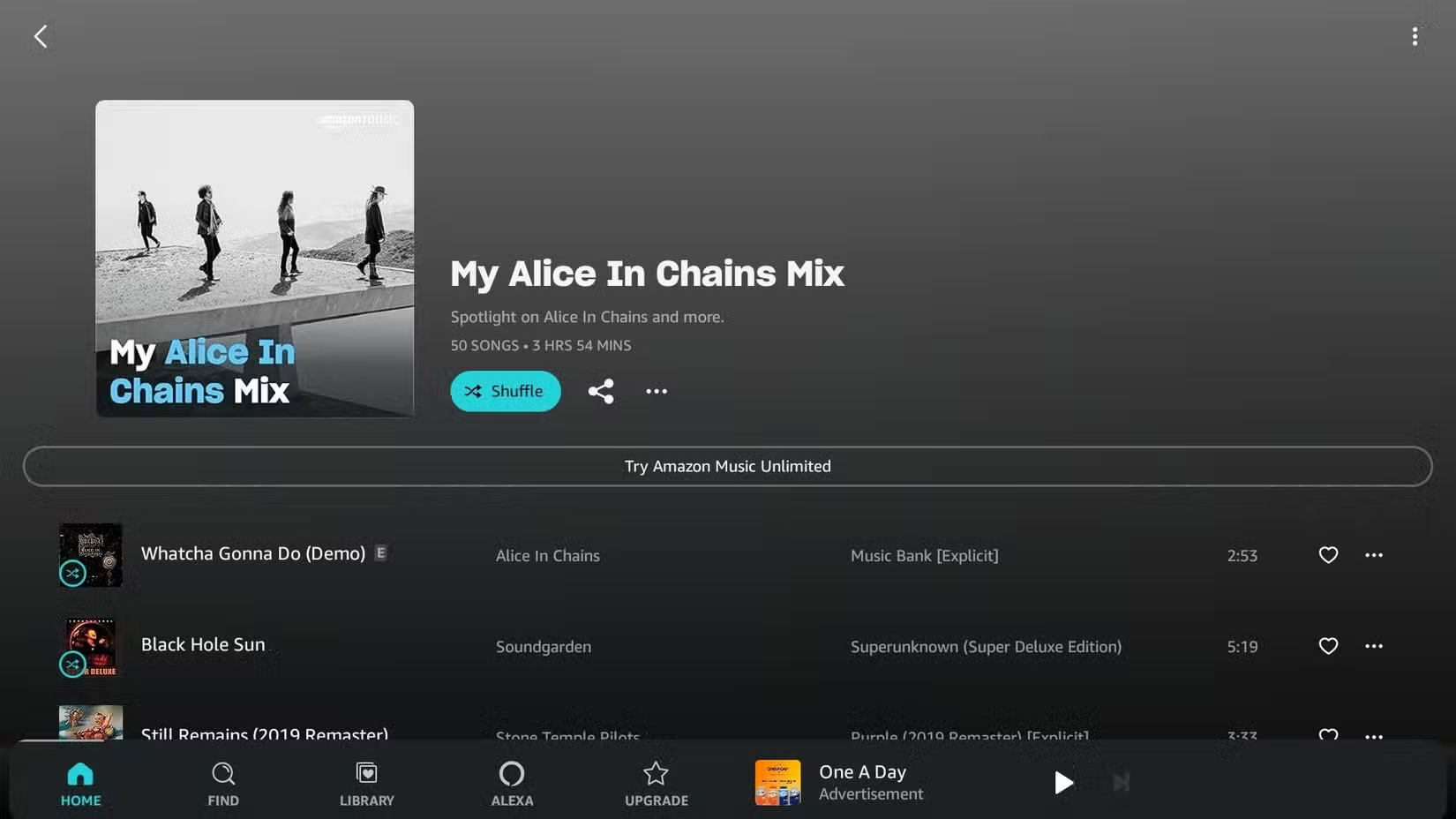
Download and test a playlist before going offline
Find an eligible playlist and use its download control. Wait for the download to finish, then test it with Wi-Fi and mobile data off. If you want to listen on a speaker instead, see how to play music on Amazon Echo with Alexa.
What Music Unlimited adds
Amazon lists broader on-demand playback and eligible tracks in HD, Ultra HD, and spatial audio as features of Amazon Music Unlimited. The track, device, and output need to support the format you want. Compare the current regional price with how often shuffle or download restrictions interrupt your listening. If you use AirPods Pro, start with these fit and sound settings before paying for higher-quality streaming.
If playback stops when your screen locks
Try another playlist first, including a completed offline download if you have one. If streaming alone stalls, check your connection. If multiple downloads also stop, update and reopen the app and check whether your phone restricts its background activity. On Android, see Amazon’s cache-clearing steps. A playback fault and a plan’s skip limit have different causes, so identify which one you’re seeing before changing plans.
Related Articles
 How to store photos on Amazon Prime Photos online
 Apple Music is now available on Amazon Fire TV
 5 Reasons to Use Amazon Music Instead of Spotify
 How to Cancel Amazon Prime Free Trial
 How to Rip Amazon Prime Instant Video on PC/Mac?
 Amazon Prime plays big at the beginning of the year when giving gamers 9 super AAA products for free
Reader Comments 0
Sign in with email or Google to join the discussion.