Table of Contents
This guide organizes the entries in "6 Extensions to Help You Use Google Drive Better" and explains what each option, idea, or example offers. It also highlights practical details that matter when comparing the choices.
6. Open With Google Drive Viewer
Sometimes all you want to do is take a quick look at a Word document or review a PDF someone sent you. Instead of saving the file to your computer and opening it in another app, the Open with Google Drive Viewer extension lets you view the file in your browser.
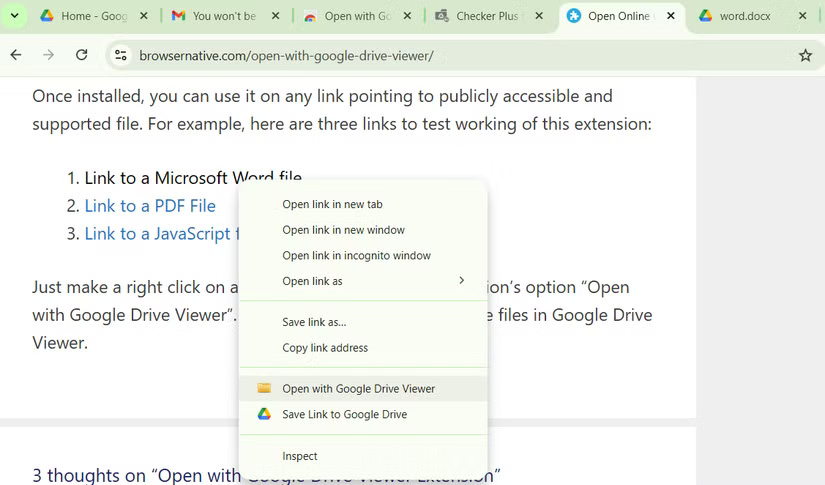
It works pretty simply. Just right-select the file you want to view and select Open with Google Drive Viewer from the context menu. The file will open in a new tab, neatly displayed in Google Drive's built-in viewer. This extension is perfect for viewing documents, presentations, and even the contents of ZIP files without downloading them first.
5. Office Editing for Docs, Sheets & Slides
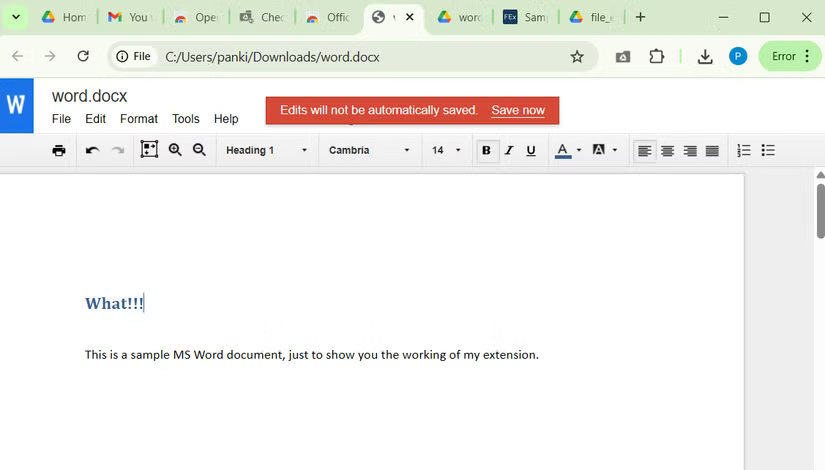
While you can open Microsoft Office files within the Google ecosystem, such as opening a Word document in Google Docs, this often requires a few extra steps, such as launching Docs, Sheets, or Slides, uploading the file, and waiting for it to convert. However, if You only need to do a quick review or some simple editing, Google's Office Editing for Docs, Sheets & Slides extension can save you time.
Once you install this extension, you can drag a Word, Excel, or PowerPoint file directly into your browser. The file will then open in a new tab, where you can view or edit it without having to convert the file or save it to Google Drive.
4. Save Emails to cloudHQ's Google Drive
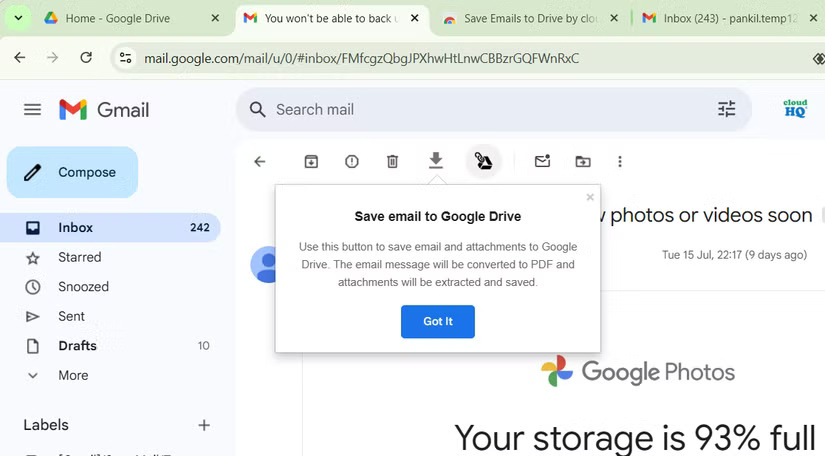
Inboxes are messy. Between bills, contracts, schedules, and long email threads, it's easy to lose important information. The Save Emails to Google Drive extension lets you create hard copies of important emails and their attachments.
This makes it easy to find important emails when you need them. Plus, you can choose to save emails to a shared Drive folder, giving your coworkers instant access without having to constantly forward them.
3. Checker Plus for Google Drive
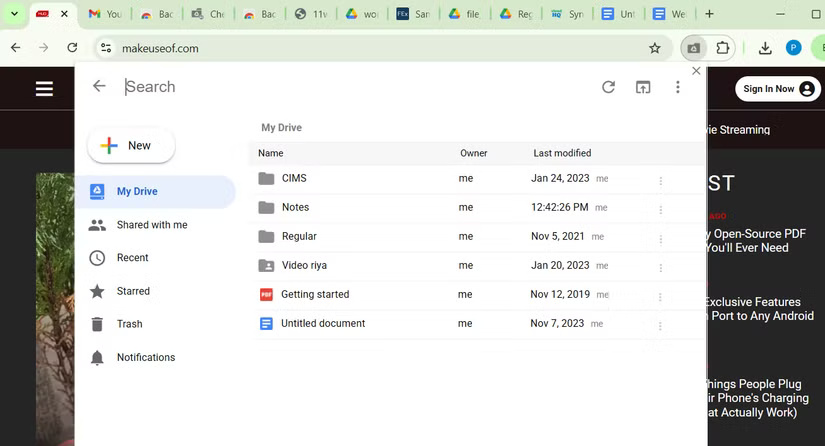
If there's one Google Drive extension worth pinning, it's Checker Plus. Once installed, you can click its icon in the toolbar to access Google Drive without having to open a separate website.
You can easily search Drive, rename documents, delete files, and even open them directly from the extension's pop-up window. This is a handy tool for anyone who needs to access Google Drive frequently throughout the day.
2. Backup and Sync Google Drive to Other Clouds
Your Google Docs, Sheets, and Slides automatically save to Google Drive, but what if you want to save some files to other cloud storage services? You don't need to download the files and upload them manually if you install the Backup and Sync Google Drive extension.
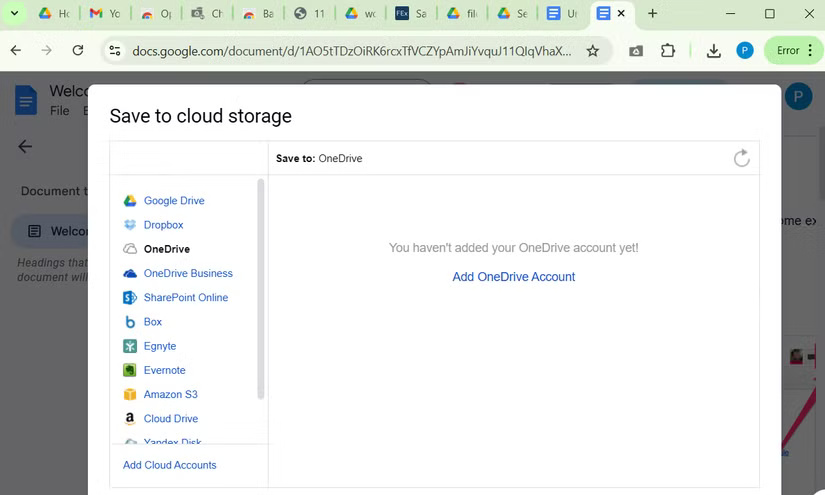
With this extension, you'll see a Save to button in the upper right corner of Google Docs or Sheets. Click it to see a menu of available cloud services. Select your desired storage location, sign in to your account, and your files will be synced. Plus, any changes you make will continue to be saved in real time.
1. Notes: Keep Sticky Thoughts in Google Drive
If you find yourself opening Google Keep or Docs frequently just to jot down a random idea or reminder, the Notes extension can help. It makes it easy to capture thoughts, to-dos, reminders, and moments of inspiration directly into Google Drive.
To use, just click the Notes icon in your browser toolbar and start typing – it's that simple. Each note is saved as a Google Docs file in the 'Notes' folder in Google Drive. The extension uses the first line of the note as the title, making it easy to find the note using Google Drive search.
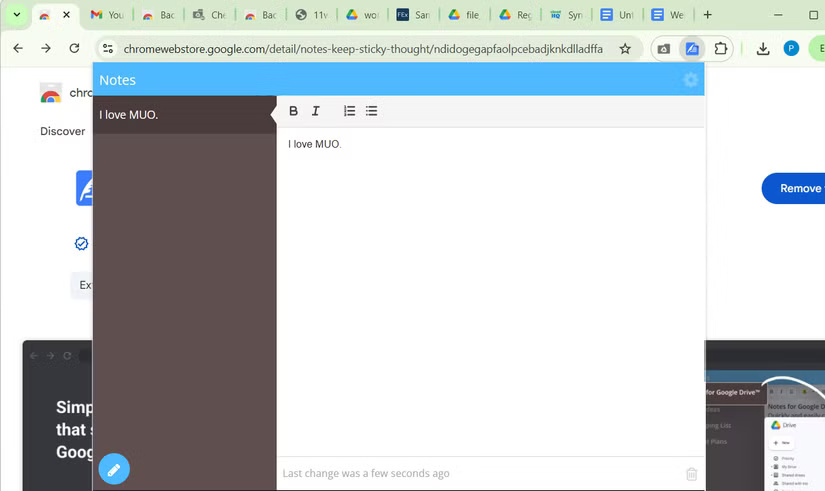
Best of all, you don't even have to leave your current browser window to review your notes. Just click the extension icon again, and a handy little viewer will let you scroll through and edit all your saved notes without opening Google Drive.
FAQ
What should you know about 6. Open With Google Drive Viewer?
Sometimes all you want to do is take a quick look at a Word document or review a PDF someone sent you. Instead of saving the file to your computer and opening it in another app, the Open with Google Drive Viewer extension lets you view the file in your browser.
What should you know about 5. Office Editing for Docs, Sheets & Slides?
While you can open Microsoft Office files within the Google ecosystem, such as opening a Word document in Google Docs, this often requires a few extra steps, such as launching Docs, Sheets, or Slides, uploading the file, and waiting for it to convert. However, if You only need to do a quick review or some simple editing.
What should you know about 4. Save Emails to cloudHQ's Google Drive?
Inboxes are messy. Between bills, contracts, schedules, and long email threads, it's easy to lose important information. The Save Emails to Google Drive extension lets you create hard copies of important emails and their attachments.
What should you know about 3. Checker Plus for Google Drive?
If there's one Google Drive extension worth pinning, it's Checker Plus. Once installed, you can click its icon in the toolbar to access Google Drive without having to open a separate website.
Related Articles
 Download Files and Websites Directly from Google Drive in Chrome7 minutes read
 Google Drive 4,2021.46200, Google Drive Download and3 minutes read
 Google Chrome Temporarily Prevents Sideload of Extensions3 minutes read
 Attractive Extensions on Google Chrome8 minutes read
 4 Google Chrome Features That Eliminate the Need for Extensions8 minutes read
 7 Useful Google Chrome Extensions for Web Users5 minutes read
Reader Comments 0
Sign in with email or Google to join the discussion.