Table of Contents
Quick Overview
Download : Compare useful Download options and learn how to evaluate them, including Use x2 convert tool and Go to YT1s. com.
1. Use x2 convert tool
Among the 5 popular ways to download mp3 from youtube is to use the x2 convert tool. You just need to follow these instructions:
Step 1: You access the link to the x2 convert website: https://x2convert. video/en530 There is another option, you add the phrase 'x2' to the youtube link you need to download. The website will automatically redirect the page to the required location.

Step 2: Copy the video link address to download in mp3 format. Then, paste it into the voicemail box and click Get link. You can see the image below for better understanding.
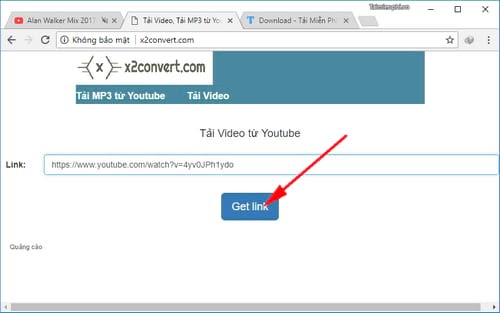
Step 3: At this point, the x2 convert tool will automatically convert to the mp3 file you need to download . Normally, it will take you from 30 seconds to 1 minute. If the video is long, the download time will be longer and vice versa.
Among the 5 ways to download mp3 music from youtube, x2 convert is ranked among the top tools with the fastest file download speed. Even videos up to several hours long can be done with this tool.
2. Download mp3 from youtube using online tool Listentoyoutube
Listentoyoutube is the second ranked tool after x2 convert., anyone can download music this way. You just need to follow the steps in the right order:
Step 1: First, click on the website: https://listentoyoutube. cc/
Step 2: You will see the dialog box below as shown in the picture. Paste the copied link address into that box . Then, check the box to agree to the website's terms of service.
Step 3: Move your mouse and click on the 'GO' button to go to the next page.
Step 4: Finally, click on the Download mp3 button to download the music as desired.
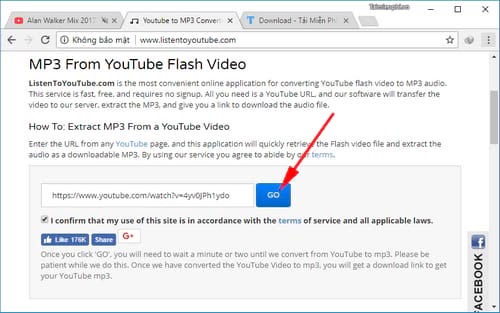
In general, the way to download mp3 music from youtube using the online tool Listentoyoutube is not complicated . However, the web interface uses English, so it will cause a small obstacle. But this does not cause any interruption when using this method.
3. Go to YT1s. com
Another website you should keep in mind when downloading mp3 from youtube is the website YT1s. com. The plus point of YT1s is that the interface lets users choose the language that suits them. The steps to use this tool are as follows:
Step 1: Similar to x2 convert and Listentoyoutube, you need to access the official website: https://yt1s. com/
Step 2: Turn on your favorite music video on YouTube and copy the link, then paste it into the voicemail box with the red border as shown in the photo.
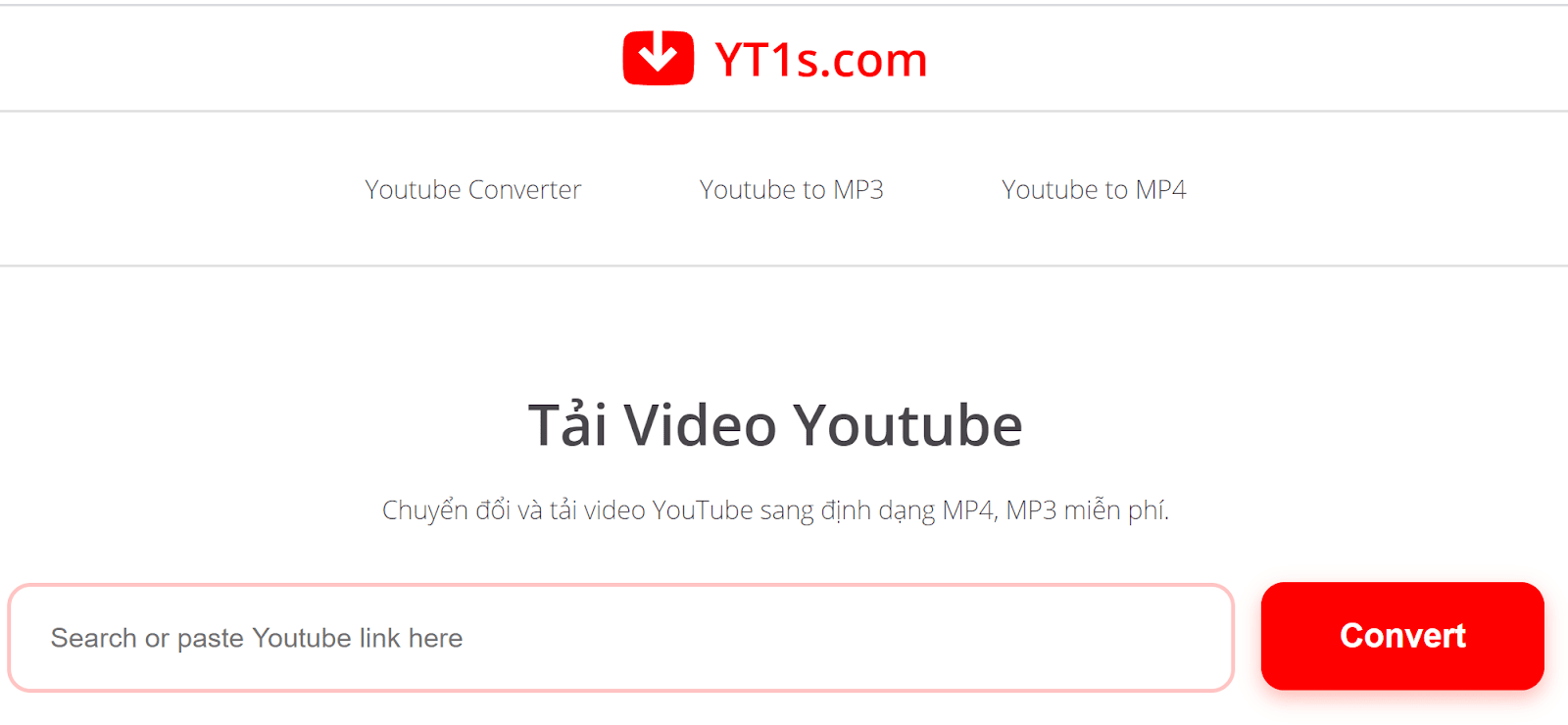
Step 3: To get the download link, just click on the 'Convert' box.
One thing that makes users love using YT1s. com to download mp3 music from youtube is that the website allows video formats. Therefore, you can listen to music files on many devices with different configurations.
4. Download Mp3 from YouTube using y2mate
The fourth way to enjoy listening to mp3 music from youtube is to use Y2mate. The time to download mp3 from youtube when using this method only takes about 2-5 minutes. The steps you need to perform include:
Step 1: https://www. y2mate. com/ is the website link you need to access.
Step 2: Open YouTube at your favorite song and copy the link address. Next, paste this link address into the blank box below.
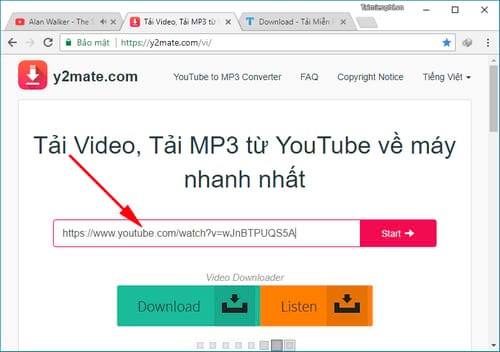
Step 3: In just a few seconds, you will see the website change interface to another page position. Now, scroll down and switch to the mp3 tab, then click on the download item.
So in just a moment, you can listen to your favorite song anytime without having to use youtube videos. Because youtube videos will limit access to other applications. For example, you cannot listen to music on youtube while surfing facebook. But when using mp3 format, this becomes easy and convenient.
5. Access MP3Fibe
The last way to download Mp3 from youtube is to use the MP3Fiber tool. Similar to the above methods, you will also perform the following simple operations to get the mp3 music link.
Step 1: You access the website: https://mp3fiber. com/
Step 2: In the blank dialog box, you should paste the video link that needs to be converted to mp3.
Step 3: Next, you choose high or low format in Choose a file type to convert to.
Step 4: Finally, click Download now.
FAQ About Download
How do you choose the best Download?
If the video is long, the download time will be longer and vice versa
Which features matter most when comparing Download?
One thing that makes users love using YT1s. com to download mp3 music from youtube is that the website allows video formats
Are free Download options reliable?
Access MP3Fibe The last way to download Mp3 from youtube is to use the MP3Fiber tool
Related Articles
 10 Ways to Download YouTube Videos Fast and Simple14 minutes read
 4 Ways to Download Videos on YouTube Extremely Fast and Simple4 minutes read
 Ways to Download YouTube Videos, the Easiest Ways to Download YouTube Videos11 minutes read
 Simple Way to Quickly Download YouTube Videos2 minutes read
 YouTube to Mp3 Ways to Download MP3 from YouTube4 minutes read
 The Easiest Way to Download Videos from YouTube3 minutes read
Reader Comments 0
Sign in with email or Google to join the discussion.