Table of Contents
There is no single best browser for everyone. Compare the browsers you can use on your devices, the extensions you need, their privacy settings, and how well they work with your favorite sites. The six options below appeared in the original article; availability and features change, so check each developer’s current information.
1. Google Chrome
Chrome is a Chromium-based browser with a broad extension ecosystem and Google account sync options. Sync is optional and requires an account. Incognito mode limits what is saved locally in that session; it does not make browsing invisible to websites, employers, schools, or network providers.

2. Cốc Cốc
Cốc Cốc is a browser developed for users in Vietnam and includes localized features. Check its current platform support, privacy controls, and optional tools. A browser’s download or translation features may not work on every site or for every file.
3. Mozilla Firefox
Firefox is an independent browser with privacy settings, extensions, and versions for multiple platforms. Its protections depend on your settings and the type of tracking involved; no browser blocks every threat. Check that your add-ons come from trusted developers.
4. Microsoft Edge
Edge is Microsoft’s browser and is integrated with Windows. It supports extensions and reading features, though available options differ by platform and version. Review default search, sync, and privacy settings during setup.
5. Brave
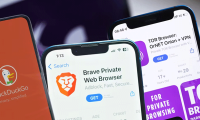
Brave includes built-in controls designed to block some ads and trackers. The effect depends on site behavior and browser settings; some pages may need an exception. Its optional features are not required for basic browsing, so review them before enabling.
6. Opera
Opera is a Chromium-based browser with its own interface and optional features. Check the current platform support, data settings, and any bundled services to decide whether it fits your workflow.
How to choose
- Confirm that the browser receives security updates for your operating system.
- Test the sites and extensions you rely on before switching.
- Review sync and privacy settings; private browsing is not the same as anonymity.
- Install extensions only when needed and remove ones you no longer use.
- Download the browser from its official developer source.
Related Articles
 Google blacklisted some web browsers on Linux, blocking access to Google services
 Top 10 best alternative web browsers for Safari on iPhone
 Top 5 fastest and best browsers on Android
 Are lesser known browsers more secure?
 Skype will be built into browsers
 How to check the Adobe Flash Player version in the browser
Reader Comments 0
Sign in with email or Google to join the discussion.