Table of Contents
Compatibility note: This guide covers a legacy Windows version. Menus and security behavior may differ on currently supported releases.
You've probably heard the term Photoshop many times, but do you really understand what it is? If you think it simply means photo editing, that's correct, but not entirely accurate. Let's explore Photoshop and its applications in more detail with TipsMake.com.
What is Photoshop?
Photoshop, or Adobe Photoshop for full, is software capable of designing and editing images on Windows and macOS. Whether you want to create or edit images, design artwork, or simulate real-life paintings, Photoshop can do it all.
Adobe Photoshop is arguably the most popular photo editing tool today. It boasts simple tools and the ability to edit many different image formats. It even allows you to edit individual images as well as batches, depending on your needs.
Photoshop is often abbreviated as PTS . So if you happen to come across this term, you can understand that they are referring to the Adobe Photoshop image editing and design software.
Versions of Photoshop
Currently, Photoshop has many versions to meet the different needs of users. These include:
Photoshop CS
Photoshop CS, or Adobe Creative Suite, was launched in October 2003. Adobe developed this software and released six versions in succession: CS, CS2, CS3, CS4, CS5, and CS6. They were all designed to support users in editing photos, designing vectors, and creating complex videos.
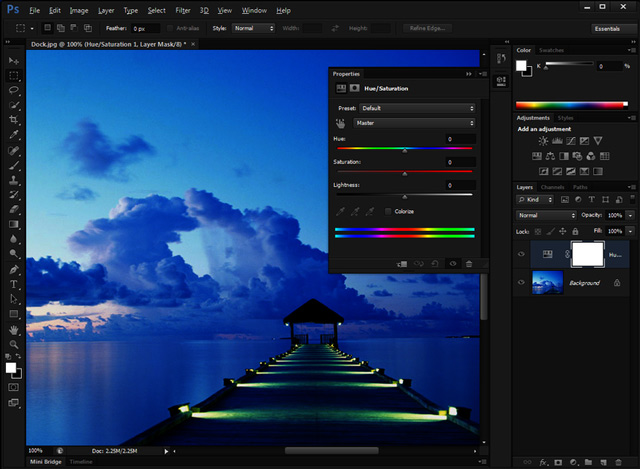
Photoshop CS6, released in May 2012, attracted significant attention from users thanks to the addition of many new features and the simplification of the editing process. Although Adobe did not release any new versions of Photoshop CS after CS6, it continuously updates with bug fixes and provides maximum support for users. However, to use this software, you will have to register and pay a certain monthly fee.
Photoshop CC
Adobe Photoshop CC was created in an effort to bring Photoshop to the cloud to limit copyright infringement and facilitate the release of updates. This suite of tools is integrated into Photoshop Lightroom. If you want to use it separately, you must subscribe and pay a monthly fee.
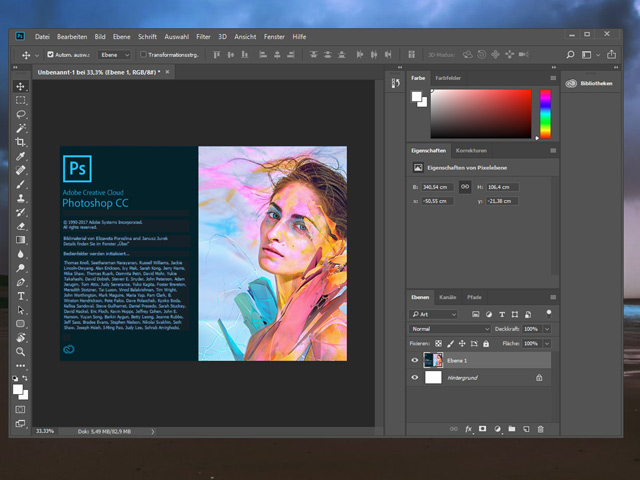
The first version of Photoshop CC was released in June 2013, and a total of six versions have been released to date. The latest version – Photoshop CC 2019 – was officially released in October 2018.
Photoshop CC is primarily used by designers, developers, editors, and photographers because it offers a wide range of unique image editing features. Additionally, users can edit and create 3D products within the software, instead of just 2D images.
Photoshop Elements
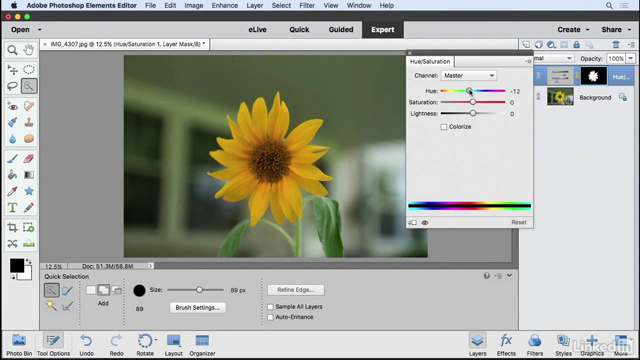
This software was created by combining the idea of Adobe Photoshop with simplification. You can find all the features and tools of Photoshop CC in this software. However, Adobe Photoshop Elements is much easier to use.
Photoshop Lightroom
Lightroom was introduced as a completely new tool for both amateur and professional users. Its most notable feature is the ability to edit and manage multiple photos without affecting the quality of the original images. In addition, Lightroom also offers the ability to edit RAW files.
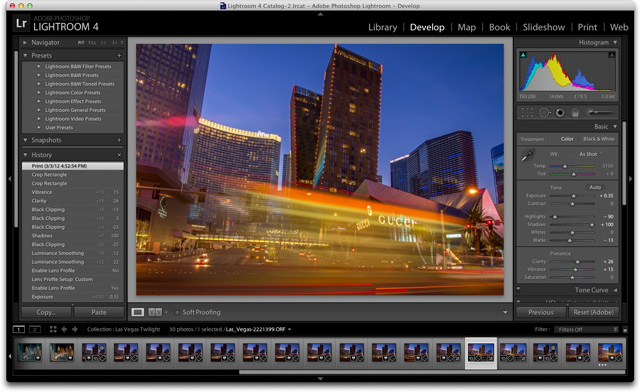
Lightroom can also be used for initial image processing such as color correction, white balance, and exposure adjustment. However, for more detailed work, you will still need to use Adobe Photoshop.
Photoshop Express
In addition to software for computers, Adobe has also developed software that allows you to edit photos directly on your mobile device or tablet.
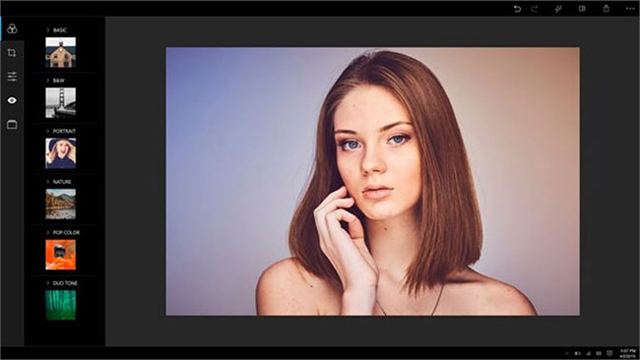
You can download this software completely free on Android or iOS. However, you will only be able to use the basic functions; if you want to use advanced features, you will have to pay a fee.
System requirements for installing Photoshop
To ensure Photoshop runs smoothly, users on both macOS and Windows operating systems need to be aware of certain requirements.
Windows configuration requirements
- Processor: Intel® Core 2 or AMD Athlon® 64 processor; 2GHz or higher processing speed.
- Operating systems: Microsoft Windows 7, Windows 8.1, Windows 10.
- RAM: minimum 2GB.
- Hard drive space: a minimum of 2.6GB for the 32-bit version and 3.1GB for the 64-bit version.
- Minimum screen resolution: 1024×768, 16-bit color, 512MB or more VRAM.
- Graphics library: OpenGL 2.0.
- Internet: An internet connection is required to activate the software, confirm registration, and access other online services.
System requirements for macOS
- Processor: Intel multi-core 64-bit.
- Operating systems: macOS version 10.13 (High Sierra), macOS version 10.12 (Sierra), macOS X version 10.11 (El Capitan).
- RAM: minimum 2GB.
- Hard drive space: minimum 4GB.
- Minimum screen resolution: 1024×768, 16-bit color, 512MB or more VRAM.
- Graphics library: OpenGL 2.0.
- Internet: An internet connection is required to activate the software, confirm registration, and access other online services.
The applications of Photoshop
Knowing how to use Photoshop allows you to apply it to many different tasks, such as:
- Edit existing images
- Create custom design images to suit your individual needs.
- Create banners, posters, advertising images, and print them.
- Restoring old photos, improving image quality, compressing images… and many other needs related to image design and editing.
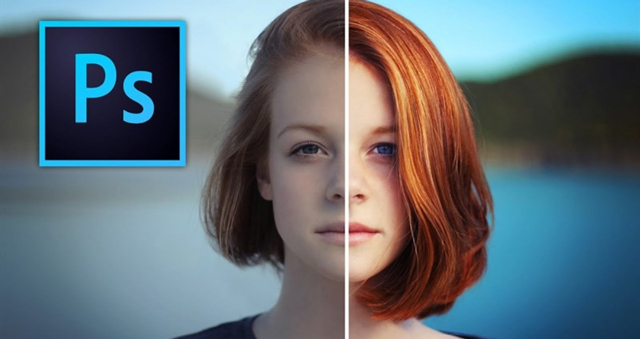
These jobs will create employment opportunities for you, enabling you to become:
- A web designer uses Photoshop to build web interfaces.
- Print designers use Photoshop to create publications, posters, banners, etc.
- For photographers and those who restore old photos, Photoshop is indispensable.
- Professional graphic designers can use Photoshop in combination with other image editing tools.
- For non-professional designers, learning Photoshop at the most basic level can be helpful for your work.
Hopefully, through this article, readers have gained a better understanding of the concept of Photoshop and its applications in modern life.
Related Articles
 Use Photoshop Mix to Delete Details in the Image6 minutes read
 How to Use Photoshop CS5 - Part 25: Remove Automatic Background5 minutes read
 How to Use Photoshop CS5 - Part 24: Installing, Sharing and Using4 minutes read
 49 Smart Photoshop Tips You Need to Know (Part 3)15 minutes read
 49 Smart Photoshop Tips You Need to Know (Part 1)13 minutes read
 Instructions for Using Photoshop for Newbies: Adobe Photoshop19 minutes read
Reader Comments 0
Sign in with email or Google to join the discussion.