Table of Contents
ChatGPT isn't perfect, but it has some features that are really useful for everyday tasks. Rather than completely replacing your workflow, these tools complement your existing workflow.
4. Learning
Turn ChatGPT into a friendly tutor
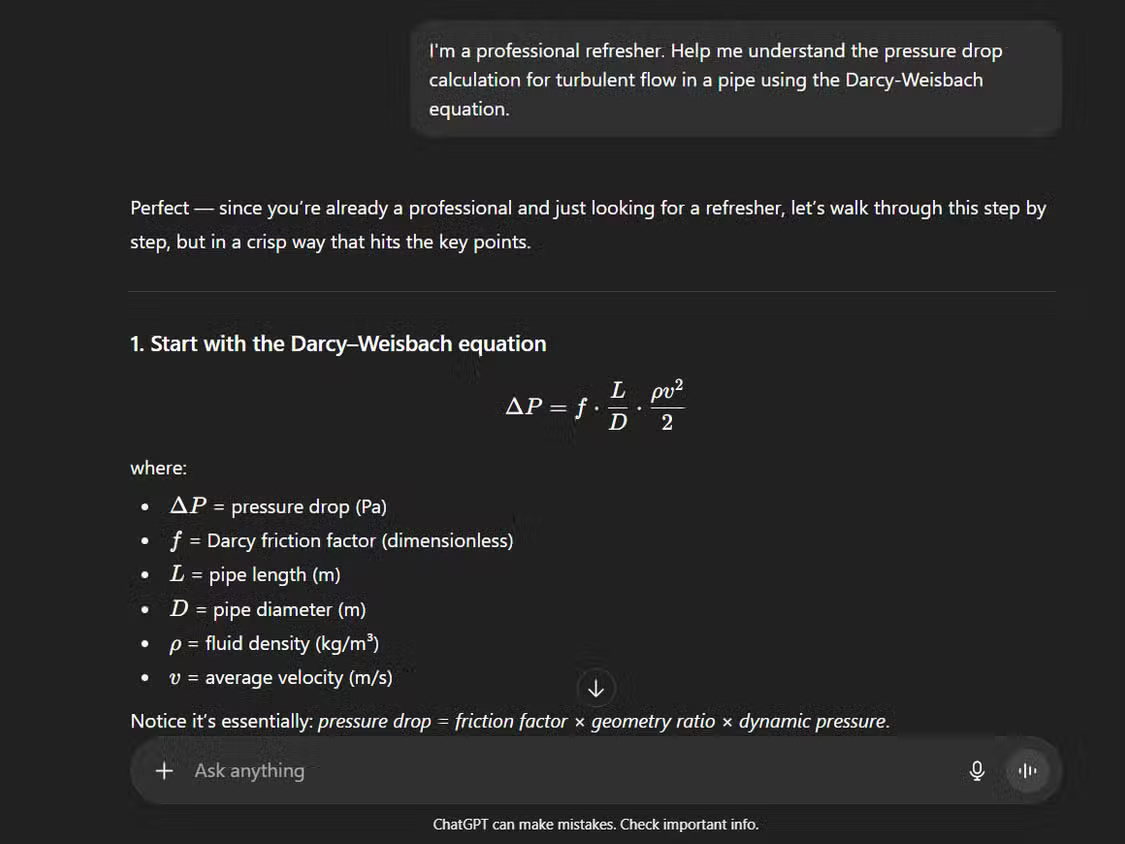
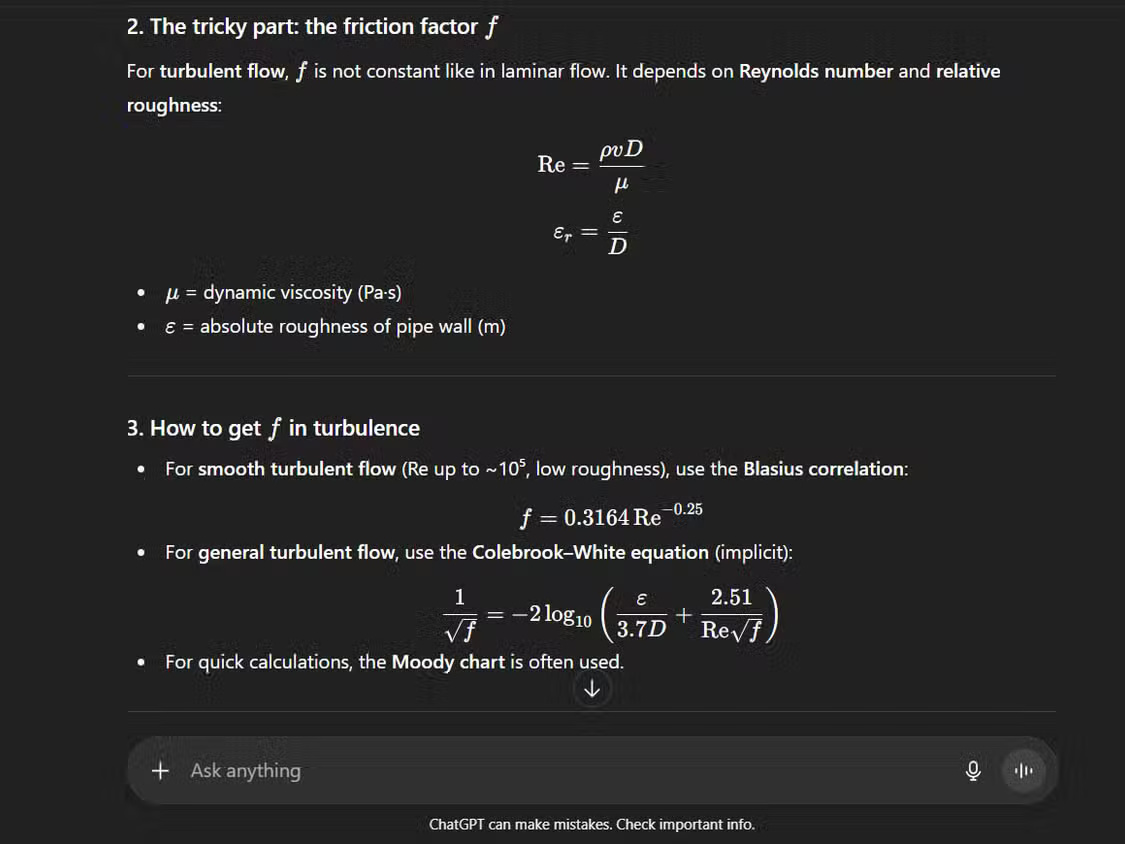
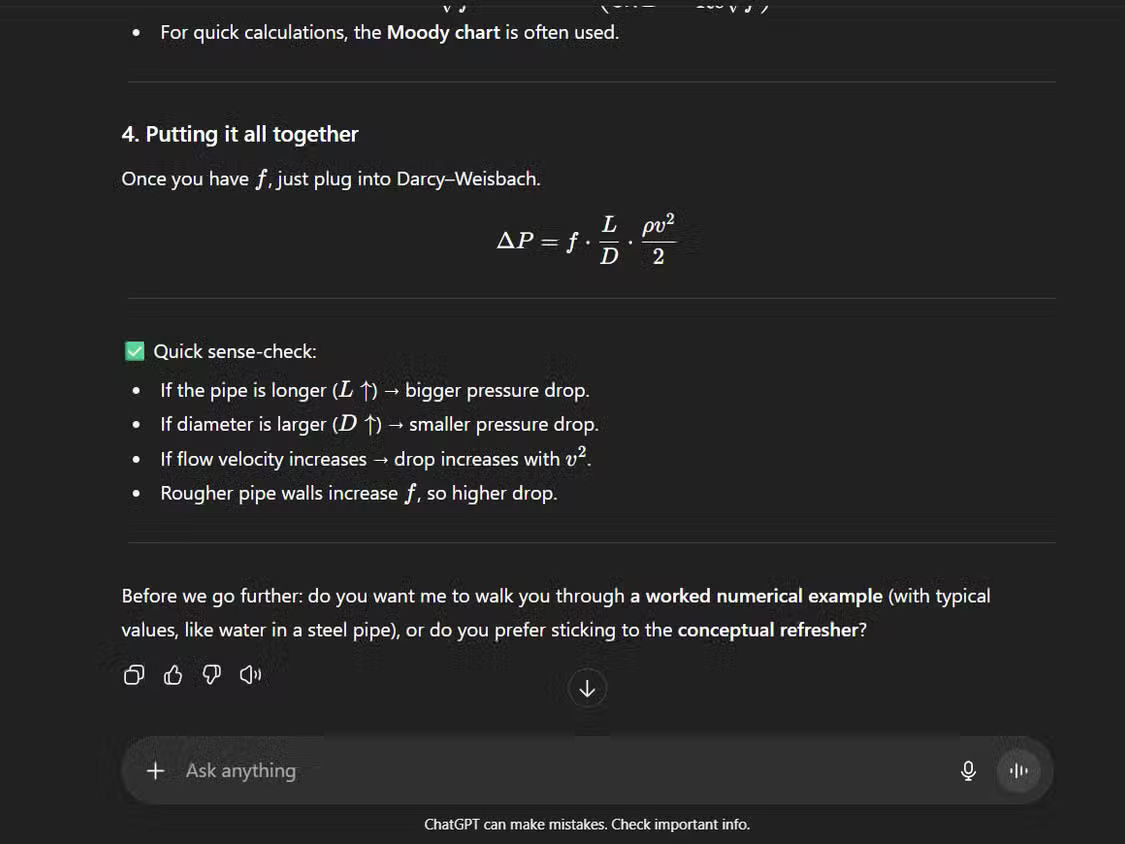
People love ChatGPT's learning feature because it not only answers but also acts as a tutor. Instead of just giving you a solution, it guides you through the problem step by step. This feature is useful when working on technical or scientific topics where understanding each step is more important than the end result.
For instance, if you ask ChatGPT to 'Explain the pressure drop calculation for turbulent flow in a pipe using the Darcy-Weisbach equation,' it won't just give you the formula and plug in the numbers. Instead, it will guide you through determining the Reynolds number first, then determining the friction coefficient, and finally applying the formula. If your calculation is wrong, it will gently point out the error, encouraging you to correct it yourself.
Since ChatGPT's Study mode trains your brain instead of giving you answers, it helps you consolidate your knowledge, much better than simple Q&A sessions.
3. Image creation style
This style helps improve creativity
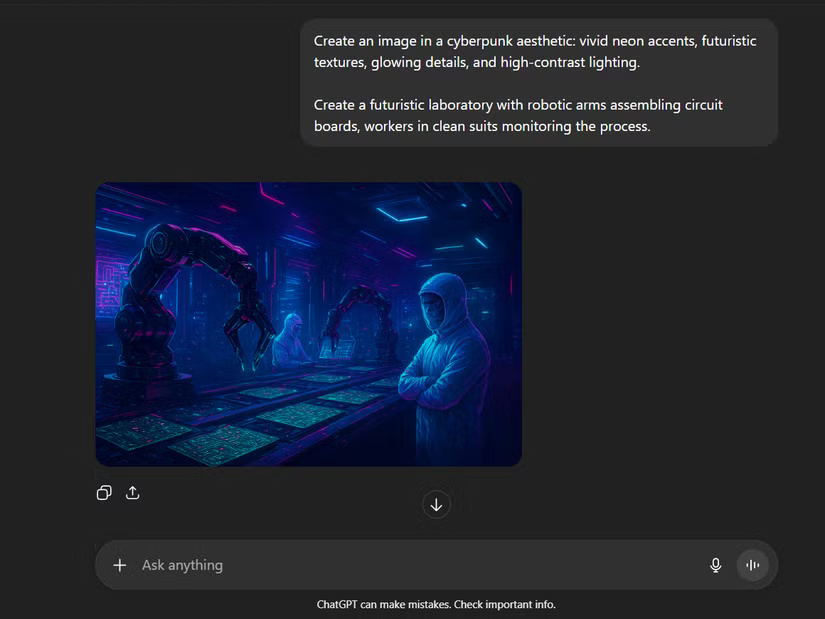
ChatGPT's image creation feature includes preset styles that simplify the creative process. Instead of providing detailed prompts, you can choose from styles like Synthwave, Art Nouveau, or Retro Cartoon, each of which creates a distinct visual mood.
When you need a concept drawing, use this prompt:
Create a futuristic laboratory with robotic arms assembling circuit boards, workers in clean suits monitoring the process.
Create a futuristic lab with robotic arms assembling circuit boards, workers in clean protective gear monitoring the process.
Try the Cyberpunk style, with a built-in prompt above the request, giving you the desired bright, neon look without the need for any additional prompts.
The consistency of these styles is a huge advantage. Whether it's the nostalgic vibe of 80s Glam or the polished look of Photo Shoot, you'll always get reliable, high-quality results. These options take a lot of the guesswork out of creative projects and are predictable in a good way.
2. Canvas
Bridging the gap between chatting and editing documents
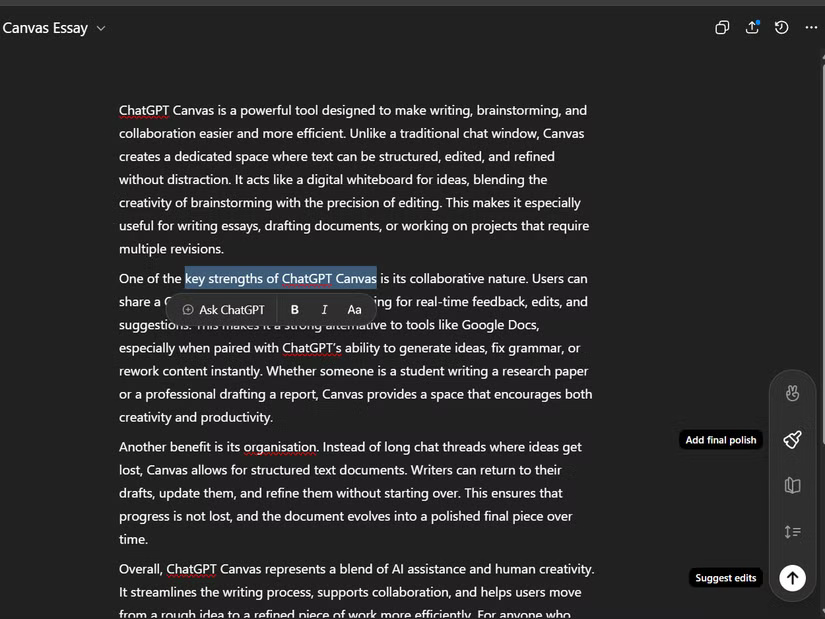
The Canvas feature improves the ability to interact with long documents by providing a dedicated workspace right inside ChatGPT. Instead of copying and pasting text back and forth, you can edit directly in the interface — just like working in a word processor. This integration eliminates overlap and helps organize ideas.
It gives you a variety of options, such as Suggest edits , which highlight potential improvements without making any automatic changes. Adjust the length lets you expand or collapse sections while keeping the core message intact. Reading level adjusts the complexity of the text to suit your audience.
It also offers selective editing. When you highlight a sentence, a pop-up appears with formatting options — bold, italic, change font size — along with an Ask ChatGPT button for targeted editing.
1. ChatGPT Connector
Make workflow seamless
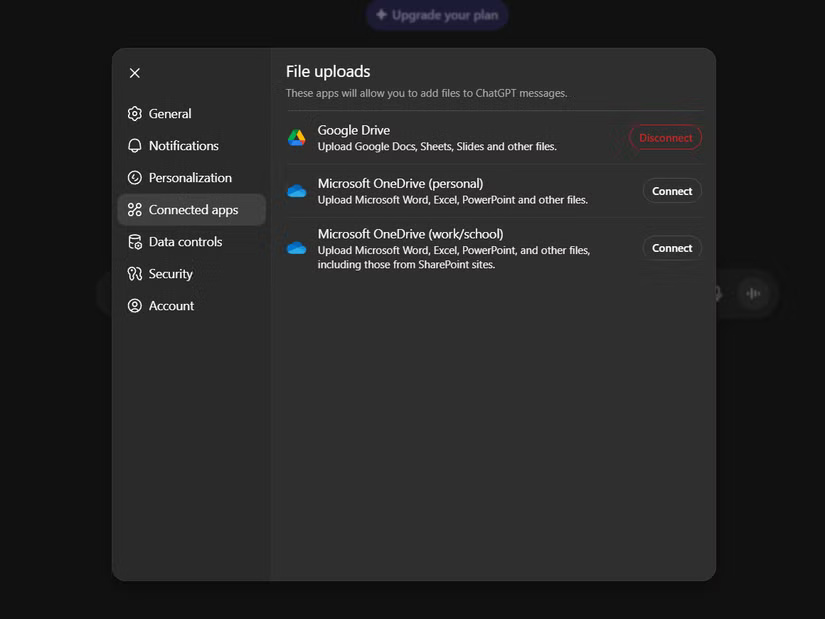
Connecting external applications eliminates the cumbersome download and re-upload cycle. Instead of saving files locally first, connectors allow you to share files directly with ChatGPT. So you don't have to constantly switch between platforms. Setting up the connector is simple:
- Open ChatGPT Settings and navigate to Connected Apps .
- Select the app you want to connect, such as Google Drive.
- Grant access through the standard OAuth process.
Note : ChatGPT does not have direct access to files from your application, such as Google Drive files, unless you use the file sharing option to share a specific file.
When you need to analyze a document, you can say, "I'm sharing three PDF reports from my Google Drive. Please summarize the key findings and identify common themes across all documents." The connector lets you easily select and share those files.
Final Thoughts
The development covered in this article is worth following, but specifications, dates, and feature details may change until the relevant company or organization publishes an official confirmation.
FAQ
What is the main development covered in this article?
ChatGPT isn't perfect, but it has some features that are really useful for everyday tasks. Rather than completely replacing your workflow, these tools complement your existing workflow.
What should you know about Turn ChatGPT into a friendly tutor?
People love ChatGPT's learning feature because it not only answers but also acts as a tutor. Instead of just giving you a solution, it guides you through the problem step by step.
Is every reported detail officially confirmed?
Not necessarily. Product leaks, preview builds, research reports, and early announcements can change. Confirm important specifications, dates, and availability through an official source before making a decision.
Related Articles
 ChatGPT Has Many Features in 2026: Here Are 3 Features You Might Have Missed7 minutes read
 ChatGPT Has Many Features in 2026: Here Are 5 Features You Might Have Missed!8 minutes read
 How to Use the ChatGPT API: a Complete Guide from a to Z12 minutes read
 Is ChatGPT Plus Still Worth Using in 2026?9 minutes read
 Hidden Features of ChatGPT That You Might Not Know About4 minutes read
 8 Little ChatGPT Automations That Make Every Day More Enjoyable9 minutes read
Reader Comments 0
Sign in with email or Google to join the discussion.