Table of Contents
This updated guide compares ways to share apps on iPhone and highlights the details that matter most. There are several ways to share apps on iPhone, whether it is a paid app or a free app. Sharing purchased apps with family members and linking apps to friends is easy on iOS.
How to Share iPhone Apps Using Family Sharing iPhone
When Family Sharing is enabled, users can easily share paid apps they have purchased with family members.
- Instructions for using Family Sharing feature for iPhone/iPad
How to Share Installed Apps on iPhone
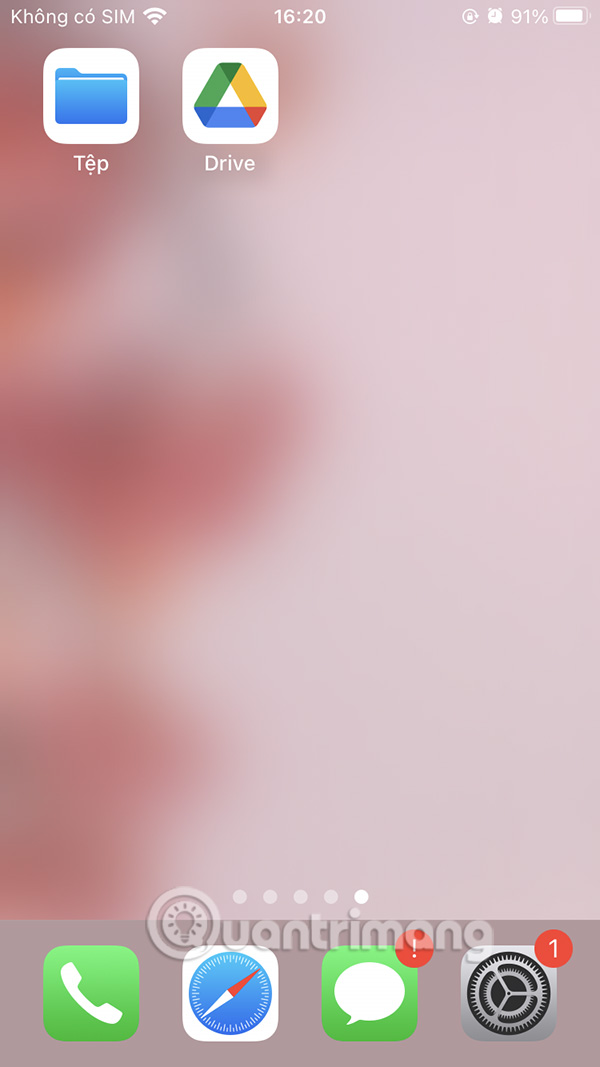
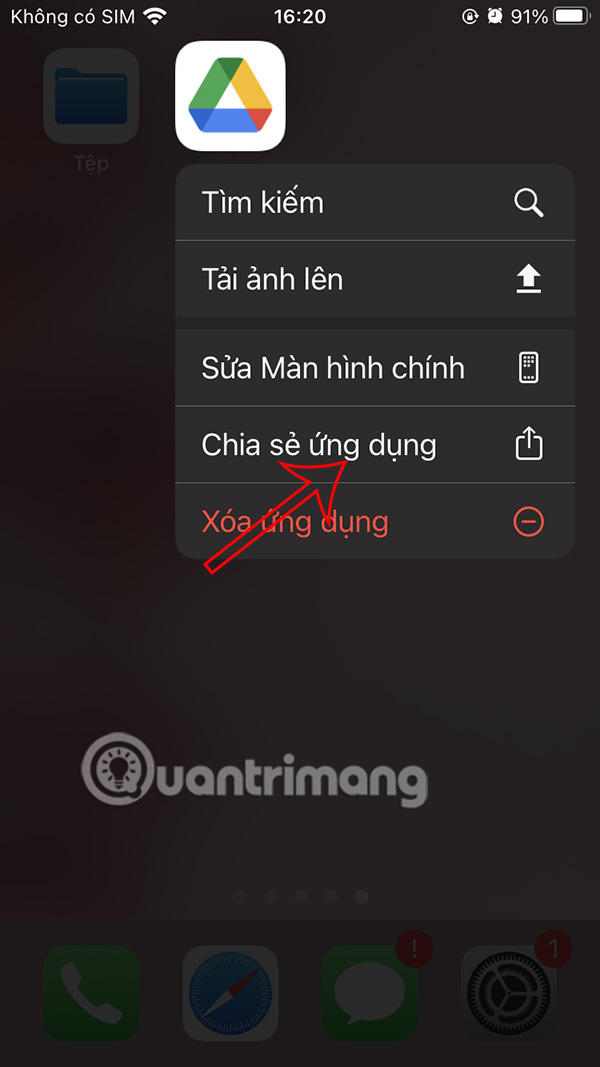
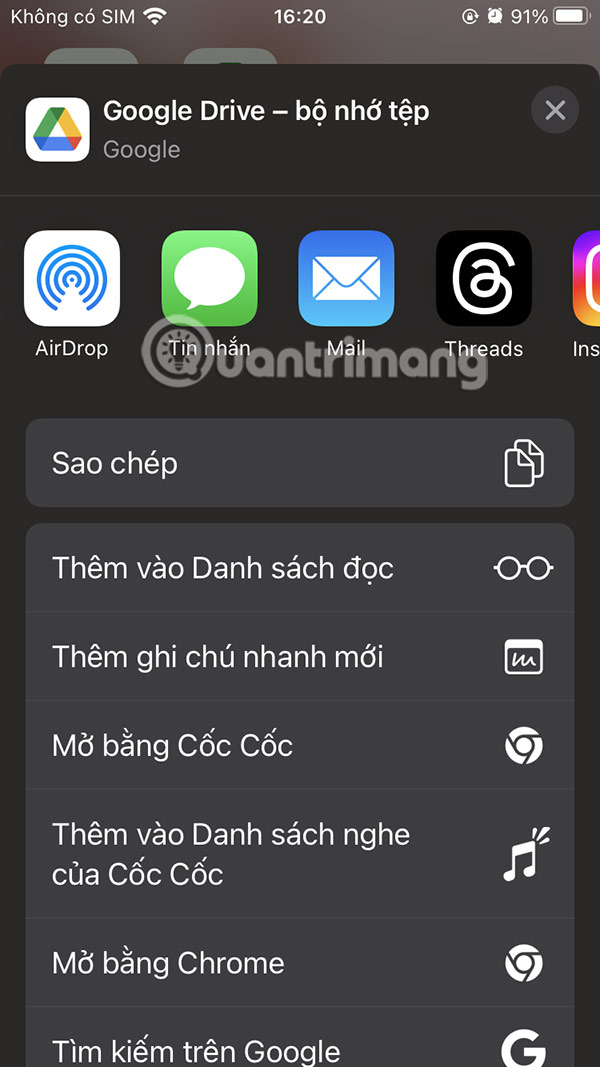
Find the app you want to share with others, then hold down on the app icon and select Share App . Select the user you want to share the app with from the sharing panel that appears afterwards.
Share App Link from App Store
We access the App Store then find the application we want to share, then choose the share icon in the application description.
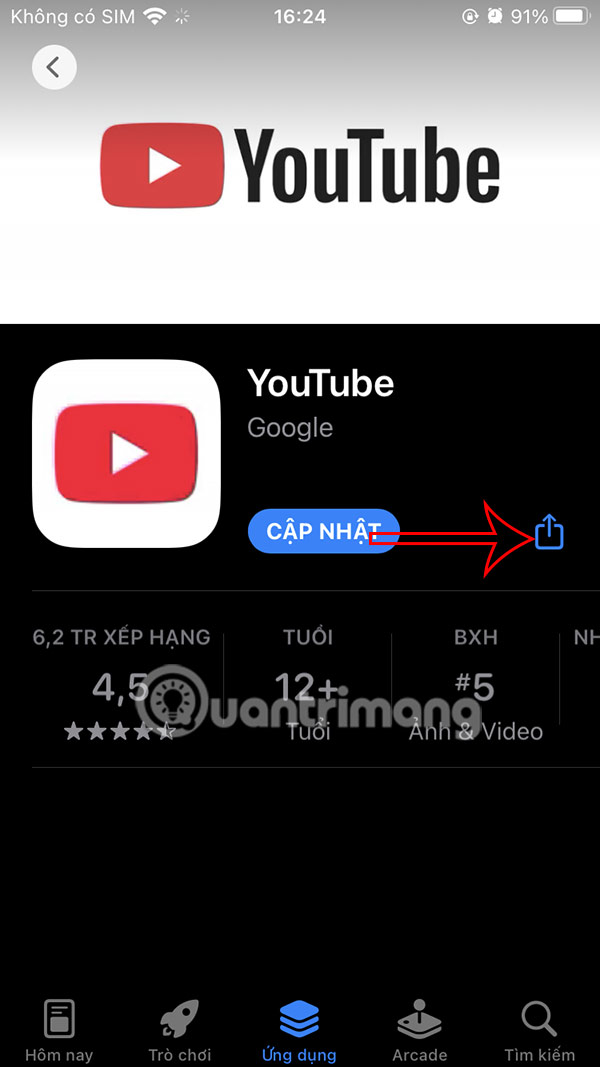
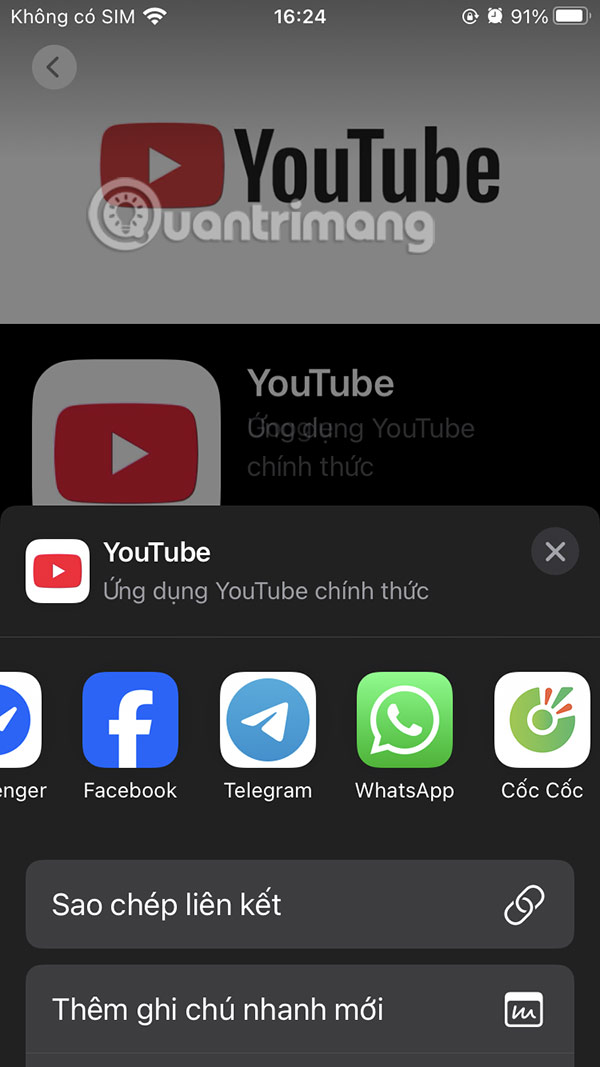
Now the user chooses the supported method of sharing the application from the App Store.
FAQ
How were the ways to share apps on iphone options evaluated?
The comparison focuses on practical features, ease of use, limitations, compatibility, and the type of user each option is most likely to help.
Which option is best for beginners?
Beginners should prioritize a clear interface, useful documentation, reliable support, and the core features needed for their first project.
Should I choose a free or paid option?
Start with a free option when it covers your needs. A paid plan may be worthwhile when you need advanced tools, commercial rights, collaboration, or professional support.
Related Articles
 How to Remove Apps on iPhone with Just 2 Simple Steps2 minutes read
 How to Customize Share Sheet on Iphone, Ipad7 minutes read
 How to Share Calendars on iPhone: Step-by-Step Guide3 minutes read
 Best AI Apps on iPhone10 minutes read
 10 Ways to Fix iPhone Error That Can't Download Apps11 minutes read
 How to Send Apps Between Android Devices via Nearby Share4 minutes read
Reader Comments 0
Sign in with email or Google to join the discussion.