Table of Contents
This updated guide explores why oldroll overshadows all other camera apps with practical details, clear explanations, and useful takeaways. Many people love the charm of old film photos, but classic camera apps rarely capture those magical shots without being annoying to use. Still, there is one option that stands out, OldRoll.
- Get OldRoll for iOS and iPadOS | Android (Free, in-app purchases).
8. Free Camera Options
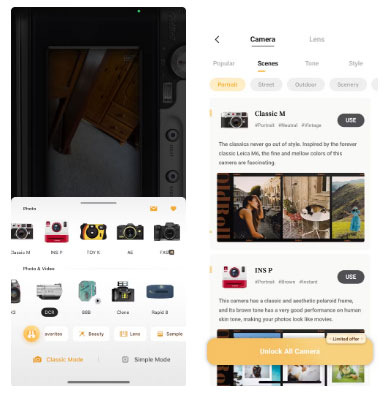
While OldRoll is free to download, it is not entirely free. There are dozens of cameras to choose from, some of which are part of OldRoll's paid Pro plan. Still, the app offers many cameras for free – unlike many other camera apps like this.
Compared to other classic camera apps for phones, OldRoll's free options are more plentiful than other premium apps, which usually only have one free camera option.
7. Post Office Widget
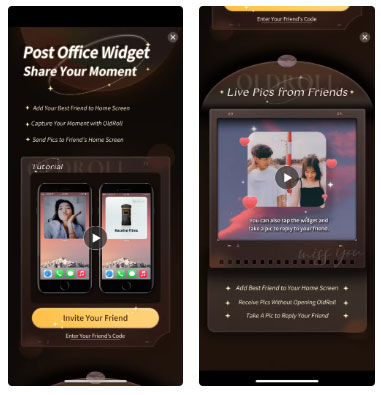
OldRoll has a widget feature that lets you send photos directly to your friends' phones. This widget is called Post Office.
You need to invite friends via a code to use it, so they need to have the app too. But once they're invited, you can easily send and share photos with friends directly to their home screen. The Post Office widget also lets you reply with a photo directly without opening OldRoll.
6. In - app Editing Options
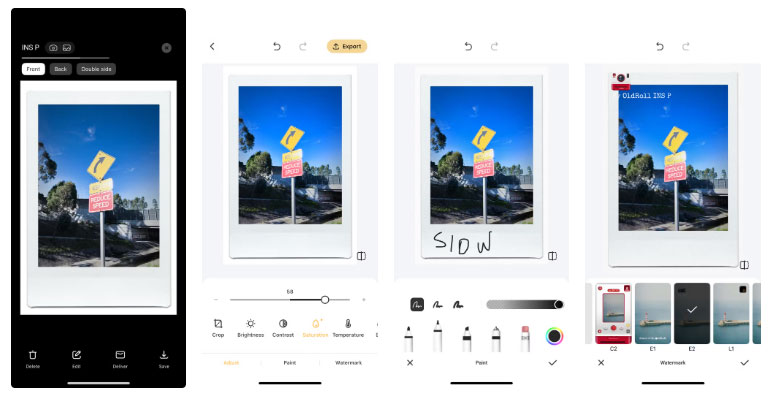
By using a digital version of a film camera, you get the benefit of digital editing features. OldRoll has a number of in-app editing tools that save you the time of exporting and re-uploading your photos elsewhere for editing.
There are 3 editing categories for your OldRoll photos: Adjust, Paint and Watermark.
The Watermark category gives you four options for adding an OldRoll watermark to your photos. This can take away from the authentic feel of your film photos, but luckily, you do not have to add a watermark. These watermarks aren't designed to match any of the classic aesthetics that would fit your photo style. If you're going to add a watermark, you'll want to use your own, just like you would add a signature to a Procreate drawing.
The Paint feature lets you draw, write, or doodle on top of your photo. Again, this detracts from the classic nature of the resulting image and many people do not use this feature. It offers 3 thicknesses and 4 media, plus an eraser, along with opacity options and a color wheel to choose from. There may be reasons to doodle on photos in a classic style, but most people do not want to do it.
While not quite as extensive, the Adjust feature offers the editing tools you're most likely to benefit from. Adjust features include:
- Crop
- Brightness
- Contrast
- Saturation
- Temperature
- Blur
- Grain
- Glow
- Vignette
Edits apply to the entire photo, including any frames you choose to use. This aspect can make the edit less realistic than if it were applied to just the photo and not the frames. Still, having the ability to edit is a good thing regardless.
5. Real Photo Back
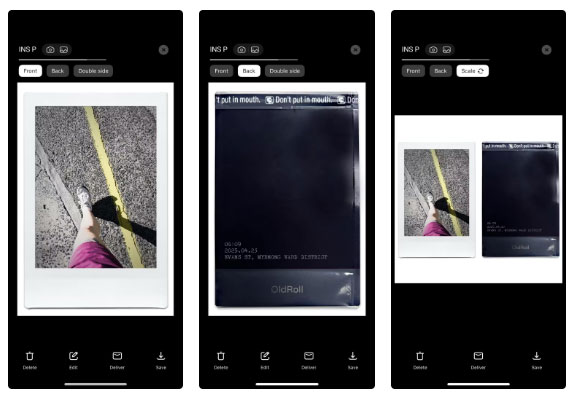
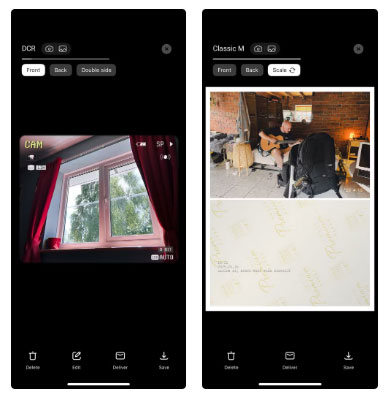
If you accidentally tap the word 'Back' while viewing one of the Instax-style photos in your library, you might be instantly surprised. It looks exactly like the back of an Instax card, but better, because OldRoll also applies the photo's date, time, and location in a realistic way.
An added bonus is that you can edit the back of your photo with fun patterns, graffiti style doodles, watermark stamps or by adding additional text.
4. Create Videos and Collages from Existing Photos
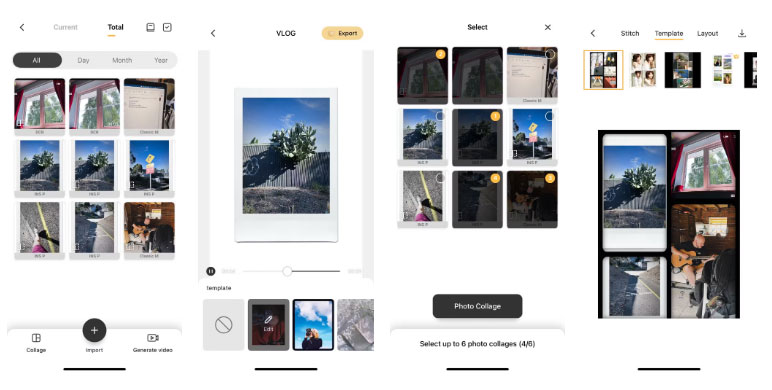
OldRoll can organize your OldRoll photo videos to music. This is a great touch because it combines the difference between physical film and modern digital photography.
The video creation feature in OldRoll lets you create videos of your new memories with an old photo feel, which you can share on social media or elsewhere. It can be displayed on the screen and lets you quickly view the photos.
With a similar feature, you can create a digital collage from up to 6 of your OldRoll photos. You can arrange them vertically, use templates, or add to a pre-made layout. These are pre-made by OldRoll, saving you many time and giving you great results.
3. Still Images and Videos
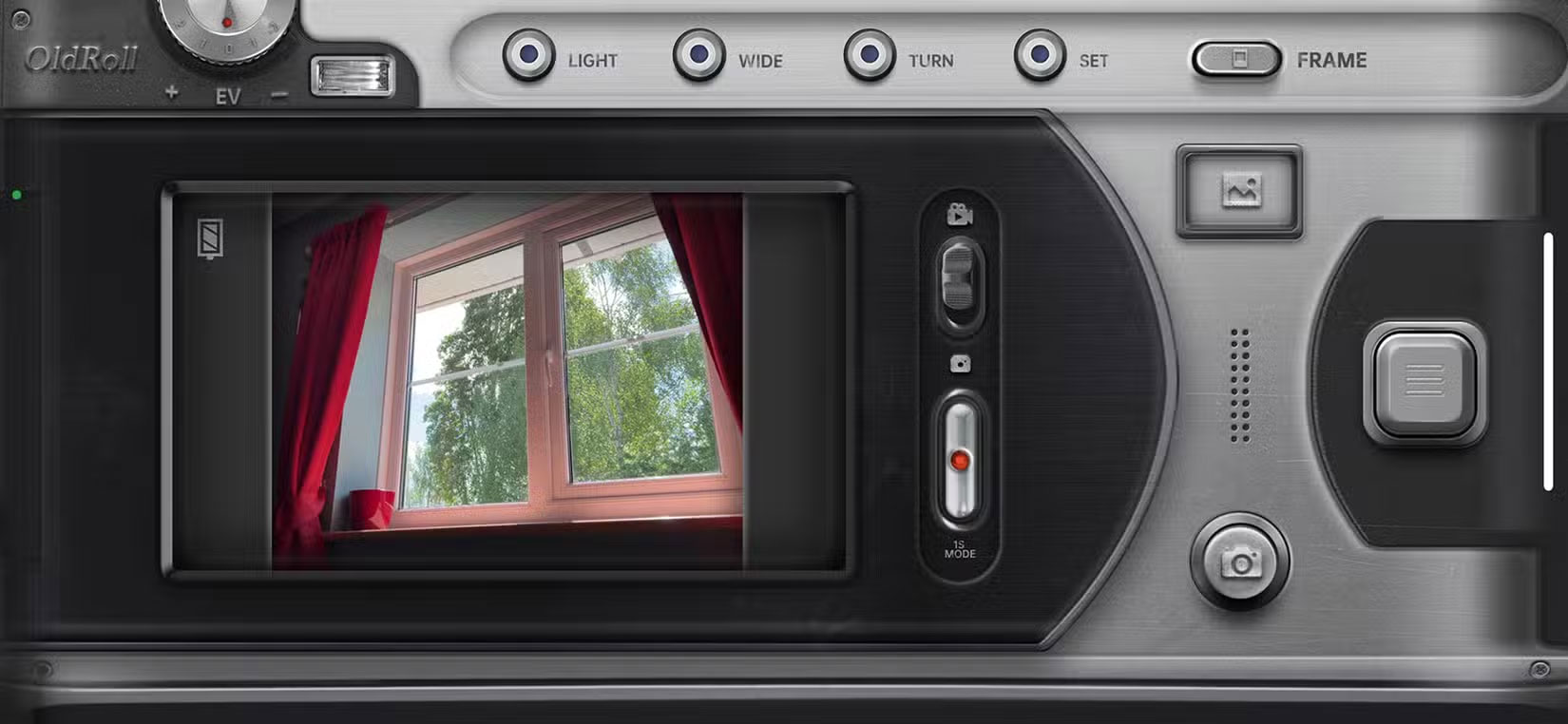
OldRoll is primarily based on still film photography and most of the camera options are still film like Classic M, Toy K, Mini 11 or Diana, among others.
But unlike most classic camera apps, OldRoll also offers video camera options. The camera has a small Play icon indicating it only offers video. But there is a camera section that offers both stills and video—including a classic DVR-style camera.
2. Authentication Results
A person with a strong interest in photography will have worked with a variety of cameras. In particular, you will see many texture and natural flare or imperfections in film images from disposable cameras, instant film cameras like Instax or Polaroid.
Even as a mobile app, you'll be impressed with the authenticity of OldRoll's photo results. Each camera simulator on the app has the same features as a real camera. If a film camera has flash options, ISO settings, or any other feature, so does the OldRoll version.
1. Apply Classic Camera Settings to Regular Photos
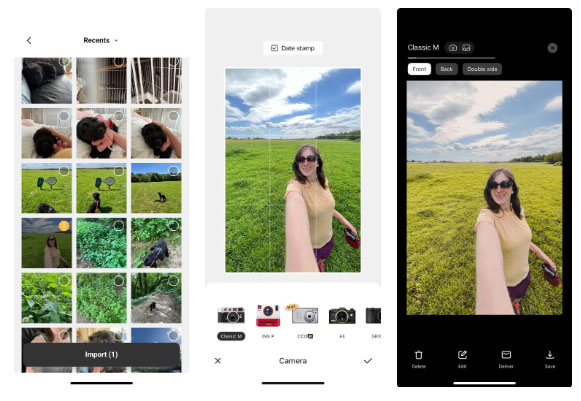
OldRoll's native features will keep you hooked, but discovering that you can apply vintage film effects to smartphone photos already in your library is an added bonus.
Many people use their phones all the time to take photos, whether it is a sunset shot on an evening stroll or a family photo with their nieces and nephews. They navigate to the regular iPhone camera without much thought, so they often get annoyed when they remember they have OldRoll on their phone and miss out on some cool effects.
In OldRoll, navigate to your phone's photo library and select any image to apply the current camera effect. This turns OldRoll from a camera app into an image creation tool.
FAQ
What is the main takeaway about Why OldRoll Overshadows All Other Camera Apps?
The key is to understand the core idea, compare the available options, and apply the practical guidance that matches your situation.
What should beginners know about Why OldRoll Overshadows All Other Camera Apps?
Start with the essential steps and terminology. Avoid changing advanced settings until you understand how they affect performance, privacy, cost, or compatibility.
How can I use this information in practice?
Follow the relevant section in order, test one change at a time, and confirm the result before moving to the next step or recommendation.
Related Articles
 If Your Device Has These Two Android Apps Installed, Delete Them3 minutes read
 How to Check Which Apps Are Accessing the Camera on iPhone4 minutes read
 These Minimalist Camera Apps Will Help You Fall in Love with Photography Again8 minutes read
 6 Camera Apps to Help Take Better Photos on Smartphones6 minutes read
 The Best Photography Apps on iOS and Android6 minutes read
 6 Hidden Tricks That Can Be Applied to Samsung Cameras6 minutes read
Reader Comments 0
Sign in with email or Google to join the discussion.