Table of Contents
It's normal for your phone battery to drain quickly throughout the day with regular use. However, if your phone battery is still draining even when you're not using it, you need to pay attention to the following issues.
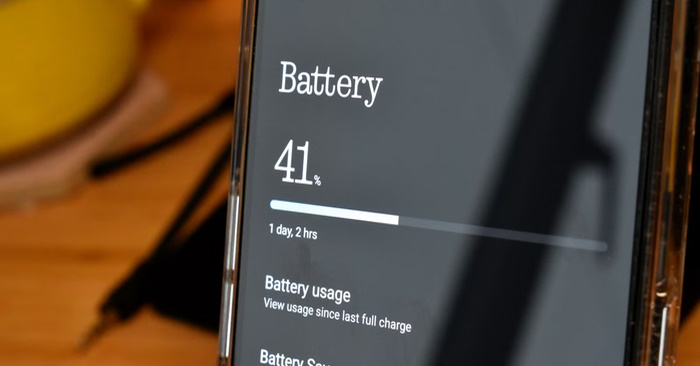
Weak signal
Besides the screen, the internal components of a phone are among the biggest power consumers. The worst culprit is the cellular transceiver that connects your phone to your carrier's service.
When you have a stable connection, power consumption is minimal. However, with a poor connection, the phone constantly searches for a better option, thus increasing transmission power. This consumes a lot of energy and can lead to rapid battery drain in a short period of time.
When you're in a place without a cellular signal, turn on airplane mode or turn off cellular connectivity ( Settings > Cellular on iPhone or Android, Settings > Network & internet > SIMs and toggle the SIM button on/off ).
This will prevent your phone from constantly checking for a network when there's no connection available. Remember to turn mobile data back on when you have a stable connection.
The application runs on the system background
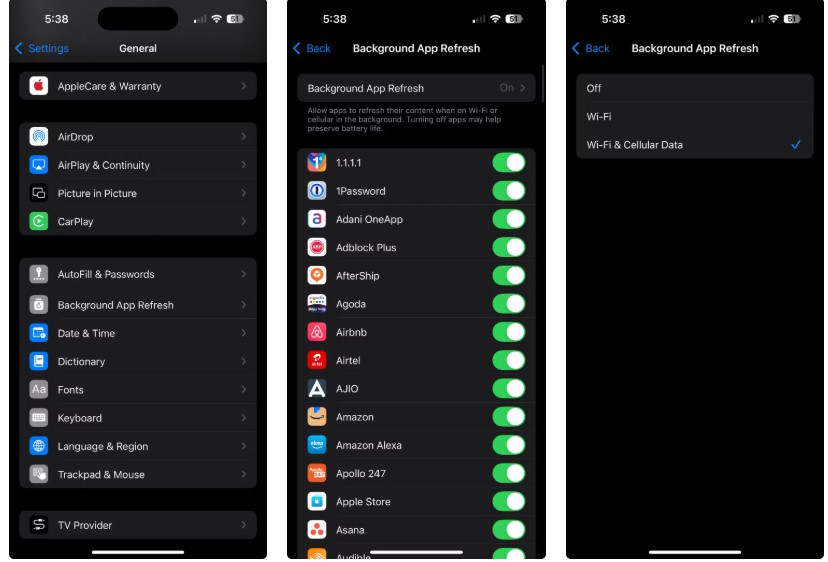
Even when not using the device, many apps are constantly running in the background, such as syncing data, checking notifications, updating feeds, and performing other tasks. This means you don't need to wait for updates when opening an app, but it can drain a lot of battery power just for these small utilities.
The best way to control this is to revoke background running permissions for unnecessary apps. First, check which apps are using the most battery. On Android, go to Settings > Battery > Battery usage; on iPhone, go to Settings > Battery > View All Battery Usage.
If any app is using an unusually high amount of battery power, you should turn off its background app refresh feature. Some types of programs consume more battery than others.
The screen lights up when there's a notification
By default, each notification will wake the phone and turn on the screen for a few seconds. If you receive many notifications, this (plus the vibration for each notification) can drain the battery significantly over time.
An easy workaround to minimize this is to place your phone face down when you're not using it. iPhones, and many Android phones, won't turn on the screen when a notification comes in if the phone is face down.
For a more flexible solution, you should set up Focus modes to turn off unwanted notifications. Hiding most notifications while sleeping or working means your phone screen will be on less often, thus saving battery power.
Software error
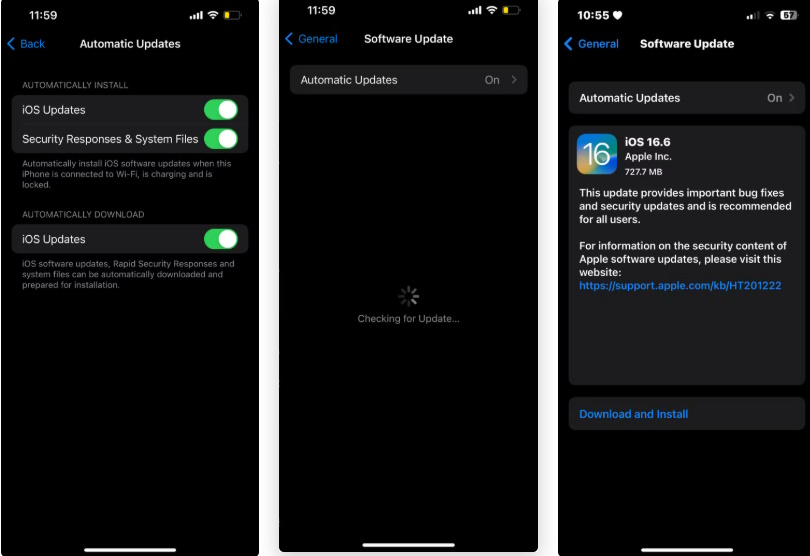
Problems can occur, whether with your phone's operating system or its applications. An application might be running in the background more often than necessary, or there might be faulty operating system processes.
Regularly restarting your phone is a preventative measure against these problems. If you can't do it regularly, at least restart it a few times a month to resolve any minor issues.
While this is common advice, installing updates is also very important. Sometimes developers release updates that drain the battery more than necessary, and then they release a patch to fix it.
On Android, it's also possible your phone could be infected with malware, but this is unlikely unless you've installed apps from unknown sources. If you've ruled out all other possibilities, check your list of installed apps and delete any that you don't recognize or no longer use.
Old battery
Finally, your battery may no longer be as good as when it was new. When the battery level reaches 80%, it is considered 'expired' and needs to be replaced. This means that when your phone shows a 100% battery, it only holds the same amount of power as when the battery was at 80% when you first bought it.
If you've considered all other causes and still can't find the problem, check your phone's battery health in Settings > Battery. If the battery is at 80% or lower, and you don't plan on buying a new phone, then investing in a battery replacement is necessary.
Related Articles
 Turn Off These 8 Samsung Settings to Stop Your Phone from Draining8 minutes read
 How to Fix iOS 17 Battery Drain Error: Step-by-Step Guide6 minutes read
 How to Enable Battery Drain Notification on Xiaomi, Redmi and POCO2 minutes read
 Fix Battery Drain on iPhone When Updating to iOS 11.37 minutes read
 iOS 14.5 Battery Drain, Overheat, How to Fix It?8 minutes read
 iPhone 13 Battery Drain, 6 Ways to Fix iPhone 13 Battery Drain10 minutes read
Reader Comments 0
Sign in with email or Google to join the discussion.