Table of Contents
This guide explains the DPI of the Mouse, why it matters, how it works, and how to evaluate or use it in practical situations.
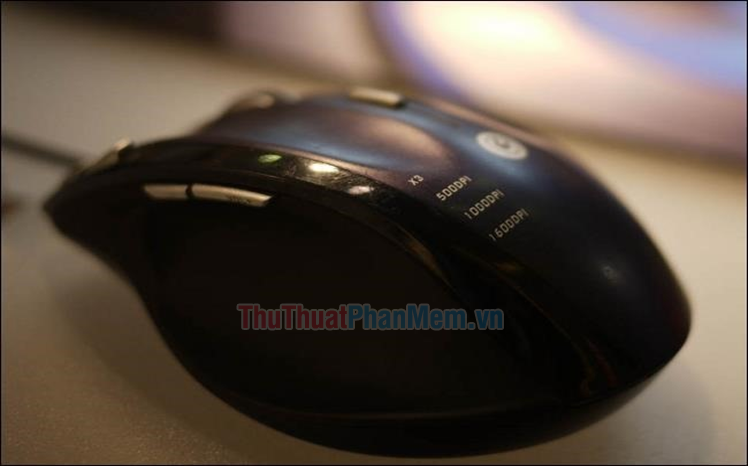
What is the DPI of the mouse?
DPI stands for "Dot per inch". It can range from 800 up to 4000. If you buy a mouse with DPI 1600, when you move it 1 inch, it will move 1600 pixels on the screen. In a nutshell, DPI ratio refers to the number of pixels that a mouse will move on the screen when you physically move an inch.
If you are looking for a mouse with high sensitivity, you should choose higher DPI. That means that even if you just move the mouse slightly, the cursor can still run from the beginning to the bottom of the screen, which is a clear advantage. It will reduce your reaction time and ensure that you do not have to move the mouse too much.
At this point, the question among many gamers is how DPI can affect their gaming performance. Let's analyze in the following sections.
How does the DPI of the mouse affect gaming?
In the world of games, reaction time affects a lot of problems. If the DPI is low, you will have to move the mouse more to move the cursor to a specific position on the screen. That is why your response time will be high. In that case, the opponent will naturally have an advantage over you.
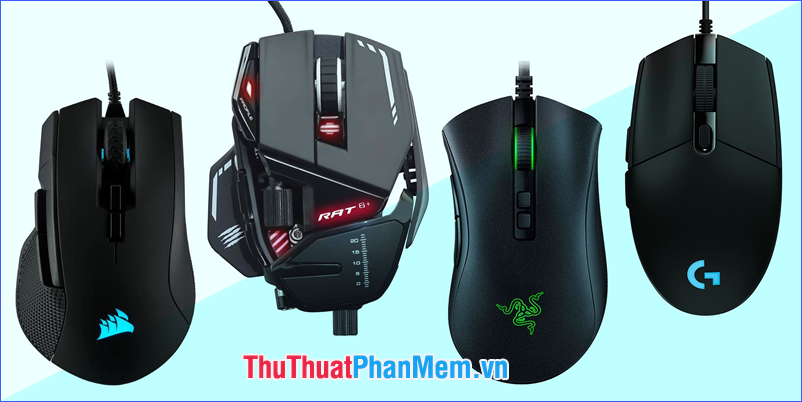
Some gaming mice
On the other hand, if you buy a mouse with a higher DPI ratio, though it will take some time to get used to, but once you've mastered it, you will be able to move it quickly on the screen. As a result, your reaction time will decrease, so that you gradually improve your gaming skills and speed. In first-person shooters and MMORPGs, the mouse's DPI can be a deciding factor for your winning or losing results.
Is DPI important in a normal mouse?
If you only use the mouse for everyday everyday applications, DPI probably won't matter much. In most of these applications, if your response time is increased by just a few milliseconds, the overall performance is not significantly reduced. Therefore, you can buy any mouse you want without having to care about DPI. However, if you are used to a sensitive mouse, you should always choose the ones with high DPI. It will minimize the amount of physical movement needed but can still move the cursor across the screen quite quickly.
In general, if you have a large screen, it is best to buy a mouse with a high DPI. You will not have to move your hands so much no matter how wide the screen is. As a result, using the computer will be easier.
Is it possible to change the DPI setting of the mouse?
The answer is yes. Gaming mice, as well as high-end mice, let you change the DPI. Usually, they all have a small button below the scroll wheel, labeled "DPI" or a game-related icon. The most common DPI settings for a computer mouse are 800, 1200, 1600 and 2000. When you press the DPI button once, it automatically switches the DPI setting to the next level.
In addition, if you buy a high-end gaming mouse, it may support many other DPI options. You should consider the information about it before buying to choose yourself a mouse that best suits.

Change the DPI of the Logitech mouse in Logitech Gaming Software
At this point, you have been able to answer the mouse DPI question, right? If you own a mouse with multiple DPI levels, try switching between them to choose the best DPI level for you. And if you are a gamer looking for a "mouse assistant", of course, need to care about the mouse with high DPI. It will help you minimize physical movement while improving efficiency significantly. In general, DPI is an important metric to consider when choosing to buy a computer mouse.
Hopefully the information just shared above will help you!
FAQ
What should I know about the DPI of the Mouse?
Focus on the key features, requirements, limitations, and practical use cases explained in this guide.
How do I get the best results with the DPI of the Mouse?
Follow the recommended steps, use current software or information, confirm compatibility, and review settings before major changes.
Are there any risks or limitations?
Potential limitations depend on compatibility, data quality, cost, privacy, support, and how the product or method is used.
Related Articles
 8 Things to Know When Buying a Computer Mouse12 minutes read
 How to Fix Mouse Lag in Windows 11/107 minutes read
 Top Best Wireless Mouse 2024: Complete Guide9 minutes read
 The Best Mouse Models Are Worth Owning in 201917 minutes read
 7 Best RGB Mouse Pads6 minutes read
 Mouse 10 Trouble: Windows 10 Mouse Problems and Workarounds10 minutes read
Reader Comments 0
Sign in with email or Google to join the discussion.