Table of Contents
Overview
This guide explains ghost win in clear, practical terms. It covers the key concepts, recommended steps, common limitations, and useful checks so you can make a better-informed decision.
Whenever a computer or laptop has an error, we are often advised to reinstall the computer or ghost Windows. So what is ghost Windows? Is it like reinstalling Windows? Let's explore in This guide!
What Is Ghost win?
Ghost win is the concept of extracting an operating system, copying software data, and the contents of a computer's hard drive from a compressed file of files commonly known as an image. In another sense, the concept of ghost win can also originate from the use of Norton Ghost software to partition the hard drive.
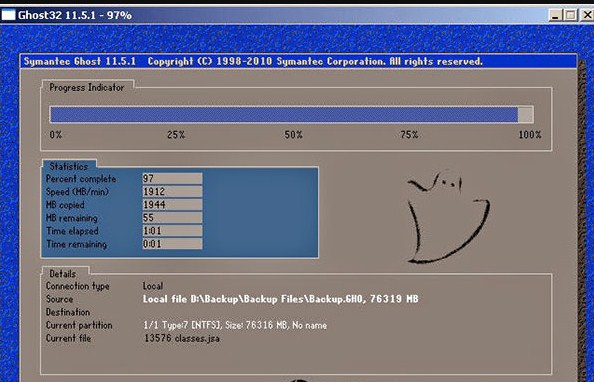
For computer technicians, ghosting Windows will help save many time reinstalling the computer. Normal ghost Windows versions will include all the drivers for the computer and necessary software. Therefore, a few years ago, the concept of ghost Windows became popular with most computer users.
What Is the difference between Ghost Win and installing Windows?
As mentioned above, a complete ghost win will clone all settings, software or data saved on the hard drive. Therefore, ghost win can help you quickly return the computer to a complete installation state, ready to use as quickly as possible.
Instead, if we install Windows in the usual way, we only reset the data about the operating system and default software. For example, with normal working computers and laptops, we will have to start downloading and reinstalling software such as Unikey, Winrar, Microsoft Office,.
Pros and Cons of Using Ghost
Advantages of ghosting Windows
Ghost win brings speed and convenience every time you need to reinstall your computer. Normally, extracting a ghost file is quite fast, it only takes about 15-20 minutes for a complete ghost version instead of having to reinstall for hours compared to installing win.
Ghost versions, if integrated with all-in-one driver or full software, when released, you will not need to install anything else but can start working and use immediately.
Disadvantages of ghost
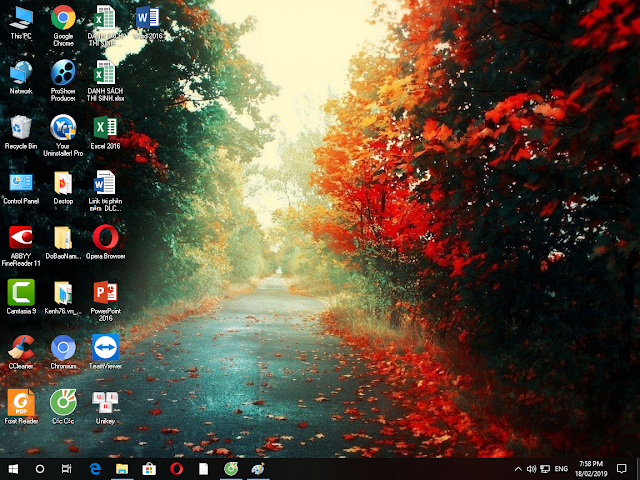
Most of the ghost versions shared online have been edited, added and removed many data, personalized according to the author's preferences.
There is a risk of minor errors. The author added or removed a few elements on the ghost version that may be compatible with their device. But when used on your configuration, if it is not compatible, it will cause the device to slow down, have problems, and operate sluggishly.
Easily infected with viruses and spyware if you download ghost versions from unreliable sources.
Key Takeaways
Use the guidance above as a practical reference for ghost win. Check compatibility, follow the steps carefully, and verify important details with official documentation when software, security, accounts, health, or purchases are involved.
FAQ
What is ghost win used for?
Ghost win is used for the purposes described in this guide. Its practical value depends on your goals, device, workflow, and required features.
What are the main benefits and limitations of ghost win?
The benefits may include convenience, performance, or greater control, while limitations can involve cost, compatibility, complexity, or security.
How do I decide whether ghost win is right for me?
Compare its requirements, limitations, cost, compatibility, and real-world value with your own priorities before making a decision.
Related Articles
 How Ghost Windows 7/8, Windows 10 with Onekey Ghost5 minutes read
 The Secret to the New Ghost at Work: Work Relations5 minutes read
 What Is Ghost Win? the Way Ghost Win 10 Is Simple and Fast5 minutes read
 Instructions on How to Ghost Windows 7 Using USB6 minutes read
 Ghost Win from HDD to SSD with Onekey Ghost - How to Do and5 minutes read
 Backup and Ghost Reinstall Win with Norton Ghost from HDD10 minutes read
Reader Comments 0
Sign in with email or Google to join the discussion.