Table of Contents
Figma Design is a collaborative interface design tool for creating screens, reusable components, and clickable prototypes. It runs in a browser and has desktop apps. Designers, reviewers, and developers can work from the same file, with access controlled by sharing permissions.

What teams use Figma for
- Wireframes: Lay out screens and agree on a flow before investing time in visual details.
- Interface design: Define type, color, and spacing, then reuse components such as buttons and navigation.
- Prototypes: Connect screens so a reviewer can try a task, such as adding an item to a cart.
- Review and handoff: Leave comments on specific layers and share specs, interaction notes, and exportable assets.
Use FigJam, Figma’s separate whiteboard tool, for notes, process maps, and early workshops. Bring the agreed flow into a design file when it is time to build the screens.
Build and share a small prototype
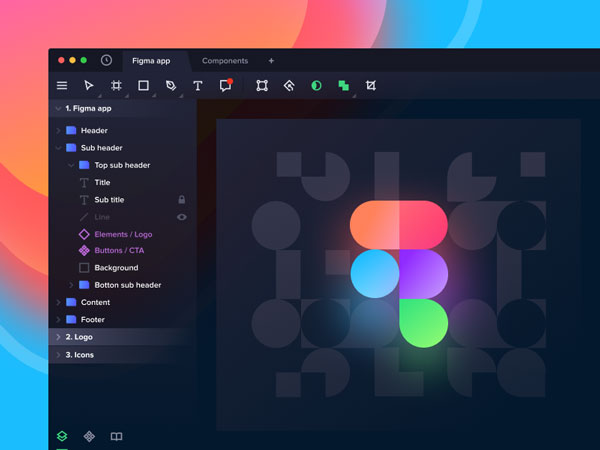
- Open Figma and create a design file. Add frames for the starting screen and the next step.
- Use Auto Layout in areas that should adapt to longer text or different amounts of content. Turn a repeated control into a component so you can maintain related instances together.
- In the Prototype tab, link a button to the destination frame. Present the prototype and try the complete flow yourself.
- Invite a reviewer with the least access they need. Ask them to finish a specific task, then use pinned comments to capture where they got stuck.
For practice, see the comparison of Figma courses and shortcuts for frames and prototypes.
How developers inspect and export a design
Open the design link and select a layer to inspect its size, spacing, type, and styles. Dev Mode adds handoff features where the plan, seat, and file permissions allow it. If it’s unavailable, use the inspection options in Design Mode. See Figma’s inspection guide for what each access level can see.
Export icons as SVG when they need to scale, images as PNG or JPG according to file requirements, and static layouts as PDF when a reviewer needs a printable copy. Use generated code hints as references for styles. Implement responsive behavior, semantics, and accessibility in the actual app, then test them there.







Reader Comments 0
Sign in with email or Google to join the discussion.