Table of Contents
The standard way to earn free PokéCoins in Pokémon GO is to leave a Pokémon at a Gym controlled by your team and receive the Defender Bonus when that Pokémon returns. You can also buy PokéCoins through official purchase options. Spinning PokéStops does not award PokéCoins.
The old 21-hour collection button, 10-coins-per-Gym payout and Stardust Defender Bonus described in earlier versions of this guide belong to a retired Gym system.
Earn free PokéCoins with the Defender Bonus
- Reach a Gym controlled by your team that has an available defender slot.
- Open the Gym and add an eligible Pokémon.
- Allow the Pokémon to defend the Gym.
- Wait for a rival team to defeat it and return it to your collection.
- Check the return notification or Today view for the PokéCoins earned.
The amount depends on how long the Pokémon defended, up to the applicable daily limit. You do not collect the coins manually while the Pokémon remains in the Gym.

Understand the daily PokéCoin limit
The current official help information lists a daily maximum of 50 free PokéCoins from defending Gyms. That is an account-wide daily limit, not a separate allowance for every Pokémon or Gym. The game notes that the maximum can change, so check the Today view and official help if the displayed limit differs.
- If several defenders return on the same day, their combined reward cannot exceed that day's limit.
- A Pokémon that spends multiple days in one Gym still cannot bring back more than the limit on the day it returns.
- Time spent defending after enough time has accrued for the daily maximum does not bank extra coins for later days.
- If no rival removes your Pokémon, it remains at the Gym and you receive no coins yet.

Can you recall a Gym defender?
Pokémon GO does not normally provide a button to recall your own defender. It returns after its motivation reaches zero and it loses the necessary battle. Because the return time depends on other Trainers, earning the daily maximum is not guaranteed.
You can feed Berries to defenders at a friendly Gym to restore motivation. This can help maintain control, but it may also delay your own Pokémon's return. Choose based on whether the team needs the Gym defended or you are waiting for a coin payout.
PokéStops give items, not PokéCoins
Spinning a PokéStop or Gym Photo Disc can award items such as Poké Balls, Potions and Eggs. It does not normally place PokéCoins in your balance. The older images below show a PokéStop interface, but the claim that it could randomly award coins was incorrect.


Buying PokéCoins safely
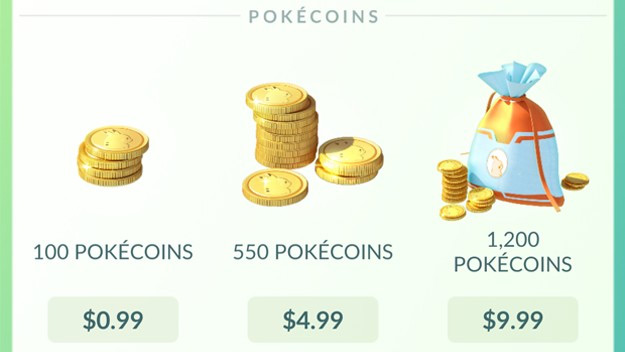
PokéCoins can be purchased through official Pokémon GO purchase channels available for your device and region. Prices, bundles, taxes and payment methods can vary. Confirm the account and total before approving a transaction, and use the device's purchase controls to prevent accidental or unauthorized spending.
Avoid websites, apps or messages that promise coin generators, discounted transfers or account logins in exchange for free currency. PokéCoins are not obtained by sharing a password or verification code.
Why a Defender Bonus may be missing
- The Pokémon is still defending: coins arrive only after it returns.
- The daily limit was already reached: another return that day may have used the allowance.
- The stay was brief: a short defense may produce few or no coins.
- The notification was missed: check the Today view and in-game notifications.
- The game has not refreshed: verify the connection and reopen the app before contacting support.
A practical Gym strategy
Add defenders only at Gyms you can reach safely and legitimately. Use a Pokémon you will not need immediately, because it may remain unavailable for an unpredictable period. Rather than trying to hold a large number of Gyms, aim for consistent participation and remember that all returns share the same daily cap.
Related Articles
 What Is Bitcoin? Is It Possible to Earn Bitcoin Yourself?7 minutes read
 Tips to Play Earn to Die 2 Gamers Need to Know4 minutes read
 How to Receive Energy Animals & Coins, Receive Energy Animals & Coins: Complete8 minutes read
 How to Earn More Money and LP in the Sims FreePlay: Complete Guide17 minutes read
 How to Fix Value Error in Excel Quickly, 100% Effectively6 minutes read
 Learn About Pokémon Buddy in Pokemon GO - Walk Your Pet and Earn19 minutes read
Reader Comments 0
Sign in with email or Google to join the discussion.