Table of Contents
This guide provides a clearer, better-organized overview of Truecaller Allows the Use of Voice-cloning AI to Answer. It focuses on the essential facts, practical steps, and common questions readers are most likely to have.
Overview
However, this new feature also causes certain concerns.
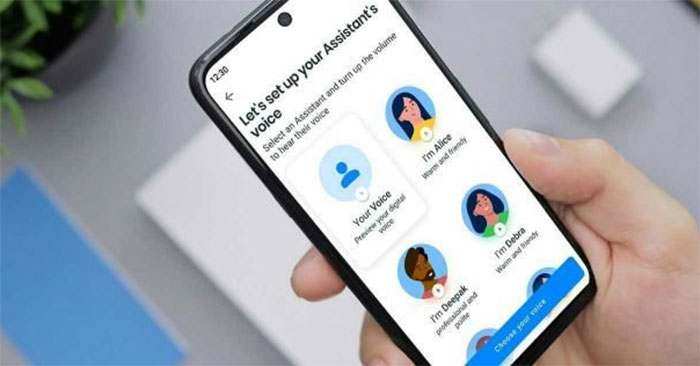
Truecaller and Microsoft have worked together to bring Azure AI Speech's Personal Voice technology to Truecaller to allow users of the app to create artificial versions of their get voices. Thanks to this, the AI assistant on Truecaller uses an artificial version of its owner's voice to answer calls and ask questions to the person on the other end of the phone.
AI Assistant on Truecaller is limited to paid plans, and is currently only available in select countries, including the US, Canada, Australia, South Africa, India, Switzerland, and Chile.
Users will have to access the AI assistant from the app and accept the corresponding terms and conditions to create an artificial voice version of themselves. Next, the user will have to record a statement of consent and read a small piece of text so that Microsoft technology creates an artificial version of the user's voice.
Once done, the AI assistant will answer and interact with the caller without disturbing its owner. If the caller requests to talk to the real owner, Truecaller will notify the user to consider whether to answer the call or not.
Although this new feature is interesting, it also raises concerns about the potential for abuse of voice cloning technology in the context that more and more scammers are using AI to imitate the voices of acquaintances to defraud people of their money. everybody.
FAQ
What is the main point of Truecaller Allows the Use of Voice-cloning AI to Answer?
However, this new feature also causes certain concerns.
Why might the details change over time?
Software versions, prices, policies, services, and product availability can change. Check the official source before making a purchase or changing important settings.
How can I use this information safely?
Follow official instructions, verify downloads and claims, back up important data, and avoid sharing passwords or sensitive account information.
Related Articles
 How to Filter and Block Spam Calls on iPhone5 minutes read
 How to Activate Truecaller on iPhone4 minutes read
 Grok Will Have a Voice Copying Feature: Explained3 minutes read
 OmniVoice Studio: an Open-Source AI Voice Solution Worth Trying9 minutes read
 Top 5 Apps That Help You Block Spam Calls on Android6 minutes read
 How to Enable Auto-answer Calls on iOS 115 minutes read
Reader Comments 0
Sign in with email or Google to join the discussion.