Table of Contents
Wi-Fi hotspot apps do not crack protected networks. They help you locate open hotspots or networks whose owners and users have chosen to share access. Three practical options are WiFi Master, WiFi Chùa, and Instabridge, but availability varies by platform and region.

What these apps can and cannot do
A legitimate hotspot finder uses a community database, public access-point directory, or information already saved on your device. It cannot lawfully bypass a router's encryption or reveal a private password that was never shared. Avoid any app that promises to “hack any Wi-Fi,” requests root access without a clear reason, or asks you to install an APK from an unknown site.
1. WiFi Master
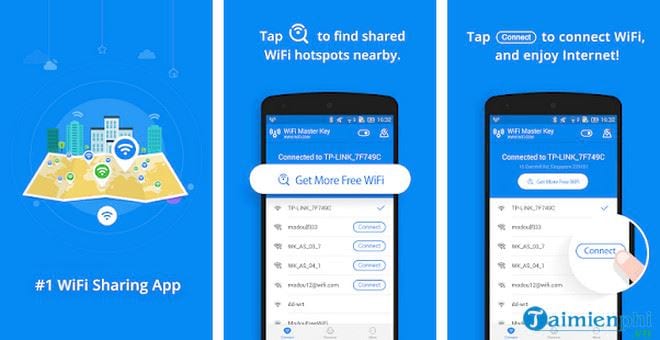
WiFi Master finds nearby open and community-shared hotspots. Its current store listings say that shared passwords remain hidden in the app rather than being displayed to the person connecting. This makes it a hotspot-sharing service, not a password-cracking tool.
- Best for: travelers who want a large international hotspot directory.
- Platforms: Android and iPhone.
- Check before installing: confirm the developer and app name on the official store page because several unrelated apps use similar names.
Use the current listing for WiFi Master on Google Play or WiFi Master on the App Store.
2. WiFi Chùa
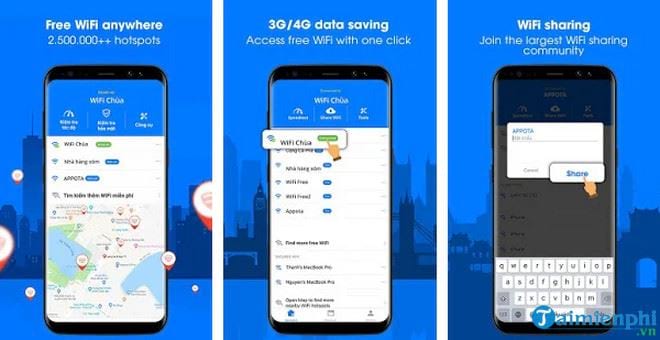
WiFi Chùa focuses on hotspots shared by its community, particularly in Vietnam. You can search nearby locations and attempt to connect using credentials contributed by users. A listing does not guarantee that a hotspot still exists or that its owner still permits public access, so respect signs and access rules at the location.
- Best for: finding community-listed hotspots in Vietnam.
- Platform verified: iPhone and iPad through the App Store; Android availability may differ by country or change over time.
- Privacy consideration: location permission is central to nearby search, so choose “While Using the App” if the operating system offers that option.
The current iOS listing is available on the Apple App Store.
3. Instabridge
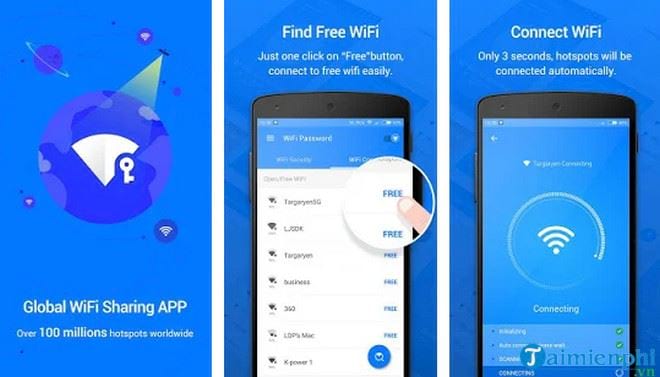
Instabridge provides a hotspot map and community connection information. It is a clearer current alternative to the many generic “WiFi Password” apps whose names, publishers, and features are difficult to distinguish.
- Best for: browsing a map before traveling and finding community-reported access points.
- Platforms: Android and iPhone.
- Useful check: review when a hotspot entry was last updated before relying on it.
Install it from the official Instabridge Google Play listing or search for the same developer in Apple's App Store.
How to choose a trustworthy hotspot app
- Download from Google Play or the App Store, not from an unsolicited APK link.
- Read the privacy label and recent reviews, then check whether permissions match the feature you intend to use.
- Do not upload a home, workplace, or other private Wi-Fi password without the network owner's explicit permission.
- Delete stale hotspot entries you previously contributed if access is no longer meant to be shared.
- Prefer an app with a clearly identified publisher, support page, and recent maintenance history.
Stay safer on public Wi-Fi
A hotspot appearing in a community app does not make the network trustworthy. Confirm the network name with venue staff, disable automatic connection, and avoid entering sensitive information on unfamiliar networks. Use sites protected by HTTPS, keep the phone updated, and turn off file sharing or nearby-device discovery.
A VPN can reduce exposure on an untrusted local network, but it does not make a fake website or malicious download safe. TipsMake also explains how encrypted DNS protects web traffic and how to protect your own Wi-Fi from unauthorized access.
If a hotspot requires payment or approval, ask the owner instead of trying to bypass it. The safe purpose of these apps is discovery and consent-based sharing—not unauthorized access.
Related Articles
 What Is Department of Mobile Wi-Fi?4 minutes read
 5 Best Logo Design Apps on Mobile Phones6 minutes read
 10 Principles of UI/UX Design for Mobile Apps9 minutes read
 The Best Free Wi-Fi Find Apps for Android6 minutes read
 How to Activate Wi-Fi Calling on Android Phones?5 minutes read
 Top 6 Best 3G // 4G Mobile Wi-Fi Transmitters9 minutes read
Reader Comments 0
Sign in with email or Google to join the discussion.