Table of Contents
This guide compares 5 leading Computer Monitoring Software for Parents Who Want to Manage Their, focusing on useful features, compatibility, ease of use, and overall value.

1. Norton Family software
Homepage: https://family. norton. com/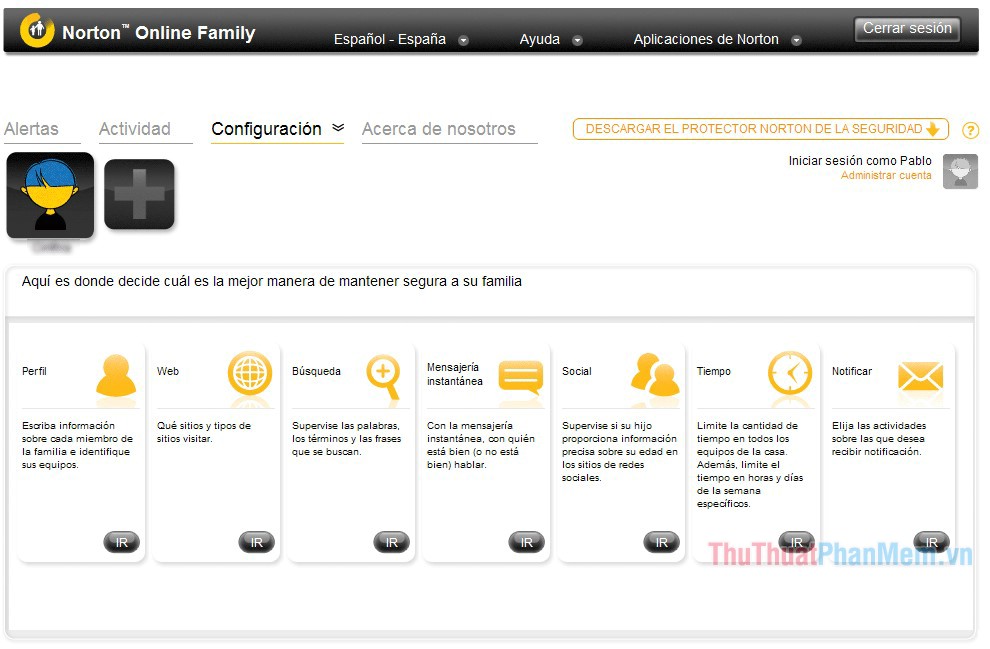
Norton Family is a computer monitoring software as well as a home internet system that supports a lot of useful features. Parents can schedule their children to use computers, prevent them from accessing websites in categories such as pornography, pornography, shopping, or social networks. In addition, it is possible to set up blocking specific websites by following the link. With Norton Family, you can view the websites your child has visited and their web search activity. Whenever your child tries to access blocked websites, Norton Family will send you an alert via email. Norton Family's detailed reports are available online, so you can access them for inspection anywhere.
2. Qustodio software
Homepage: https://www. qustodio. com

This is a very good computer control software for parents to protect children from bad information from the Internet. Qustodio has different versions for all operating systems, from Windows to MacOS, Android, iOS, Kindle and Nook versions. With the free version, Qustodio allows parents to set rules and schedule Internet usage, while also blocking access to pornographic websites and sites with malicious content. If you upgrade to the full version, for a fee, Qustodio will provide additional features to monitor SMS, track activity on social networks and control other applications available on the device. However, if you are not eligible to pay, just the free version is quite enough for the supervision needs of parents with their children in the home.
3. OpenDNS Family Shield
Homepage: https://www. opendns. com/home-internet-security/

Compared to other software, OpenDNS Family Shield works differently. OpenDNS Family Shield is not a software but a DNS service, OpenDNS Family Shield aims to control both your family's Wi-Fi and Lan networks at the router level. Based on the domain names (domain) that OpenDNS records contain bad information, pornography, lack of aesthetics etc. This OpenDNS will automatically prevent access to those websites. Because it is capable of blocking right from the router, right after installation, all devices are used in your home network will be filtered out bad sites.
4. Software KuruPira WebFilter
Homepage: http://kurupira. net/en/

KuruPira WebFilter is also a good computer monitoring software on the market, it has all the baby monitoring features you need. With KuruPira WebFilter you can block access to bad websites, set the time your children are allowed to access the internet. In particular, KuruPira WebFilter can limit the young software used, capture images on the screen. Not only does it support many utility features, KuruPira WebFilter is also very easy to use.
5. FortiClient software
Homepage: https://forticlient. com/
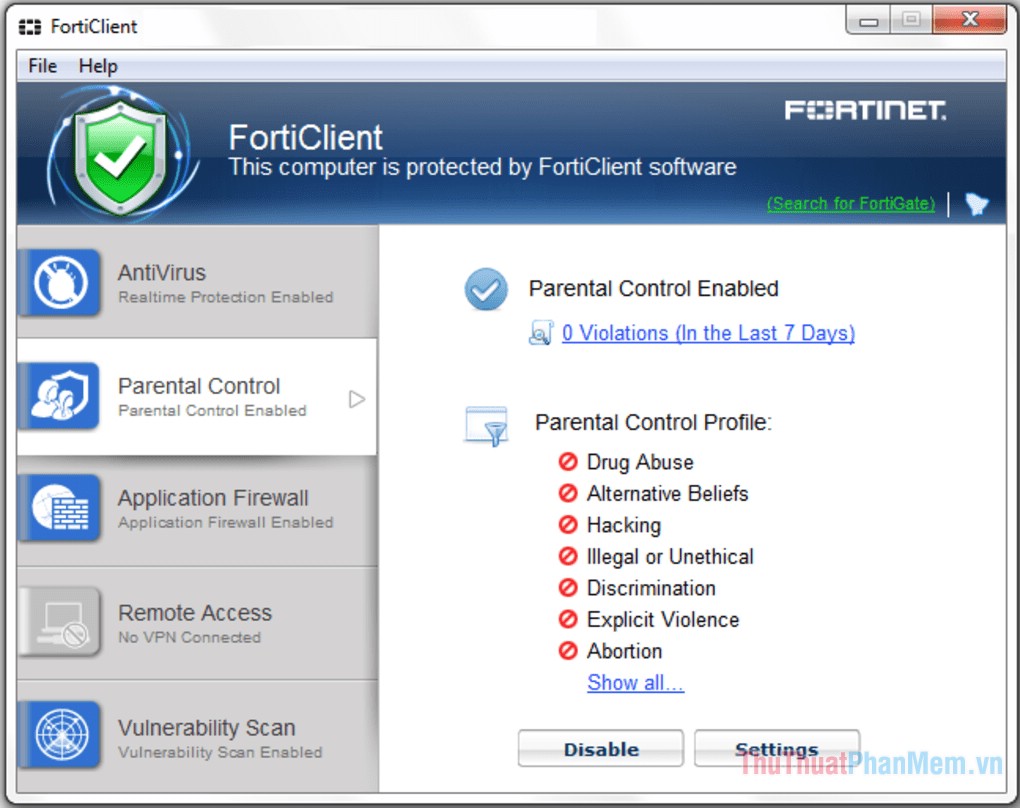
FortiClient helps parents to easily monitor children's computer usage. The Parental Control function of FortiClient helps you block access to websites by category or to block specific URLs. If your child tries to access blocked websites, the software will record it for you to check later. FortiClient also lets you prevent children from opening program groups on your computer, such as instant messaging applications, or blocking individual applications, such as Skype, Yahoo!.
Above TipsMake. com introduced to you 5 best computer control tools today. Hopefully through this article, parents will choose for themselves an appropriate tool to monitor their children's computer use.
FAQ
How should I choose among Computer Monitoring Software for Parents Who Want to Manage Their?
Compare compatibility, essential features, ease of use, security, support, and total cost rather than choosing only by popularity.
Are free options suitable for everyday use?
Free tools can be sufficient for basic needs, but advanced features, commercial use, or priority support may require a paid plan.
What should I check before installing or using one?
Verify the official source, system requirements, recent updates, privacy practices, and support for your device and file types.
Related Articles
 5 Best Best Computer Monitoring and Monitoring Software 20206 minutes read
 AI and Children: What Should Parents Do to Help Children Use AI Without6 minutes read
 Things Parents Should Not Do for Their Children4 minutes read
 The Mouthful Statements of Parents Accidentally Depress the Child6 minutes read
 The Danger When Saying 'be Careful' to Young Children That Parents9 minutes read
 Scientifically Proven: the More Time You Spend with Your Parents4 minutes read
Reader Comments 0
Sign in with email or Google to join the discussion.