Table of Contents
Explore free apps to help avoid the most popular summer sunshine on and learn what each option does well. The article focuses on practical details that can help you make a more informed decision.
You can completely avoid such a situation.
There are actually a number of smartphone apps that can track time in your sunshine, notice when you need to apply sunscreen and give suggestions when you should go in (or at least stay under the tree for a time) so that the skin does not burn.
1. SunZapp
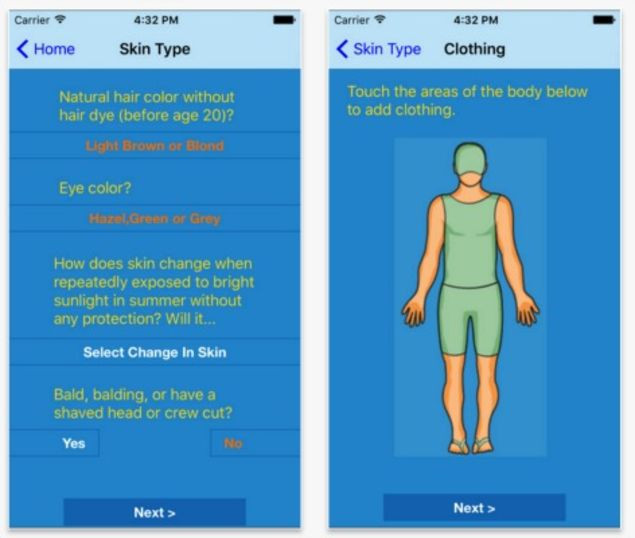
IOS / Android
SunZapp was developed by a group of scientists with the support of the National Cancer Institute. The app uses hourly data from the National Oceanic and Atmospheric Administration to provide real-time sun protection advice based on your location. The app has an integrated timer to let you know when to avoid the sun and use sunscreen. The Pro version of the app can help you plan your trip five days in advance.
2. Lancaster Sun Timer
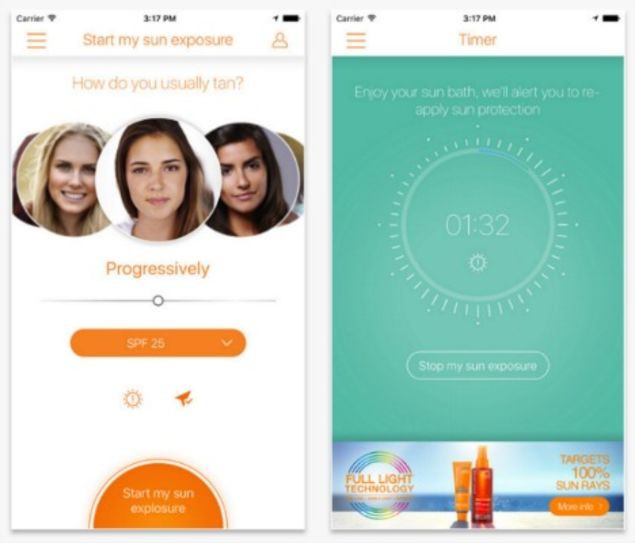
IOS / Android
This app of Lancaster Beauty is designed for those who prefer to own a brown skin while they are exposed to the sun. If you are, you should start by choosing a skin tone that is close to your skin, choosing how to sunbathe and SPF in the sunscreen you are using. When lying on the pool chair, press the start button. the app will then tell you the time (based on your location) that may be outside and will send you a notice to apply more sunscreen or go inside.
3. Wolfram Alpha Sun Exposure
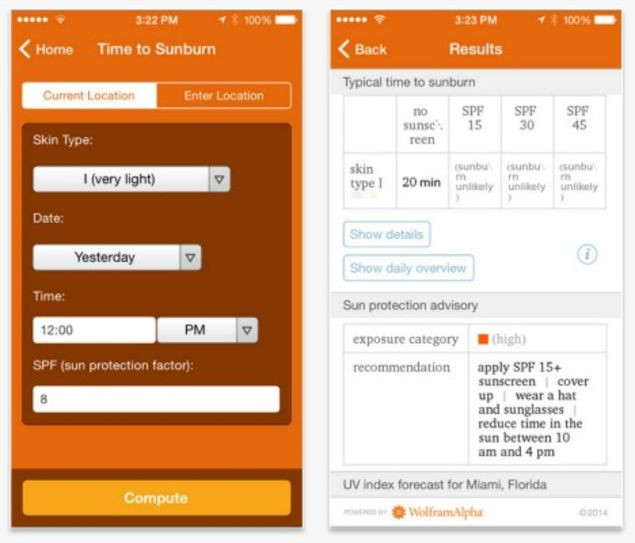
IOS
If you are planning to go to the beach by car this weekend, Wolfram's Sun Exposure App can be a gift from the beach gods ordered to bring you. the app has a 5-day weather forecast so you can plan your travel time with the least chance of being sunburned. In addition, the app can predict the time you 'stay safe' under the sun based on facilities such as skin color and the SPF index you are using.
FAQ
How were the free apps to help avoid the most popular summer sunshine on options selected?
The options are compared by usefulness, ease of use, core features, and their fit for the situations described in the article.
Which option is best for beginners?
Choose the option with the simplest setup, clear documentation, and the features you actually need. A more advanced option is not always the better starting point.
What should I check before choosing?
Check compatibility, current availability, pricing or licensing, privacy requirements, and whether the product still receives updates and support.
Related Articles
 Why Go to the Sun on Everyone Will Be Dizzy3 minutes read
 4 Apps Taking Pictures on Smartphones Are Popular with Young7 minutes read
 Listed Gambling Apps: Complete Guide8 minutes read
 Extremely Funny Sunshine Effects of Netizens6 minutes read
 Soup for Cooling, Cool Soup, Delicious Soup for Summer6 minutes read
 Distinguish Hot Sun Concepts9 minutes read
Reader Comments 0
Sign in with email or Google to join the discussion.