Table of Contents
This guide provides a clear overview of lenovo, including the main concepts, practical steps, and common questions. Use it to understand the topic, compare the available options, and make a more informed decision.
Lenovo recently officially announced the first two ThinkPad models of the Z series, that is Z13 with a 13-inch screen and Z16 with a 16-inch screen. Compared to previous generations of ThinkPads, the Z13 and Z16 are considered to have made a drastic change in terms of design, when Lenovo has brought to this line the modern details that previous ThinkPad lines lacked. absent.
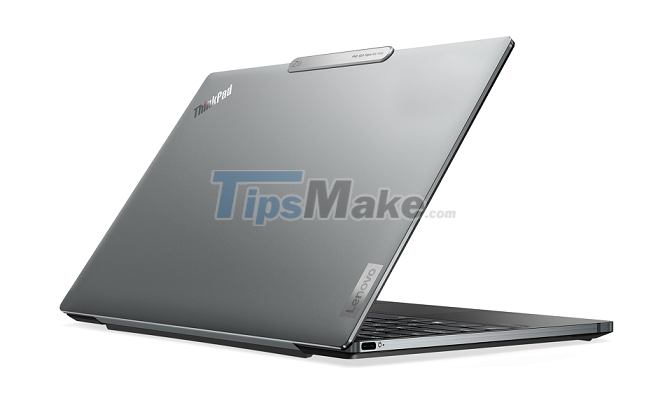
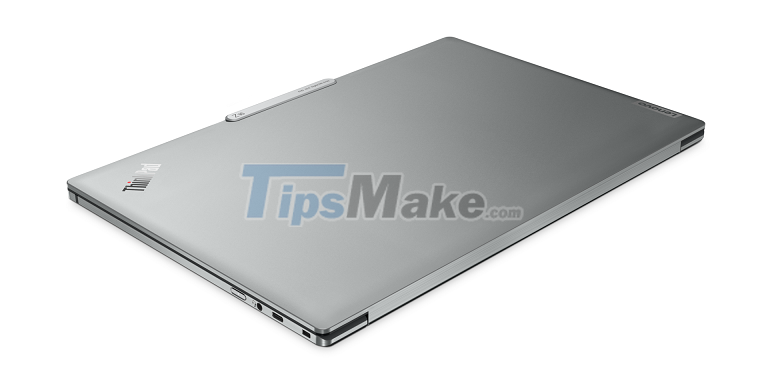
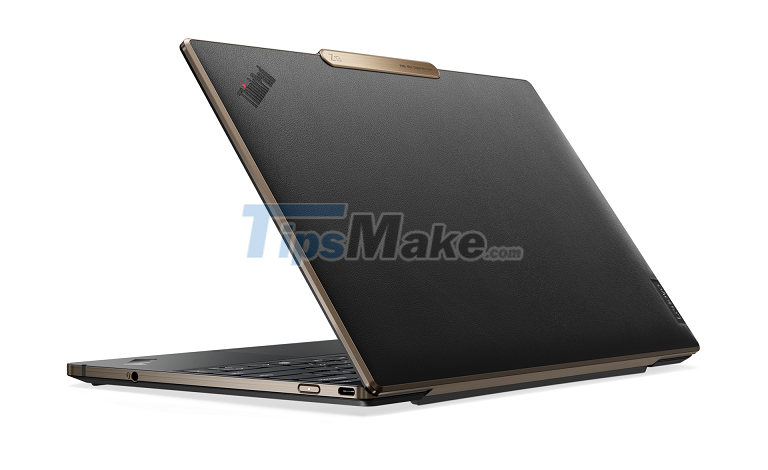
The ThinkPad Z13 and Z16 are both made of aluminum. Particularly, the ThinkPad Z13 has an additional version with the lid covered with an extra layer of leather and a yellow border, which looks very "luxurious" and is in stark contrast to the "stumbling" of previous ThinkPads. The ThinkPad Z13 has a weight of 1.25Kg and a thickness of 14mm, while the Z16 is 1.97Kg and 15.8mm.
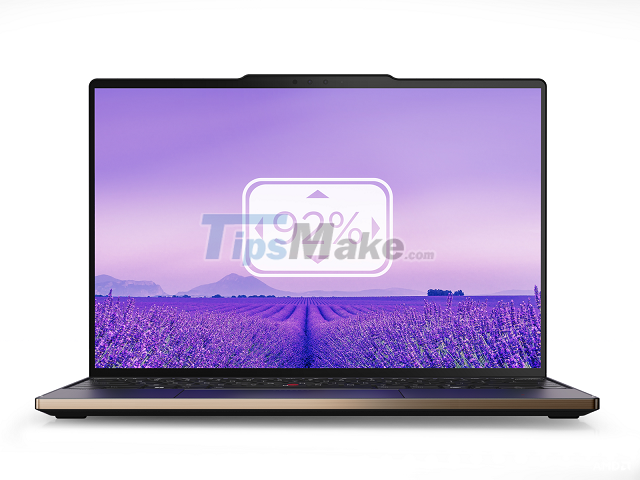
Both ThinkPad models also have an "inverted notch", which is used to house the webcam and has been applied by Lenovo on a few YOGA models before. The reason the ThinkPad Z13 and Z16 have such a design is because they both have very thin bezel screens, which according to Lenovo account for 92% of the body. In addition to size, users have many options for resolution (Full HD/4K) or technology (LCD/OLED) of the screen.
Lenovo also tweaked the detail that many people love most in ThinkPad models, which is the keyboard. Due to its thin and light design, the key travel of the keyboard is also shorter, reaching 1.35mm and equivalent to the X1 Nano model. However, Lenovo also removed the PageUp / PageDown button, collapsed the up / down arrow button and swapped the Ctrl and Fn keys.
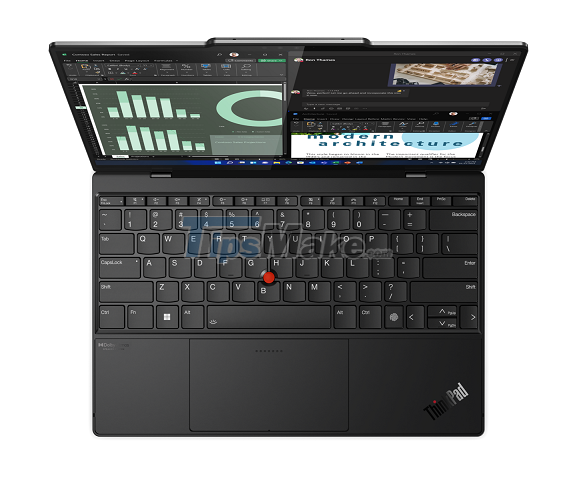
The touchpad of the ThinkPad Z13 and Z16 is completely different from the previous generation. Lenovo has given this model a "Haptic Forcepad" force-sensitive trackpad. Working similar to the MacBook's Force Touch trackpad, it will use a vibrating motor to create the feeling of the user pressing a real button.
The familiar red "trackpoint" of the ThinkPad is still present, but the two buttons below have been removed. This is a design that has been applied on some models such as the T440, but then received negative feedback from users and forced Lenovo to change it back in later models. It's not clear with the ThinkPad Z, how things will turn out.
Not only looks, but the configuration of Z13 and Z16 also has its own characteristics. For the first time, a high-end ThinkPad model will not have an Intel version but only an AMD chip version. Specifically, the two ThinkPad Z models will have a Ryzen Pro R7z chip designed by AMD specifically for Lenovo. It is based on the Ryzen 6000 series, which was also just announced by AMD at CES.
Finally, Lenovo has cut down on most of the ports of both machines. The ThinkPad Z13 has only 2 USB-C 4.0 ports, while the Z16 has 1 more USB-C 4.0 port and an SD card slot. In return, the device will have the option to connect to the 4G network.
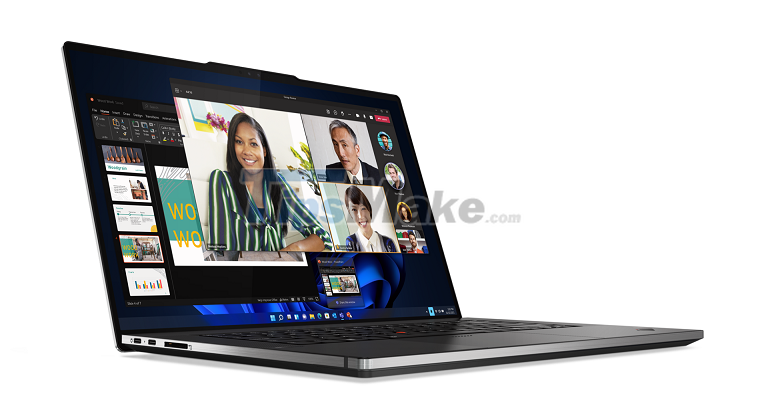
The ThinkPad Z13 and Z16 start at $1549 and $2099 and will officially go on sale from May 2022.
Conclusion
Understanding Lenovo makes it easier to compare options, avoid common mistakes, and apply the information in this guide more effectively. Review the relevant requirements before making changes or choosing a solution.
FAQ
What is Lenovo?
Lenovo recently officially announced the first two ThinkPad models of the Z series, that is Z13 with a 13-inch screen and Z16 with a 16-inch screen.
Why is Lenovo important?
Understanding Lenovo helps you evaluate features, compatibility, performance, and potential limitations before you choose a product or follow a procedure.
What should you consider when using or choosing Lenovo?
Consider your specific goal, compatibility requirements, available features, cost, security, and the practical recommendations described in this guide.
Related Articles
 Lenovo ThinkPad T431s Launched in April3 minutes read
 The ThinkPad X1 Carbon - Ultrabook 14 Inch Is Surprisingly Light5 minutes read
 Lenovo Launched the ThinkPad W540 15. 5-inch Screen3 minutes read
 Lenovo Launches New ThinkPad X1 Xtreme with 'Super Speed' Mode3 minutes read
 Lenovo Launched the ThinkPad T60 Widescreen4 minutes read
 'Lenovo Thinkpad X230' Box4 minutes read
Reader Comments 0
Sign in with email or Google to join the discussion.