Table of Contents
This guide covers lenovo thinkpad t431s launched in april with practical context and easy-to-follow details. Use it to understand the subject and apply the information confidently.
The T431s is the next generation of the ThinkPad T series (14-inch screen), the second ThinkPad T series after the ThinkPad X1. T431s bring a few features of the X1: weighing 1. 6kg and 2. 1cm thick, with the upper part made of carbon fiber and the lower part made of aluminum. It has a backlit keyboard and has a multitouch touchpad. With its huge size, this touchpad will definitely support Windows 8 gestures very well.
However, the T431s touchpad no longer holds the usual mouse buttons. It uses Core i 3rd generation chip, 14inch screen with 1600x900 pixel resolution and can expand 180 degrees. Notably, the T431s supports 4G / 3G, and RAM can be up to 12GB. Users can optionally use either a 256GB solid-state drive or SATA 1TB hard drive.
The ThinkPad T431s is expected to be sold in April for $ 949 (about VND 20 million).
FAQ
What should I check before following these steps?
Confirm device and software compatibility, save important data, and make sure you have the required permissions, files, and account access.
Why might the process not work?
Common causes include outdated software, missing permissions, incompatible hardware, an unstable connection, or completing a step in the wrong order.
Can I undo the changes if necessary?
That depends on the tool or setting. Use built-in restore options when available, keep a backup, and record the original configuration first.
Related Articles
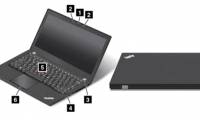 Thinkpad T413s and X230s Leaked on Lenovo Homepage4 minutes read
 Lenovo Launches New ThinkPad X1 Xtreme with 'Super Speed' Mode3 minutes read
 Lenovo Launched 2 Laptops Priced from 21-30 Million VND4 minutes read
 Lenovo Launched the ThinkPad W540 15. 5-inch Screen3 minutes read
 Lenovo Launched the ThinkPad T60 Widescreen4 minutes read
 Lenovo Launched the ThinkPad S531 Ultrabook4 minutes read
Reader Comments 0
Sign in with email or Google to join the discussion.