Table of Contents
Basketball: Rivals uses in-game codes for rewards such as spins and court credits. Enter a code in the experience's Codes panel, then check the redemption message. Code availability changes, so a published list is not a guarantee that every entry still works.
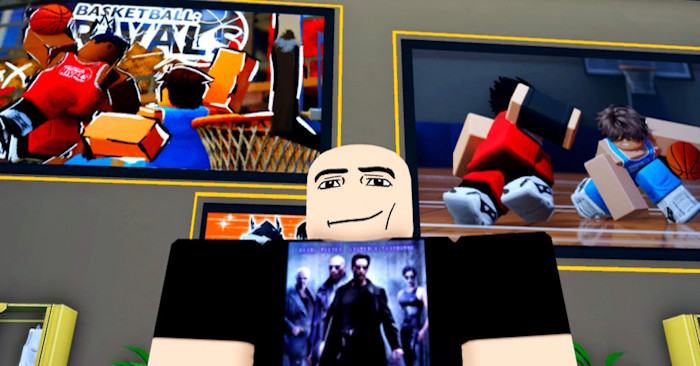
Codes from this guide's earlier list
The following strings appeared in the earlier version of this guide. They have not been verified as currently redeemable; check the developer's announcements and the in-game response before relying on a reward.
| Previously listed code | Current status |
|---|---|
updateday! | Not confirmed in-game. |
400kvisits! | Not confirmed in-game. |
100kvisits! | Not confirmed in-game. |
Use exact spelling, capitalization, and punctuation from a developer announcement. Do not translate a code or insert spaces into it. If an older list displays a phrase such as “200,000 visits!”, find the original announcement rather than treating the translated phrase as a valid code.
How to redeem a code
- Open Basketball: Rivals on Roblox and enter the lobby.
- If the game requires community membership, join the official community linked from that experience, then rejoin if necessary.
- Open the Codes button shown in the lobby interface.
- Paste one code into the text box without extra spaces.
- Choose Redeem and read the result before trying another.
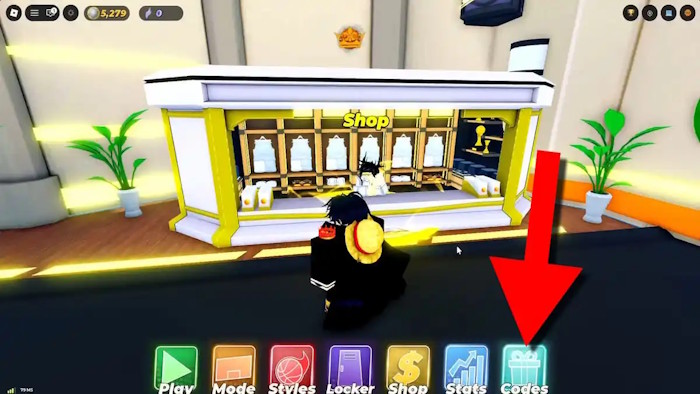
Check the relevant balance or inventory after a success message. In-game experience codes are separate from Roblox gift cards and platform promo codes; do not assume they belong on the gift-card redemption website.
If a code fails
- Invalid: check the exact string and whether it belongs to this specific experience.
- Expired: look for a newer developer announcement; retries will not reactivate it.
- Already redeemed: check whether the account has claimed the reward before.
- Requirement not met: follow the requirement stated in the current game interface.
Find new announcements through the developer links on the Roblox listing. Avoid similarly named games and unofficial pages that ask for your password or promise unlimited Robux. See our online account-security guide for signs of suspicious requests.
Use rewards alongside practice
Spins and credits do not replace learning your playstyle and coordinating with teammates. Read the effects of an unlocked style, practice its timing, and avoid spending all your resources before understanding the choices available.
Related Articles
 Basketball: Zero Giftcode Latest, Constantly Updated and How to5 minutes read
 Summary of the Latest Marvel Rivals Codes4 minutes read
 Latest Kuroku's Basket Showdown Codes and How to Redeem Codes4 minutes read
 Full Giftcode Blue Lock Rivals Roblox Latest and How to Redeem4 minutes read
 How to Redeem Roblox Anime Crusaders Codes and the Latest List of Codes9 minutes read
 3 Most Used Basketball Cylinders in School5 minutes read
Reader Comments 0
Sign in with email or Google to join the discussion.