Table of Contents
Build an Ant Empire is a Roblox colony tycoon: obtain ants, place them in your colony, collect and sell food, then reinvest the money in workers and upgrades. Your first goal is to complete that production loop reliably before spending on optional systems.
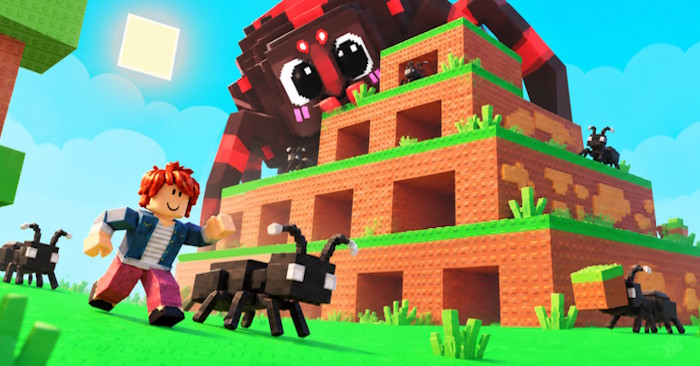
Use the Roblox listing by Insect Kingdom studio to find the experience. If you are new to the platform, see creating a Roblox account.
Complete your first colony loop
- Follow the tutorial and visit the Ant Queen. Read the current offer and its price before buying an ant.
- Place the ant in an available colony slot. Check that it has joined your working colony rather than remaining unplaced.
- Collect the produced food. Follow the prompts at the collection area.
- Sell the food. Use the game's sell station to turn production into money.
- Reinvest. Compare another worker, an open slot, or an upgrade with the cash you have.
Keep enough money for the next ant you plan to buy. Rolling or seeing an egg offer is not necessarily the same as purchasing the ant shown.
Keyboard controls
| Action | Desktop control |
|---|---|
| Move | W, A, S, D |
| Jump | Spacebar |
| Interact | E when the interaction prompt appears |
Menus may need mouse clicks rather than E. On touch devices, follow the on-screen movement and interaction controls. If an action does not respond, move close to the correct station and wait for its prompt.
Spend on the current bottleneck
Upgrades can affect colony capacity, food value, worker speed, or egg-related chances. Read the current description and cost before purchasing. An upgrade that is affordable now is not automatically the best next purchase.
- Empty productive slots: consider filling them before expanding further.
- No room for a useful new ant: compare the cost of space with other improvements.
- Slow collection or low sale value: inspect the upgrades relevant to that part of production.
- Hunting rarer ants: compare egg-related upgrade costs while reserving cash for purchases.
Prices and mechanics can change with updates, so avoid treating any fixed upgrade order as permanently optimal.
Compare ants and mutations before buying
Rarity is a useful clue, but compare the production information and price shown by the game. A rare or mutated ant is only helpful if you can afford and use it without stalling the rest of your colony.
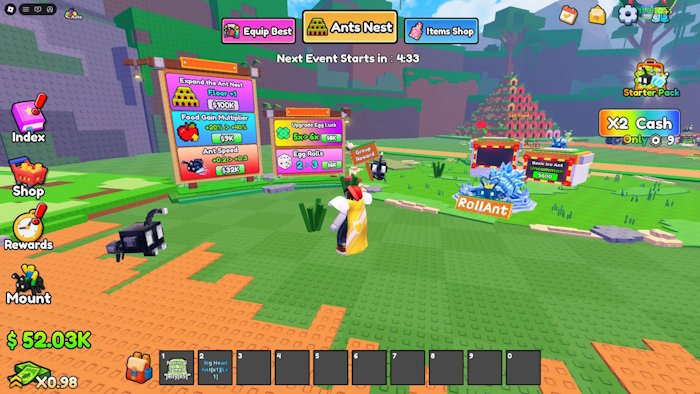
Read potion effects before applying them. Consumables may be expensive or limited, so avoid spending one on an ant you intend to replace soon. Do not assume a mutation effect or multiplier from an older guide still applies.
Check collection rewards and optional systems
Inspect the Index or Catalog for completed milestones and claim any rewards the interface shows. Treat each claim according to its displayed conditions rather than assuming it is repeatable.
Mount training is an optional progression system. Before handing over an ant, read the trainer's warning, success conditions, and whether the ant can return to colony work. Do not sacrifice a productive worker solely for faster travel without understanding the tradeoff.
For codes, use announcements linked by the developer or the live game's redemption panel. Codes can expire, and this guide does not promise any currently active reward. A code page should never need your Roblox password; our account-security guidance explains common phishing signs.
Related Articles
 Best the Empire Game Code: Complete Guide5 minutes read
 How to Fix Bugs Playing 4K Empire Jerks, Lag7 minutes read
 Summary of the Latest Driving Empire Code and How to Enter3 minutes read
 Best Roblox Music Ids That Should Be Featured on Radio12 minutes read
 Some Rookie Tips in Axe Alliance vs Empire7 minutes read
 How to Install Roblox4 minutes read
Reader Comments 0
Sign in with email or Google to join the discussion.