Table of Contents
Firefox used the least battery and Chrome used the most in the original article’s one-hour YouTube playback comparison on a single iPhone. Safari used 21 percentage points and Chrome used 28. Those figures describe one video workload on one device. Your browser choice may rank differently for reading, browsing on Wi-Fi, or using web apps.
How the comparison was run
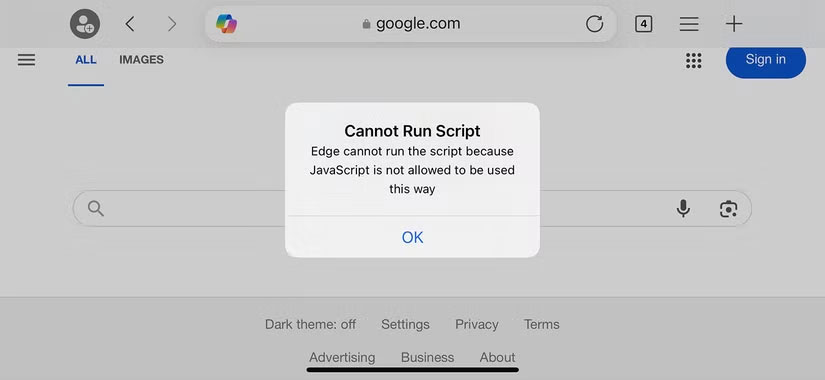
The original tester tried a scrolling bookmarklet first, but it did not work across all six browsers. The comparison instead used the same YouTube playlist in Firefox, Safari, Opera, Brave, Edge, and Chrome, with autoplay enabled for an hour per browser.
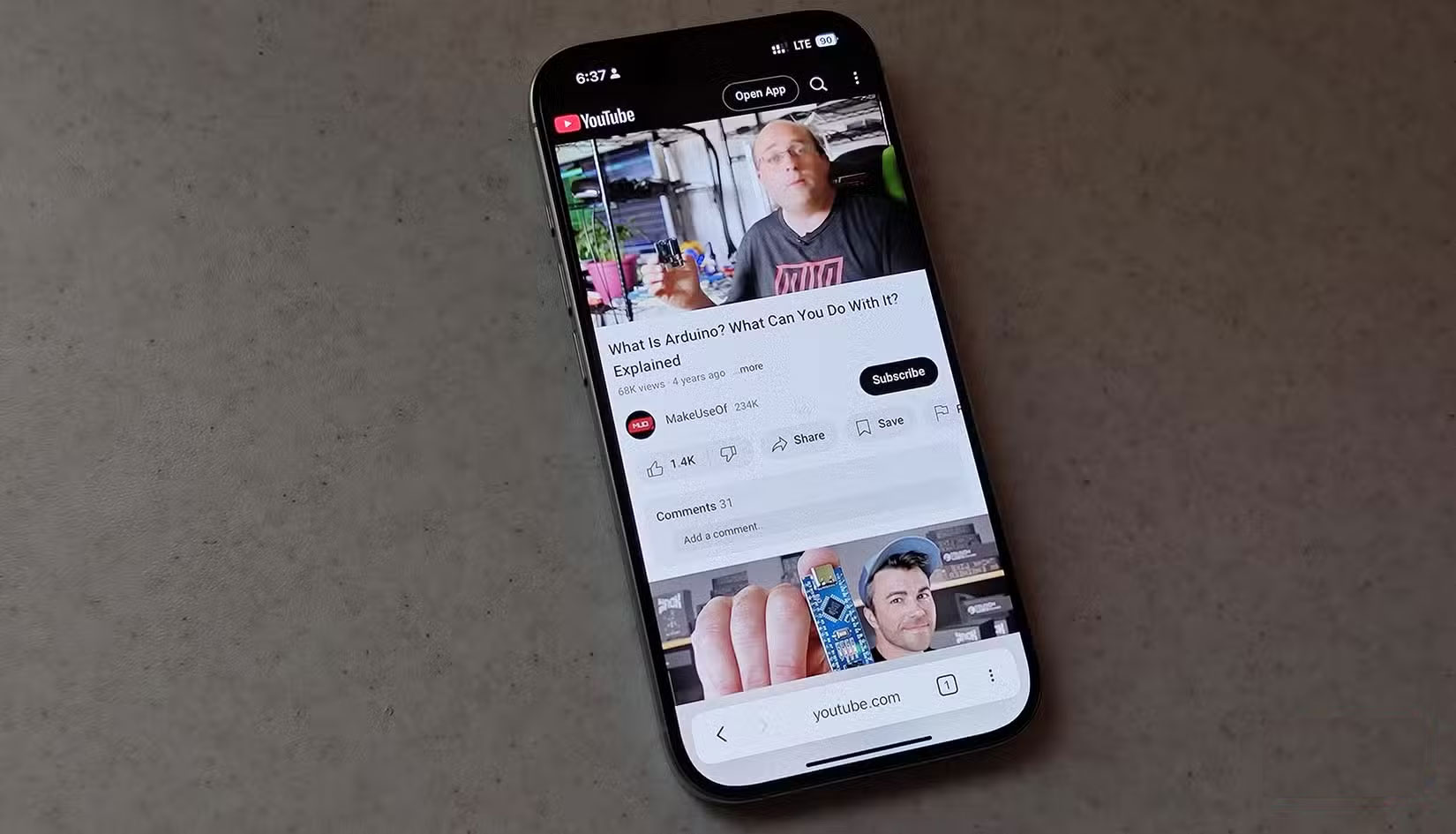
The tester reported starting each run at an indicated 90% charge, with LTE, maximum brightness, the same volume, and background app refresh turned off. Differences in cellular signal, player quality, buffering, and background activity could still affect the reading. The source does not report repeated runs, so the result cannot establish how consistently each browser ranks.
What the result can tell you
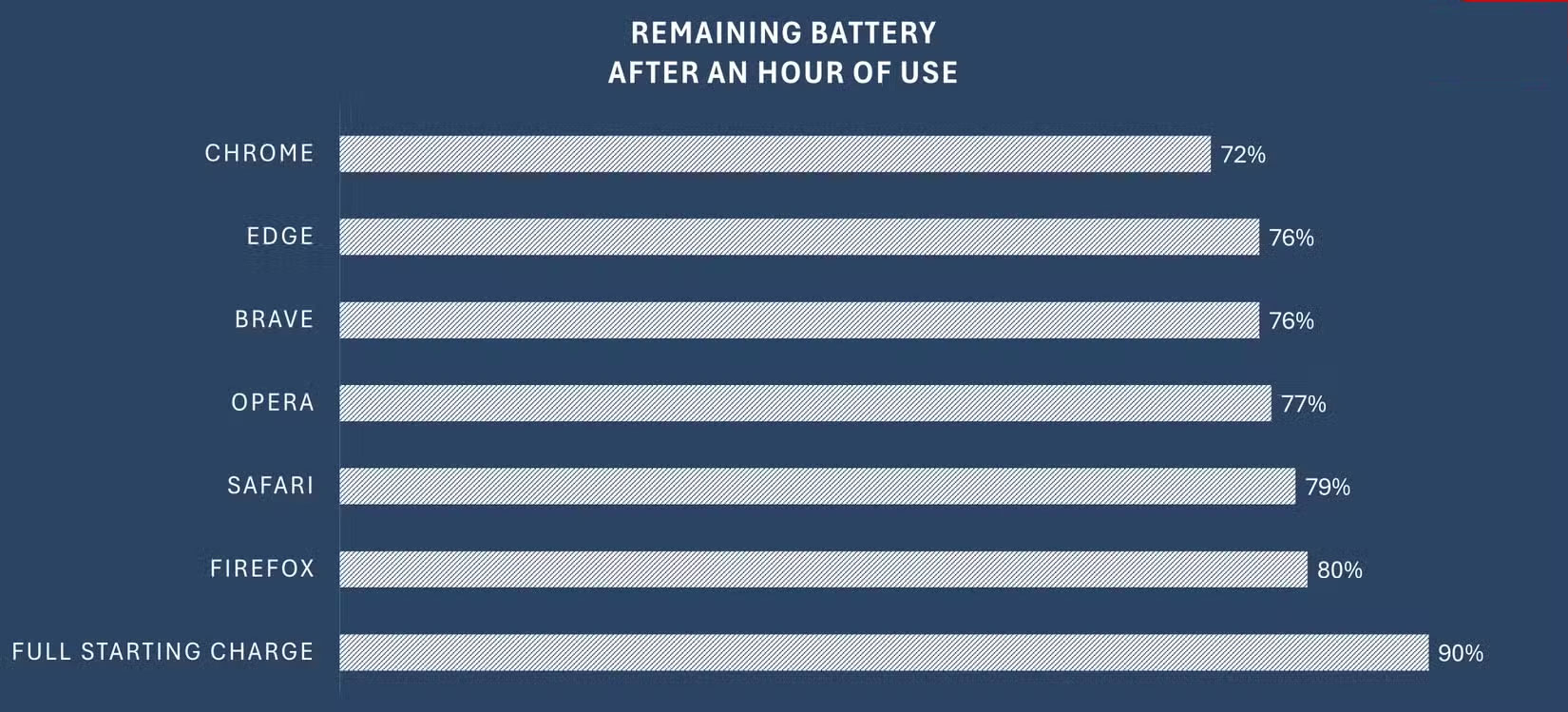
Firefox finishing ahead of Safari is a reason to compare them on your own phone if battery life matters. It does not establish that Firefox used a different rendering engine or that an engine caused the result. Desktop browser engines should not be inferred from iPhone browser names. Apple’s developer guidance describes the entitlement that can permit alternative engines in particular markets.
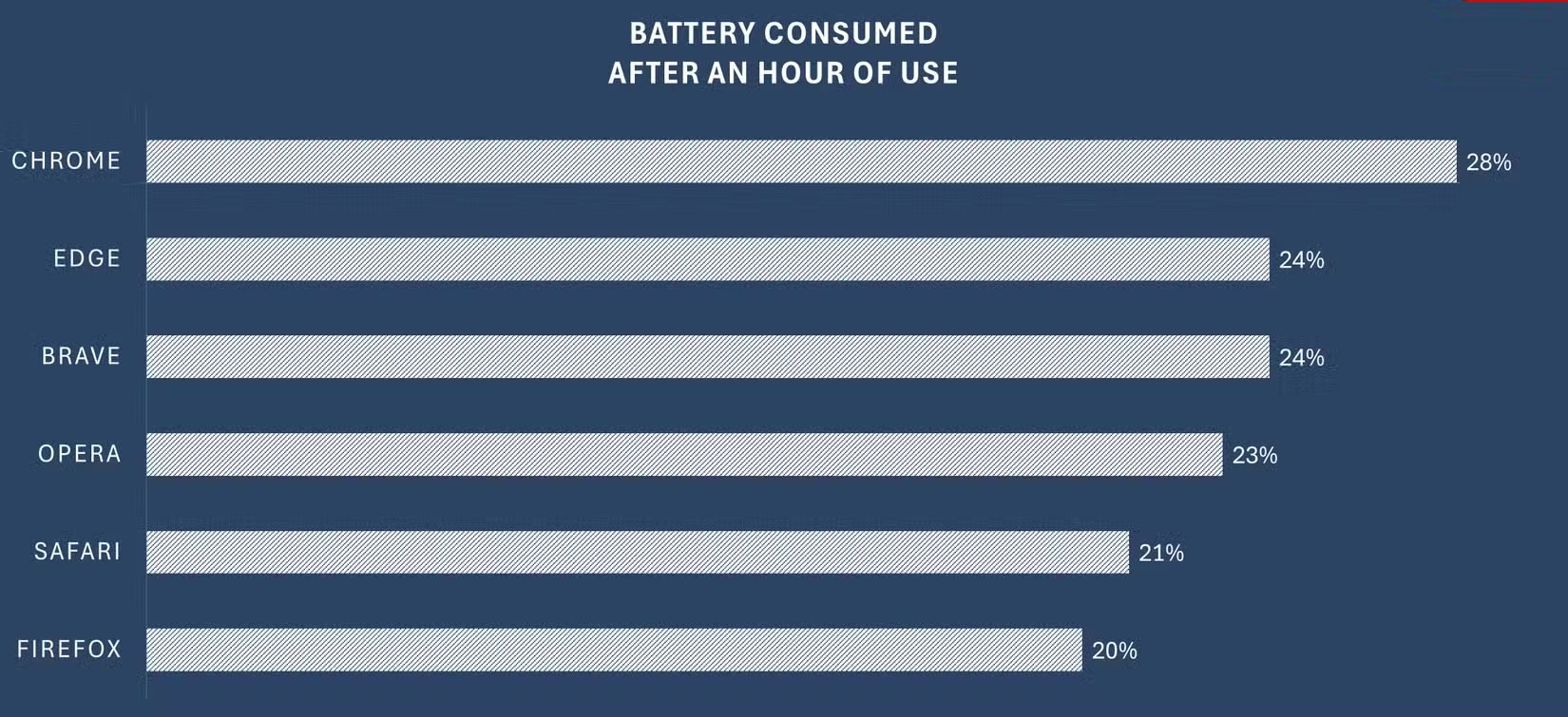
A one-hour battery drop is also a poor basis for projecting the exact remaining charge after a full day. Screen time, signal strength, temperature, and what you do between browsing sessions can change consumption.
Compare browsers for what you actually do
- Pick a repeatable task, such as playing the same video at a fixed quality or reading a set of pages for a fixed time.
- Use the same Wi-Fi or cellular connection, brightness, start charge, and volume. Check that playback quality matches and no run stops early.
- Repeat each run and alternate the order. If results vary as much within one browser as they do between browsers, treat the difference as inconclusive.
- Check Settings > Battery afterward for app activity. It can help spot other apps running during a test.
If every browser drains the battery faster than expected, check iPhone battery health and review these battery-life settings.
Related Articles
 8 ways to save iPhone battery, increase battery life when using iPhone
 Instructions on how to check the iPhone / iPad battery level without jailbreak
 The first test on the battery of iPhone X, relatively good
 IPhone battery checker application
 Edge won Chrome and Firefox on the battery life test, but Microsoft wasn't as unobtrusive as before
 How to create a battery usage chart on Windows 10
Reader Comments 0
Sign in with email or Google to join the discussion.