Table of Contents
This guide provides a clear, practical overview of iPhone battery checker application, with useful context, important details, and straightforward takeaways for everyday readers.
1. Coconut Battery
With Coconut Battery, checking iPhone battery status is bottled or not becomes easier than ever. In addition to checking and evaluating the status of the battery bottle, the free app also provides users with other parameters such as the current iPhone battery charge status, the number of charging cycles and the temperature of the battery of an iOS device when connected. Mac.
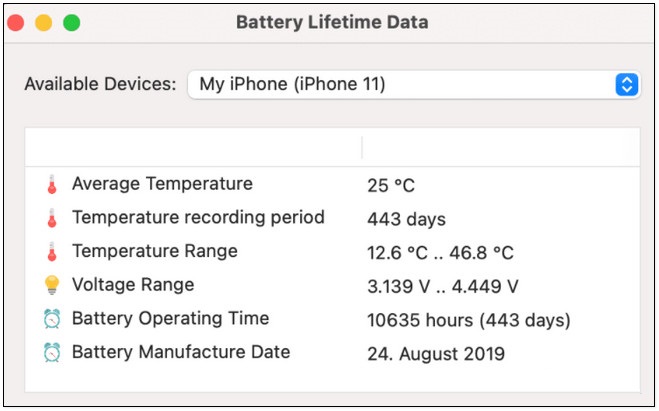
On a side note, Coconut Battery is not compatible with iPhone 11 and 11 Pro (Max) devices.
Download Coconut Battery and install it here:
2. Battery Life
Battery Life is the next name in the list of bottled iPhone battery checking applications that TipsMake.com wants to recommend. The plus point of Battery Life is to give users total time using the iPhone, such as time to surf the web, record videos, take pictures, play games, . also display detailed information about battery status. bottles, number of charges, .
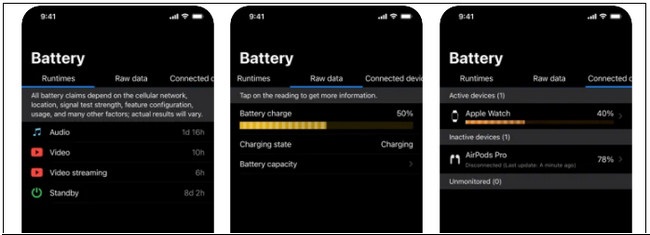
With user-friendly interface, supports many different languages such as Albanian, English, Catalan, Arabic, Dutch, Czech, German, French, Hebrew, Greek, Indonesian, Hungarian, Japanese, Korean, and other useful features, Battery Life is sure not to disappoint you.
Download Battery Life to your device and install it here.
3. Battery Health
Battery Health provides users with exact current iPhone battery status as well as suggest solutions to fix these conditions and problems.
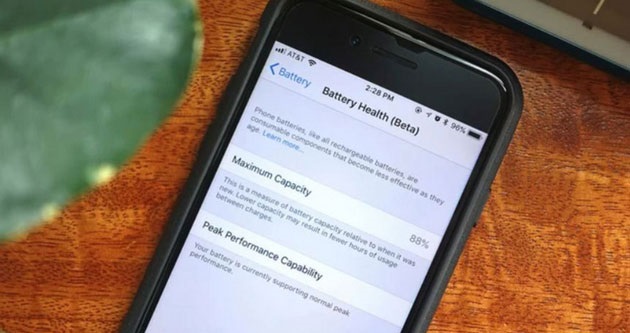
Specifically, the application will display information including how the iPhone battery is bottled, the time of battery life, check the status of hardware such as 3D Touch, flashlight, GPS, volume buttons, information related to memory, CPU, GPU, network connection, .
Download Battery Health to your device and install it here.
4. Battery HD +
In addition to the iPhone, Battery HD + is also capable of monitoring and evaluating the iPad battery status. With the app, you can easily see how long the device's battery life is left.
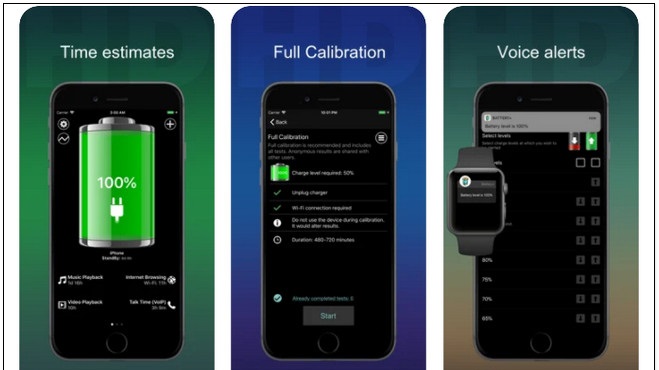
Especially in case if the iPhone battery is fully charged, Battery HD will display a warning on the screen to notify the user, avoiding the state of under-charging has been drawn, leading to a faster bottle of battery.
Download Battery HD + to your device and install it here.
Among the iPhone battery checking applications that TipsMake introduced above, which one are you using or which one do you appreciate? Don't forget to share your comments and reviews for TipsMake.
Key Takeaways
Use the information above as a practical reference for iPhone battery checker application. Review each step carefully, confirm any requirements, and choose the option that best fits your situation.
FAQ
What does this guide explain about iPhone Battery Checker Application?
It explains the main concepts, practical considerations, and useful steps related to iPhone battery checker application without requiring advanced knowledge.
Who can benefit from learning about iPhone Battery Checker Application?
This information is useful for readers who want a clear overview, practical guidance, and reliable steps related to iPhone battery checker application.
What should I check before applying this information?
Review the requirements, confirm that your device, software, or situation matches the instructions, and back up important data before making major changes.
Related Articles
 8 ways to save iPhone battery, increase battery life when using iPhone
 Users do not need to find a place to replace the iPhone battery, but can put the battery with Apple
 iPhone Air is disappointing in terms of battery, nearly 12 hours behind iPhone 17 Pro Max
 No need to install any software, this is how to check your laptop battery level
 8 tips to help your iPhone battery last longer when traveling
 Some ways to use iPhone battery effectively
Reader Comments 0
Sign in with email or Google to join the discussion.