Table of Contents
This guide provides a practical overview of RANK. EQ Function - Function Returns the Rank of a Number in a List of, including its main features, benefits, limitations, and important considerations.

Description: The function returns the rank of a number in a list of numbers whose size is in correlation with other values. If multiple values have the same rank -> the function returns the highest rank. Support functions from Execl 2010 version onwards.
Syntax: RANK. EQ (number, ref, [order])
Inside:
- number : The value you want to find rank, is a required parameter.
- ref: Array or reference to a list of numbers, is a required parameter.
- order: The number indicates the order of the rank, an optional parameter.
Attention:
- If order = 0 or omitted -> the default function sorts the terms in descending order.
- If order ≠ 0 -> the default function sorts the terms in ascending order.
For example:
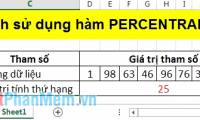
Determine the rank of the value 66 in the data array described in the following data table:

- Determine rank of 66 value in descending order. In a cell to calculate, enter the formula : = RANK. EQ (D6, D7: J7, D8)

- Press Enter -> rank of the value 66 is:

- Here the ref array has 3 values 66 -> the function returns the highest rank is 1 (corresponding to descending arrangement).
- Determine rank of 66 value in ascending order. In the cell to be calculated enter the formula : = RANK. EQ (D6, D7: J7, D8) -> Press Enter -> return value is:

- Here the ref array has 3 values 66 -> the function returns the highest rank is 5 (corresponding to ascending arrangement).
So with 2 different arrangements -> rankings of the same value are different.
Above are instructions and some specific examples when using the RANK. EQ function in Excel.
Good luck!
FAQ
What should I know about RANK. EQ Function - Function Returns the Rank of a Number in a List of?
Focus on the key features, requirements, limitations, and practical use cases explained in this guide.
How do I get the best results with RANK. EQ Function - Function Returns the Rank of a Number in a List of?
Follow the recommended steps, use current software or information, confirm compatibility, and review settings before major changes.
Are there any risks or limitations?
Potential limitations depend on compatibility, data quality, cost, privacy, support, and how the product or method is used.





Reader Comments 0
Sign in with email or Google to join the discussion.