Table of Contents
This updated guide explores pixelmator pro vs affinity photo vs photoshop with practical details, clear explanations, and useful takeaways. Adobe Photoshop has long been at the top of the creative software ladder, but how does it compare to Affinity Photo and Pixelmator Pro in terms of image editing and manipulation capabilities?
Introduction to Pixelmator Pro, Affinity Photo, and Adobe Photoshop
Photo and image editing tools are different from digital illustration tools. Photo editing tools typically focus on raster rather than vector-based editing, including photo, image manipulation, or raster graphics.
Adobe Photoshop was released in 1990 and has since become one of the most comprehensive and powerful photo editing tools. Adobe has over 20 other applications, but Photoshop is probably the most famous of all its apps.
Affinity Photo is one of Serif Affinity's three software products, released to the public in 2015. Affinity 2 was released in 2022. Canva acquired Affinity in 2024, giving it more development power to its already great toolkit. Affinity Photo is often compared to Photoshop because they offer similar features.
Pixelmator Pro is owned by the Pixelmator Team, which was founded in 2007. Pixelmator Pro was made public in 2017 as a Mac-focused image editing and manipulation tool. In November 2024, Apple agreed to acquire Pixelmator.
Pricing and Platform
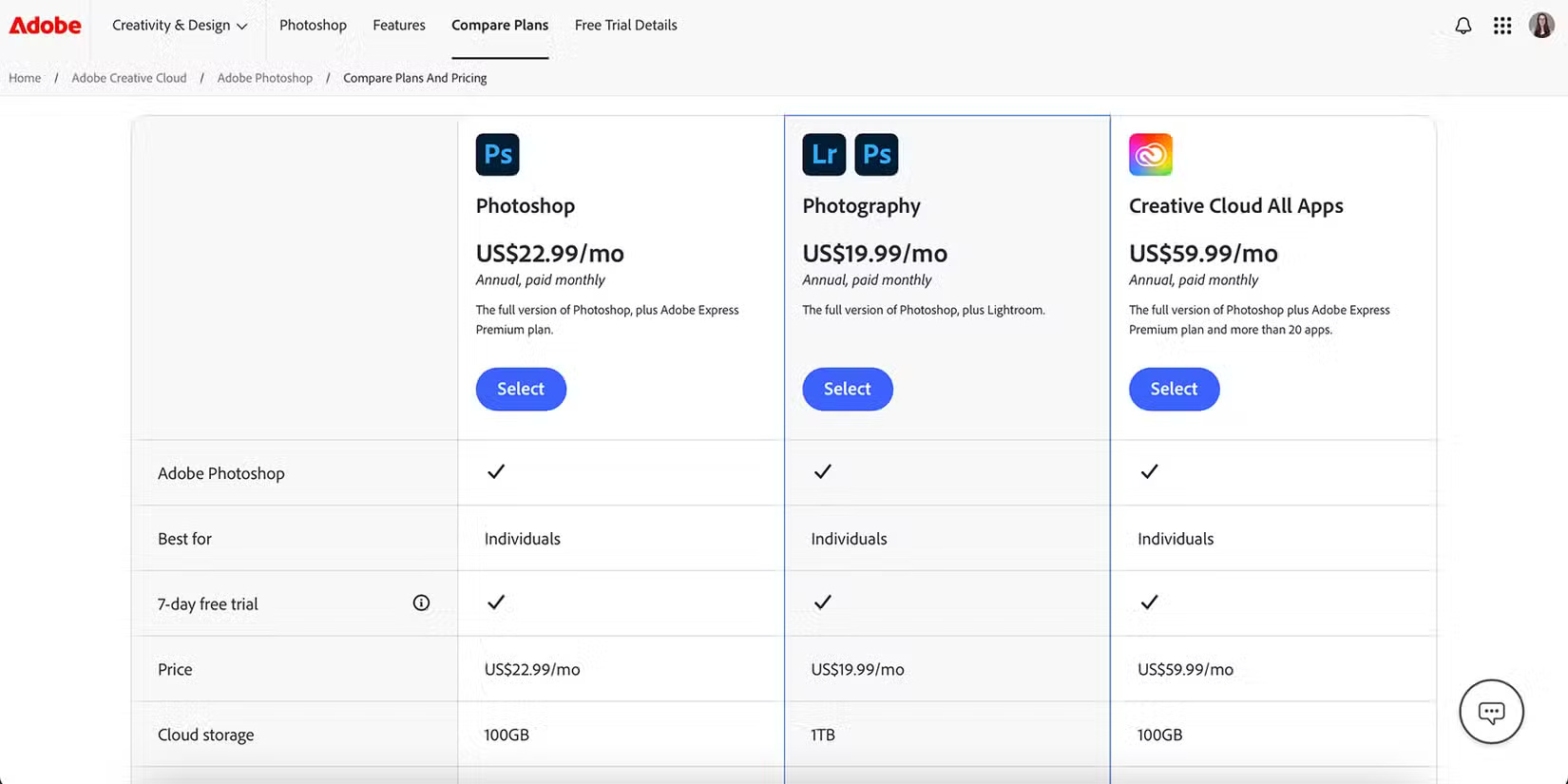
Photoshop has a variety of pricing options, depending on the package you get - there are all-inclusive packages that Photoshop is part of, but regardless of the package, it is only available as a subscription, usually a monthly plan with an annual contract.
For Photoshop as a standalone app, you can sign up for $22.99/month, although the cheaper Photography plan, which includes Lightroom, costs $19.99. You can access Photoshop on your computer—Windows and MacOS, with Linux alternatives—iPadOS and the Photoshop browser. It comes with a 7-day free trial for new users.
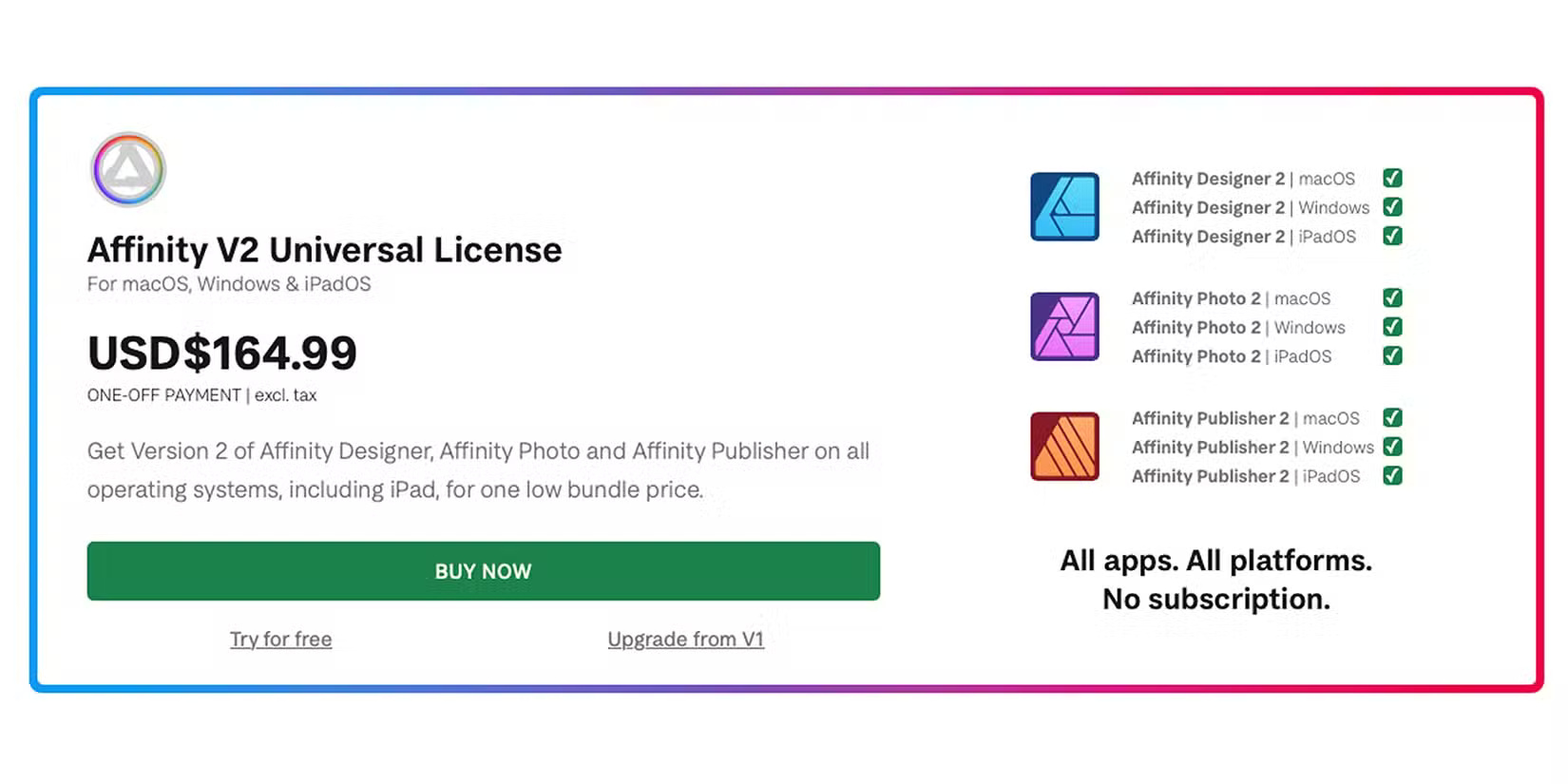
Affinity Photo is part of a three-part suite of tools - including Photo, Designer, and Publisher.
Affinity software is available as a perpetual license, which can be purchased individually for each app for $69.99 per app, or as a universal license that includes both the desktop and tablet versions of all apps for $164.99, available for iPadOS for $18.49 per app. Affinity is developed for both Windows and Mac operating systems, as well as iPad.
Affinity offers a generous free trial before you buy. They traditionally offer a 30-day free trial, and in 2024, Affinity began offering a 90-day free trial for all of their software before you buy, although it is unclear how long Affinity will continue to offer this.
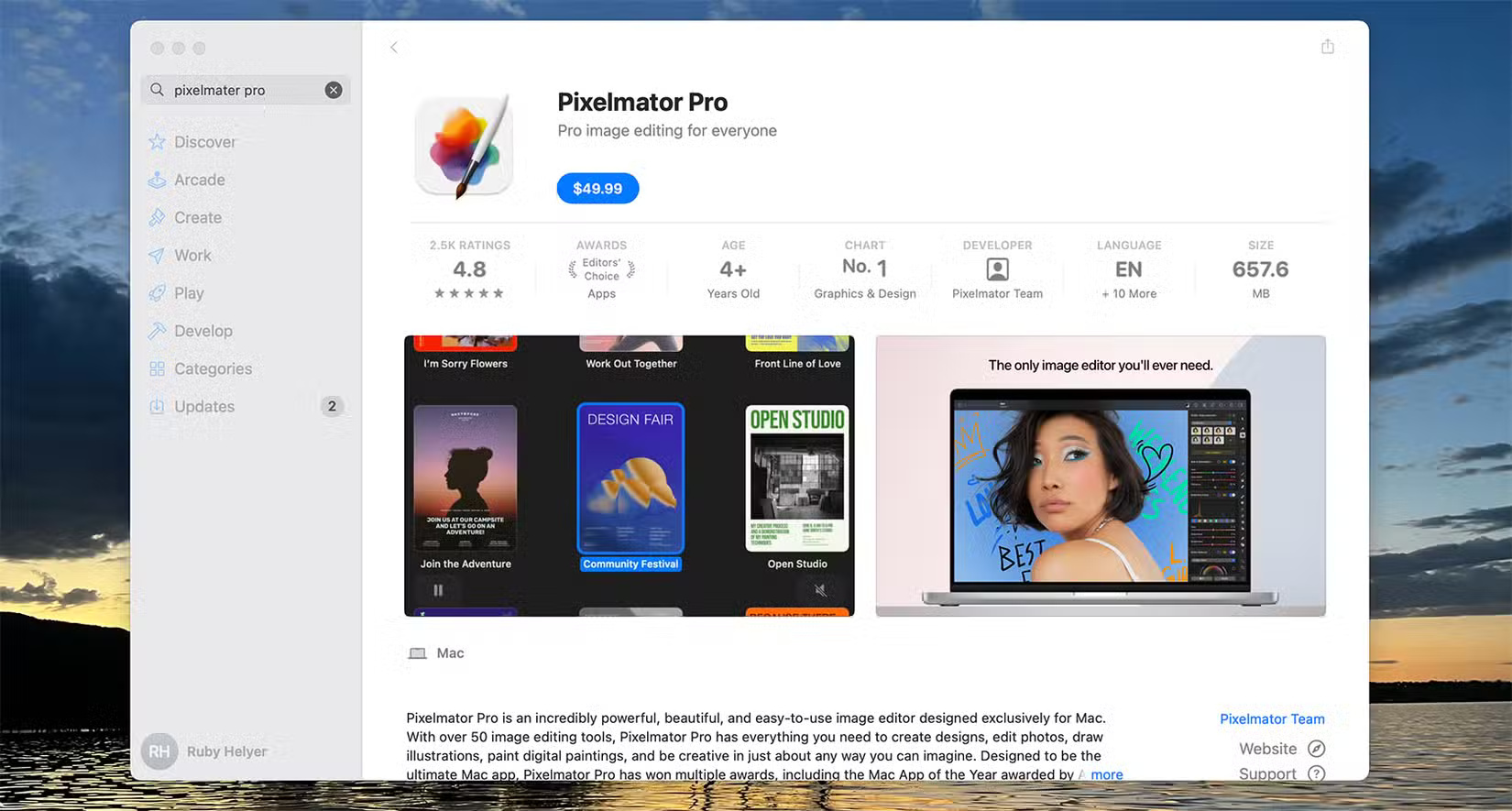
Pixelmator Pro is Apple-specific software, made for Mac systems, with a stripped-down iOS app version called Pixelmator. No other platforms are supported.
Pixelmator Pro costs $49.99 one-time from the App Store, and the Pixelmator iOS app costs $9.99 from the App Store. it is available for both iPhone and iPad. Pixelmator Pro offers a 7-day free trial.
Interface
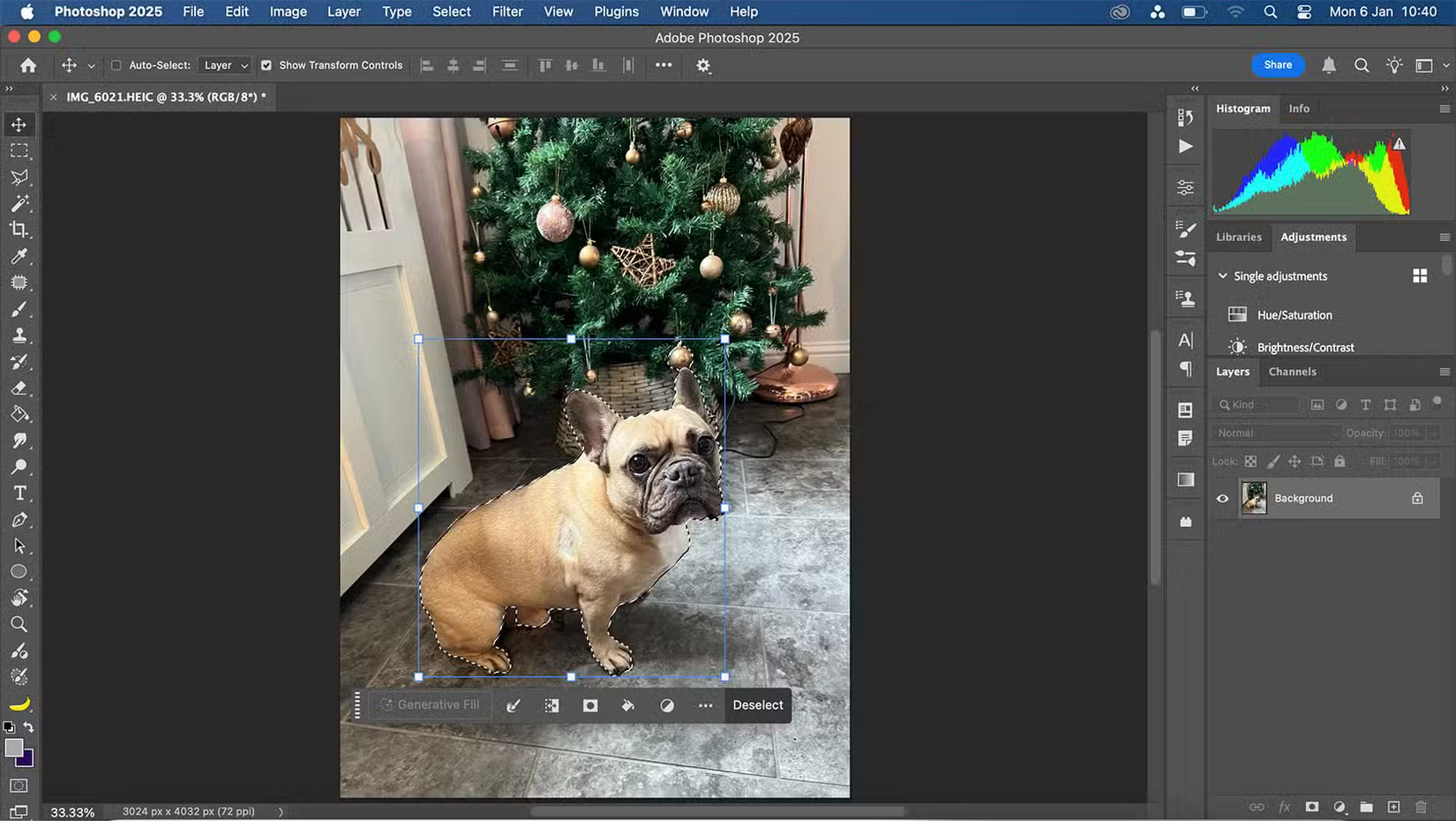
Photoshop's interface is one of the most recognizable photo editing interfaces out there - many Photoshop alternatives use a similar interface, or in the case of Photopea, a Photoshop alternative, a nearly identical interface. The interface is familiar and easy to navigate, but you can customize it to your liking.
Many of Photoshop's additional tools open as small windows, allowing you to open multiple tools at once if you're working on complex projects or frequently switching between tools.
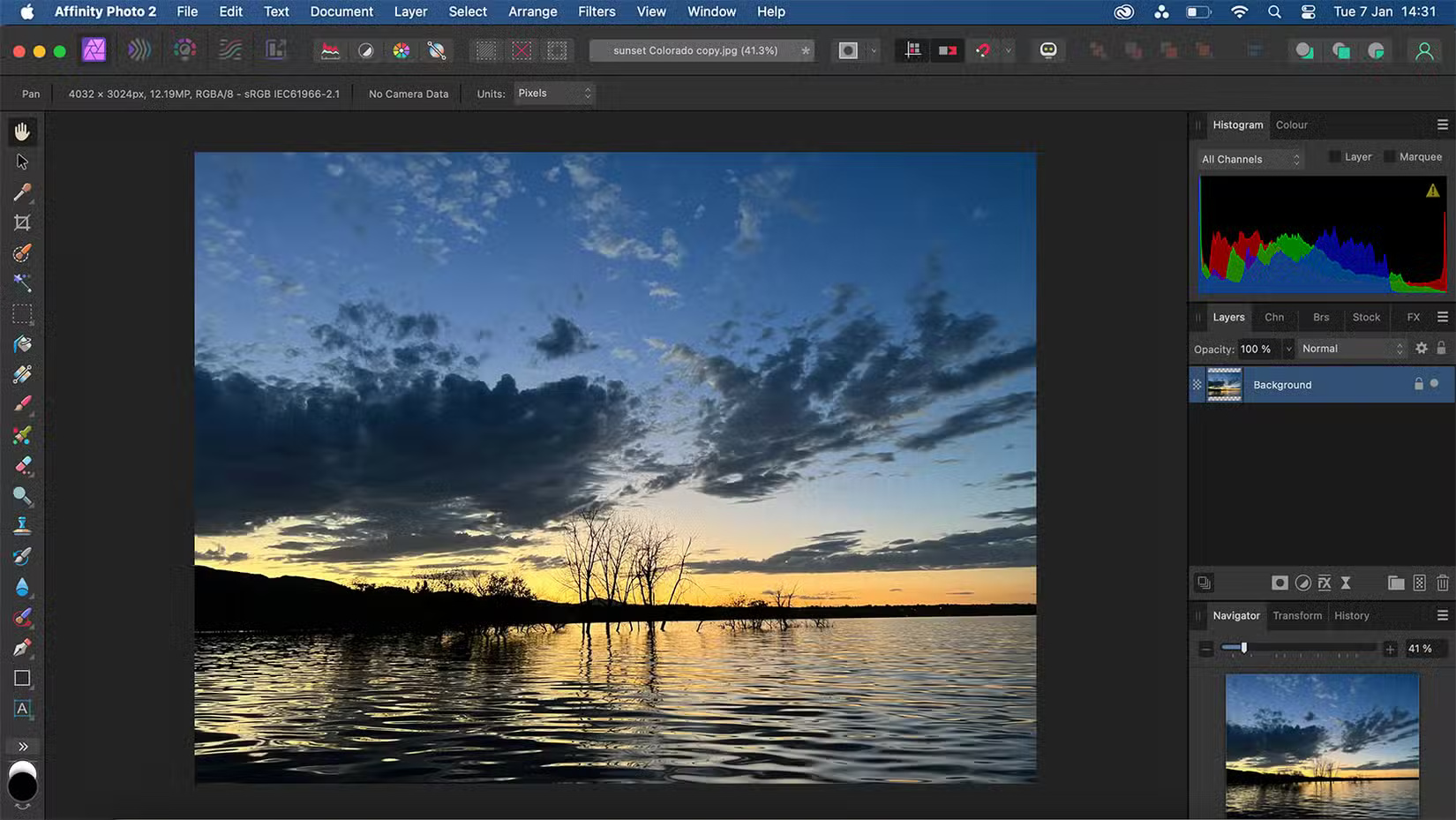
Affinity's interface is similar to Photoshop – layers on the right, toolbars on the left. It has options windows, like Photoshop, all open in the right panel. This means you have to manually switch between tools to see them, instead of being able to see multiple tools at once.
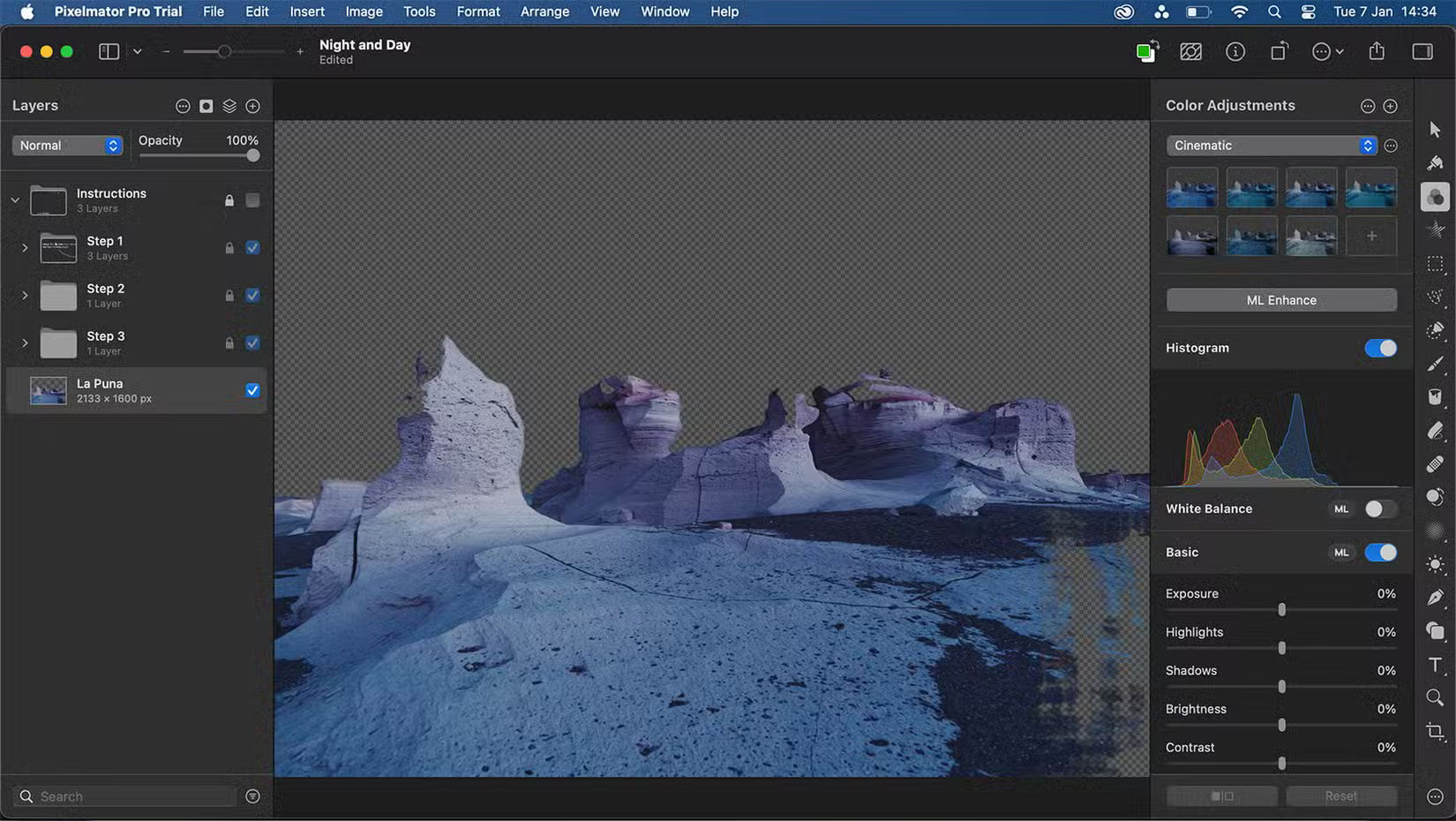
Pixelmator Pro's interface looks very similar to other Mac software in terms of layout and icon selection. If you've used tools like Pages, Preview, Notes, or Photos, you'll feel right at home in Pixelmator Pro.
The default layout of the interface is the opposite of Photoshop and Affinity Photo - layers are on the left with the toolbar on the right. Like the other interfaces, the workspace can be adjusted to your needs, including preset Photography, Illustration and Design workspace settings.
Edit RAW Photos

Photoshop does not offer native RAW editing functionality; Still, using Camera Raw—an Adobe plugin—you can edit RAW images in Photoshop; you can even edit Lightroom images in Photoshop in the same way.
The Photoshop Camera Raw plugin allows for non-destructive editing. It applies your RAW photo edits as Smart Objects in Photoshop's layers panel.
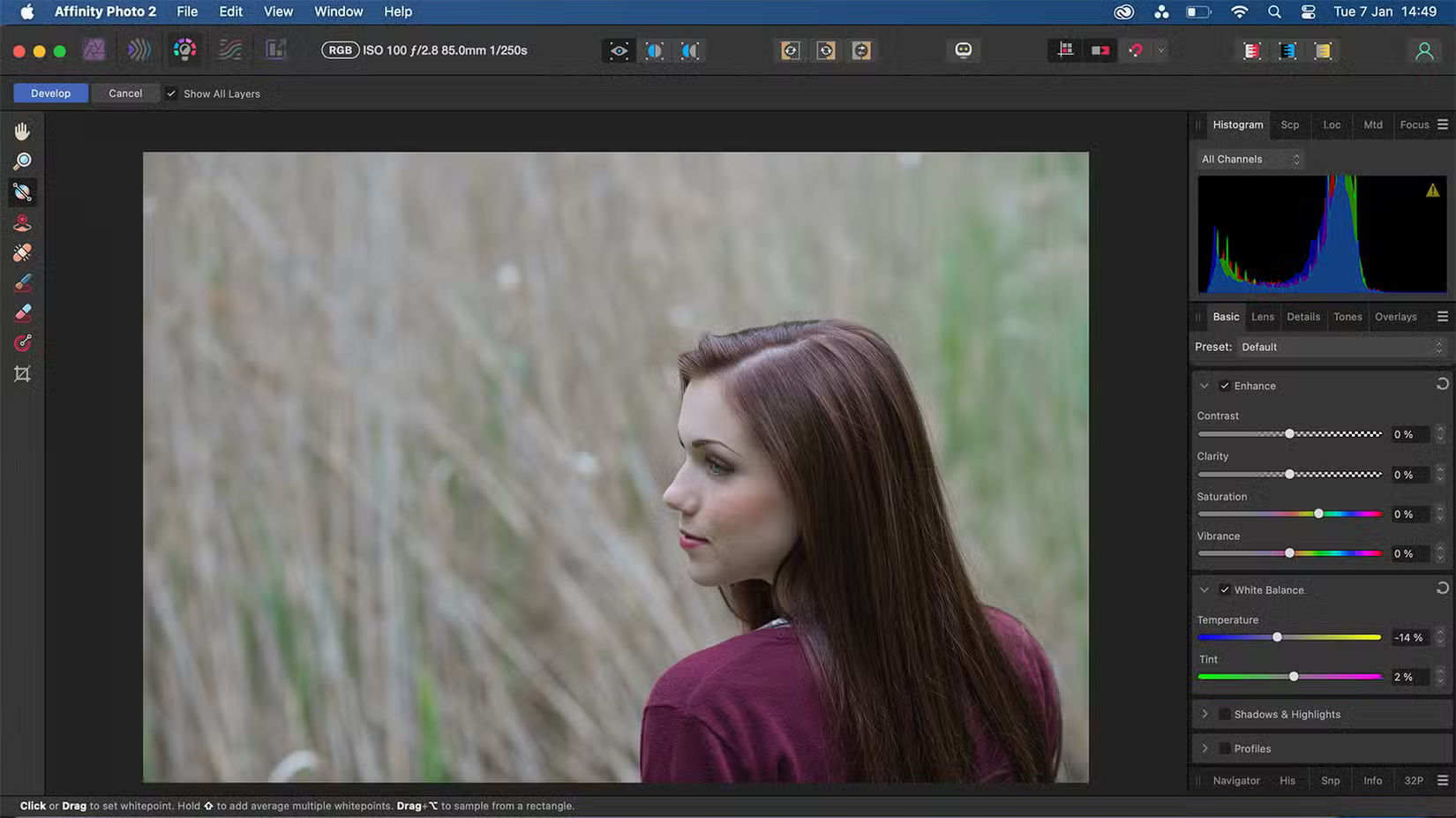
Affinity offers native RAW editing in Develop Persona, with non-destructive or destructive editing options that need to be manually enabled or disabled. It does not have the best tools for developing RAW files, so you may get better results elsewhere.

Pixelmator Pro has a built-in RAW editing feature. It lets you edit RAW components layer by layer, including reprocessing and making selective edits to your images. You can export undeveloped RAW files as well as edited layers.
AI and ML Features
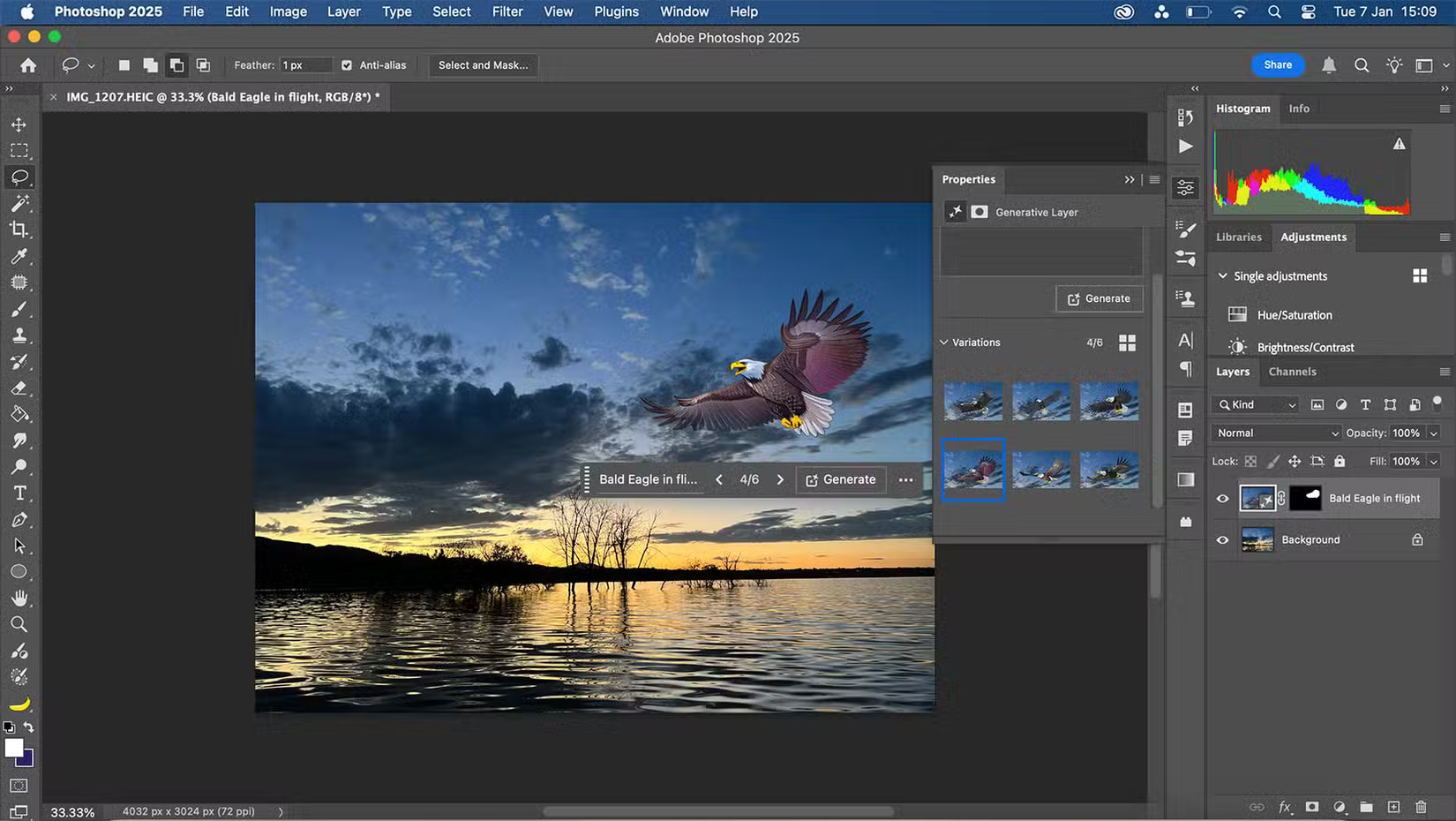
Photoshop has the most AI features of the three image editors. In 2023 and 2024, Adobe added dozens of AI tools to Photoshop alone. Some of its AI features use built-in machine learning or artificial neural networks to improve what would otherwise be a lengthy editing process—like smart selection features or neural filters—but it also offers some more obvious AI tools in its Generative AI tools.
Photoshop's Generative AI lets you add new elements to your images that only your imagination can hold you back. You can remove parts of your image in a creative way, extend outlines, and fill in gaps.
Note: You need an Internet connection to use Photoshop's Generative AI features.
Affinity does not offer any AI features in any of its toolkits. Still, Affinity was acquired by Canva in 2024, and Canva offers many AI tools that could change the future of Affinity. Still, as of early 2025, there are none.
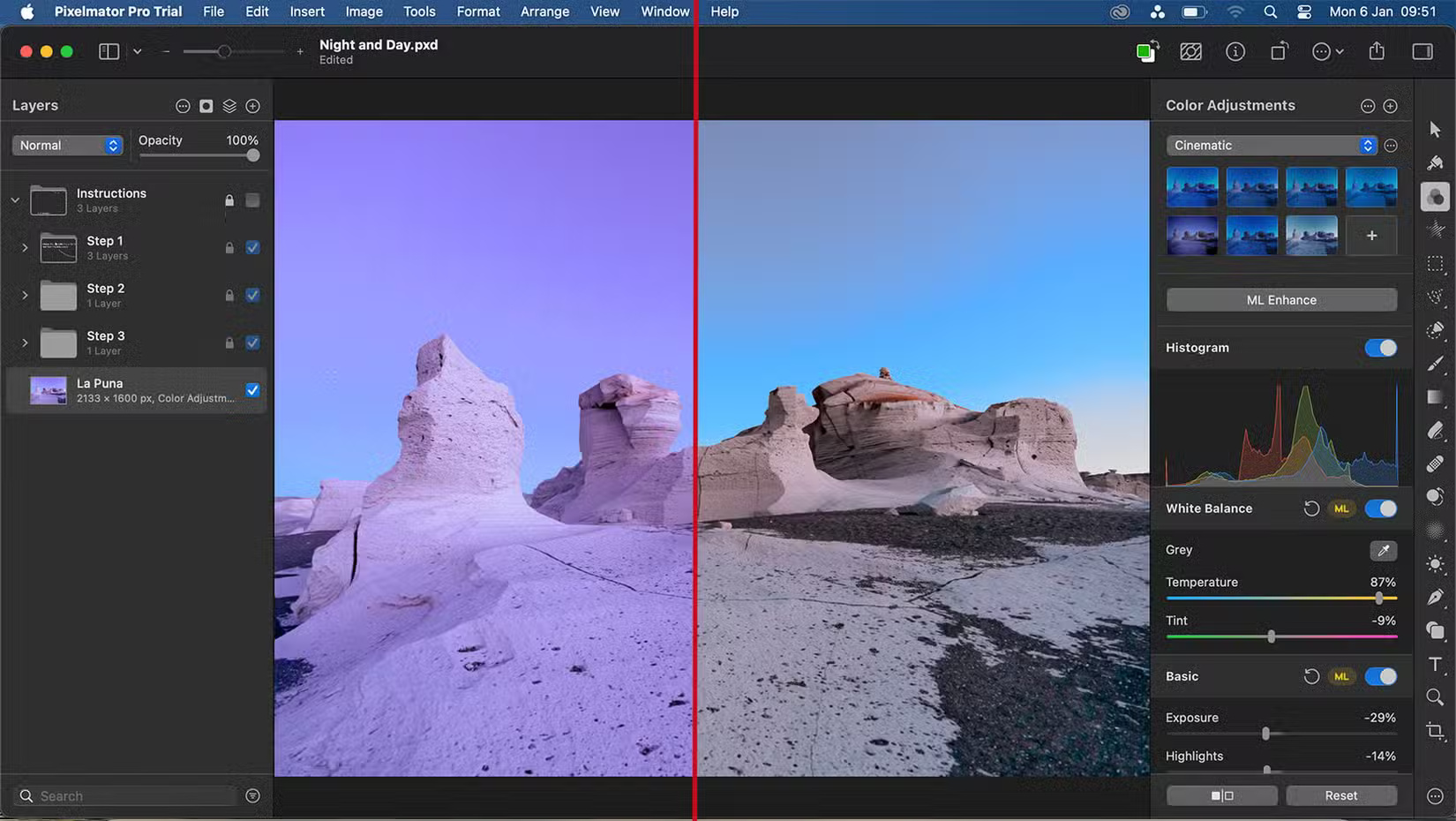
Pixelmator Pro takes a subtle approach to adding AI features to its software. Yes, there are AI tools, but they are not obvious and there is no Generative AI. Some of the AI features in Pixelmator Pro are embedded into tools you use often, saving time in your workflow.
for instance, the ML Enhance feature lets you calibrate colors with a single choose—something that previously would have taken hours of trial and error to get right. ML Enhance can be adjusted on a per-slide basis, so you do not have to rely on it blindly.
The Background Removal tool uses AI to select and mask complex backgrounds. It works well for curly hair and jagged edges. The Smart Erase tool also lets you quickly erase large areas of an image by detecting similarities in the photo.
Additional Tools and Features
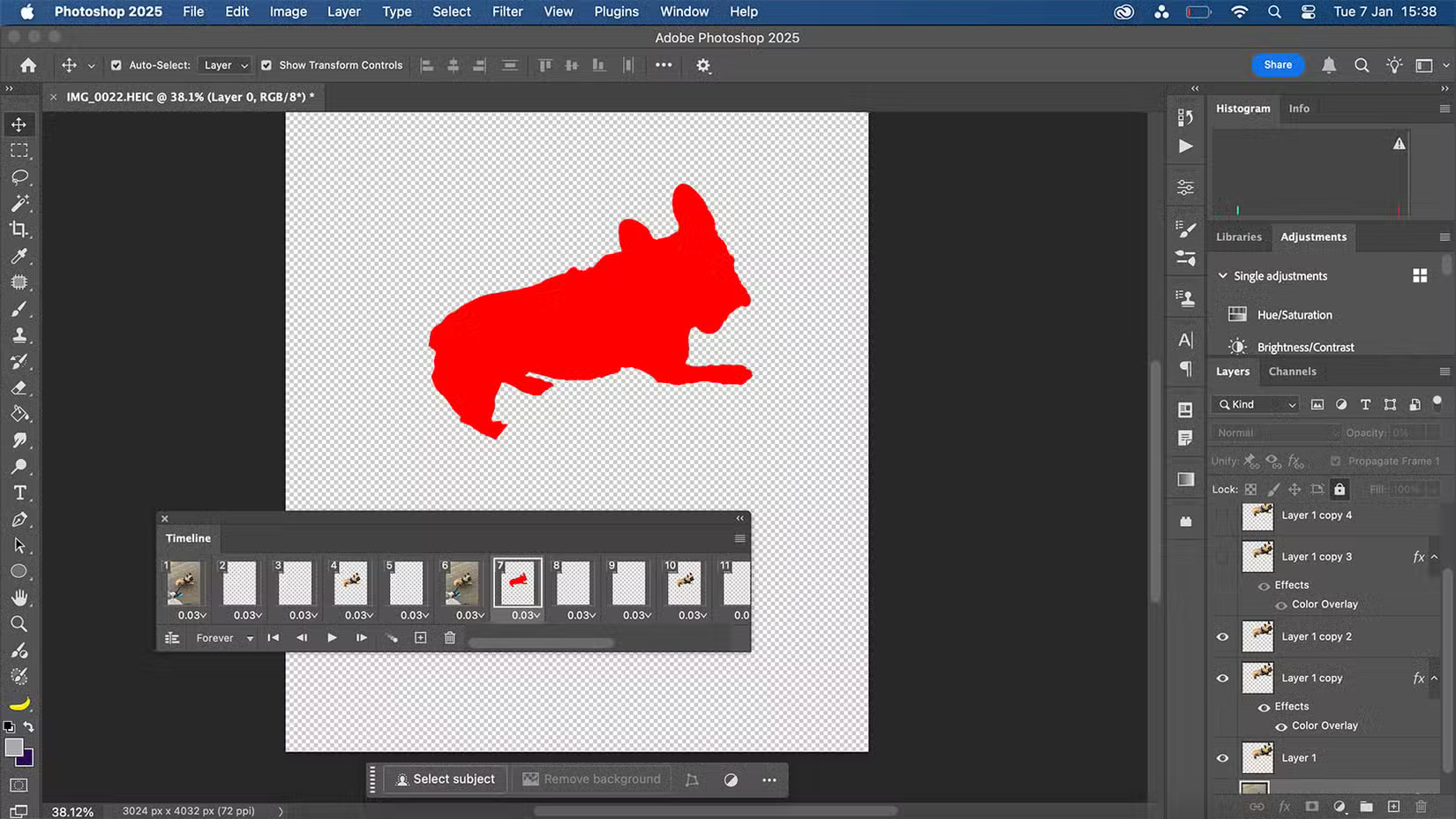
Photoshop offers some vector features, like Shape Tools, but they aren't as popular as dedicated vector software like Illustrator. Instead, you can import vector graphics created by Illustrator into Photoshop for a better user experience.
You can create GIFs or short animations — with sound — in Photoshop using the video timeline or the frame animation timeline. Since Photoshop isn't primarily intended for video or animation, you'll see better results in specific video editing applications, but it is nice to have the option. You can create fun scrapbook-style animations in Photoshop and other short GIFs or videos.
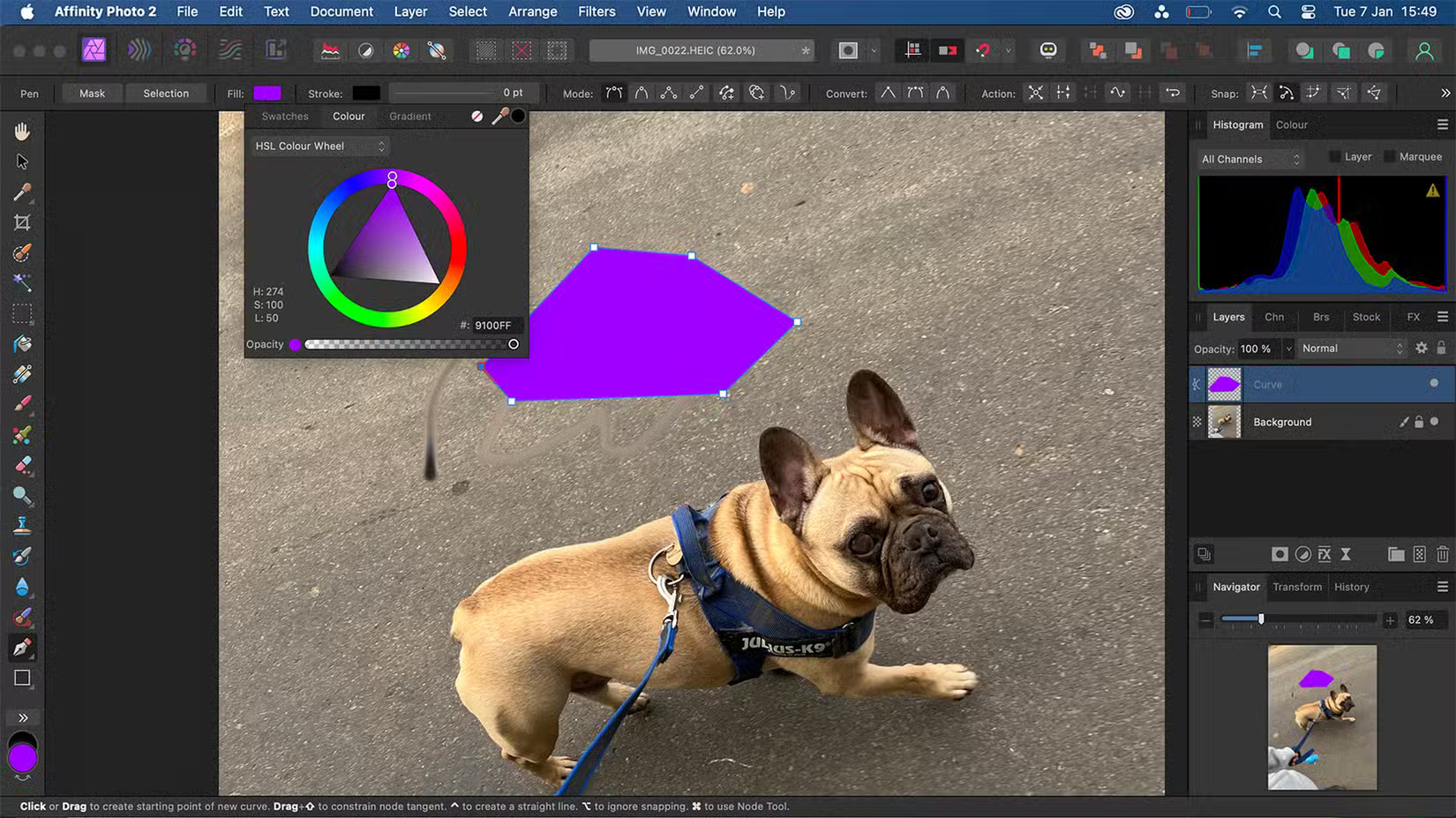
Affinity Photo does not offer many tools that aren't directly related to photo and image manipulation. There are no animation features and its Brush Tool is lacking, with only a basic brush library – but there are plugins if you need more.
There is a Pen Tool and a Shape Tool for drawing shapes. The Shape Tool includes a custom QR Code Tool that embeds URLs directly into the QR codes you draw. There is no native QR code feature in Photoshop or Pixelmator Pro.
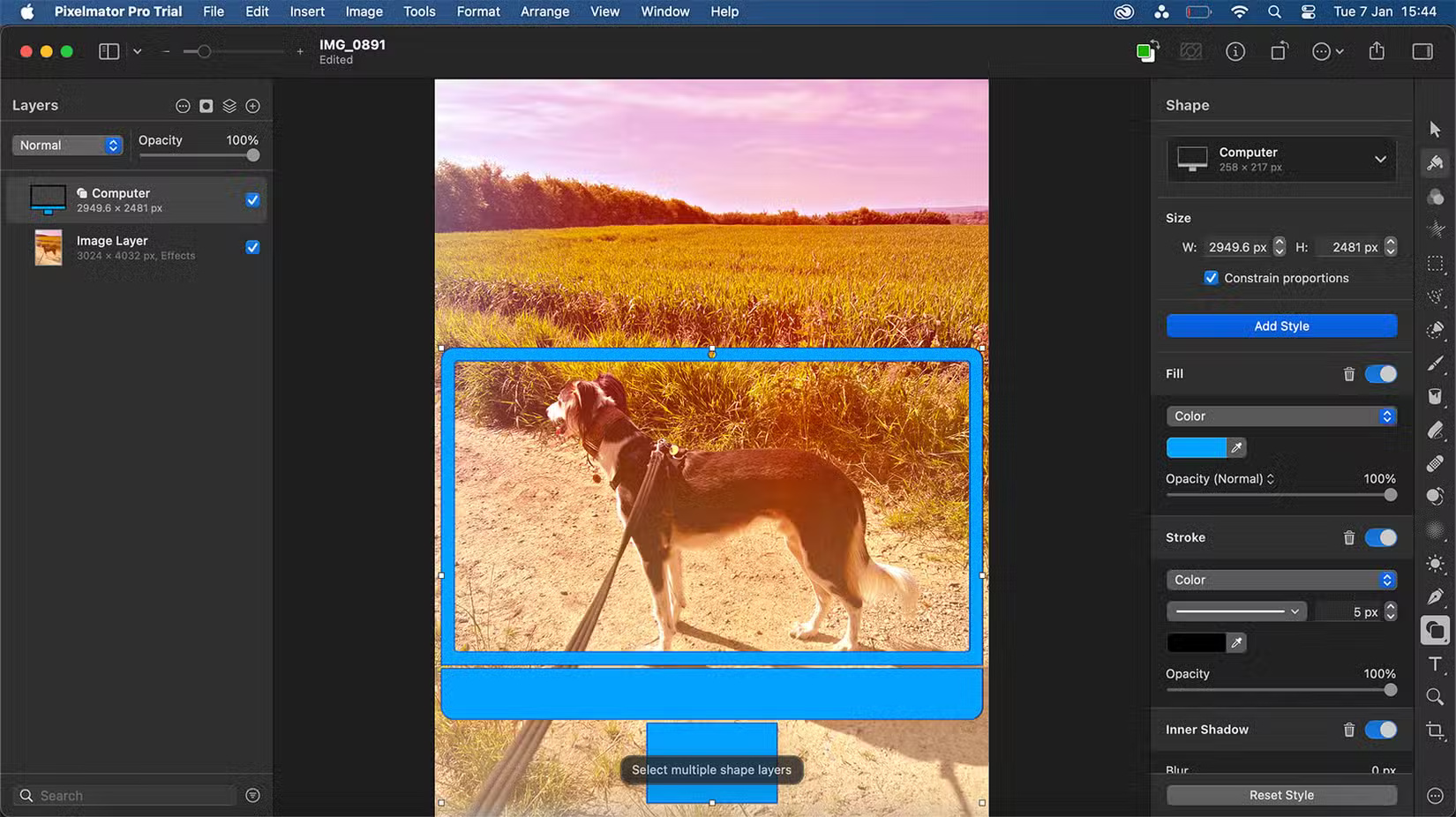
Pixelmator Pro has a Shape Tool, just like Photoshop, but with more vector support. You can use pre-made shapes or customize them yourself with Smart Shapes to create a variety of vector graphics.
You can turn text layers into vector layers in Pixelmator Pro, opening up the opportunity to expand your design without losing your chosen font.
Pixelmator Pro has video editing features, but like Photoshop, it is not a great video tool when compared to dedicated video software.
Right now, Pixelmator Pro still lacks some of the features found in Photoshop. Still, given how many years Photoshop has been around and developed, hopefully Pixelmator Pro will catch up in the coming years, especially if Apple acquires it to further develop it.
FAQ
What is the main takeaway about Pixelmator Pro vs Affinity Photo vs Photoshop?
The key is to understand the core idea, compare the available options, and apply the practical guidance that matches your situation.
What should beginners know about Pixelmator Pro vs Affinity Photo vs Photoshop?
Start with the essential steps and terminology. Avoid changing advanced settings until you understand how they affect performance, privacy, cost, or compatibility.
How can I use this information in practice?
Follow the relevant section in order, test one change at a time, and confirm the result before moving to the next step or recommendation.
Related Articles
 Instructions for Using Photoshop CS5 to Edit Photos in Full Set5 minutes read
 Best AI Photo Editing Tools10 minutes read
 GIMP or Photoshop Is the Right Tool for You?8 minutes read
 How to Create Superimposed Images on Smartphones6 minutes read
 Advantages of Using Photoshop in ChatGPT for Photo Editing: Explained8 minutes read
 7 Best AI Photo Editing Tools Of 20266 minutes read
Reader Comments 0
Sign in with email or Google to join the discussion.