Table of Contents
Compare GIMP, Photopea, Krita, Affinity, Canva, and Fluer by photo-editing depth, drawing tools, browser access, templates, and team workflows.
Choose by workflow: Browser editors, template tools, digital-painting apps, and full desktop editors solve different problems. Check PSD compatibility, RAW support, color management, export limits, and privacy before switching. Affinity’s publisher states that its current desktop suite is free to use.
Canva (Web, iOS, Android, Mac, Windows)
Advantage
- A combination of design tools and user-friendly AI features for all types of content creation (photos, videos, and graphics).
- A large library of templates including social media posts, presentations, logos, etc.
- Easy team collaboration
Disadvantages
- Optimized for graphic creation, not pure photo editing (although it still has basic functions).
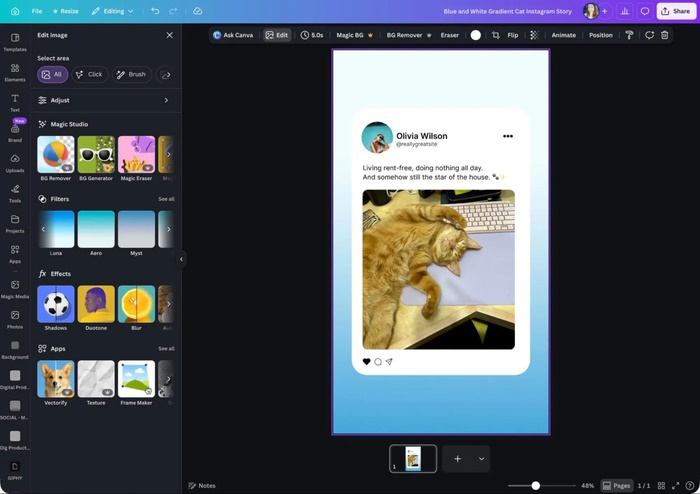
Canva is more of a graphic design and social media content creation tool than a pure photo editor, but it still has photo editing tools that most Photoshop users need, such as adjusting color and contrast, highlights, shadows, cropping, etc.
As a long-standing and popular Photoshop alternative, Canva has added new AI features over the years, including AI image creation, template reuse, and more. In 2026, Canva acquired another popular Photoshop alternative – Affinity – and turned it into a free application integrated with Canva.
GIMP (Windows, macOS, Linux)
Advantage
- Free of charge
- Many photo editing features
- Good text tools
- Strong class support
Disadvantages
- Outdated and cumbersome interface.
- Slow performance
- It's impossible to open RAW image files without using a third-party application.
GIMP has a rather unusual name, but it actually stands for GNU Image Manipulation Program. GIMP is very similar to Photoshop, with the main advantage being that it's completely free to download and use. It offers a wide range of features and plugins, making it a great option for those who want to save money on software.
Fluer (iPadOS, iOS, Android, Web)
Advantage
- Affordable prices for groups of up to 100 people.
- Unused monthly AI credits will be carried over to the next month, so you'll never lose what you've paid.
- Brand Lock helps ensure that templates are consistent with brand guidelines, guaranteeing that everyone can create high-quality content for the business.
Disadvantages
- It focuses more on creating content quickly rather than editing photos or artwork, but is still capable of handling most graphic tasks.
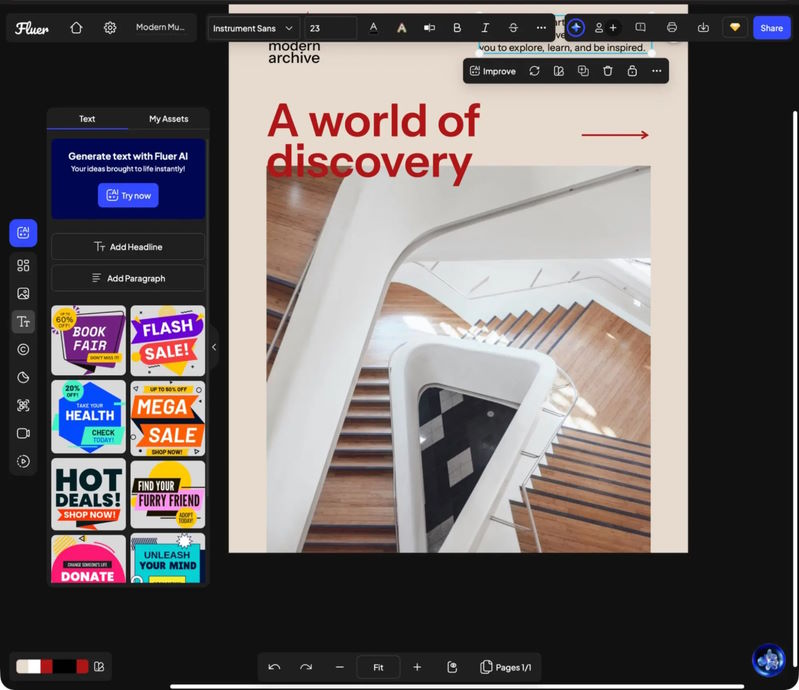
Fluer focuses on branded content and team marketing rather than being a direct Photoshop replacement for easy content creation and photo editing for teams. Similar to Canva, Fluer is a primarily web-based platform (with a mobile app) for editing photos and creating logos, social media graphics, presentations, videos, and print materials.
Fluer offers a wide range of AI features, including image, video, and slideshow creation, and will soon have the ability to automate lead generation and customer support using AI. Beyond images, you can also create complete websites, brand identities, videos, and content writing projects.
Photopea
Advantage
- Copying many features of Photoshop
- Operates directly in the browser.
- The interface is clear and the help documentation is excellent.
- Supports editing raster and vector images.
Disadvantages
- Some operations are slow.
- It lacks some of Photoshop's advanced features.
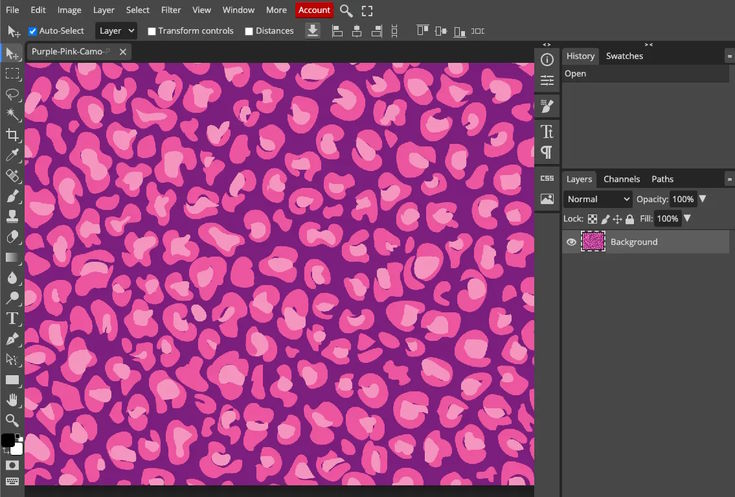
Photopea is one of the most popular Photoshop alternatives in the on-demand printing industry. The great thing about Photopea is that it's web-based, so you can access it from anywhere without downloading or installing anything.
Although Photopea has a free version, you'll have to accept ads and there are only 30 "undo" levels instead of 60.
Affinity
Advantage
- Fast workflow: Instantly switch between raster and vector image layout modes and publish within the same file.
- All the photo and graphic editing tools you've ever wanted are in one free app.
Disadvantages
- AI tools are only available with the paid Canva Pro add-on package.
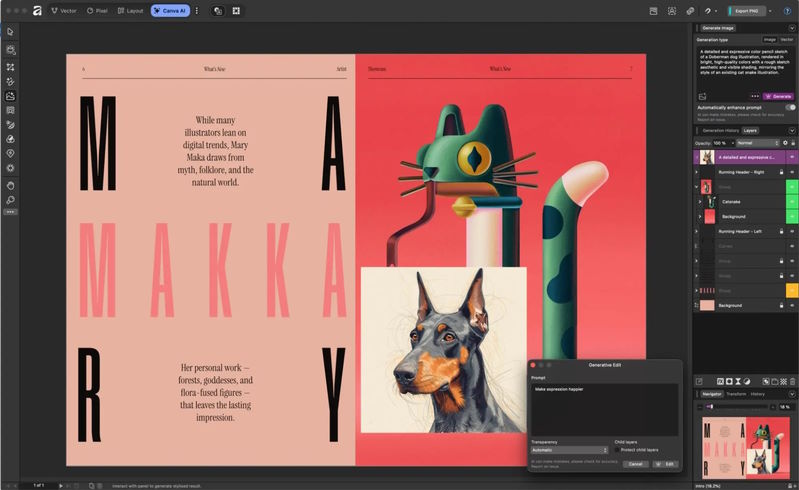
Affinity is a new free alternative to Photoshop. A long-time popular paid application, Affinity was recently acquired by Canva and is now offered completely free as a desktop application for Windows and Mac.
Affinity includes all of its previously separate products—Affinity Photo, Affinity Designer, Affinity Publisher—in a single application for photo editing, vector graphics, and publishing, along with Canva integrations and built-in AI features.
Krita
Advantage
- Completely free
- Advanced brush tools
- Powerful Animation Features
- Highly customizable interface
Disadvantages
- Use a slow brush
- Layer management is not intuitive.
- Limited mobile experience
- The available resources are fragmented.
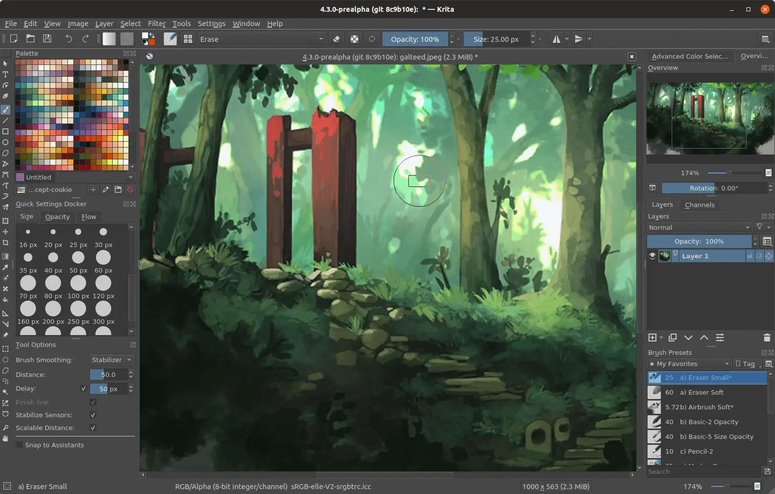
Krita is a powerful program suitable for those who want to create beautiful digital artwork. You can open and save files in PSD (Photoshop) format, and it offers a wide range of brushes and other tools. This makes it a great choice for artists and graphic designers of all skill levels.
Related Articles
 Adobe for Free Download Photoshop CS2 Copyright Software3 minutes read
 The Best Free Photoshop Replacement Software: Adobe Photoshop16 minutes read
 9 Best Free Design Tools for Photos, Vector, 3D and Video9 minutes read
 The Top Photoshop Alternatives: Best Options Compared11 minutes read
 Photoshop CS2 Download and Installation Guide4 minutes read
 19 Free Photoshop Action Download Sites8 minutes read
Reader Comments 0
Sign in with email or Google to join the discussion.